Best Project Management Software for iPad in 2026: The Definitive Professional Guide
The transition of the iPad from a consumption device to a primary professional workstation is complete. In 2026, the convergence of iPadOS 19’s advanced multitasking and the raw power of M4 and M5 Silicon has shifted project management...
The transition of the iPad from a consumption device to a primary professional workstation is complete. In 2026, the convergence of iPadOS 19’s advanced multitasking and the raw power of M4 and M5 Silicon has shifted project management (PM) from the desktop to the ultra-portable. Project managers and team leads no longer require a MacBook to handle complex Gantt charts, resource allocation, or real-time Scrum boards.
Contents
This guide analyzes the premier project management software solutions optimized for iPad in 2026, focusing on technical performance, Apple Pencil Pro integration, and AI-driven automation capabilities that define the current enterprise landscape.
The State of Mobile Project Management in 2026
The 2026 PM landscape is dominated by three technological pillars: Generative AI Orchestration, Cross-Platform Parity, and Spatial Collaboration. Modern iPad applications are no longer "lite" versions of web apps; they are purpose-built binaries that leverage the Neural Engine to provide predictive analytics and automated scheduling.
For organizations operating in 2026, the iPad offers unique advantages over traditional laptops:
- Tactile Resource Mapping: Using the Apple Pencil Pro to drag-and-drop dependencies with haptic feedback.
- Augmented Reality (AR) Progress Tracking: Utilizing the LiDAR scanner for site visits in construction or retail PM to overlay digital twins.
- Always-On Connectivity: 5G and Satellite-link capabilities in the latest iPad Pro models ensure project synchronization even in remote field operations.
Leading Project Management Platforms for iPad: 2026 Analysis
Selecting the right software requires a balance between UI responsiveness and backend complexity. The following platforms represent the gold standard for iPadOS in 2026.
1. Monday.com: The Automation Powerhouse
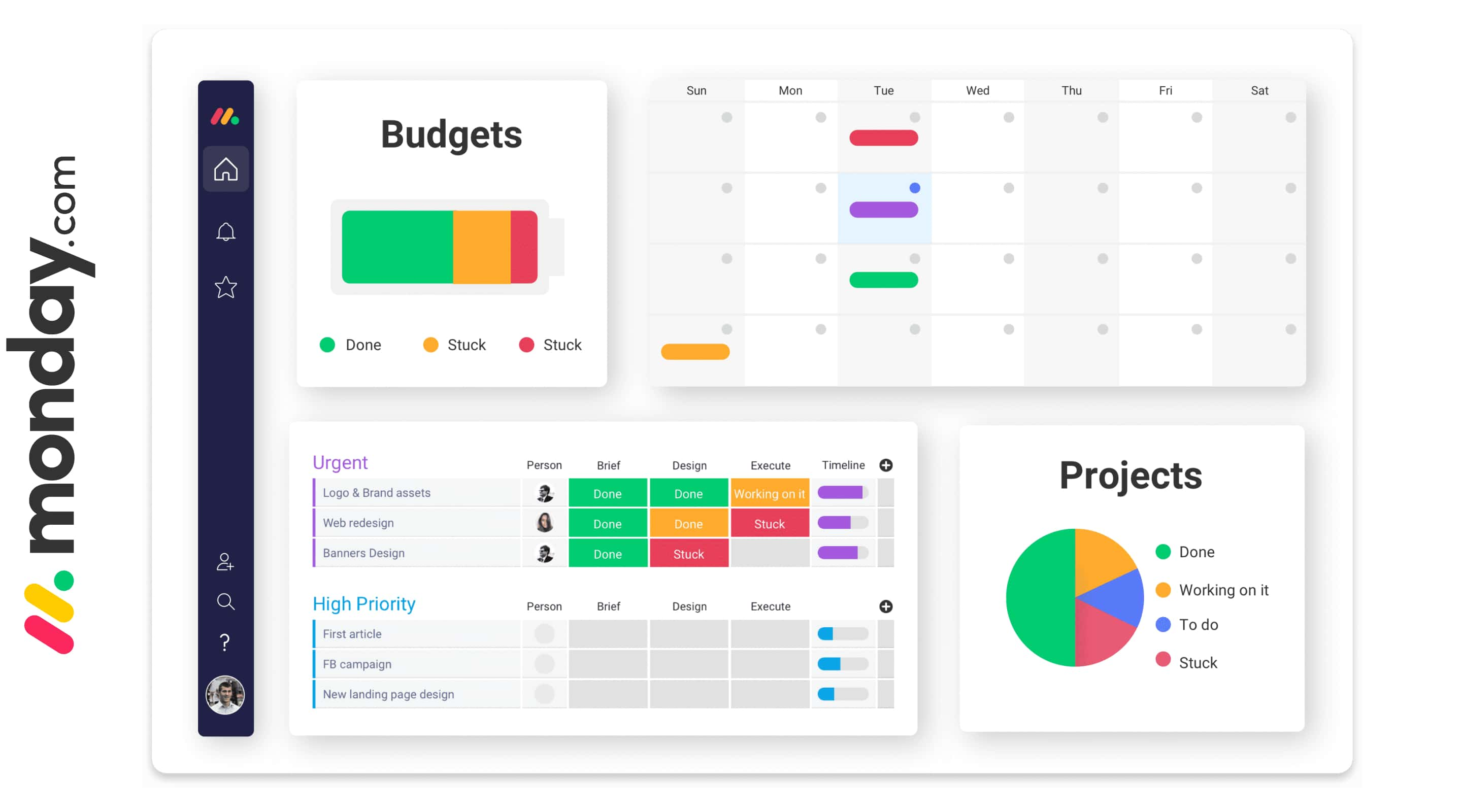
Monday.com has refined its iPadOS app to feature full "Monday AI" integration. In 2026, the app uses local on-device processing to suggest workflow optimizations without sending sensitive data to the cloud, maintaining strict SOC2 and GDPR compliance.
2. ClickUp: The "Everything" App Optimized
ClickUp’s 2026 iPad iteration has finally solved the performance issues of previous years. Its Native 3.0 Architecture allows for instantaneous switching between List, Board, and the highly advanced 3D Mind Map views. It is particularly effective for teams requiring deep hierarchical task structures.
3. Notion: The Document-Centric Project Hub
Notion remains the leader for knowledge-heavy projects. In 2026, its iPad app features advanced database relations that support professional-grade PM methodologies like PRINCE2 and Agile. The handwritten-to-text conversion via Scribble is now flawless, allowing for meeting notes to become instant database entries.
4. OmniPlan 5: The Desktop-Grade Specialist
For heavy-duty Waterfall project management, OmniPlan 5 remains the only true professional choice for iPad. It provides local file encryption and complex Monte Carlo simulations that run natively on M-series chips, making it the preferred tool for high-stakes engineering and infrastructure projects.
2026 Comparison of Top iPad Project Management Software
| Feature | Monday.com (2026) | ClickUp 3.0 | Notion AI | OmniPlan 5 |
|---|---|---|---|---|
| Primary Methodology | Agile / Hybrid | Multi-Methodology | Knowledge/Wiki-PM | Waterfall / Critical Path |
| Pencil Pro Support | Moderate (Annotations) | High (Mind Mapping) | High (Scribble) | Extreme (Gantt Edits) |
| Offline Capability | Limited Sync | Robust Local Cache | Minimal | Full Native Offline |
| AI Integration | Workflow Automation | Task Summarization | Content Generation | Predictive Scheduling |
| Target Audience | Marketing / HR / Ops | Software / Tech | Creatives / Startups | Engineering / Construction |
| Pricing (Enterprise) | $24/user/mo | $19/user/mo | $15/user/mo | $199 One-time / Pro |
Hardware Requirements for Professional PM Workflows
To effectively run project management software on an iPad in 2026, certain hardware benchmarks must be met to ensure the software does not throttle during complex data rendering.
Technical Specification Recommendation
Minimum Processor: Apple M2 chip or higher. While A-series chips can run basic task lists, the M-series is required for Stage Manager and external display support, which are critical for "Desktop Mode" PM work.
RAM Thresholds: 8GB is sufficient for basic task management, but 16GB (available on 1TB+ iPad Pro models) is mandatory for users managing projects with over 5,000 active dependencies or large-scale resource histograms.
Display Standards: Liquid Retina XDR or Ultra Retina Tandem OLED displays are necessary for color-coded Gantt charts and high-density data visualizations to reduce eye strain during long planning sessions.
Strategic Advantages and Operational Limitations
While the iPad is a formidable tool, a Senior Technical SEO and PM Strategist must acknowledge the trade-offs involved in a mobile-first professional workflow.
Advantages of the iPad PM Ecosystem
- Field Agility: The ability to move from a boardroom presentation to a field site without changing devices.
- Biometric Security: FaceID provides a more seamless and secure login for sensitive project data than traditional passwords.
- Instant Interaction: The zero-latency wake-up time of iPadOS allows for rapid updates to "fire-drill" tasks that occur in high-pressure environments.
Limitations and Mitigations
- Complex Spreadsheet Interop: While PM apps are robust, heavy Excel integration can still be cumbersome. Remedy: Use Universal Control to bridge the iPad with a Mac for heavy data-crunching periods.
- Thermal Throttling: Intense AI simulations can warm the device. Remedy: Ensure the use of the 2026 Magic Keyboard which acts as a secondary heat sink for M5 models.
Implementation Guide: Setting Up Your iPad PM Station
Following these steps will ensure your mobile environment is optimized for enterprise-level project delivery.
- Configure Stage Manager: Enable Stage Manager in Settings to allow for overlapping windows. Set your PM app on the left and your communication tool (Slack/Teams) on the right for simultaneous coordination.
- Establish Apple Pencil Shortcuts: Map the double-tap gesture of the Apple Pencil Pro to "Quick Note" or "Toggle Erase" to speed up the markup of project blueprints or wireframes.
- Enable Focus Filters: Utilize the 2026 Focus Mode enhancements to automatically silence non-project notifications when your PM app is in the foreground.
- Integrate Cloud Storage: Map your Files app directly to SharePoint, Google Drive, or Box to ensure that all project assets are accessible natively within your PM software without manual imports.
Expert Insight: Choosing Based on Team Velocity
As a technical strategist, I recommend selecting your software based on your team's "Velocity Profile."
- If your team moves at a High Velocity with frequent task changes (Software Dev), ClickUp offers the most flexible UI.
- If your team focuses on Fixed-Requirement Delivery (Construction/Legal), the precision of OmniPlan is unmatched.
- For Cross-Functional Teams needing high visibility, Monday.com provides the best visual dashboards for non-technical stakeholders.
Frequently Asked Questions
Can the iPad Pro 2026 fully replace a laptop for project management?
Yes, for 95% of project management roles, the iPad Pro with an M-series chip and Magic Keyboard is a total laptop replacement. The 2026 versions of iPadOS have resolved previous limitations regarding file management and external peripheral support, making the transition seamless for PMs. However, specialized legacy Windows-only software may still require a remote desktop solution.
Which iPad app is best for Gantt charts in 2026?
OmniPlan 5 is widely considered the gold standard for Gantt charts on iPad due to its native design and violation-resolution engine. It allows project managers to balance resources and identify critical paths with more precision than web-based wrappers. Most SaaS tools like Monday.com offer Gantt views, but they lack the deep analytical features of OmniPlan for massive infrastructure projects.
Does project management software on iPad work offline?
Most enterprise SaaS platforms like ClickUp and Monday.com offer limited offline "caching" which allows you to view and edit tasks that sync once a connection is re-established. For 100% offline reliability in 2026, OmniPlan remains the leader as it stores data locally and doesn't rely on a constant server handshake to function.
How does AI improve project management on the iPad in 2026?
AI on the iPad now uses on-device Neural Engines to perform "Predictive Pathing." This means the software can automatically flag a project as "at risk" by analyzing the historical velocity of your team and comparing it to current progress, all without your data leaving the device. Additionally, AI agents can now draft status reports and summarize long comment threads automatically.
Is the Apple Pencil Pro necessary for project managers?
While not strictly required, the Apple Pencil Pro significantly enhances the "Flow State" for PMs. It is particularly useful for rapid whiteboarding, annotating project PDFs, and fine-tuning timelines in Gantt views where finger-touch precision may be insufficient for high-density displays.
Professional Summary and Next Steps
The shift toward mobile-first project management is a strategic move for organizations prioritizing agility and modern talent retention. In 2026, the iPad is not just a secondary screen; it is a high-performance engine capable of driving multi-million dollar projects to completion.
To begin your transition:
- Audit your current PM software’s iPadOS feature parity.
- Trial Monday.com or ClickUp for 14 days specifically using the iPad interface.
- Invest in M4/M5 hardware to ensure your device lifecycle remains viable through 2028.
Image Gallery