Balancing the Books: How an Income Expense Spreadsheet Fuels Small Business Growth
An income and expense spreadsheet serves as the core financial compass for small business owners by recording revenue streams, tracking operating costs, and revealing net cash flow in real time. By standardizing financial records and e...
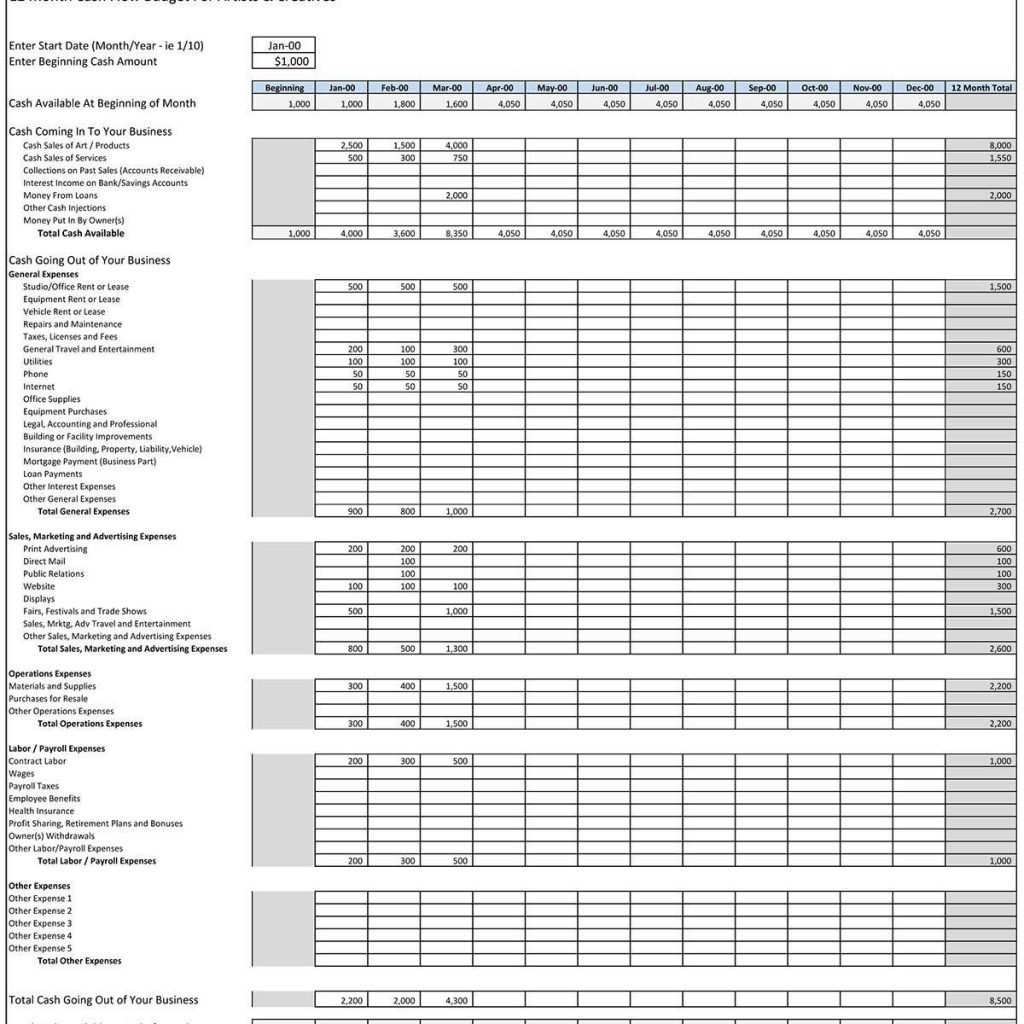
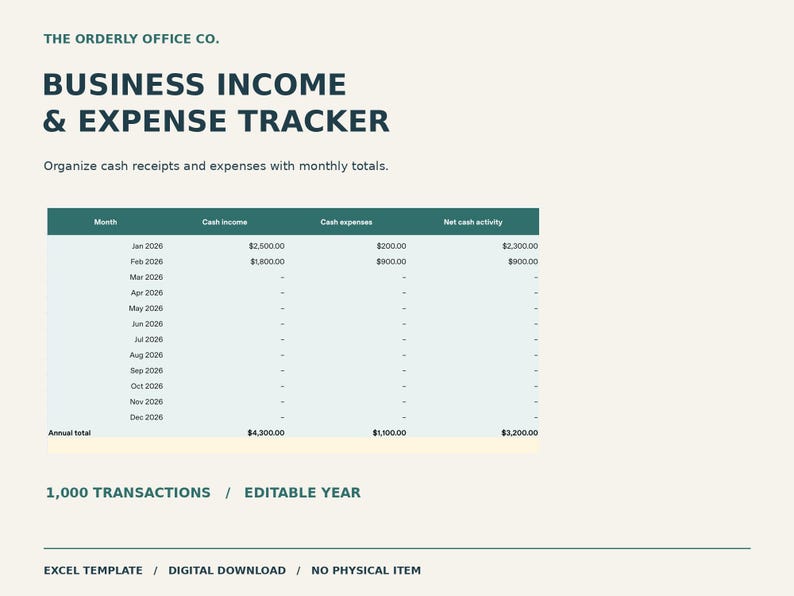
An income and expense spreadsheet serves as the core financial compass for small business owners by recording revenue streams, tracking operating costs, and revealing net cash flow in real time. By standardizing financial records and enabling monthly bank reconciliations, a structured spreadsheet provides clear visibility into profit margins, eliminates spending inefficiencies, ensures tax compliance, and equips owners to make data-backed growth decisions.
Contents
The Fundamentals of Balancing the Books for Small Businesses
In business accounting, balancing the books refers to the practice of verifying that every financial transaction—incoming revenue and outgoing expense—is accurately recorded, properly categorized, and matched against official bank and credit card statements. For early-stage companies and growing enterprises alike, maintaining balanced financial records ensures that reported revenues match actual cash movement, preventing undetected leaks and distorted financial statements.
While large enterprise organizations utilize complex double-entry accounting engines, many small business owners start with a streamlined single-entry or customized double-entry spreadsheet system. In a single-entry framework, transactions are recorded as positive figures for income or negative figures for expenses, directly updating a running cash balance.
To maintain financial accuracy, an income expense spreadsheet must distinguish between key accounting terms:
- Gross Revenue: The total dollar amount generated from sales of goods or services before deducting costs.
- Cost of Goods Sold (COGS): Direct expenditures required to produce a product or deliver a service, such as raw materials and direct labor.
- Operating Expenses (OpEx): Indirect overhead costs necessary to keep the business running, including rent, utilities, software subscriptions, insurance, and marketing.
- Net Income (Profit): The remaining cash after subtracting COGS and OpEx from Gross Revenue.
Establishing precise categories early prevents revenue from being overstated or tax-deductibles from being missed. Regular reconciliation—matching spreadsheet entries against bank statements at the close of every month—is the core mechanism that keeps books balanced and financially sound.
Why Spreadsheets Remain a Powerful Growth Engine
Despite the widespread availability of automated cloud accounting platforms, the humble spreadsheet—whether built in Microsoft Excel, Google Sheets, or Apple Numbers—remains one of the most effective tools for small business financial management.
- Daily Transactions
- Categorized Ledger
- Bank Reconciliation
- Monthly Summary
- Financial KPI Dash
- Strategic Growth
Spreadsheets offer distinct strategic advantages during early and intermediate growth phases:
Complete Operational Visibility and Control
Automated software often aggregates transactions into rigid default categories that mask operational nuances. A customized spreadsheet forces business owners to directly interact with their numbers. Entering or reviewing line items builds an intuitive understanding of cash velocity, customer payment terms, and vendor cost structures.
Financial Flexibility and Customization
Every business model has unique drivers. A service business may need to track revenue by billable hour and project tier, whereas a retail brand must track inventory cost per unit and merchant processing fees. Spreadsheets allow users to modify column structures, add conditional formatting, and create customized financial models without purchasing upgraded software packages.
Zero Software Overhead and Minimal Barriers to Entry
Managing cash burn is essential for early-stage survival. Spreadsheet platforms are either free or already included in standard office software suites. Eliminating recurring SaaS expenses preserves capital that can be redirected toward inventory, hiring, or customer acquisition.
Essential Components of an Income Expense Spreadsheet
To transform a standard table into a business growth tool, a spreadsheet must capture granular transactional data while automatically computing executive-level key performance indicators (KPIs).
1. Transactional Ledger Columns
A complete ledger ledger requires specific data fields to support tax filing, internal audits, and bank reconciliations:
- Date: Transaction processing date.
- Transaction ID / Invoice Number: Cross-reference identifier for receipt tracking.
- Payee / Payer: Customer, client, or vendor name.
- Category / Chart of Accounts: Standardized classification (e.g., Client Retainers, Office Supplies, Software SaaS, Legal Fees).
- Description: Concise note on the business purpose of the transaction.
- Income Amount: Positive cash influx.
- Expense Amount: Cash outflow.
- Tax-Deductible Status: Tag indicating whether the expense qualifies as a tax deduction under local regulations.
- Reconciliation Checkbox: Indicator that the entry matches an official bank statement line item.
2. Built-in Formulas for Dynamic Financial Metrics
Automating core formulas eliminates manual calculation errors and updates financial metrics instantly as new transactions are added:
- Total Gross Revenue:
=SUM(Income_Column) - Total Expenses:
=SUM(Expense_Column) - Net Profit:
=SUM(Income_Column) - SUM(Expense_Column) - Net Profit Margin (%):
=(Net Profit / Total Gross Revenue) * 100 - Average Monthly Operating Cost:
=AVERAGE(Monthly_Expense_Totals)
Comparative Analysis: Bookkeeping Solutions for Small Businesses
Selecting the right financial ledger method depends on business complexity, transaction volume, and administrative capacity. The table below compares spreadsheet bookkeeping with dedicated accounting software and full-service outsourced bookkeepers across core performance parameters.
| Performance Metric | Income Expense Spreadsheet | Basic Accounting Software | Outsourced Professional Bookkeeper |
|---|---|---|---|
| Direct Operating Cost | $0 to $15 / month (Standard office suites) | $20 to $90 / month (SaaS subscriptions) | $250 to $1,000+ / month |
| Setup & Learning Curve | Low; intuitive basic logic | Moderate; requires learning platform rules | Extremely low; handled by external team |
| Customization & Flexibility | Full freedom over rows, columns, and formulas | Restricted to standardized software templates | Tailored to external reporting standards |
| Transaction Automation | Low to moderate (Manual input or CSV imports) | High (Direct bank feeds and auto-rules) | High (Fully managed by professional) |
| Risk of Human Error | Moderate to high (Overwritten formulas, typos) | Low (Engine built with closed logic) | Very low (Regulated by accounting controls) |
| Tax & Audit Readiness | Requires manual export and organization | High (Standardized P&L and Balance Sheet) | Very high (CPA-ready financial packages) |
| Optimal Business Phase | Solopreneurs, startups, micro-businesses (<250 tx/mo) | Scaling companies (250–2,000 tx/mo) | Complex SMEs, multi-entity operations |
Step-by-Step Guide: Setting Up and Operating Your Spreadsheet
Setting up a robust income and expense tracking spreadsheet requires establishing clear data entry routines, standard categories, and regular reconciliation schedules.
- Build Chart of Accounts (Revenue/Expense Categories)
- Establish Data Entry Protocols (Daily/Weekly Batches)
- Conduct Monthly Bank Reconciliation & Verify Balances
- Run Monthly KPI Reviews & Adjust Growth Strategy
Step 1: Establish a Standardized Chart of Accounts
Before entering transactions, build a dedicated tab listing all income and expense categories. Standardization prevents duplicate or inconsistent category naming (such as using "Software", "SaaS", and "Apps" interchangeably), which distorts monthly spending analysis.
Common business expense categories include:
- Direct Costs / COGS (Raw materials, subcontractor fees)
- Facilities & Utilities (Rent, power, Internet)
- Marketing & Advertising (Ad spend, agency retainers, media creation)
- Payroll & Benefits (Wages, contractor fees, payroll taxes)
- Professional Services (Legal fees, accounting services, consulting)
- Technology & Subscriptions (SaaS tools, hosting, software licenses)
- Travel & Entertainment (Meals, mileage, client hospitality)
Step 2: Set Rigid Batch Entry Protocols
Spreadsheet bookkeeping fails when updates are neglected. Establish a calendar routine—such as 15 minutes every Friday afternoon—to log transactions, upload receipts to a central cloud directory, and update project codes. Many business owners download monthly bank statement CSV files and paste transactional data directly into their spreadsheet to reduce manual typing.
Step 3: Perform Monthly Reconciliation
At the end of each month, compare the final calculated balance in your spreadsheet against your business bank account statement balance.
If your spreadsheet calculated ending balance does not match the actual bank closing balance:
- Verify that all cleared transactions for the calendar month have been logged.
- Check for outstanding uncashed checks or pending merchant processing settlements.
- Identify duplicate rows or broken formulas in the sum ranges.
- Account for hidden bank service charges, chargebacks, or foreign exchange fees.
Step 4: Evaluate Monthly KPIs
Use aggregated monthly summary sheets to track profit trends. Compare month-over-month expenses against historical benchmarks to flag cost overruns before they endanger working capital.
Using Financial Insights to Drive Business Growth
Balancing the books is not merely an administrative requirement; it provides the core operational data needed to scale a business profitably. An accurate income expense spreadsheet highlights strategic expansion opportunities while identifying hidden cash leaks.
- High-Margin Product Lines
- Strategic Action: Allocate More Marketing Spend
- Rising Operating Expense Ratio
- Strategic Action: Renegotiate Vendor & SaaS Contracts
- Predictable Monthly Profit
- Strategic Action: Reinvest Capital / Hire Talent
- Cash Flow Lag Patterns
- Strategic Action: Adjust Invoice Payment Terms
1. Identifying and Double-Downing on High-Margin Revenue Streams
By categorizing income by product line, service tier, or client account, a detailed spreadsheet reveals which business activities generate the strongest gross margins.
For instance, a digital agency might discover that web development projects yield a 65% net margin, whereas social media management retainers yield only 22% due to high labor hours. Armed with this insight, leadership can pivot marketing and sales efforts toward high-margin services, accelerating bottom-line growth without increasing revenue volume.
2. Identifying Cash Leaks and Optimizing Overhead
Recurring software subscriptions, unused office tools, and unnegotiated vendor rates can gradually erode net margins. A line-by-line review of logged expenses highlights unnecessary expenditures. Eliminating $500 per month in redundant SaaS subscriptions frees up $6,000 annually in net working capital—capital that can be deployed into customer acquisition channels.
3. Forecasting Cash Flow and Managing Working Capital
A historical spreadsheet record enables owners to project seasonal revenue dips and manage working capital effectively. If historic data shows revenues decline by 30% every July, the owner can plan cash reserves during peak spring months, avoiding unexpected credit dependencies or missed payroll obligations.
4. Streamlining Tax Planning and Credit Access
Clean, reconciled financial spreadsheets lower corporate tax compliance costs and speed up funding applications. Tax professionals charge significantly more when forced to organize unformatted transaction logs.
Furthermore, when applying for commercial loans, equipment financing, or credit lines, financial institutions require clean profit and loss statements. Demonstrating disciplined, balanced accounting builds lender confidence and accelerates funding approvals.
Common Spreadsheet Bookkeeping Pitfalls and Mitigation Strategies
While spreadsheets are highly flexible, unmanaged files are susceptible to errors that can distort financial reports. Implementing strict file hygiene controls prevents common financial tracking errors.
Commingling Personal and Business Finances
- The Risk: Combining personal purchases with business expenses creates tax compliance risks, distorts profit margins, and threatens the legal liability protections provided by corporate structures (such as LLCs or corporations).
- The Solution: Maintain dedicated business bank accounts and business credit cards. Log only verified business transactions within the spreadsheet engine.
Broken Formulas and Overwritten Cell References
- The Risk: Accidental typing over a formula cell can quietly freeze summary metrics, displaying outdated balance totals despite new transactions being added.
- The Solution: Lock summary rows and formula cells using built-in sheet protection features. Use data validation rules to restrict inputs in specific columns to specific formats (e.g., forcing dates into
YYYY-MM-DDformat).
Lack of Version Control and Security Backups
- The Risk: Local spreadsheet files can be lost due to hardware failures, corrupt files, or uncoordinated edits by multiple team members.
- The Solution: Store master financial spreadsheets in encrypted cloud drives (such as Google Drive or Microsoft OneDrive) with automated version history enabled. Limit edit permissions to key financial managers.
Frequently Asked Questions
Can a small business use a spreadsheet instead of dedicated accounting software?
Yes. Micro-businesses, sole proprietors, freelancers, and early-stage companies with low transaction volumes can effectively manage financial records using a spreadsheet. However, as business operations scale to include complex inventory management, multi-state payroll, or high transaction volumes, transitioning to dedicated accounting software or hiring a professional bookkeeper becomes necessary.
How often should an income expense spreadsheet be updated?
Transactions should ideal be logged weekly, while bank reconciliations must be completed monthly upon receipt of bank statements. Waiting until the end of the year to log transactions increases human error, risks lost receipts, and deprives business owners of the real-time financial visibility needed for operational decision-making.
What is the difference between single-entry and double-entry bookkeeping in spreadsheets?
Single-entry bookkeeping logs each transaction as a single positive or negative entry in a running cash ledger, similar to a checkbook register. Double-entry bookkeeping records every transaction twice—as a debit to one account and a credit to another—ensuring that the accounting equation ($\text{Assets} = \text{Liabilities} + \text{Equity}$) balances. Single-entry is easier to manage in spreadsheets, but double-entry provides stronger fraud protection and institutional accuracy.
Is an income expense spreadsheet acceptable for business tax preparation?
Yes. Tax authorities require clear, accurate records supporting reported income and tax deductions. A well-maintained spreadsheet with documented expenditure categories, matched to physical or digital receipts, provides accountants with the details needed to file annual corporate and individual tax returns.
How do I calculate net profit margin in my financial spreadsheet?
To compute net profit margin percentage, divide Net Profit (Total Income minus Total Expenses) by Total Income, then multiply the result by 100. In spreadsheet syntax, the formula is: =(Net_Profit_Cell / Total_Income_Cell) * 100.
Next Steps to Build Your Small Business Growth Engine
Balancing your books with a structured income and expense spreadsheet transforms financial administration into a tool for strategic growth. To get started:
- Download or build a structured template: Create a standardized workbook containing an input ledger, a designated chart of accounts, and a dynamic monthly summary tab.
- Separate your accounts: Ensure all business operations flow through dedicated business bank and credit card accounts.
- Schedule routine entries: Set aside dedicated time each week to log incoming payments and outgoing bills.
- Reconcile monthly: Match spreadsheet balances against official bank statements on the first day of every month.
- Review margins quarterly: Use your financial records to adjust pricing models, reduce unnecessary expenses, and reinvest profits into high-margin growth areas.
Disclaimer: This article provides general educational information on bookkeeping practices. For specific legal, tax, or regulatory compliance advice tailored to your jurisdiction, consult a Certified Public Accountant (CPA) or qualified financial advisor.
Image Gallery