Debunking 5 Common Myths About sa.www4.irs.gov Safety
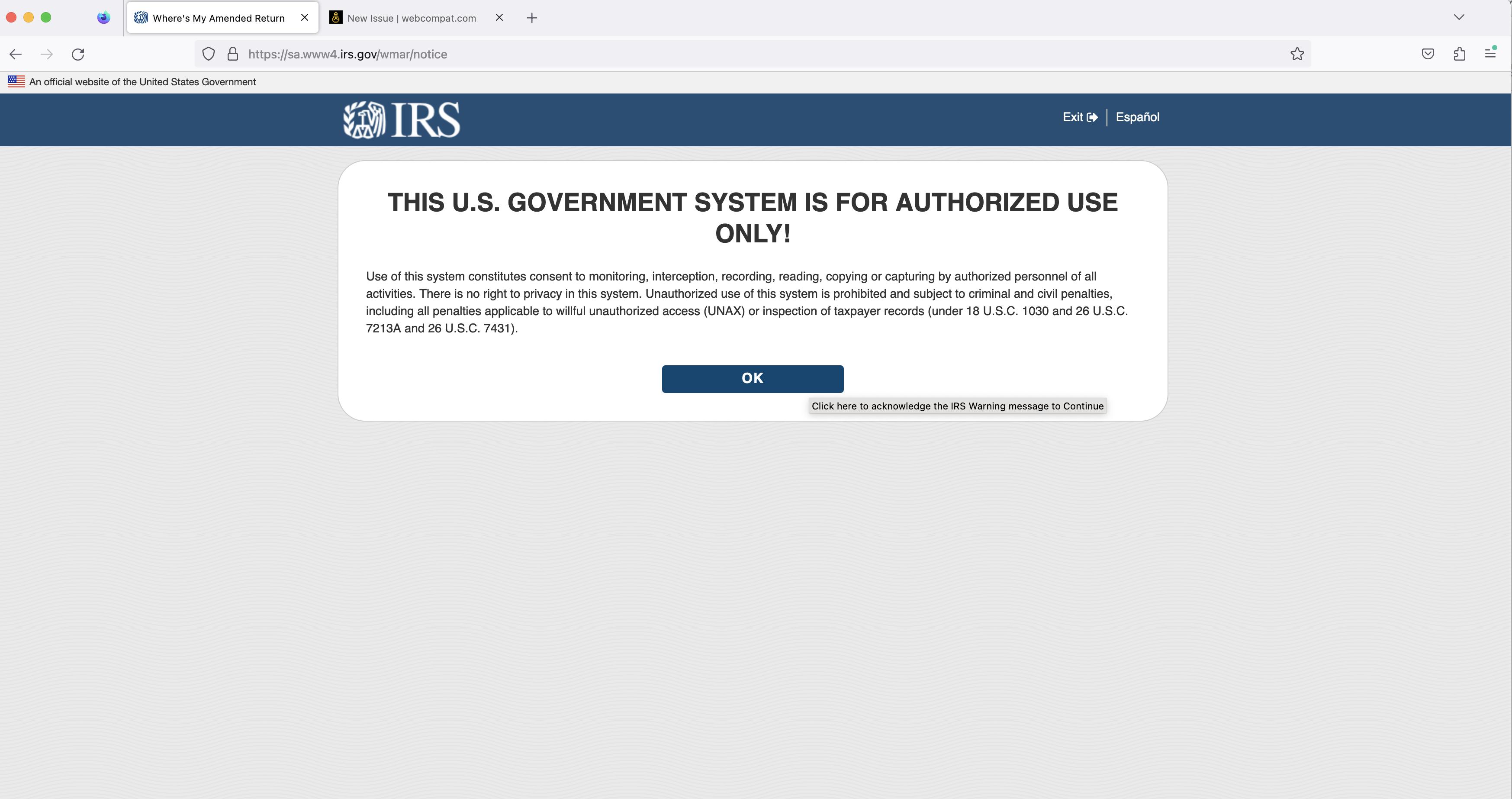
The web address sa.www4.irs.gov is a legitimate, secure subdomain owned and operated by the Internal Revenue Service. It is primarily used to host the "EIN Assistant" and other interactive tax tools. While its unusual prefix often caus...
The web address sa.www4.irs.gov is a legitimate, secure subdomain owned and operated by the Internal Revenue Service. It is primarily used to host the "EIN Assistant" and other interactive tax tools. While its unusual prefix often causes concern, it is a safe portal for submitting sensitive taxpayer information to the U.S. government.
Contents
Accessing government services online in 2026 requires a high degree of vigilance. When taxpayers are directed to a URL that deviates from the standard "www.irs.gov," skepticism is a natural and generally healthy response. However, the specific subdomain sa.www4.irs.gov has been a source of confusion for years, leading to several persistent misconceptions. This article provides a technical breakdown of why this URL exists, evaluates its security protocols, and debunks the most common myths surrounding its use.
Understanding the "sa.www4" Architecture
To understand why the IRS uses this specific address, one must look at how large-scale enterprise networks manage traffic. The IRS receives millions of hits per day, especially during peak filing seasons. To handle this load, they utilize various subdomains and server clusters.
The prefix "sa" typically stands for "Shared Application" or "Service Architecture" within the Treasury Department’s infrastructure. The "www4" designates a specific web server or load balancer within a cluster. Unlike a simple informational page, these subdomains are designed for "stateful" interactions—processes where the server must remember your progress across multiple screens, such as when you are applying for an Employer Identification Number (EIN).
Myth 1: The "www4" Prefix Indicates a Phishing Site
The most frequent misconception is that any URL containing a number after "www" is a sign of a fraudulent website. In the early days of the internet, phishers often used slight variations of URLs to trick users. However, in modern enterprise networking, "www2," "www3," or "www4" are standard designations for load balancing.
When you visit a high-traffic site, a load balancer distributes your request to one of several identical servers. While many modern systems mask this by keeping the URL consistent as "www," some legacy government systems and complex interactive applications still display the specific server designation in the address bar. As long as the root domain is .irs.gov, the site is authentic. In the case of sa.www4.irs.gov, the "irs.gov" portion is the authoritative domain, which is strictly controlled by the federal government.
Myth 2: The Site is an Unofficial Third-Party Service That Charges Fees
Many taxpayers encounter this URL while searching for "How to get an EIN." Because several private companies charge fees to act as intermediaries for EIN applications, users often mistake the sa.www4 portal for one of these paid services.
The reality is the opposite: sa.www4.irs.gov is the official, free portal provided by the Department of the Treasury. If you are on a site that asks for a "processing fee" or "application charge" to obtain an EIN, you are likely on a third-party commercial site, not the official IRS subdomain. The official IRS tool does not charge a fee for the issuance of an EIN. If the URL in your browser ends in .gov, you are on a government site; if it ends in .com, .net, or .org, you are dealing with a private entity.
Myth 3: It is Unsafe to Enter a Social Security Number on This Page
Because the EIN application requires the Social Security Number (SSN) or Individual Taxpayer Identification Number (ITIN) of the "responsible party," users are often terrified of entering this data into a URL that looks "non-standard."
Technically, sa.www4.irs.gov employs the same level of encryption as the main IRS homepage. As of 2026, the IRS utilizes TLS (Transport Layer Security) 1.3 or higher for all data-in-transit. This ensures that any information you type into the EIN Assistant is encrypted before it leaves your computer and can only be decrypted by the IRS servers.
To verify this safety yourself:
- Look for the padlock icon in the browser address bar.
- Click the padlock to view the security certificate.
- Ensure the certificate is issued to the Internal Revenue Service or the U.S. Department of the Treasury.
- Confirm the organization is verified as a government entity.
Myth 4: The Link is "Broken" or "Fake" Because it Only Works During the Day
One of the strangest but most common myths is that the site is a "fake" because it frequently displays a "Service Unavailable" message or appears to be offline. This leads users to believe they have clicked a "dead" phishing link.
In reality, the IRS EIN Assistant has specific hours of operation. Unlike informational pages, the backend database that processes these applications requires nightly maintenance and synchronization with broader Treasury systems.
IRS Online Tool Availability (Standard Operating Hours)
| Tool / Service | Availability (Eastern Time) | Purpose |
|---|---|---|
| EIN Assistant (sa.www4) | Monday–Friday, 7:00 a.m. – 10:00 p.m. | Applying for a new Business Tax ID |
| Check My Refund Status | 24/7 (except scheduled maintenance) | Tracking personal tax refunds |
| Online Account | 24/7 (except scheduled maintenance) | Viewing tax transcripts and balances |
| Taxpayer Assistance Center | Varies by Location (Business Hours) | In-person support and verification |
If you attempt to access sa.www4.irs.gov at 11:00 p.m. on a Saturday, you will likely see an error page. This is not a sign of a scam; it is a limitation of the IRS legacy processing systems.
Myth 5: Any URL Starting With "IRS" is Automatically Safe
While we have established that sa.www4.irs.gov is safe, the inverse myth—that any URL containing the letters "IRS" is safe—is dangerous. Scammers often use "typosquatting" or "subdomain trickery" to deceive taxpayers.
For example, a scammer might create a site called irs.gov.security-update.com or irs-tax-portal.net. In these cases, the actual domain is "security-update.com" or "irs-tax-portal.net," not "irs.gov." The official government subdomain structure always places the government entity before the .gov suffix. In the string sa.www4.irs.gov, the ".gov" is the Top-Level Domain (TLD), and "irs" is the second-level domain. This structure is legally protected and cannot be purchased by private individuals.
How to Verify the Authenticity of an IRS Subdomain
When navigated to a page like sa.www4.irs.gov, follow these verification steps to ensure you are not on a fraudulent site:
- Check the TLD: The URL must end in .gov. If there is anything after the ".gov" (like .gov.com or .gov/login-secure), be extremely cautious.
- Inspect the Root Domain: Ensure that "irs.gov" is the segment immediately preceding the .gov suffix, separated only by a dot.
- Avoid Email Links: The IRS rarely sends unsolicited emails containing links to these tools. Most legitimate users arrive at sa.www4 by clicking a link directly from the primary
www.irs.govhomepage. - Manual Entry: If you are uncertain, go to www.irs.gov and use the internal search bar to type "Apply for an EIN." Clicking the official "Apply Online Now" button will redirect you to the safe sa.www4 subdomain.
Comparison: Official IRS Portal vs. Common Phishing Indicators
| Feature | Official sa.www4.irs.gov | Potential Phishing/Scam Site |
|---|---|---|
| Domain Ending | Always ends in .gov |
Often ends in .com, .net, or .org |
| Security Certificate | Issued to U.S. Dept of Treasury | Issued to generic names or unknown orgs |
| Cost of Service | $0 (Always Free) | Usually $50 - $300 "Processing Fee" |
| Connection Type | HTTPS (Encrypted) | May be HTTP or have invalid certificates |
| Contact Info | Lists official 1-800-829-4933 number | Lists generic "Support" forms or no phone |
Frequently Asked Questions
Is sa.www4.irs.gov the only legitimate IRS subdomain?
No, the IRS uses several subdomains for different functions. For example, la.www.irs.gov or am.www2.irs.gov may appear depending on your geographic location or the specific tax tool you are using. The key is to ensure the core domain remains irs.gov.
Why does the site look so old or outdated?
The IRS maintains many legacy systems that are prioritized for security and stability over modern aesthetic design. The EIN Assistant on sa.www4.irs.gov has maintained a similar interface for years because it is integrated into deep-level mainframe systems that process tax identification numbers. A "basic" look does not mean it is unsafe.
Can I use a VPN while accessing sa.www4.irs.gov?
While you can use a VPN, some IRS security filters may block certain IP addresses associated with high-risk regions or known botnets. If you receive a "403 Forbidden" or "Access Denied" error while using a VPN, try disconnecting it and accessing the site through a standard, secure U.S.-based connection.
What should I do if I entered my SSN on a site I think was fake?
If you realize you have entered sensitive information on a site that was not irs.gov, you should immediately visit the official IRS Identity Theft Central page. You may need to file Form 14039 (Identity Theft Affidavit) and place a fraud alert on your credit reports with Equifax, Experian, and TransUnion.
Why was I redirected to sa.www4.irs.gov from the main site?
This redirection is intentional. The main www.irs.gov site is largely informational (a Content Management System). When you start a transactional process like an EIN application, the site moves you to a "Shared Application" (sa) server designed to handle the secure data entry and database communication required for tax ID generation.
Final Recommendation for Taxpayers
When you encounter sa.www4.irs.gov, you can proceed with confidence, provided you arrived there via the official IRS homepage. Do not click links to this subdomain from unsolicited emails, text messages, or social media posts. The most secure way to use this tool is to navigate to IRS.gov, search for "EIN," and follow the internal links. By verifying the .gov suffix and the SSL certificate, you can ensure your sensitive business and personal data remain protected by federal security standards.
Image Gallery