How Event CRM Software Works for Event Teams
Event CRM software functions by centralizing attendee data, sponsor communications, and vendor profiles into a unified database, enabling event teams to track engagement across the entire lifecycle of a conference, trade show, or corpo...
Event CRM software functions by centralizing attendee data, sponsor communications, and vendor profiles into a unified database, enabling event teams to track engagement across the entire lifecycle of a conference, trade show, or corporate gathering. By integrating registration platforms, email marketing tools, and on-site check-in systems, these specialized platforms automate segmentation, personalize messaging, and deliver real-time analytics to improve ROI and operational efficiency.
Contents
Modern event planning requires managing complex ecosystems of attendees, exhibitors, speakers, and internal staff. Traditional general-purpose customer relationship management (CRM) tools often fail to capture the fast-paced, time-sensitive nature of live and virtual experiences. This gap is filled by event-specific CRM software, engineered specifically to handle the unique demands of event professionals. Understanding how these systems operate, integrate, and empower event teams is essential for scaling operations and delivering seamless experiences.
The Core Architecture of Event CRM Software
At its foundational level, an event CRM is built around a centralized attendee database often referred to as a single source of truth. Unlike standard corporate CRMs that focus on long sales cycles, event CRMs are structured around temporal data points: registration dates, session attendance, ticket tiers, check-in timestamps, and post-event survey responses.
The architecture typically consists of three primary layers: the data ingestion layer, the processing and segmentation engine, and the engagement interface. The ingestion layer collects data from web forms, ticketing widgets, and mobile event apps. The processing layer cleanses this data, deduplicates entries, and tags contacts based on predetermined behavioral triggers. Finally, the engagement interface allows event coordinators to deploy targeted email campaigns, SMS notifications, and push alerts without exporting data to third-party tools.
Furthermore, role-based access control (RBAC) ensures that different members of the event team—such as logistics coordinators, sponsorship managers, and executive leadership—only see the data relevant to their specific duties. This segmentation protects sensitive user information while streamlining cross-functional collaboration.
Key Features and Functional Capabilities
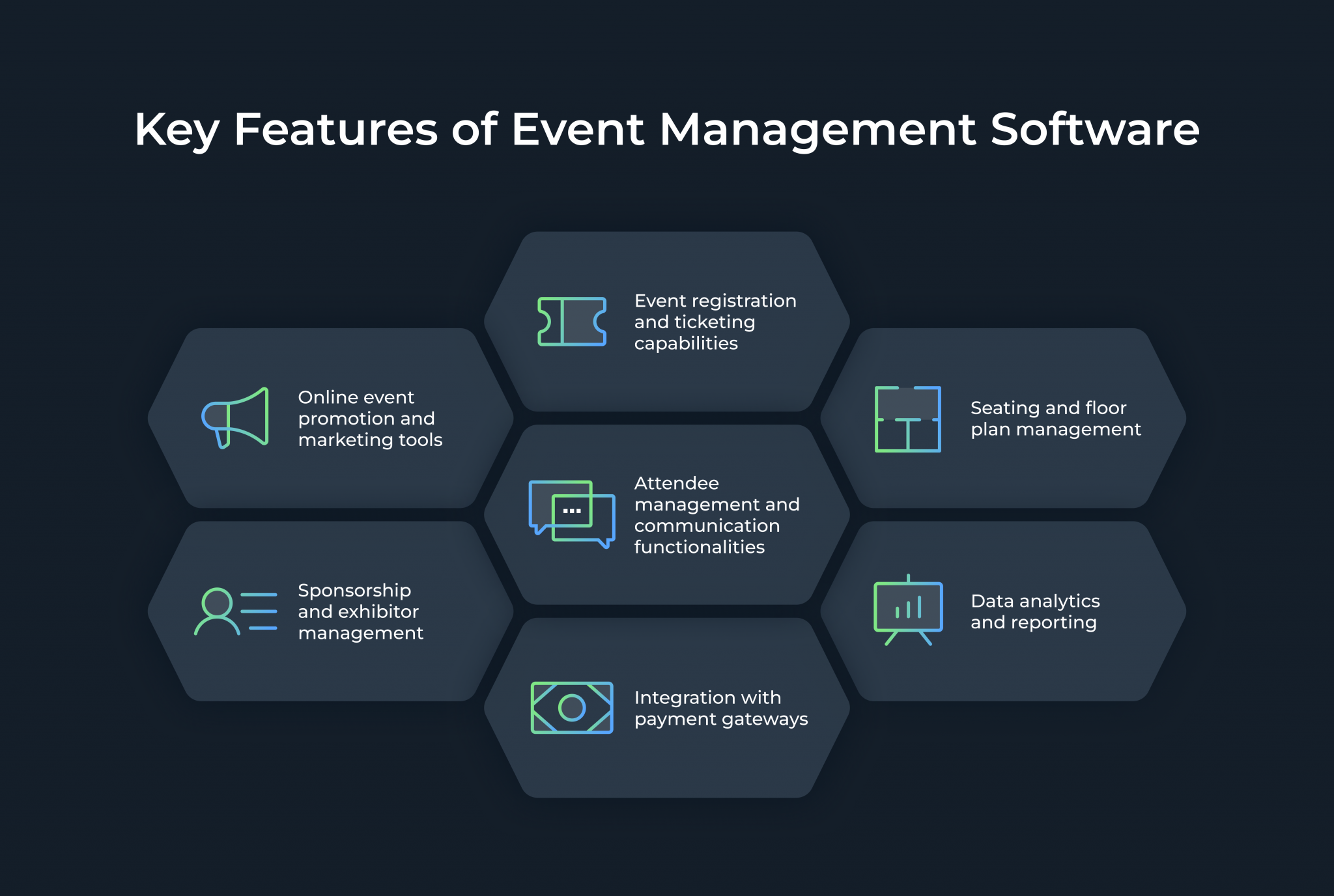
To support the daily workflows of an event team, event CRM software packages a diverse suite of features designed to eliminate manual data entry and reduce human error.
Registration and Ticketing Integration
Event CRMs either include native ticketing engines or integrate seamlessly with third-party platforms like Eventbrite, Cvent, or Swoogo. When a participant registers for an event, their profile is instantly created or updated within the CRM. This eliminates the tedious process of importing and exporting CSV files, ensuring that the marketing and logistics teams always view real-time ticket sales and demographic breakdowns.
Behavioral Tracking and Lead Scoring
As attendees interact with pre-event emails, website landing pages, and the event mobile app, the CRM tracks their digital footprint. Opening a session catalog, downloading a whitepaper, or visiting a virtual sponsor booth adds points to an attendee's lead score. Event teams use these scores to identify highly engaged participants, segment VIPs, or trigger automated follow-up sequences for prospective clients.
Sponsor and Exhibitor Management
Corporate events rely heavily on sponsors and exhibitors to fund operations and provide value. Event CRMs allow teams to manage sponsor pipelines much like a sales team manages prospective accounts. Coordinators can track contract negotiations, collect logos and promotional materials, assign booth locations, and measure the exact ROI delivered to sponsors through attendee badge scans and session traffic.
Comparison of Standard CRMs vs. Event-Specific CRMs
Selecting the right software requires understanding how event-specific platforms differ from enterprise customer relationship management systems like Salesforce or HubSpot. While general CRMs can be customized for events, they often require extensive developer resources to match the out-of-the-box functionality of an event-focused tool.
| Feature Area | Standard Enterprise CRM | Event-Specific CRM |
|---|---|---|
| Primary Focus | Long-term sales pipelines and account management | Time-bound event lifecycles and attendee engagement |
| Data Structure | Accounts, contacts, deals, and activities | Registrants, ticket tiers, sessions, badges, and check-ins |
| On-Site Operations | Limited native support; requires third-party plugins | Built-in badge printing, QR check-in, and session tracking |
| Setup Time | Weeks or months of custom configuration | Days or weeks with pre-built event templates |
| Sponsor Tracking | Treated as standard B2B accounts | Specialized modules for booths, deliverables, and ROI reporting |
Step-by-Step Workflow for Event Teams
Implementing and utilizing an event CRM effectively involves a structured workflow spanning the pre-event, live event, and post-event phases.
1. Pre-Event Setup and Audience Segmentation
Prior to launch, the event team configures custom fields in the CRM to capture data specific to the upcoming gathering, such as dietary restrictions, workshop choices, or hotel preferences. Marketing automation sequences are built to nurture early-bird registrants, remind incomplete registration drop-offs, and deliver personalized agendas based on user preferences.
2. On-Site Operations and Real-Time Data Syncing
During the live event, staff utilize the CRM's mobile companion applications or integrated badge-scanning hardware. As attendees walk through venue doors, the CRM records their arrival in real time. This allows event teams to monitor peak registration hours, track room capacities for specific sessions, and identify no-shows instantly.
3. Post-Event Analysis and Nurturing
Once the event concludes, the heavy lifting of data analysis begins. The CRM aggregates feedback from post-event surveys, compiles session attendance reports, and calculates overall event ROI. Sales and marketing teams then execute automated follow-up campaigns, segmenting leads into warm prospects for sales outreach or general community members for future event invites.
Common Pitfalls and Troubleshooting
Despite the advantages of event CRM software, event teams frequently encounter operational hurdles during deployment and execution.
- Data Silos and Integration Failures: Using disjointed tools that do not synchronize properly leads to duplicate records and inaccurate attendance counts. Ensure all chosen software packages feature robust API connections or native integrations.
- Poor User Adoption: Event staff who are accustomed to spreadsheets may resist adopting a new software platform. Comprehensive internal training and establishing clear standard operating procedures (SOPs) are necessary to secure team-wide buy-in.
- Data Privacy and Compliance Violations: Mishandling attendee PSI (Personally Identifiable Information) violates regulations such as GDPR and CCPA. Event teams must configure permission settings, secure explicit consent checkboxes during registration, and regularly purge outdated contact lists.
Frequently Asked Questions
Can an event CRM replace my current email marketing tool?
Many event CRMs include native email marketing builders that allow you to segment audiences and send broadcast or automated drip campaigns. However, if your organization relies on complex B2B marketing automation workflows, you can typically integrate your existing email platform with the event CRM via webhooks or native connectors.
How does an event CRM handle virtual and hybrid events?
Modern event CRMs integrate directly with video streaming and virtual event platforms. They track digital engagement metrics—such as chat participation, poll responses, and video watch time—and combine this data with in-person attendance metrics to provide a unified view of attendee participation.
Is technical expertise required to set up an event CRM?
Most modern event CRMs feature intuitive, drag-and-drop interfaces that do not require coding knowledge. However, setting up complex webhooks, custom API integrations, or multi-tiered user permissions may require assistance from an IT professional or a specialized platform consultant.
How are sponsors tracked within an event CRM?
Sponsors are managed through dedicated modules that function similarly to B2B sales pipelines. Teams can track deliverables such as logo placements, sponsored session slots, and lead retrieval scans, ensuring that sponsors receive measurable value from their financial investment.
What is the typical cost structure for event CRM software?
Pricing varies significantly depending on the platform provider, the volume of annual registrants, and the required feature tiers. Most vendors operate on an annual subscription model with tiered pricing based on active contacts or per-event usage fees.
Conclusion and Next Actions
Event CRM software transforms how event teams operate by replacing fragmented spreadsheets with a centralized, automated powerhouse of attendee and sponsor data. To begin, audit your current event tech stack to identify data bottlenecks, map out your team's specific workflow requirements, and request product demonstrations from leading vendors to find a platform that aligns with your organizational scale and budget.
Image Gallery