Understanding the SharePoint Scan Overview: A Technical Guide for Administrators
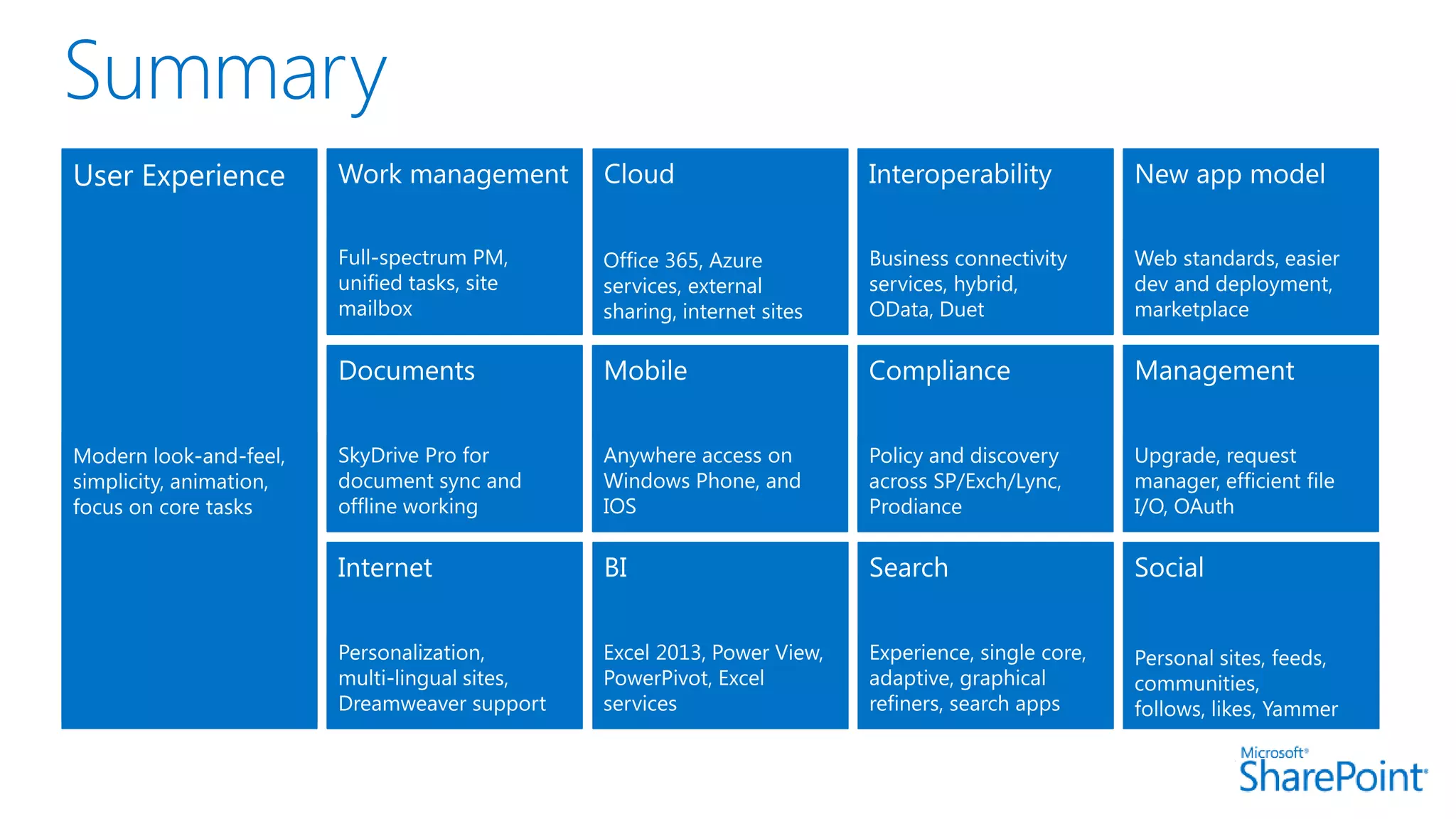
A SharePoint scan overview provides administrators with deep visibility into their Microsoft SharePoint environments, detailing site structures, storage metrics, sharing permissions, and potential security vulnerabilities to streamline...
A SharePoint scan overview provides administrators with deep visibility into their Microsoft SharePoint environments, detailing site structures, storage metrics, sharing permissions, and potential security vulnerabilities to streamline migration, compliance, and governance workflows.
Contents
Evaluating the architecture and security posture of enterprise collaboration platforms requires structured administrative insights. In modern digital workplaces, platforms like Microsoft SharePoint accumulate vast quantities of unstructured data, custom lists, document libraries, and historical permissions over years of continuous use. Without systematic evaluation tools, IT administrators, compliance officers, and migration architects face severe blind spots. Understanding the SharePoint scan overview is essential for identifying how automated scanning mechanisms operate, what data points they capture, and how organizations leverage these insights to maintain secure, compliant, and optimized cloud environments.
The Core Purpose of SharePoint Scanning
SharePoint scanning functions as an investigative and diagnostic phase for enterprise storage management. Rather than guessing what resides within legacy or active sites, administrators deploy scanning utilities—ranging from native Microsoft Purview tools to specialized third-party migration and governance software—to map the digital landscape.
The primary objective is to generate an accurate inventory of assets. This includes cataloging site collections, sub-sites, unique permissions, large files, outdated content, and potential security risks such as over-shared files or sensitive data types embedded in documents. By executing comprehensive scans, organizations can shift from a reactive security posture to a proactive governance model.
Furthermore, scanning provides baseline metrics required for large-scale transformations, such as migrating on-premises SharePoint Server farms to SharePoint Online in Microsoft 365. Understanding the volume, structure, and complexity of existing content prevents bottlenecks, project delays, and unexpected licensing or storage expenditures.
Key Components Captured During a Scan
A thorough SharePoint scan evaluates multiple layers of the environment. Each component targets specific operational, security, or structural dimensions.
1. Site Structure and Inventory Mapping
At the foundational level, a scan builds a hierarchical tree of the entire environment. It identifies every site collection, associated web apps, document libraries, lists, and unique folder structures. This inventory highlights orphaned sites—workspaces created by employees who have since left the organization—which often remain unmanaged and vulnerable to security breaches.
2. Permissions and Access Controls
One of the most critical aspects of any administrative scan is access analysis. SharePoint allows granular permission inheritance breaks, meaning individual files or folders can have permissions that differ entirely from their parent site. Scans map out:
- Direct user permissions versus group-based permissions.
- External sharing links (anonymous links, organization-wide links, and guest access).
- Shared-with lists for sensitive files.
Uncovering excessive access rights allows security teams to remediate overly permissive shares before malicious actors or unauthorized internal personnel exploit them.
3. File Types, Sizes, and Age Analysis
Storage optimization relies on understanding what types of data consume space. Scans analyze file extensions, individual file sizes, and last-modified timestamps. This data separates active operational documents from stale data—files that have not been modified or accessed in several years. Organizations use this metric to implement archiving policies, reduce cloud storage costs, and enforce retention schedules.
4. Sensitive Information Types (SITs) and Compliance
Advanced governance scans interface with compliance frameworks to detect sensitive data. These scans search file contents and metadata for patterns matching credit card numbers, Social Security numbers, internal project codenames, or proprietary intellectual property. Identifying unencrypted sensitive data in standard team sites enables immediate application of sensitivity labels and Data Loss Prevention (DLP) policies.
Native Tools vs. Third-Party Solutions
Administrators can utilize different avenues to execute scans depending on their specific requirements, budget, and compliance mandates.
| Scanning Solution Type | Primary Use Case | Advantages | Limitations |
|---|---|---|---|
| Microsoft Purview (Native) | Compliance, data governance, and sensitivity auditing. | Built directly into Microsoft 365; requires no external infrastructure; deep integration with compliance policies. | Focuses heavily on security and compliance rather than deep migration path mapping. |
| SharePoint Migration Tool (SPMT) | Assessing on-premises farms for cloud migration readiness. | Free Microsoft utility; highlights compatibility issues, large files, and unsupported characters. | Limited post-migration management features; dedicated strictly to migration preparation. |
| Third-Party Governance Software | Deep architectural auditing, continuous reporting, and complex permission cleanups. | Highly customizable dashboards; advanced remediation scripts; robust reporting for executive stakeholders. | Requires licensing costs; may require external infrastructure or agent deployment for on-premises farms. |
Pre-Scan Prerequisites and Preparation
Before initiating a comprehensive scan of a large SharePoint environment, administrators must clear several operational hurdles to ensure accurate results and prevent service degradation.
Permission Requirements
Executing environment-wide scans requires elevated administrative privileges. Depending on the tool used, the scanning account must hold roles such as SharePoint Administrator, Global Administrator, or specific compliance reader privileges. Without appropriate permissions, the scan will encounter access-denied errors, resulting in incomplete inventory data.
Throttling and Performance Management
Cloud environments enforce service limits—commonly known as throttling—to protect infrastructure integrity from excessive automated queries. Running an aggressive, unthrottled scan against SharePoint Online can trigger rate limiting, slow down user productivity, and fail to complete. Administrators must configure scanning tools to respect API thresholds, utilize incremental scanning where available, and schedule heavy scans during off-peak hours (weekends or late nights).
Defining Scope and Boundaries
Scanning an entire enterprise tenant without parameters can generate an unmanageable volume of telemetry data. Administrators should define clear scan scopes by targeting specific site collections, department containers, or geographical regions based on the immediate business objective—whether that is preparing for a specific migration wave or resolving an urgent security audit finding.
Step-by-Step Overview of the Scanning Process
While specific workflows vary depending on the chosen software utility, a standard SharePoint scan generally follows a structured lifecycle.
- Environment Authentication and Connection: The administrative tool authenticates against the SharePoint tenant or on-premises farm using secure protocols (such as OAuth or certificate-based authentication).
- Discovery and Indexing: The scanning engine traverses the site collection hierarchy, cataloging lists, libraries, and web parts while building an internal database of metadata.
- Deep Inspection and Rule Evaluation: The engine inspects individual items against predefined rules, checking file sizes, permission inheritance breaks, and sensitive data signatures.
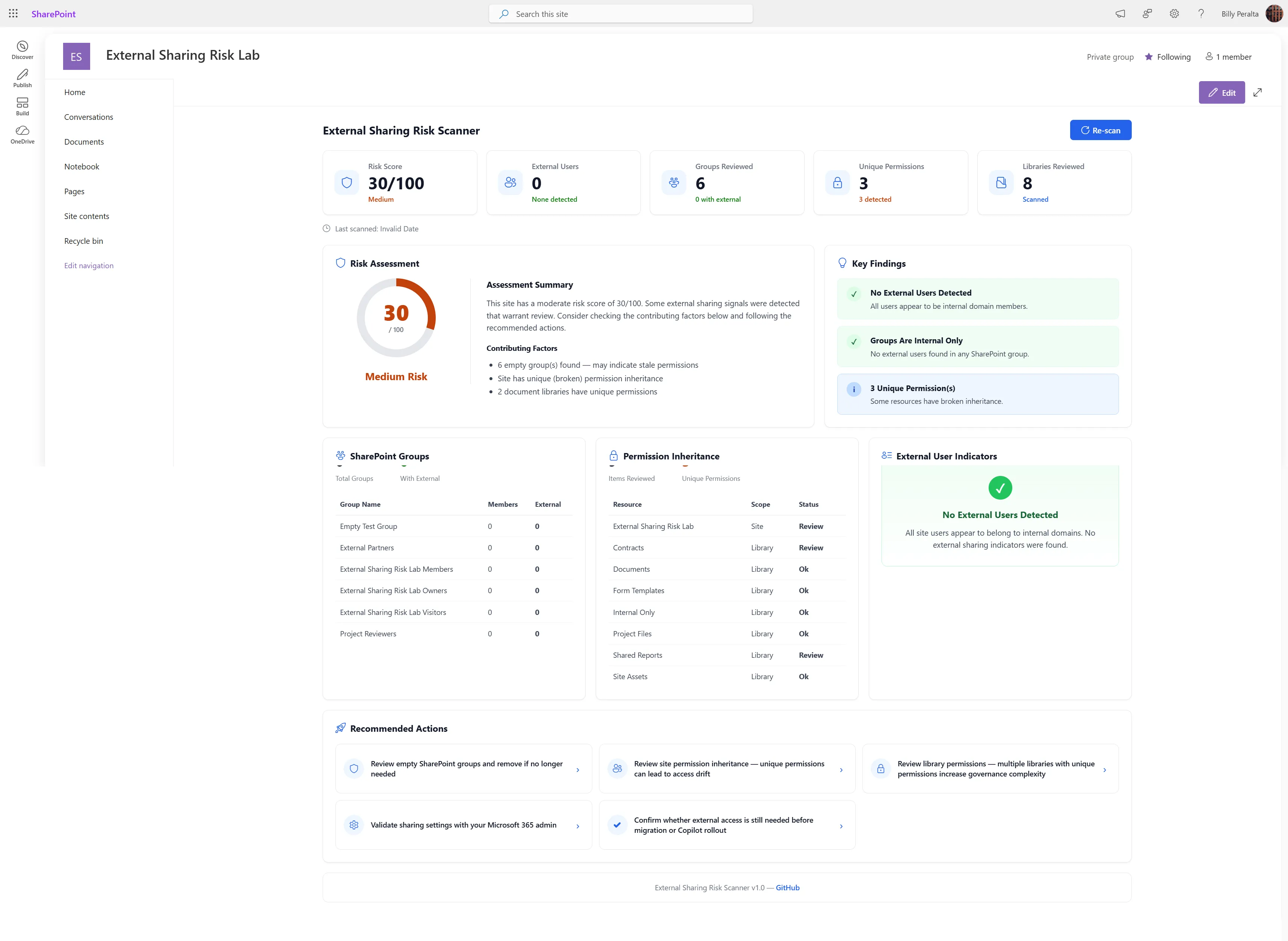
- Data Aggregation and Reporting: The tool compiles raw telemetry into structured dashboards, exportable CSV/Excel reports, or graphical summaries highlighting risk scores and storage distribution.
- Remediation and Action: Administrators analyze the report outputs to purge obsolete files, revoke unauthorized external shares, reassign orphan sites, and apply compliance labels.
| Scan Phase | Key Technical Activity | Common Output |
|---|---|---|
| 1. Discovery | Traversing site trees and web apps | Site inventory list and structural map |
| 2. Inspection | Evaluating file attributes and access lists | Permission matrix and storage utilization stats |
| 3. Analysis | Checking compliance and migration risks | Vulnerability flags and unsupported item logs |
| 4. Remediation | Executing clean-up scripts or policy updates | Secured permissions and optimized storage footprint |
Common Challenges and Troubleshooting
Administrators frequently encounter technical roadblocks during SharePoint scans. Recognizing these issues helps streamline troubleshooting efforts.
Handling Path Length and Character Restrictions
Legacy on-premises migrations often expose file paths that exceed SharePoint Online limitations (typically 400 characters for the total URL path). Scans will flag these paths as migration blockers. Remediation requires restructuring folder hierarchies or shortening file names before migration attempts.
Managing False Positives in Compliance Scans
Automated scanning engines searching for sensitive data often flag harmless strings—such as test numbers or generic sequences—as critical security violations. Administrators must fine-tune sensitive information type (SIT) rules, establish exclusion lists, and review flagged items manually to maintain accurate compliance metrics.
Dealing with Intermittent Network Timeouts
Large document libraries containing millions of small files can cause API timeouts during deep inspection scans. Utilizing multi-threaded scanning configurations with built-in retry logic ensures that temporary network glitches do not abort long-running administrative jobs.
Frequently Asked Questions
What is the primary difference between a SharePoint migration scan and a security scan?
Migration scans focus primarily on structural compatibility, file path lengths, unsupported file types, and total volume to ensure smooth cloud transitions. Security and compliance scans focus on permission audits, external sharing links, and the detection of sensitive data types to mitigate data leakage risks.
Do SharePoint scans impact end-user performance?
If configured improperly, aggressive scans can consume significant API capacity and cause performance degradation for active users. Modern administrative tools allow throttling adjustments and off-peak scheduling to minimize operational disruption.
How often should an enterprise run a SharePoint compliance scan?
Organizations typically run continuous monitoring for security and compliance via automated policies, while comprehensive structural and storage scans are executed monthly or quarterly, as well as immediately prior to major migration or restructuring projects.
Can native Microsoft tools scan third-party storage integrated with SharePoint?
Native tools like Microsoft Purview primarily scan content native to SharePoint Online document libraries and Microsoft 365 groups. External cloud repositories or custom database integrations generally require specialized third-party connectors or dedicated tools.
Conclusion and Next Actions
A comprehensive SharePoint scan overview highlights the critical need for continuous visibility into modern collaboration environments. By systematically mapping site structures, auditing granular permissions, and identifying sensitive content, IT and compliance leaders can eliminate security blind spots and ensure seamless migration outcomes. To begin, audit your current administrative toolkit, identify the specific business driver—such as compliance reporting or migration readiness—and configure a targeted, throttled scan of a pilot site collection to establish a baseline.
Image Gallery