How to Cancel a Western Union Transfer: Complete Guide and Recovery Procedures
Canceling a Western Union transfer is possible only if the intended recipient has not yet collected the funds or if the money has not been deposited into their bank account. To stop a transfer, log into your profile on the Western Unio...
Canceling a Western Union transfer is possible only if the intended recipient has not yet collected the funds or if the money has not been deposited into their bank account. To stop a transfer, log into your profile on the Western Union website or mobile application, navigate to your transfer history, select the specific transaction, and click on the cancellation option if it remains available. Alternatively, you can contact customer service or visit an agent location with your transaction details and identification.
Contents
Navigating the mechanics of international money movement requires an understanding of institutional policies, consumer protection rights, and strict timelines. When executing a peer-to-peer transfer or a cross-border remittance, senders frequently encounter situations where a transaction must be halted. Whether due to a typographical error in the recipient's name, a suspected fraudulent solicitation, or a sudden change of heart, knowing how to cancel a Western Union transfer can prevent permanent financial loss. However, the window of opportunity to reverse a transaction is often remarkably narrow, dictated by whether the transfer has been processed, cleared, or paid out.
Understanding Western Union Transfer States and Cancellation Eligibility
The primary determinant of whether you can successfully cancel a Western Union transfer is the current status of the transaction within the company's payment network. Money transfers move through a strict operational lifecycle, transitioning from pending authorization to available for pickup, and finally to completed or paid out.
If a transfer is still processing or has not yet been collected by the recipient or deposited into their receiving account, you maintain a strong legal and operational window to request a cancellation and refund. Conversely, once a receiver retrieves cash at an agent location or the funds successfully settle into a destination bank account or mobile wallet, the transaction becomes legally final and irreversible. At that stage, Western Union typically cannot retrieve the funds, and users must resolve the dispute directly with the recipient.
To assess your eligibility for a cancellation, you must verify the transaction status. The following table outlines the operational states of a transfer, their meanings, and whether cancellation is permitted.
| Transfer Status | Description | Cancellation Eligibility | Refund Timeline |
|---|---|---|---|
| In Process | The transfer has been submitted, but payment authorization or compliance checks are still underway. | Fully Eligible | Usually 3 to 7 business days depending on payment method. |
| Ready for Pickup | Funds have arrived at the destination network and are awaiting collection by the receiver. | Eligible (Provided cash has not been picked up) | Processed immediately upon confirmation; funds returned to original source. |
| In Transit (Bank/Mobile) | The transfer is moving through automated clearing houses or partner networks toward a bank account. | Conditionally Eligible (Must be intercepted before final posting) | Varies by banking institution, typically 5–10 business days. |
| Received / Completed | The recipient has collected the cash or the funds have posted to their account. | Ineligible | Not applicable; funds cannot be recalled. |
Step-by-Step Instructions to Cancel a Transfer Online
For transfers initiated through the digital portal or mobile application, the online self-service dashboard provides the fastest path to halting a transaction. Senders who funded their transfers using a credit card, debit card, or connected bank account can frequently initiate a cancellation without speaking to a representative.
- Access Your Account: Open the official Western Union website or launch the mobile application on your device. Log in using your registered credentials, ensuring you use the same profile that originated the transaction.
- Navigate to Transfer History: Locate your profile menu, dashboard, or activity feed. Select the section labeled "History," "Activity," or "Track Transfer" to view a chronological list of your recent financial transactions.
- Select the Target Transaction: Scroll through your history to find the specific transfer you wish to cancel. Click on the transaction details to expand the record and review its current status indicators.
- Initiate Cancellation: If the transaction is eligible for reversal, you will see a button or link reading "Cancel transfer" or "Cancel." Click this option to prompt the system.
- Confirm and Review: Follow the on-screen prompts to confirm your decision. You may be asked to provide a reason for the cancellation, such as a clerical error or suspected fraud.
- Save Your Confirmation Number: Once the cancellation is successfully processed, the system generates a cancellation tracking number or confirmation receipt. Save this documentation for your records until the refund reflects in your original payment account.
Alternative Methods: Phone and Agent Location Cancellations
When online self-service options are unavailable—such as when a transfer was initiated with cash at a physical retail partner or if the digital dashboard fails to display a cancellation button—alternative intervention methods are necessary.
Contacting Customer Support
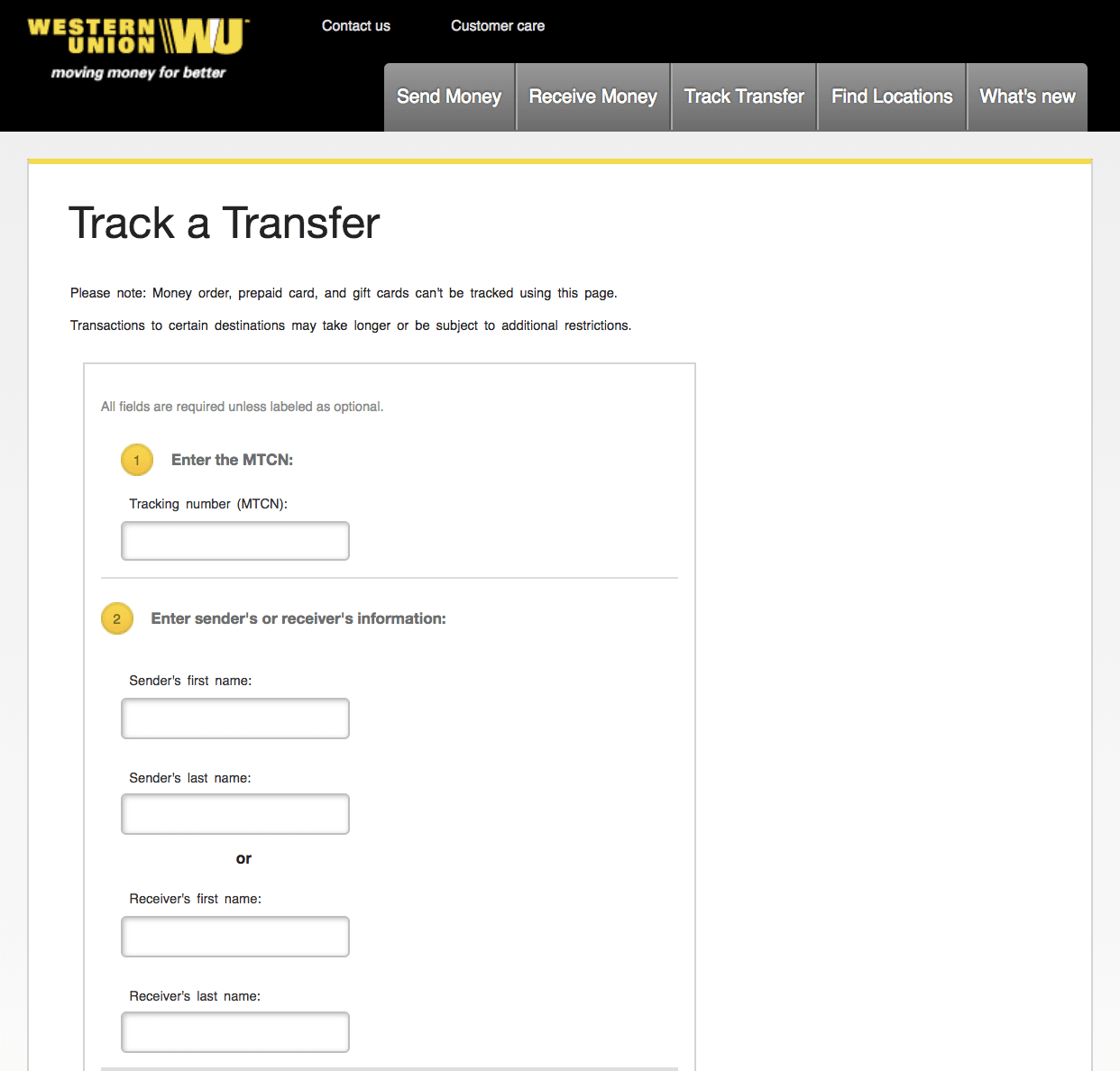
Call the official Western Union customer service telephone line for your region. When speaking with a representative, you must verify your identity by providing personal identification details associated with the profile. Have your Money Transfer Control Number (MTCN), transaction date, exact transfer amount, and sender details readily available. The agent will check the live status of the transfer in their backend systems and, if the funds remain uncollected, process the cancellation manually.
Visiting an Agent Location
If you initiated a transaction using cash at a physical storefront (such as a grocery store, post office, or dedicated kiosk), you can return to that location or another authorized Western Union agent. Bring a valid government-issued photo ID (such as a passport or driver's license) and your original receipt containing the MTCN. The agent can access the terminal system to determine if a stop-payment or cancellation order can be entered into the network.
Fees, Refund Policies, and Processing Timelines
Understanding the financial implications of a canceled transfer is essential for managing your cash flow. When a transfer is successfully canceled before payout, Western Union's standard policy governs the return of both the principal transfer amount and the service fees.
- Principal Refund: The full principal amount sent by the user is always returned upon successful cancellation.
- Service Fee Refunds: According to consumer protection regulations and corporate policy, transfer fees are generally refunded if the cancellation is initiated by the sender before the receiver collects the funds, provided no fraud or regulatory violation occurred. If a transfer is canceled due to a compliance hold or regulatory block initiated by Western Union, fee policies may vary.
- Processing Timelines: The speed at which funds return to your possession depends entirely on your initial funding source. Debit and credit card refunds typically appear on your statement within 3 to 5 business days. Bank account transfers may take up to 7 to 10 business days to clear back through the Automated Clearing House (ACH) network. Cash-funded transactions canceled at an agent location may be refunded in cash immediately, subject to cash drawer availability at the specific store.
Common Mistakes and Troubleshooting When Canceling Transfers
Even with clear instructions, users often encounter operational roadblocks when attempting to reverse a money transfer. Anticipating these hurdles helps streamline the resolution process.
- Assuming Digital Cancellation is Universal: Transfers paid for with cash at an agent location often cannot be canceled via the online app or website. These transactions frequently require manual phone support or an in-person visit.
- Delaying the Request: Waiting hours or days after sending funds dramatically increases the likelihood that the recipient has already collected the money. Act immediately upon realizing an error.
- Incorrect MTCN Details: Failing to provide the correct 10-digit Money Transfer Control Number prevents customer service representatives from locating your transaction swiftly. Always keep your digital or paper receipt secure.
- Disputes Over Completed Transfers: If the recipient has already collected the funds, Western Union cannot force the receiver to return the money. In cases of suspected fraud or scams, file a formal report with local law enforcement and notify Western Union's fraud department immediately to flag the receiving profile.
Frequently Asked Questions
Can I cancel a Western Union transfer if the recipient already picked up the cash?
No. Once the recipient collects the cash at an agent location or the funds are successfully deposited into their bank account, the transaction is final and cannot be canceled or reversed by Western Union. You must contact the recipient directly to resolve the issue or report suspected fraud to authorities.
How long does it take to get my money back after canceling a transfer?
Refund processing times depend on how you paid for the transfer. Debit and credit card refunds usually post within 3 to 5 business days. Bank account refunds can take 7 to 10 business days. Cash refunds initiated at an agent location may be available immediately.
Are Western Union transfer fees refunded when I cancel?
Yes, service fees are generally refunded to the sender if the transfer is successfully canceled before the recipient collects the funds. However, specific terms can vary depending on regional regulations and the reason for the cancellation.
What information do I need to cancel a transfer over the phone?
You will need the 10-digit Money Transfer Control Number (MTCN), your valid government-issued identification, the exact transfer amount, the recipient's name, and the details of the original payment method used to fund the transaction.
What should I do if the online cancel button is missing?
If the online dashboard does not display a cancellation option, it usually means the transfer has progressed too far in the processing cycle, or the transaction was initiated with cash at an agent location. Contact customer support immediately via telephone or visit an authorized agent location to check if manual intervention is still possible.
Next Actions and Recommendations
If you currently need to halt a financial transfer, verify your transaction status immediately through your online profile or by locating your original receipt containing the MTCN. If the transaction status reads as pending or uncollected, execute the online cancellation steps or contact customer support without delay. For ongoing security, always double-check recipient banking details and legal names prior to submitting future remittances to eliminate the need for post-transaction cancellations.
Image Gallery