Navigating Marketo GDPR Compliance: A Comprehensive Guide for 2026
Marketo GDPR compliance requires a structured integration of data privacy controls, consent management, and automated lifecycle tracking within the Adobe Experience Cloud ecosystem. Organizations using Marketo Engage must configure spe...
Marketo GDPR compliance requires a structured integration of data privacy controls, consent management, and automated lifecycle tracking within the Adobe Experience Cloud ecosystem. Organizations using Marketo Engage must configure specific API-based consent capture, implement data retention policies, and maintain transparent audit trails to ensure personal data processing adheres to the General Data Protection Regulation requirements for EU-based and affected data subjects.
Contents
The Regulatory Framework for Marketo Users
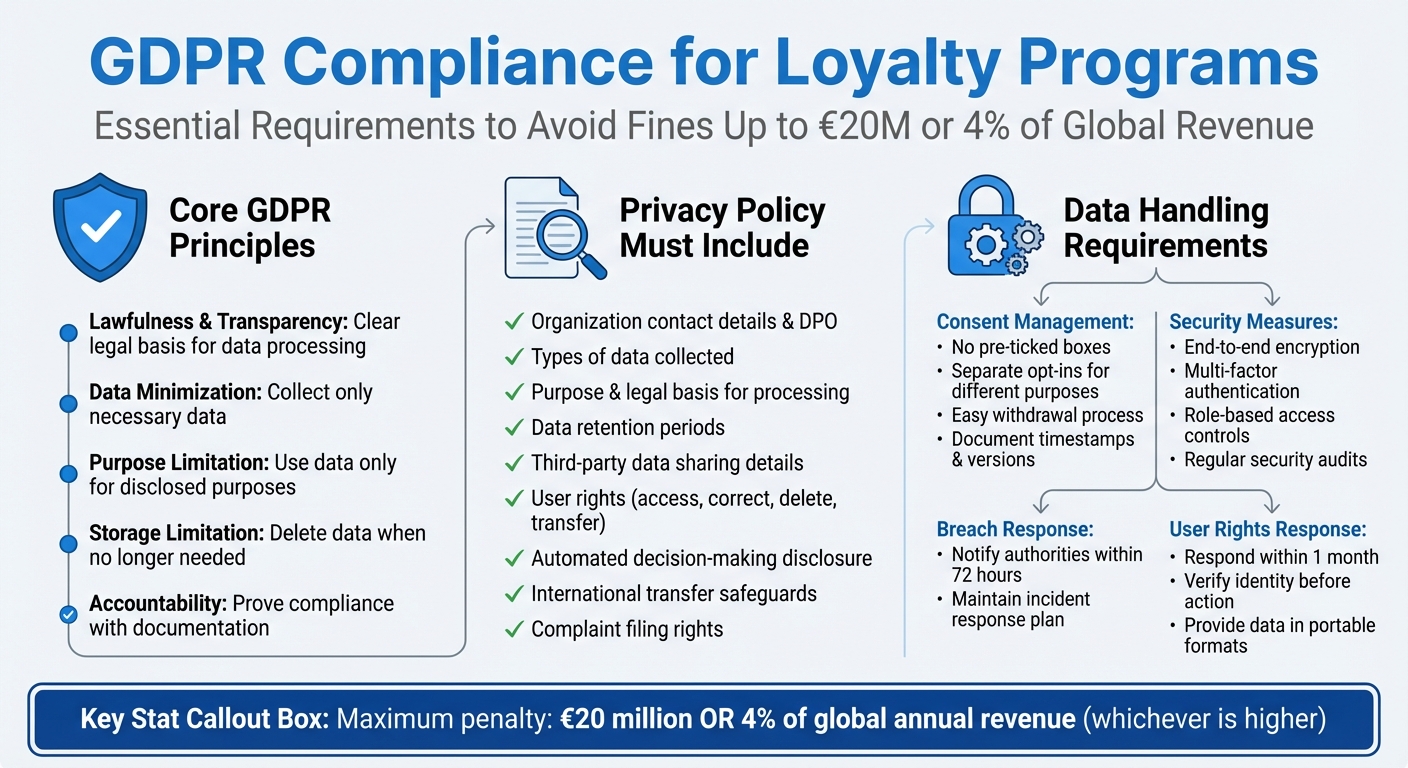
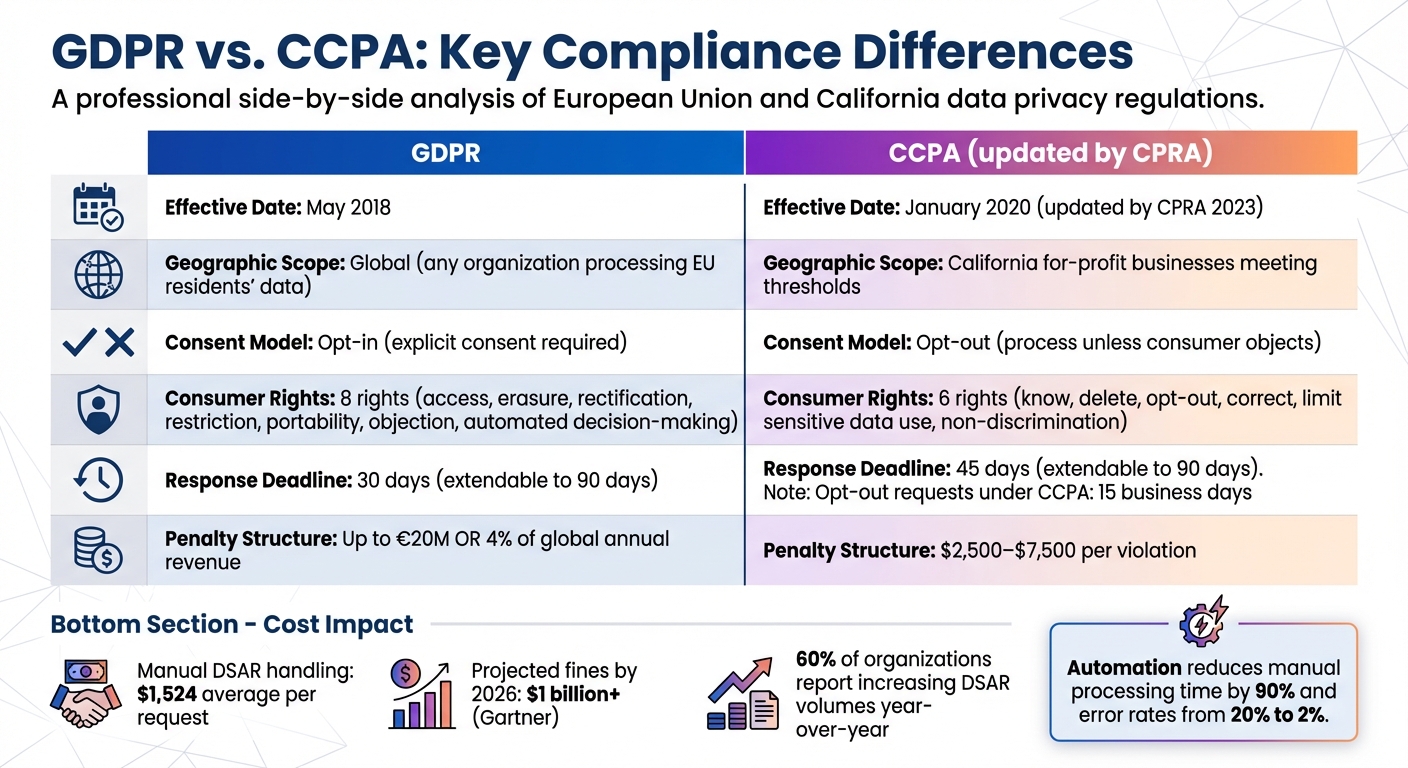
The General Data Protection Regulation (GDPR) mandates that any organization processing the personal data of individuals in the European Economic Area (EEA) must adhere to strict principles of transparency, data minimization, and purpose limitation. For Marketo users, this means that every lead record is considered a potential liability if not managed correctly. Marketo Engage provides the technical infrastructure to support compliance, but the responsibility for legal configuration rests with the data controller—the marketing organization.
Compliance is not a one-time toggle; it is an operational state. By 2026, the regulatory environment has matured, and enforcement actions focus heavily on the automated processing of lead data. To remain compliant, your Marketo instance must account for the full lifecycle of a lead, from the initial capture of consent through to the eventual "right to be forgotten" (erasure) request.
Core Pillars of Marketo Compliance
To effectively manage compliance within Marketo, you must synchronize your lead management strategy with the following three pillars:
1. Consent Capture and Documentation
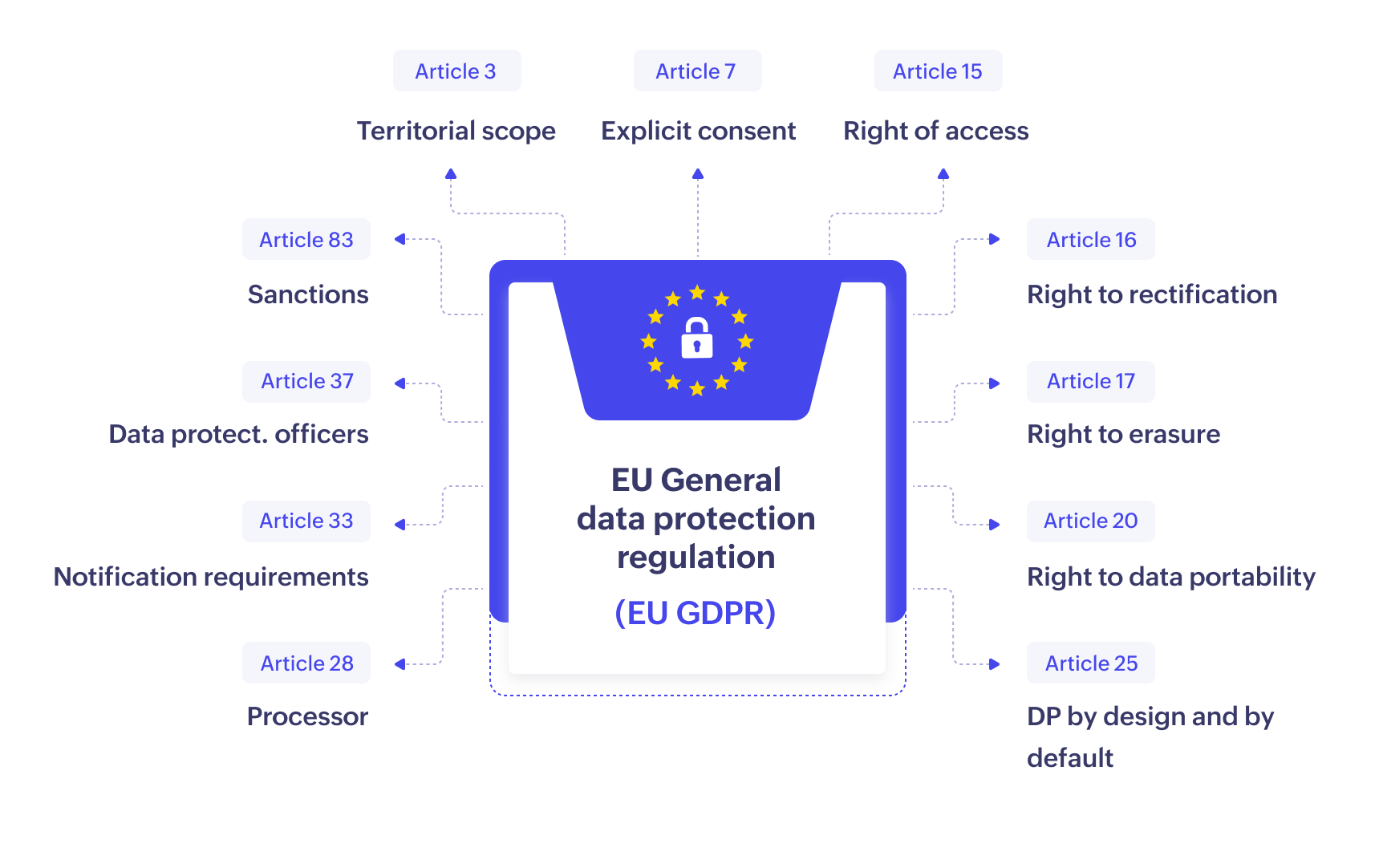
You must capture explicit, informed consent before adding individuals to marketing segments. In Marketo, this is best achieved by using custom fields or standard fields (such as inferredConsent) to track the specific purpose, date, and source of the consent given. Using the "Check-box" method on forms is a standard requirement, and the data must be timestamped to ensure you can prove when and how consent was obtained.
2. Right of Access and Data Portability
Data subjects have the right to request a copy of the data you hold on them. Marketo’s REST API is the primary tool for fulfilling these requests. By mapping your data fields effectively, you can generate a structured export (typically in CSV or JSON format) to provide to the requester. Ensure your team has a predefined workflow to query the database using the lead’s email address or unique Marketo ID to pull all associated custom objects and activities.
3. The Right to Erasure (The "Right to be Forgotten")
When an individual requests the deletion of their data, simply unsubscribing them is insufficient. GDPR requires the permanent removal of identifiable data. Marketo provides a "Delete Lead" function, but you must ensure that this action propagates to any integrated CRM, such as Salesforce or Microsoft Dynamics, and any third-party tools that sync via Webhooks or LaunchPoint integrations.
Practical Implementation Strategies
Achieving compliance requires configuring your instance to prioritize privacy by default. Follow these steps to audit and secure your environment:
- Audit Your Forms: Ensure every landing page form includes a link to your updated privacy policy and a clear, un-checked consent checkbox.
- Segment by Region: Use smart lists to separate leads based on their geographic location or IP address. GDPR-specific workflows should only trigger for leads identified within the EEA.
- Manage Data Retention: Utilize the "Lead Lifecycle" and "Data Management" features to automate the deletion or anonymization of leads that have been inactive for a duration exceeding your stated retention policy.
- Secure API Integrations: When sending lead data to external platforms, ensure the data transfer complies with international transfer mechanisms. Use encryption and restrict access to the Marketo API to only authorized services.
Comparison of Marketo Compliance Features
| Feature | Functionality | GDPR Alignment |
|---|---|---|
| Field Management | Custom metadata tagging | Tracks legal basis for processing |
| Smart Lists | Dynamic audience filtering | Separates EEA data for specific rules |
| Delete Lead API | Permanent record removal | Supports Right to Erasure |
| Landing Pages | Form validation and consent | Ensures informed opt-in collection |
| Email Unsubscribe | Preference center links | Provides ongoing opt-out rights |
Common Compliance Pitfalls to Avoid
Even with advanced tools, organizations frequently fail due to procedural gaps rather than technical limitations. The most common error is "Consent Drift," where the initial consent is obtained for one purpose (e.g., a newsletter), but the lead is subsequently enrolled in unrelated high-frequency sales campaigns without re-consent.
Another significant issue involves integrated systems. A common failure point is the "Siloed Deletion." If a lead is deleted in Marketo but persists in a connected Salesforce account, the organization is technically in violation of a verified erasure request. Always verify that your middleware—such as Boomi, MuleSoft, or native connectors—is configured to handle "Delete" signals from Marketo as trigger events for the CRM.
Addressing Recurring Questions
How long should I keep leads in Marketo to remain compliant? GDPR requires that data be kept only as long as necessary for the purpose it was collected. Define your retention policy (e.g., 24 months of inactivity) and use Marketo's mass deletion tools to purge stale records regularly.
Does an "Unsubscribe" suffice for a GDPR withdrawal of consent? Not necessarily. While unsubscribing stops email communication, it does not remove the data. If the user requests to be "forgotten," you must delete their record entirely, whereas an "unsubscribe" merely suppresses them from communication lists.
How do I handle international data transfers? If your instance is in a region that transfers data to a non-EEA country, ensure your data processing agreements (DPAs) are up to date and that you utilize standard contractual clauses (SCCs) where applicable.
Can Marketo track IP addresses for all users? GDPR views IP addresses as personal data. You may need to configure your Marketo instance to anonymize or disable IP tracking for visitors from the EEA to maintain compliance.
What is the impact of third-party cookies in Marketo? If your Marketo Munchkin tracking code uses cookies that track behavior for profiling, you must obtain cookie consent via your website’s Consent Management Platform (CMP) before the tracker fires.
Next Actions for Compliance Maintenance
To maintain compliance, establish a quarterly audit routine. Verify that your privacy policy is linked on all entry points, check that your lead lifecycle workflows are accurately capturing consent timestamps, and test your "Right to be Forgotten" fulfillment process end-to-end at least annually. By treating data privacy as an iterative technical task rather than a static legal document, you protect your organization from regulatory risk while building greater trust with your audience. If your organization processes high volumes of sensitive or financial data, consult with a qualified legal professional to ensure your specific configurations meet current jurisdictional interpretations.
Image Gallery