What Joplin Software Offers for Note-Taking: A Comprehensive Guide to Privacy and Productivity
Joplin is a professional-grade, open-source note-taking application designed to handle large volumes of notes organized into notebooks. It offers end-to-end encryption, Markdown-based formatting, and multi-device synchronization. As of...
Joplin is a professional-grade, open-source note-taking application designed to handle large volumes of notes organized into notebooks. It offers end-to-end encryption, Markdown-based formatting, and multi-device synchronization. As of 2026, it remains a premier choice for users seeking a privacy-focused, local-first alternative to proprietary services like Evernote or Notion.
Contents
Core Architecture and the Open-Source Advantage
At its foundation, Joplin is built on an open-source philosophy, utilizing the MIT License. This ensures that the software remains free to use, modify, and audit. For many professionals and privacy advocates, the primary draw is the "local-first" architecture. Unlike cloud-native applications that store your data on their servers by default, Joplin stores all your notes, images, and attachments directly on your device’s hard drive.
The software is cross-platform, providing native-like experiences across Windows, macOS, Linux, Android, and iOS. Because it is built using Electron for desktop and React Native for mobile, the interface remains consistent across environments. This consistency is vital for power users who switch between a workstation and mobile devices throughout the workday.
In 2026, the longevity of data is a significant concern. Joplin addresses this by using SQLite as its internal database for metadata and performance, while allowing users to export their entire library into plain-text Markdown files. This prevents "vendor lock-in," ensuring that even if the software were to cease development, your data remains accessible in a standard, human-readable format.
Advanced Markdown and Rich Text Capabilities
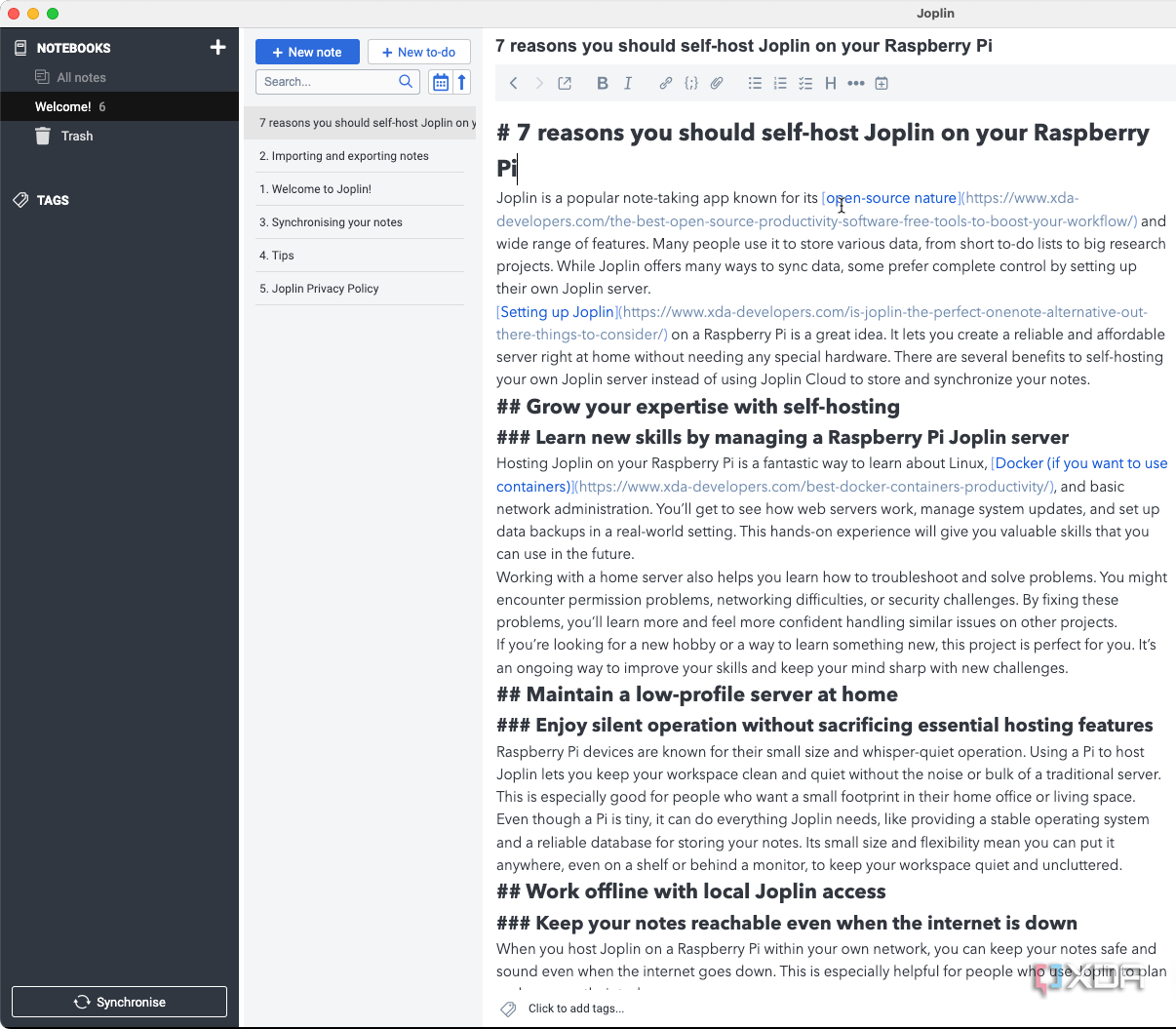
One of the most distinctive features Joplin offers is its dual-mode editor. Users can choose between a Markdown editor with a side-by-side preview or a Rich Text (WYSIWYG) editor that functions more like a traditional word processor.
Markdown and Technical Formatting
Markdown is the heart of Joplin. It allows for fast, keyboard-centric formatting that stays out of the way of the creative process. Beyond standard bold and italic text, Joplin supports:
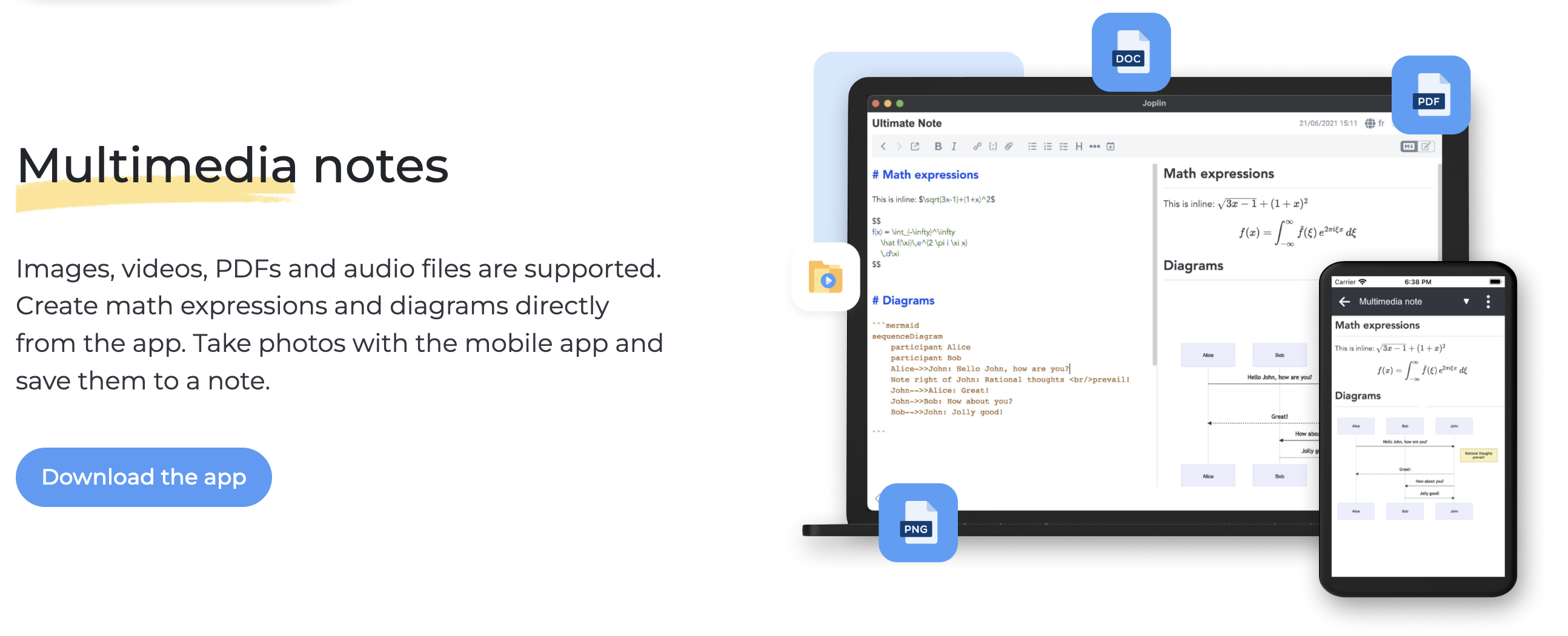
- Mathematical notation: Integrated KaTeX support allows users to render complex equations.
- Diagrams and Flowcharts: By utilizing Mermaid.js, Joplin can turn text-based code into visual charts, which is an essential feature for developers and project managers.
- Checklists and To-Dos: Joplin notes can be toggled between "Note" and "To-do" status, allowing for simple task management within the same notebook structure.
Multimedia Handling
Joplin does not limit users to plain text. It handles images, PDF attachments, and even audio files with ease. When you drag an image into a note, Joplin creates a local resource link and displays the image inline. This makes it an effective tool for building a personal "second brain" or a research repository where visual context is as important as the written word.
Security Through End-to-End Encryption (E2EE)
In an era of frequent data breaches, Joplin offers a robust security model that many competitors lack. While most services encrypt data "at rest" on their servers, Joplin provides End-to-End Encryption (E2EE).
When E2EE is enabled, your notes are encrypted using a master password before they ever leave your device. Whether you sync via Dropbox, OneDrive, or Joplin’s own cloud service, the service provider only sees encrypted "blobs" of data. They do not hold the keys to decrypt your information. This is particularly critical for users storing sensitive legal documents, financial plans, or proprietary business strategies.
The encryption uses the AES-256 standard, and the implementation is transparently documented in the source code. This level of security is a major reason why Joplin is often recommended for those working in regulated industries or journalism.
Synchronization and Data Sovereignty
Joplin offers unparalleled flexibility in how you synchronize your data. Unlike proprietary apps that force you into their specific cloud ecosystem, Joplin lets you choose your own backend.
Standard Sync Protocols
Users can synchronize their notes using:
- Dropbox and OneDrive: Convenient for those who already use these services for file storage.
- Nextcloud and WebDAV: These are the preferred methods for users who want complete control, allowing them to host their own sync server.
- File System Sync: This allows for synchronization via external tools like Syncthing or even a networked drive.
Joplin Cloud
For users who prefer a managed experience, Joplin Cloud (as of 2026) provides a seamless synchronization service. Beyond simple data transfer, Joplin Cloud enables advanced features such as:
- Note Sharing: Collaborating on a notebook with other Joplin users.
- Web Publishing: Turning a note into a public web page with a single click.
- Increased Performance: Joplin Cloud is optimized specifically for the Joplin data structure, often resulting in faster sync times than general-purpose WebDAV providers.
Comparative Overview: Joplin vs. Competitors
To better understand what Joplin offers, it is helpful to compare it against other leading note-taking applications available in 2026.
| Feature | Joplin | Evernote | Obsidian | Notion |
|---|---|---|---|---|
| License | Open Source (Free) | Proprietary (Paid) | Proprietary (Free/Paid) | Proprietary (Free/Paid) |
| Storage | Local-First | Cloud-First | Local-First | Cloud-Only |
| Encryption | E2EE (Optional) | In Transit/At Rest | Plugin-based | In Transit/At Rest |
| Format | Markdown | Proprietary HTML | Markdown | Block-based |
| Sync Method | Multi-Cloud/WebDAV | Proprietary | Proprietary/Third-party | Proprietary |
| Web Clipper | Yes | Yes | Third-party only | Yes |
The Web Clipper and Research Tools
A significant part of a modern note-taking workflow involves capturing information from the internet. Joplin’s Web Clipper is an extension available for Chrome and Firefox. It allows you to save web pages as notes in various formats:
- Simplified Page: Strips away ads and sidebars, keeping only the main text and images.
- Complete Page (HTML): Captures the page exactly as it appears.
- Screenshot: Saves a visual representation of the visible area or the whole page.
- Selection: Saves only the text or images you have highlighted.
The Web Clipper communicates directly with the Joplin desktop application. Once a page is "clipped," it is converted into Markdown and added to your chosen notebook, where it becomes searchable alongside your handwritten notes.
Customization Through Plugins and Themes
Joplin is highly extensible. The community-driven Plugin API allows users to add functionality that isn't part of the core application. As of 2026, the plugin repository has grown significantly, offering tools for every type of workflow.
- Note Tabs: Adds a tabbed interface for users who like to keep multiple notes open simultaneously.
- Journaling: Automates the creation of daily notes with pre-set templates.
- OCR (Optical Character Recognition): Allows Joplin to search for text within images and PDF files, a feature that was once exclusive to premium proprietary apps.
- Backlinks and Graph View: For those following the Zettelkasten method, plugins can visualize the connections between different notes, helping to uncover non-obvious relationships in your data.
Themes also allow for aesthetic customization. Users can choose between light and dark modes or install community-created CSS themes that mimic the look of other popular editors or provide high-contrast environments for better accessibility.
Limitations and Practical Considerations
While Joplin is a powerful tool, it is important to acknowledge its limitations to ensure it fits your specific needs. Because it is a local-first application, the initial setup for synchronization requires more technical awareness than a simple "login and go" cloud service. Users must manage their own sync targets (like a Dropbox API key or a WebDAV URL).
Additionally, while Joplin’s mobile app is highly functional, the Electron-based desktop app can be resource-intensive compared to native text editors. If you are working on a machine with very limited RAM, you may notice a slight delay when handling exceptionally large notebooks with thousands of images.
Finally, Joplin does not currently offer real-time "Google Docs style" collaborative editing. While you can share notebooks via Joplin Cloud, edits are merged during sync rather than appearing character-by-character. This makes it more suitable for individual research and archival rather than live team brainstorming.
Frequently Asked Questions
Is Joplin truly free to use?
Yes, the Joplin application itself is free and open-source. There are no fees for the software on any platform. You only pay if you choose to subscribe to Joplin Cloud for specialized features like note publishing or if you pay a third-party provider (like Dropbox) for extra storage space.
How does Joplin handle my data if I uninstall the app?
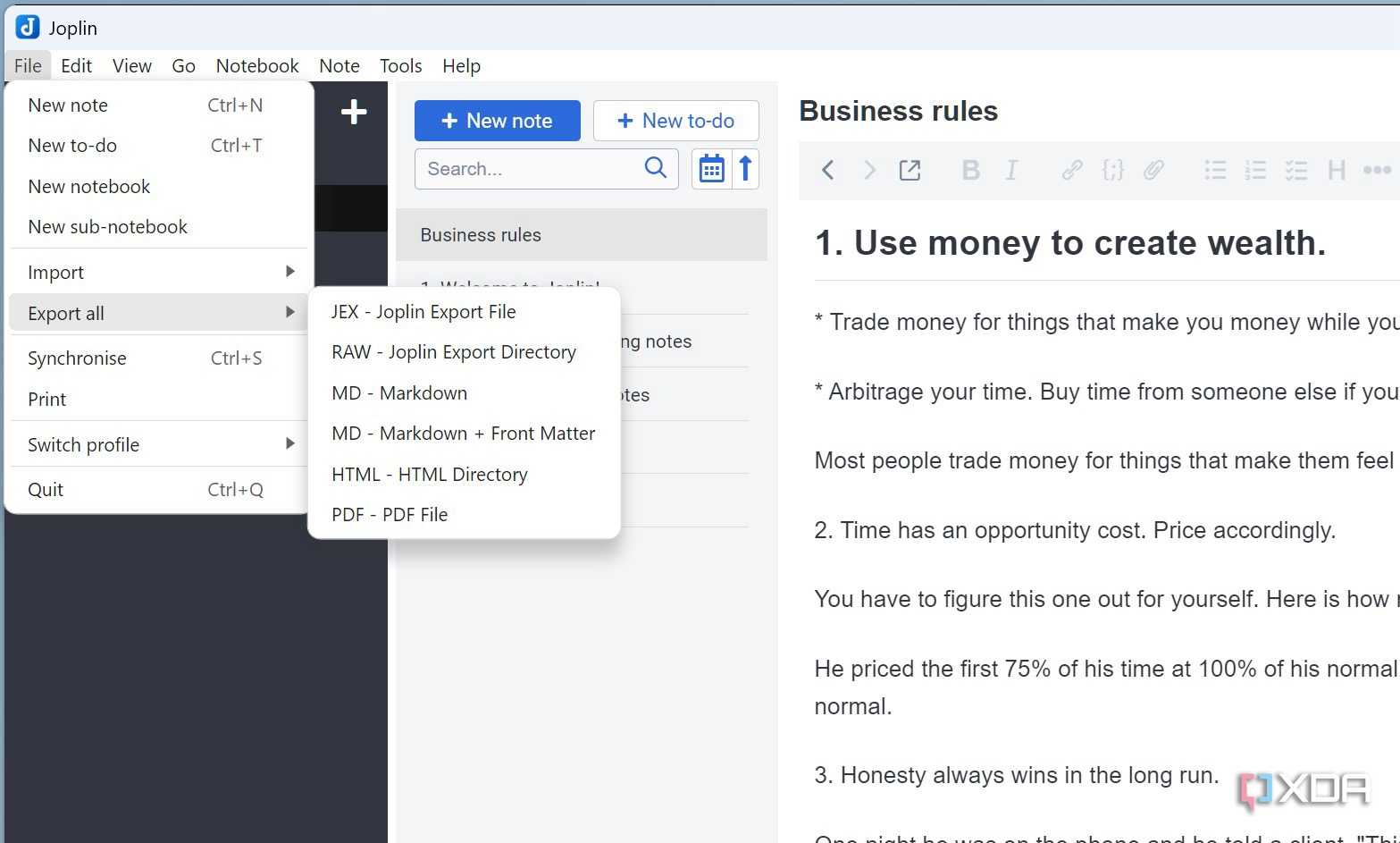
Since Joplin is local-first, your data stays on your machine in the application's data folder. If you uninstall the app, the database usually remains unless you manually delete the configuration folder. However, the best practice is to use the Export feature to save your notes as Markdown or a JEX (Joplin Export) file before making major system changes.
Can I use Joplin without any internet connection?
Absolutely. Joplin is designed to work entirely offline. You can create, edit, and organize notes without a connection. When you eventually connect to the internet, Joplin will automatically synchronize your changes to your chosen cloud provider.
Does Joplin support handwriting or stylus input?
Joplin is primarily a text-based note-taker. While you can attach images of handwritten notes or use external drawing tools to save sketches into Joplin, it does not have a native, low-latency "digital ink" engine like OneNote or GoodNotes.
Can I import my notes from Evernote?
Yes, Joplin has a dedicated Evernote import tool. It can process .enex files, preserving most formatting, images, attachments, and even metadata like tags and creation dates. This has made it one of the most popular migration targets for former Evernote users.
Final Recommendation
For those who prioritize data ownership and privacy, Joplin offers an unmatched feature set in 2026. Its combination of Markdown flexibility, end-to-end encryption, and a robust plugin ecosystem makes it a formidable tool for researchers, developers, and writers alike. To get started, download the desktop version from the official website, set up your preferred sync method, and install the Web Clipper to begin building your local knowledge base.
Image Gallery