How to Choose Email Security Software for Your Business
To choose the right email security software, businesses must assess their specific threat profile, current infrastructure (cloud vs. hybrid), and compliance requirements. Focus on solutions that integrate via API to detect internal lat...
To choose the right email security software, businesses must assess their specific threat profile, current infrastructure (cloud vs. hybrid), and compliance requirements. Focus on solutions that integrate via API to detect internal lateral movement and utilize behavioral AI to counter sophisticated, non-signature-based phishing and business email compromise (BEC) attacks.
Contents
The email security landscape has shifted significantly as we navigate 2026. While traditional spam filters were once sufficient, the proliferation of generative AI has allowed bad actors to create highly personalized, error-free phishing campaigns at scale. Selecting the right software is no longer just about blocking "bad" attachments; it is about verifying identity, analyzing communication patterns, and protecting the integrity of your organization's digital perimeter.
Understanding the Modern Threat Landscape
In 2026, the primary threat to business email is no longer the mass-distributed "Nigerian Prince" scam. Instead, organizations face highly targeted Business Email Compromise (BEC) and Vendor Email Compromise (VEC). In these scenarios, attackers do not necessarily use malware. They use social engineering to trick employees into redirecting payments or sharing sensitive data.
Sophisticated attackers now use Large Language Models (LLMs) to draft emails that perfectly mimic the tone and style of a CEO or a known vendor. Because these emails often lack malicious links or attachments, traditional security tools that rely on "signatures" (hashes of known viruses) frequently fail to catch them. Your choice of software must prioritize behavioral analysis—the ability to recognize when an email's metadata or writing style deviates from established norms.
Furthermore, Lateral Movement within an organization is a major concern. If one account is compromised, attackers use it to send internal emails to other employees. A security solution that only monitors "north-south" traffic (incoming and outgoing) will miss these "east-west" (internal) threats.
Secure Email Gateway (SEG) vs. Integrated Cloud Email Security (ICES)
One of the first technical decisions you must make is choosing between a traditional gateway architecture and a modern, API-based integration.
Secure Email Gateway (SEG)
A Secure Email Gateway acts as a proxy. To use an SEG, you must change your domain's MX (Mail Exchange) records to point to the gateway. All mail is routed through the SEG, inspected, and then forwarded to your mail server (like Microsoft 365 or Google Workspace).
- Pros: Highly effective at blocking known spam and high-volume attacks before they reach your network.
- Cons: They often require significant configuration, can introduce latency, and are "blind" to internal emails sent between employees on the same mail platform.
Integrated Cloud Email Security (ICES)
ICES solutions connect directly to your email provider via API. They do not require MX record changes. Instead, they sit "inside" the mailbox environment.
- Pros: They scan internal emails, offer faster deployment (often minutes), and can use API access to pull back (claw back) malicious emails from all user inboxes simultaneously if a threat is detected.
- Cons: Because they sit behind the initial cloud provider's filter, they rely on that provider (like Microsoft) to handle the initial bulk spam load.
In 2026, many mid-to-large enterprises are adopting a layered approach, using the native security of their cloud provider supplemented by an ICES platform for advanced threat detection.
Key Features to Evaluate
When vetting potential vendors, look beyond the marketing jargon and focus on these core technical capabilities.
Behavioral AI and Natural Language Understanding (NLU)
The software should not just look for "bad" files. It should understand the context. For example, if an email from the "CFO" asks for an urgent wire transfer to a new account, the AI should flag this as suspicious based on past communication patterns, even if the email passes all technical authentication checks.
Account Takeover (ATO) Protection
Modern security software must monitor for signs that an employee's credentials have been stolen. This includes tracking "impossible travel" (logging in from two different countries within an hour) or unusual mailbox rules, such as a rule that automatically moves all sent items to the trash to hide an attacker’s activity.
Automated Remediation (Incident Response)
Manually deleting a phishing email from 500 inboxes is an impossible task for a small IT team. Your software should offer Automated Incident Response. If a user reports a suspicious email and it is confirmed as malicious, the system should automatically identify and remove all identical or similar messages across the entire organization.
Data Loss Prevention (DLP) and Encryption
Email security isn't just about what comes in; it’s about what goes out. DLP features scan outgoing mail for sensitive data like Social Security numbers, credit card details, or proprietary source code. The software should be able to block the email or automatically apply end-to-end encryption if sensitive data is detected.
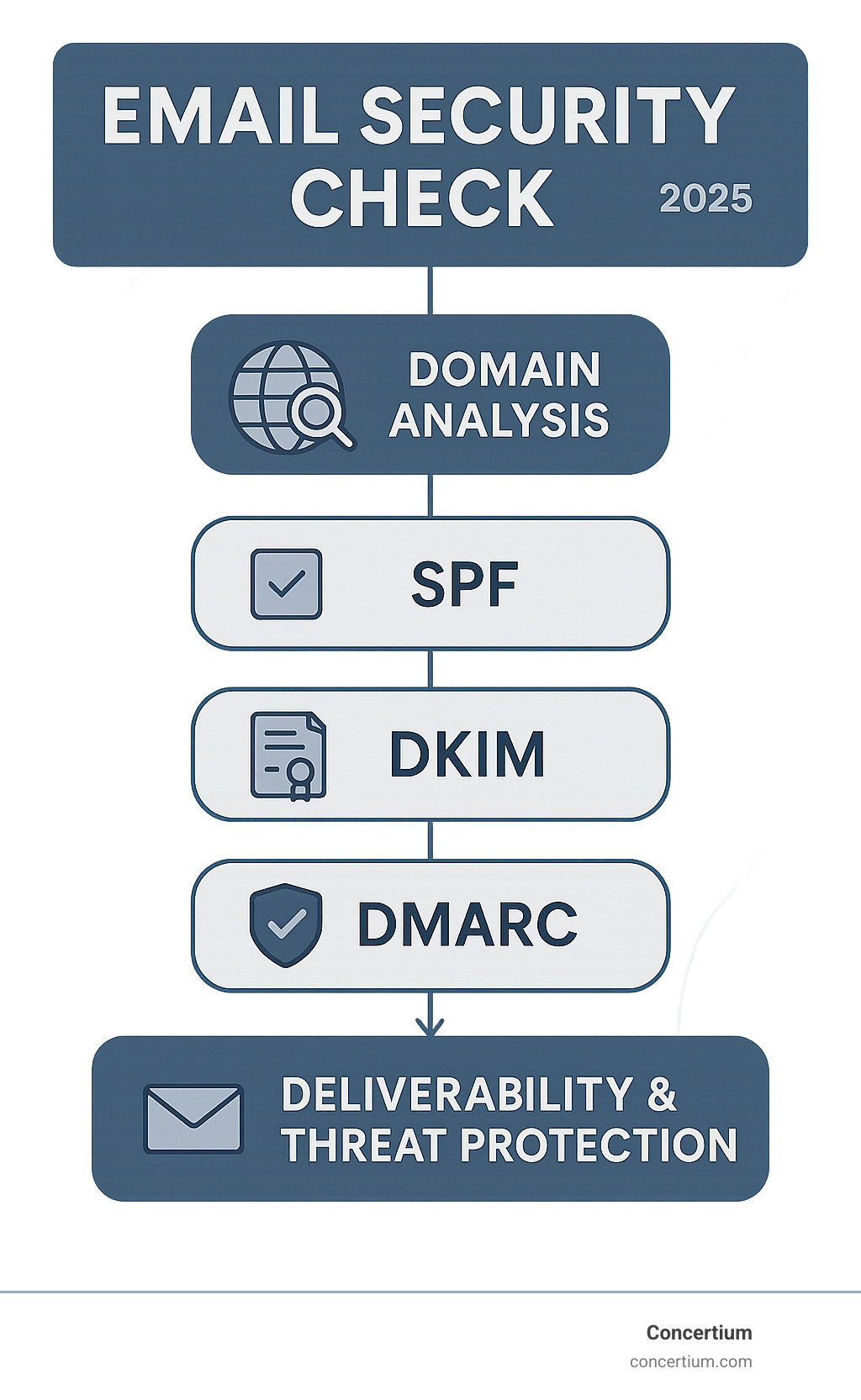
The Role of Authentication Standards: SPF, DKIM, and DMARC
No software can fully protect your business if your domain's "identity" is not secured. When choosing a solution, ensure it helps you manage and enforce these three protocols.
| Protocol | Purpose | How it Works |
|---|---|---|
| SPF (Sender Policy Framework) | IP Verification | A DNS record that lists which IP addresses and services are authorized to send mail on behalf of your domain. |
| DKIM (DomainKeys Identified Mail) | Content Integrity | Adds a digital signature to emails, ensuring the content wasn't tampered with during transit. |
| DMARC (Domain-based Message Authentication) | Policy Enforcement | Tells receiving servers what to do (e.g., "reject" or "quarantine") if an email fails SPF or DKIM checks. |
By 2026, major email providers like Google and Yahoo have made strict DMARC policies a requirement for bulk senders. Your security software should provide a DMARC Monitoring dashboard to help you reach a "p=reject" status without accidentally blocking legitimate services like your payroll or marketing platforms.
Deployment and Operational Costs
The "price" of email security software is more than just the monthly per-user fee. Consider the Total Cost of Ownership (TCO):
- Licensing: Most vendors charge per mailbox per month. Be wary of hidden costs for "archiving" or "sandbox" features.
- Management Overhead: An SEG that requires a dedicated engineer to manage complex rules is more expensive than an automated ICES solution.
- False Positives: Software that is too aggressive will block legitimate business emails. The "cost" of your sales team missing a million-dollar contract because the email was quarantined is a significant factor.
- Integration: Does it play well with your existing SIEM (Security Information and Event Management) or SOAR (Security Orchestration, Automation, and Response) platforms?
Step-by-Step Selection Framework
Follow this process to narrow down your choices:
- Audit Your Current Mail Flow: Determine if you are 100% cloud, on-premise Exchange, or a hybrid. This dictates whether you need an SEG or ICES.
- Identify Compliance Requirements: If you are in healthcare (HIPAA) or finance (FINRA), you need robust encryption and archiving capabilities.
- Run a Proof of Concept (PoC): Most modern vendors allow for a "passive" scan. They connect to your mail via API and show you what your current filter is missing without actually blocking anything yet.
- Evaluate the "User Experience": How does the software handle "Quarantine Digests"? Can users easily report phishing via a button in Outlook or Gmail? If security is too difficult for users, they will find ways to bypass it.
- Check Threat Intelligence Sources: Inquire where the vendor gets its threat data. A global vendor with millions of endpoints will generally have faster "time-to-detection" for new zero-day threats.
Frequently Asked Questions
Do I need extra email security if I already use Microsoft 365 or Google Workspace?
While Microsoft and Google provide baseline security (EOP/Workspace protection), they are the most targeted platforms in the world. Attackers specifically design their phishing kits to bypass these standard filters. Third-party software provides an essential "second opinion" and adds specialized layers like behavioral AI that native tools may lack in their basic tiers.
What is "Sandboxing" and is it still necessary in 2026?
Sandboxing is the process of opening a suspicious attachment in a safe, isolated virtual environment to see what it does before delivering it to the user. While AI has made detection faster, sandboxing remains a critical last line of defense against "Zero-Day" malware that has never been seen before.
How does email security software handle encrypted attachments?
This is a common blind spot. If an attacker sends a password-protected ZIP file, the security software cannot "see" inside it. Advanced solutions now use URL Rewriting (scanning the link if the user tries to download the file) or use NLU to detect if the body of the email is pressuring the user to open a protected file.
Can email security software prevent "Look-alike Domain" attacks?
Yes. Modern solutions use fuzzing logic to detect domains that are visually similar to yours (e.g., examp1e.com vs example.com). They can automatically tag these emails with a warning banner or block them entirely to prevent spoofing.
How often should we update our email security policies?
Security is not a "set it and forget it" task. You should review your logs and policy performance at least quarterly. However, the software itself should update its threat definitions and AI models in real-time (cloud-delivered updates) to stay ahead of new attack vectors.
Final Recommendation
For most small to medium-sized businesses in 2026, an API-based Integrated Cloud Email Security (ICES) solution is the most effective choice. It offers the best balance of sophisticated AI-driven protection, ease of deployment, and visibility into internal threats. If you are a high-security enterprise or still maintain on-premise servers, a hybrid approach—using a Secure Email Gateway for bulk filtering and an ICES layer for targeted attacks—provides the most comprehensive defense. Regardless of the tool you choose, ensure it supports full DMARC enforcement and offers automated remediation to reduce the burden on your IT staff.
Image Gallery