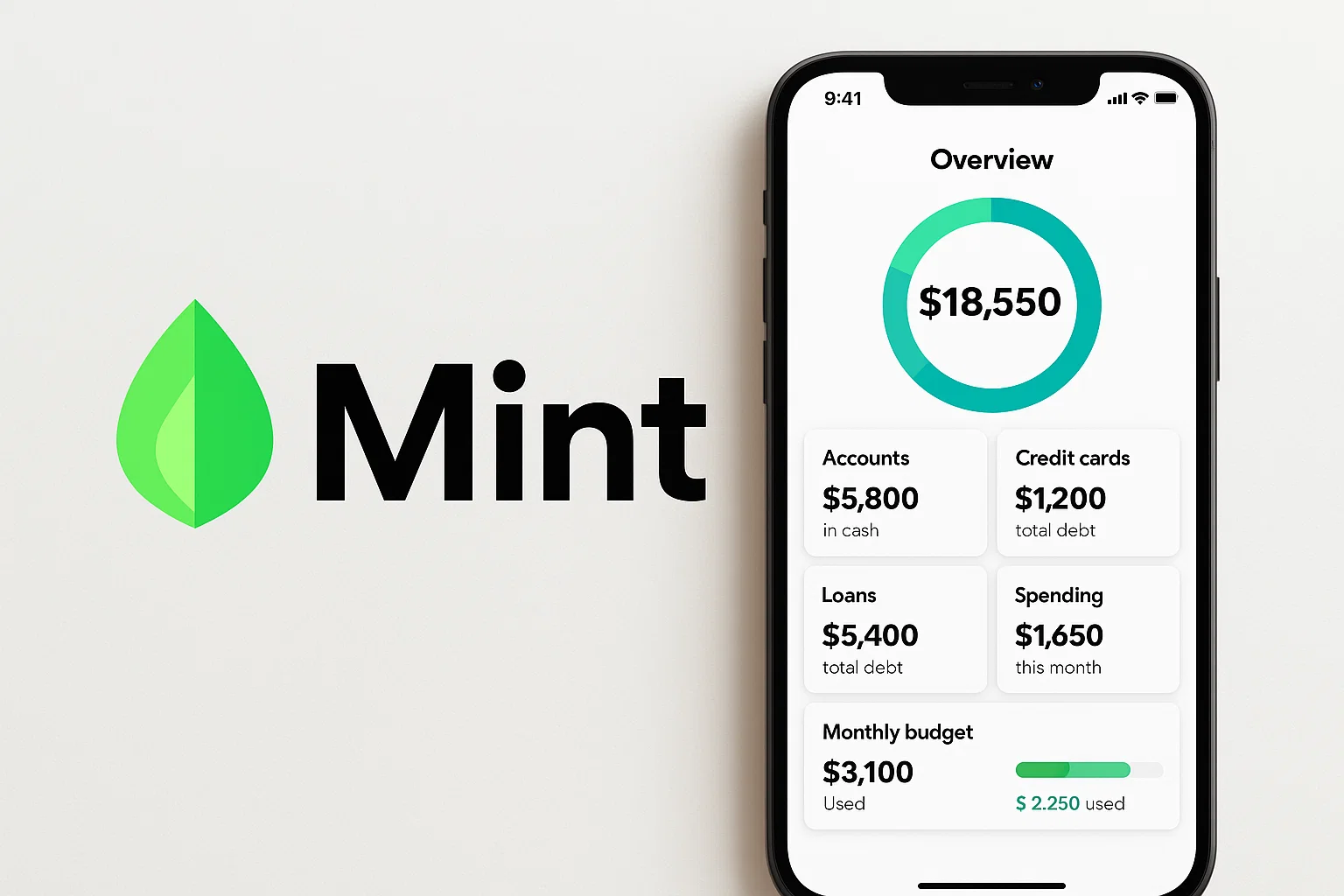
How the Mint App Provides a Clear Overview of Your Finances
The Mint app provides a clear financial overview by aggregating all your bank accounts, credit cards, investments, and bills into a single, centralized dashboard. Through automated transaction categorization, real-time net worth tracki...
The Mint app provides a clear financial overview by aggregating all your bank accounts, credit cards, investments, and bills into a single, centralized dashboard. Through automated transaction categorization, real-time net worth tracking, and intuitive visual budgeting tools, it transforms fragmented financial data into a comprehensive, actionable snapshot of your overall fiscal health.
Contents
The Foundation of Financial Visibility: Centralized Account Aggregation
The primary mechanism through which the Mint app delivers clarity is the consolidation of disparate financial data. For most consumers, financial lives are scattered across multiple institutions—a checking account at one bank, a mortgage at another, several credit cards, and perhaps a brokerage account or a 401(k). Before the advent of sophisticated personal finance management (PFM) tools, tracking these required logging into multiple portals or maintaining manual spreadsheets.
Mint solves this by using secure application programming interfaces (APIs) and data exchange protocols to "pull" data from thousands of financial institutions. By connecting these accounts, users see a unified "Total Balance" for their cash, a "Total Debt" figure for their liabilities, and a live update of their investment performance. This aggregation is not merely about listing numbers; it is about establishing a "source of truth." When every transaction is piped into one interface, the user no longer has to guess about their available liquidity or the impact of a recent purchase on their overall net worth.
In the context of 2026, while the original Mint platform has transitioned into the broader Intuit ecosystem, the methodology it pioneered remains the gold standard for financial clarity. The "all-in-one" philosophy ensures that nothing falls through the cracks—unnoticed subscriptions, forgotten savings accounts, or creeping credit card balances are all brought to the forefront.
Automated Categorization and the Power of Metadata
A list of transactions is only useful if it is organized. One of Mint’s most significant contributions to financial clarity is its automated categorization engine. When a transaction occurs—for example, a $50 charge at a local Chevron station—Mint doesn’t just show the merchant name. It analyzes the merchant ID and metadata to categorize the expense under "Gas & Fuel."
This automation removes the friction of manual bookkeeping. Users can see, at a glance, how much they have spent on groceries, entertainment, or utilities during a specific period. However, the system also allows for "split transactions" and manual overrides. If a purchase at a "Big Box" retailer included both groceries and electronics, the user can split that single charge into two categories for more precise tracking.
The clarity provided here is psychological as well as technical. By seeing spending broken down into colorful pie charts and bar graphs, users often experience a "moment of truth" regarding their spending habits. Seeing that 30% of monthly income is going toward "Dining Out" provides a different level of clarity than simply seeing a declining bank balance.
Real-Time Budgeting and Goal Tracking
Clarity in finances is not just about looking backward at what was spent; it is about looking forward at what can be spent. Mint’s budgeting tools provide a real-time "traffic light" system for financial health. When a user sets a budget for a specific category, Mint tracks spending against that limit throughout the month.
- Green: You are well within your limits.
- Yellow: You are approaching your budget ceiling.
- Red: You have exceeded your budget for the month.
This visual feedback loop allows for course correction in real-time. If a user sees they are "in the red" for clothing mid-month, they may choose to delay a purchase until the next month. Furthermore, Mint allows for the creation of specific financial goals—such as saving for a home down payment or paying off a specific credit card. The app links these goals to specific accounts, showing progress bars that fill up as the user moves closer to their target. This turns abstract desires into concrete, measurable objectives.
Comprehensive Net Worth and Investment Monitoring
While daily spending is important, the "Clear Overview" promised by Mint extends to long-term wealth. The app calculates a user’s net worth by subtracting total liabilities (mortgages, auto loans, credit card debt) from total assets (cash, property value, investment accounts).
For investment tracking, Mint provides a high-level view of portfolio performance. While it does not replace a dedicated brokerage platform for trading, it allows users to see their asset allocation across different platforms. For example, a user might see that they are heavily weighted in tech stocks across both their IRA and their taxable brokerage account. By seeing these together, the user gains a level of clarity regarding their risk exposure that they might miss if viewing the accounts in isolation.
The Role of Alerts and Financial Notifications
A clear overview requires active communication. Mint provides clarity through a series of automated alerts designed to protect the user’s financial health. These include:
- Bill Reminders: Notifications of upcoming due dates to help avoid late fees.
- Low Balance Alerts: Warnings when a checking account falls below a certain threshold, preventing overdrafts.
- Large Purchase Alerts: Notifications of unusually high transactions, which can serve as an early warning system for identity theft or fraud.
- Fee Alerts: Identifying when a bank or credit card company charges a monthly maintenance or ATM fee.
By pushing this information to the user’s smartphone or inbox, the app ensures that the "overview" is always present, rather than something the user has to seek out actively. This proactive clarity is essential for busy individuals who may not have the time to audit their accounts daily.
Data Security and Privacy Standards
A clear overview of finances is only valuable if the data is secure. Mint utilizes bank-level encryption (AES-256) to ensure that the data flowing from financial institutions to the app remains private. As a subsidiary of Intuit, Mint (and its successor, Credit Karma) leverages a massive security infrastructure.
Crucially, Mint is generally a "read-only" service. While it displays your data, it does not allow for the movement of funds between accounts within the app. This design choice provides a layer of security; even if an unauthorized user gained access to the Mint interface, they could see the financial overview, but they could not initiate transfers or payments. Multi-factor authentication (MFA) and biometric locks (TouchID/FaceID) further harden the entry points to this sensitive information.
Comparison of Mint’s Core Overview Features
The following table summarizes the primary features that contribute to a clear financial overview and the specific benefit each provides to the user.
| Feature | Technical Function | Benefit to User |
|---|---|---|
| Account Aggregation | Connects to 10,000+ institutions via API | Eliminates the need for multiple logins; provides a single source of truth. |
| Auto-Categorization | Machine learning analysis of merchant IDs | Provides instant insights into spending habits without manual entry. |
| Net Worth Tracker | Asset minus Liability calculation | Gives a high-level view of long-term financial progress and wealth. |
| Trend Reporting | Historical data visualization (graphs/charts) | Identifies seasonal spending patterns and long-term financial trajectories. |
| Credit Monitoring | Integration with credit bureaus (VantageScore) | Provides clarity on credit health and factors affecting loan eligibility. |
| Bill Tracking | Synchronization with service provider portals | Prevents late fees and protects credit scores through timely reminders. |
The Transition: Mint, Credit Karma, and the 2026 Landscape
It is important to note for users researching these tools in 2026 that Intuit officially retired the standalone Mint app in early 2024. Most of Mint’s core "overview" features were migrated into Intuit Credit Karma. This transition was part of a larger strategy to consolidate financial monitoring, credit building, and tax preparation into a single ecosystem.
While the interface has changed, the underlying logic of providing a "clear overview" remains. Credit Karma now serves as the primary hub for many former Mint users, offering the same account aggregation and net worth tracking, but with an increased focus on "financial recommendation" engines. These engines use the clear overview of a user’s finances to suggest specific credit cards or loan products that could save them money based on their current interest rates and spending patterns.
For those who preferred the specific "budget-first" interface of Mint, several alternatives have gained prominence by 2026. Tools like Monarch Money, Simplifi by Quicken, and YNAB (You Need A Budget) have filled the void, each offering a slightly different version of the "clear overview" by prioritizing either automated tracking or manual, intentional allocation of funds.
Common Mistakes in Maintaining a Financial Overview
Even with a tool as powerful as Mint or its successors, clarity can be lost if the user does not manage the data correctly. Common pitfalls include:
- Ignoring Uncategorized Transactions: Occasionally, a merchant ID is unrecognizable. If a user leaves these as "Uncategorized," their spending charts will be inaccurate. Regular "maintenance" (once a week) to check for these is recommended.
- Failing to Update Credentials: When a user changes their bank password, the connection to the aggregator breaks. A "clear overview" is only clear if the data is current.
- Over-Reliance on Automation: Users should occasionally verify that a "split" transaction was handled correctly, especially for large retailers that sell everything from groceries to hardware.
- Neglecting Manual Assets: Not all assets are digital. For a true net worth overview, users must manually add the value of their home, vehicles, or physical collectibles, and update these values annually.
Frequently Asked Questions
Is the Mint app still available for new users in 2026?
No, Intuit officially shut down the Mint app in early 2024. Users are now directed to Intuit Credit Karma, which has integrated many of Mint’s most popular features, including net worth tracking and transaction monitoring.
How does the app handle my bank login credentials?
Mint and its successors typically use secure third-party aggregators like Plaid or Finicity. These services use encrypted tokens to access your data, meaning the app itself often never "sees" or stores your actual bank password. You can learn more about financial data rights at the Consumer Financial Protection Bureau (CFPB).
Can I pay my bills directly through the overview dashboard?
While Mint previously offered a bill pay feature, most modern aggregators, including the Credit Karma transition, focus on "bill tracking" rather than "bill payment." You receive reminders and see your balances, but you usually need to visit the bank or service provider’s site to initiate the actual payment.
Does using a financial overview app affect my credit score?
Simply linking your accounts to an app like Mint or Credit Karma does not affect your credit score. These apps use a "soft inquiry" to pull your credit data for your viewing, which has no impact on your credit rating. You can find more information on credit reporting at the Federal Trade Commission (FTC).
How does the app categorize transactions from stores like Amazon or Target?
These are the most difficult for automated systems because they sell a wide variety of goods. By default, they may be categorized as "Shopping" or "General Merchandise." To maintain a clear overview, users often need to manually split these transactions into "Groceries," "Electronics," or "Household Supplies."
Is there a cost to getting this financial overview?
Mint was historically free, supported by targeted advertisements and financial product recommendations. Most successors like Credit Karma follow this free model, while premium alternatives like Monarch Money or Simplifi often require a monthly or annual subscription fee in exchange for an ad-free experience and more advanced features.
Practical Recommendation for 2026 Users
To achieve the clearest possible overview of your finances today, start by identifying your primary goal. If you want a free, high-level summary of your credit and net worth, Intuit Credit Karma is the direct successor to the Mint experience. However, if your goal is granular, proactive budgeting with a clean interface, consider exploring dedicated paid platforms like Monarch Money or Copilot, which have refined the visualization and categorization technologies pioneered by Mint. Regardless of the tool you choose, the key to financial clarity is consistency: dedicate 10 minutes every week to reviewing your transactions and ensuring your account connections are active.
Image Gallery