Choosing Between Commercial and Enterprise Solutions in 2026
Choosing between commercial and enterprise solutions requires balancing immediate functionality against long-term scalability. Commercial products typically offer "out-of-the-box" features for small-to-midsize businesses, while enterpr...
Choosing between commercial and enterprise solutions requires balancing immediate functionality against long-term scalability. Commercial products typically offer "out-of-the-box" features for small-to-midsize businesses, while enterprise solutions provide the high-level security, deep integrations, and dedicated support necessary for large-scale operations with complex compliance requirements and massive user bases.
Contents
The decision-making process for organizational infrastructure has evolved significantly as we move through 2026. The distinction between "commercial" (often referred to as business or professional grade) and "enterprise" solutions is no longer just about the number of users or the price tag. Instead, the choice hinges on the depth of control, the stringency of security protocols, and the complexity of the existing ecosystem the solution must inhabit. Understanding these nuances is critical for stakeholders—from CTOs to procurement managers—to avoid the "technical debt" of outgrowing a system too quickly or the "financial drain" of paying for features that remain untouched.
Defining the Scope of Commercial Solutions
Commercial solutions, frequently marketed as "Business," "Professional," or "Standard" tiers, are designed for rapid deployment and ease of use. These are typically off-the-shelf products that provide a specific set of features aimed at solving common industry problems. In 2026, these solutions have become increasingly sophisticated, often incorporating modular AI components that were once exclusive to the highest tiers.
The primary appeal of a commercial solution is its time-to-value. Most commercial software-as-a-service (SaaS) or hardware packages are designed for self-service. A team can sign up, configure basic settings, and begin working within hours or days. This agility is vital for startups and mid-market companies that need to remain lean.
However, commercial solutions often come with "hard ceilings." These might include limits on the number of API calls, a cap on data storage, or restricted access to advanced administrative controls. For a company with 50 employees, these limits are invisible. For a company of 5,000, they are operational bottlenecks.
The Architecture of Enterprise Solutions
Enterprise solutions are built for high-stakes environments where downtime, data breaches, or integration failures can result in millions of dollars in losses. Unlike their commercial counterparts, enterprise solutions are often "platform-centric" rather than "product-centric." They are designed to be woven into the very fabric of an organization's IT infrastructure.
The hallmark of an enterprise solution is customizability and governance. While a commercial solution tells you how to work, an enterprise solution asks how you work and adapts accordingly. This includes sophisticated user management via Single Sign-On (SSO) and SAML 2.0, detailed audit logs for forensic analysis, and "sandboxing" environments where new updates can be tested before being pushed to the live production environment.
In 2026, the "Enterprise" label also signifies a commitment to data sovereignty. With global regulations becoming more fragmented, enterprise tiers often allow organizations to choose exactly which geographic region their data resides in, ensuring compliance with local laws like the EU's updated Data Governance Act or various North American privacy statutes.
Key Differentiators: A Side-by-Side Comparison
To make an informed choice, it is necessary to look beyond marketing jargon and analyze the specific technical and operational differences.
| Feature | Commercial Solution | Enterprise Solution |
|---|---|---|
| Scalability | Vertical (adding more seats) | Horizontal (cross-departmental, multi-instance) |
| Security | Standard encryption, 2FA | SSO/SAML, SCIM, Data Loss Prevention (DLP) |
| Support | Ticket-based, 24–48 hour response | Dedicated Account Manager, <1h SLA |
| Pricing | Transparent, per-user/month | Negotiated contracts, volume discounts |
| Deployment | Public Cloud (Multi-tenant) | Private Cloud, On-premise, or Dedicated Instance |
| Compliance | General (SOC2, GDPR) | Industry-specific (HIPAA, FedRAMP, PCI-DSS) |
| Customization | Configuration via UI | Deep API access, Custom Code, Modular Plugins |
Technical Depth: Security and Identity Management
One of the most compelling reasons to move from a commercial to an enterprise solution is the requirement for Identity and Access Management (IAM). In a commercial setup, users often create individual accounts using a corporate email. This creates a "shadow IT" risk; when an employee leaves the company, their access to various commercial tools might not be automatically revoked.
Enterprise solutions solve this through SCIM (System for Cross-domain Identity Management). This allows the organization’s central IT department to provision and de-provision users automatically across all software tools. If an employee is removed from the company’s central directory (like Microsoft Entra ID or Okta), their access to the enterprise solution is terminated instantly. In 2026, with the rise of remote and hybrid work models, this level of automated security is no longer a luxury but a fundamental requirement for risk management.
The Role of Service Level Agreements (SLAs)
When you purchase a commercial solution, you are essentially agreeing to the provider’s standard terms of service. These terms usually offer "best effort" uptime and support. If the service goes down, your recourse is often limited to a public apology or a small credit on your next bill.
Enterprise solutions are governed by Service Level Agreements (SLAs) that are legally binding. These agreements specify:
- Uptime Guarantees: Usually 99.99% ("four nines") or higher.
- Response Times: Guaranteed response within minutes for critical (P0 or P1) issues.
- Financial Penalties: Significant rebates or legal repercussions if the provider fails to meet the specified performance metrics.
For businesses where the solution is "mission-critical"—meaning the business stops functioning if the tool is down—the enterprise SLA provides the insurance policy necessary to justify the higher cost.
Integration and the API Ecosystem
Modern businesses run on a stack of interconnected tools. A commercial solution might offer "native integrations" with popular apps like Slack or Salesforce. These are useful but often limited to basic data transfers.
Enterprise solutions provide unrestricted API access and advanced "webhooks." This allows developers to build custom workflows that trigger complex actions across multiple platforms. For example, an enterprise-grade Customer Relationship Management (CRM) system could automatically trigger a billing event in an ERP system, update a project management board, and send a customized welcome kit via a third-party logistics provider—all without human intervention.
Furthermore, enterprise tiers often include "Sandbox" or "Developer" environments. These are mirror images of the live system where IT teams can build and test integrations without the risk of corrupting real-world data.
Evaluating the Total Cost of Ownership (TCO)
A common mistake in 2026 is comparing commercial and enterprise solutions based solely on the monthly subscription fee. To understand the true cost, one must look at the Total Cost of Ownership (TCO).
- Commercial TCO: Low initial cost, but high "friction" costs as the team grows. This includes manual user management, lack of data visibility, and the cost of third-party tools needed to bridge functionality gaps.
- Enterprise TCO: High initial cost (including implementation fees), but lower "scale" costs. The automation, security, and consolidated management often lead to a lower cost-per-user in the long run for large organizations.
Organizations should also consider the cost of Compliance and Audits. If your industry requires annual SOC2 audits, an enterprise solution that provides "one-click" audit logs can save hundreds of hours of manual labor for your internal compliance team.
Common Pitfalls When Upgrading
Moving from a commercial to an enterprise solution is a significant undertaking. The most frequent mistake is underestimating the implementation timeline. While a commercial tool is "plug and play," an enterprise solution often requires a multi-month rollout involving data migration, staff training, and security configuration.
Another pitfall is buying "too much" solution. Many organizations are swayed by the "Enterprise" label, believing it inherently means "better." If your team is small and your security needs are standard, the complexity of an enterprise platform can actually slow down productivity. The goal is to find the "Goldilocks" zone—a solution that is robust enough for tomorrow's growth but simple enough for today's tasks.
Frequently Asked Questions
Can a small business benefit from an Enterprise plan?
Yes, particularly if that business operates in a highly regulated industry like healthcare or finance. Even a small team might require the advanced encryption, data residency options, or HIPAA compliance features that are typically only available in enterprise tiers. Security requirements, not just employee count, should dictate the choice.
What is the difference between "Configurable" and "Customizable"?
Commercial solutions are usually "configurable," meaning you can change settings within a predefined list of options (e.g., changing colors or turning off a specific feature). Enterprise solutions are "customizable," often allowing you to change the underlying logic of the software, create custom data objects, or write code that modifies how the system behaves.
Is the data more secure in an Enterprise solution?
Generally, yes. While the underlying server infrastructure might be the same, enterprise plans provide the tools for you to secure your data more effectively. This includes more granular permissions (who can see what), IP whitelisting (restricting access to specific office locations), and advanced threat detection that flags suspicious login patterns.
Why do Enterprise solutions require "Contact Sales" for pricing?
Enterprise pricing is rarely "one size fits all." It is based on a combination of seat count, data usage, required support levels, and length of the contract. Negotiating directly allows organizations to trade off features they don't need for lower prices or better support terms, which is not possible in standardized commercial pricing.
How do I know when it's time to switch from Commercial to Enterprise?
The most common "trigger" events include:
- Reaching a user threshold where manual onboarding becomes unmanageable.
- An IT audit identifying security gaps that only enterprise tools can close (like lack of SSO).
- Needing to integrate the tool deeply with other internal databases.
- Experiencing a support issue where a 24-hour response time caused significant business disruption.
Final Recommendations
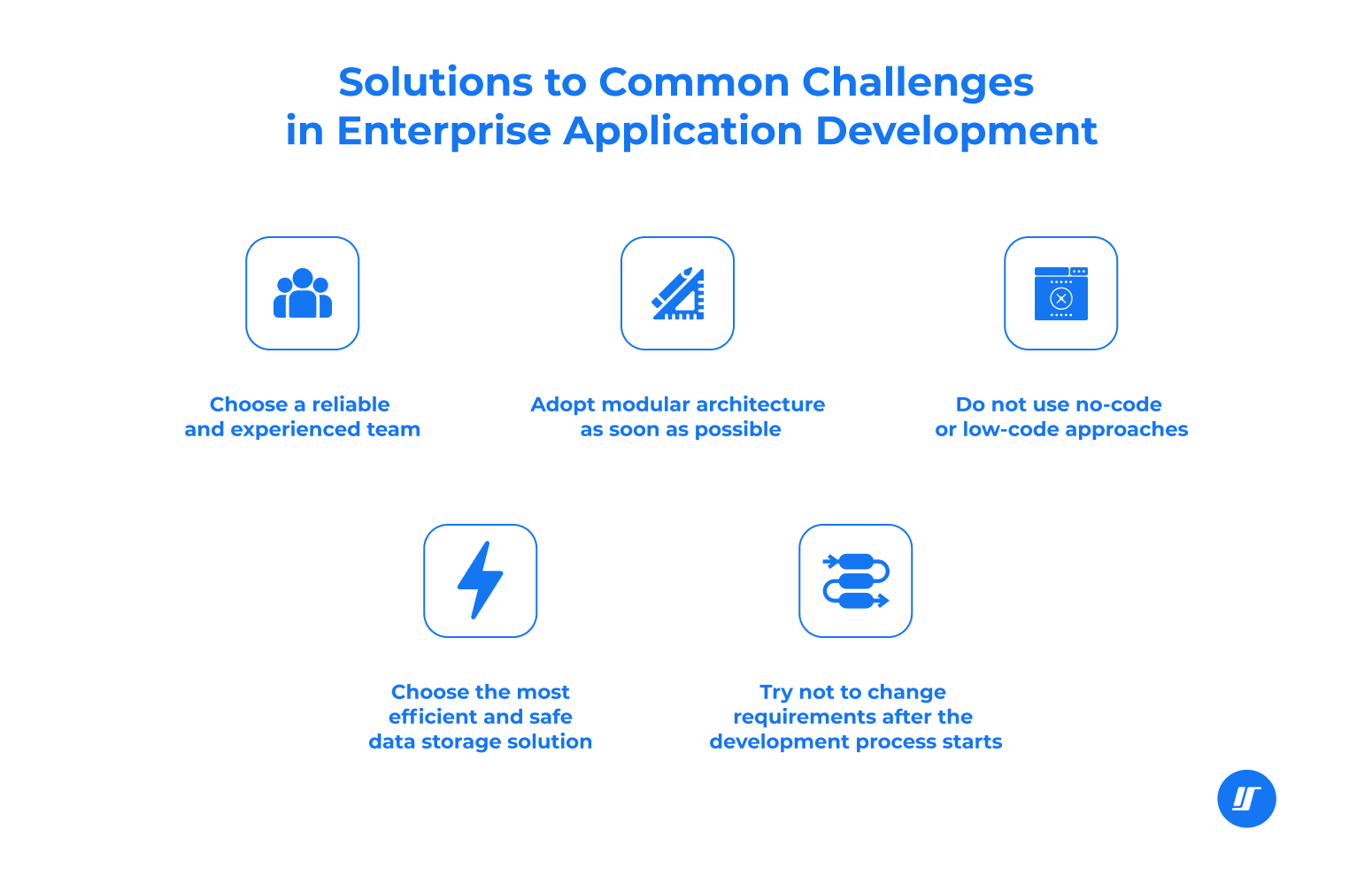
When choosing between commercial and enterprise solutions in 2026, begin by mapping your 24-month growth projection. If your organization anticipates rapid scaling, complex regulatory requirements, or the need for deep technical integrations, the enterprise route is likely the most cost-effective long-term strategy. However, for project-based work or smaller teams where agility is the primary goal, a high-tier commercial solution offers the best balance of power and simplicity. Always conduct a formal Gap Analysis to identify which specific enterprise features are "must-haves" versus "nice-to-haves" before entering negotiations.
Image Gallery