Bluebeam Revu Review: An In-Depth Evaluation for AEC Professionals
Bluebeam Revu remains the standard PDF management, document control, and quantity takeoff software for the architecture, engineering, and construction (AEC) industries. Transitioning to a cloud-connected subscription model (Revu 21), i...
Bluebeam Revu remains the standard PDF management, document control, and quantity takeoff software for the architecture, engineering, and construction (AEC) industries. Transitioning to a cloud-connected subscription model (Revu 21), it combines desktop processing power with browser and mobile access through Bluebeam Cloud, delivering document tracking, real-time collaboration, and measurement workflows for project teams.
Contents
What Is Bluebeam Revu? Identity, Scope, and Platform Evolution
Bluebeam Revu is a specialized PDF creation, markup, editing, and takeoff application engineered specifically for technical document workflows. Unlike generic PDF editors such as Adobe Acrobat, Revu caters directly to spatial design, engineering review, project management, and construction estimating.
Developed by Bluebeam, Inc. (a subsidiary of the Nemetschek Group), the platform evolved from desktop-only software into a hybrid ecosystem centered on Revu 21. Previous standalone perpetual licenses (such as Revu 2019 and Revu 20) were superseded by a user-based subscription model. This model pairs the core Windows desktop software with Bluebeam Cloud, an integrated suite of web and mobile applications designed for job site field inspections, punch lists, and drawing access.
Platform Availability and Compatibility
- Windows Desktop (Core Engine): Compatible with 64-bit Windows 10 and Windows 11 environments. The desktop client handles high-density vector graphics, multi-page plan sets, complex geospatial overlays, and batch processing.
- Web and Mobile (Bluebeam Cloud): Runs on standard web browsers (Google Chrome, Microsoft Edge, Mozilla Firefox) and native iOS/iPadOS applications. It allows site teams to view markup layers, complete field punch items, and submit RFIs directly linked to drawing locations.
- macOS Status: Native macOS desktop client support was discontinued in earlier iterations. Mac users access Bluebeam capabilities through Bluebeam Cloud on web browsers or via Windows virtualization environments (such as Parallels Desktop) on Apple Silicon hardware.
Core Feature Breakdown and Engineering Performance
1. Custom Markups and the Tool Chest
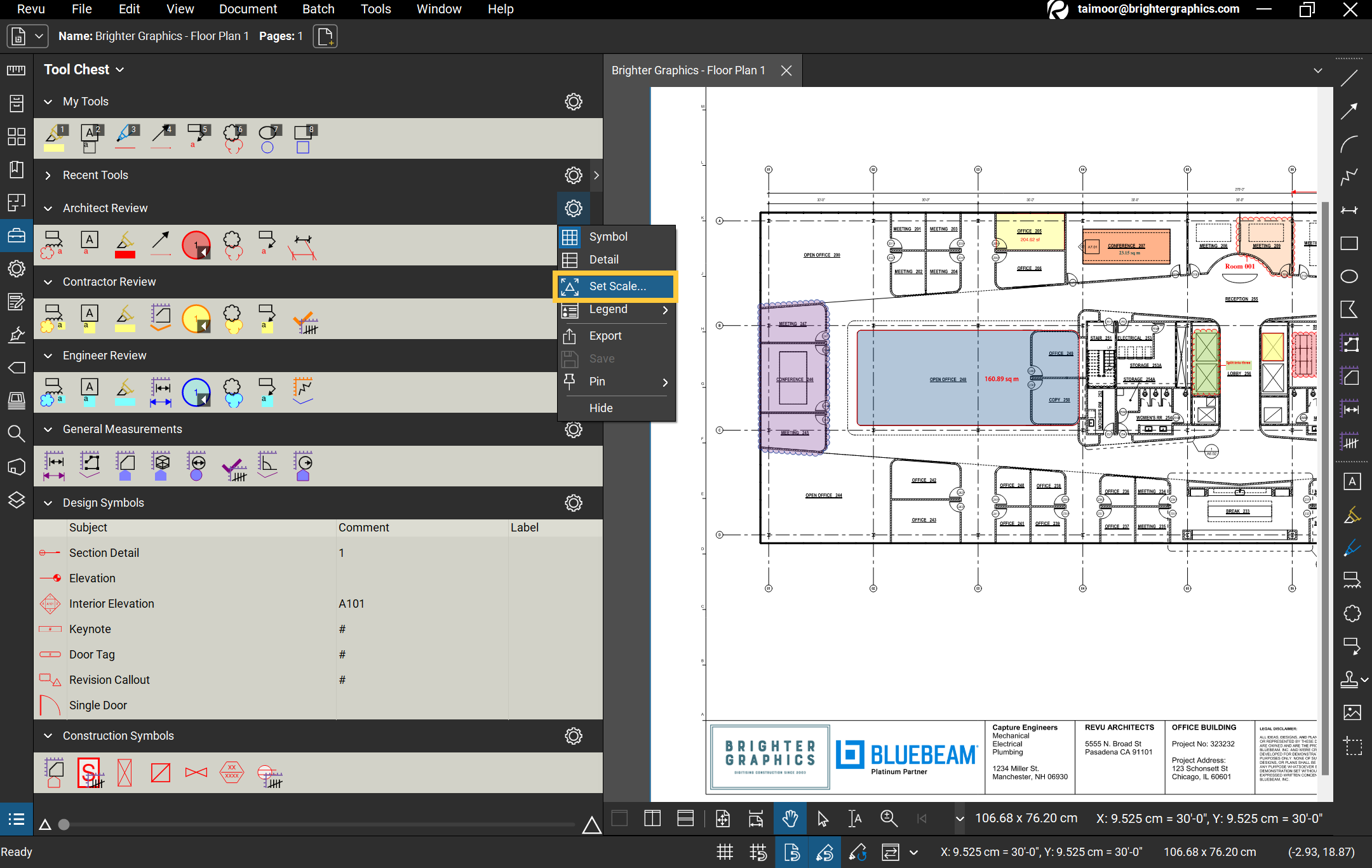
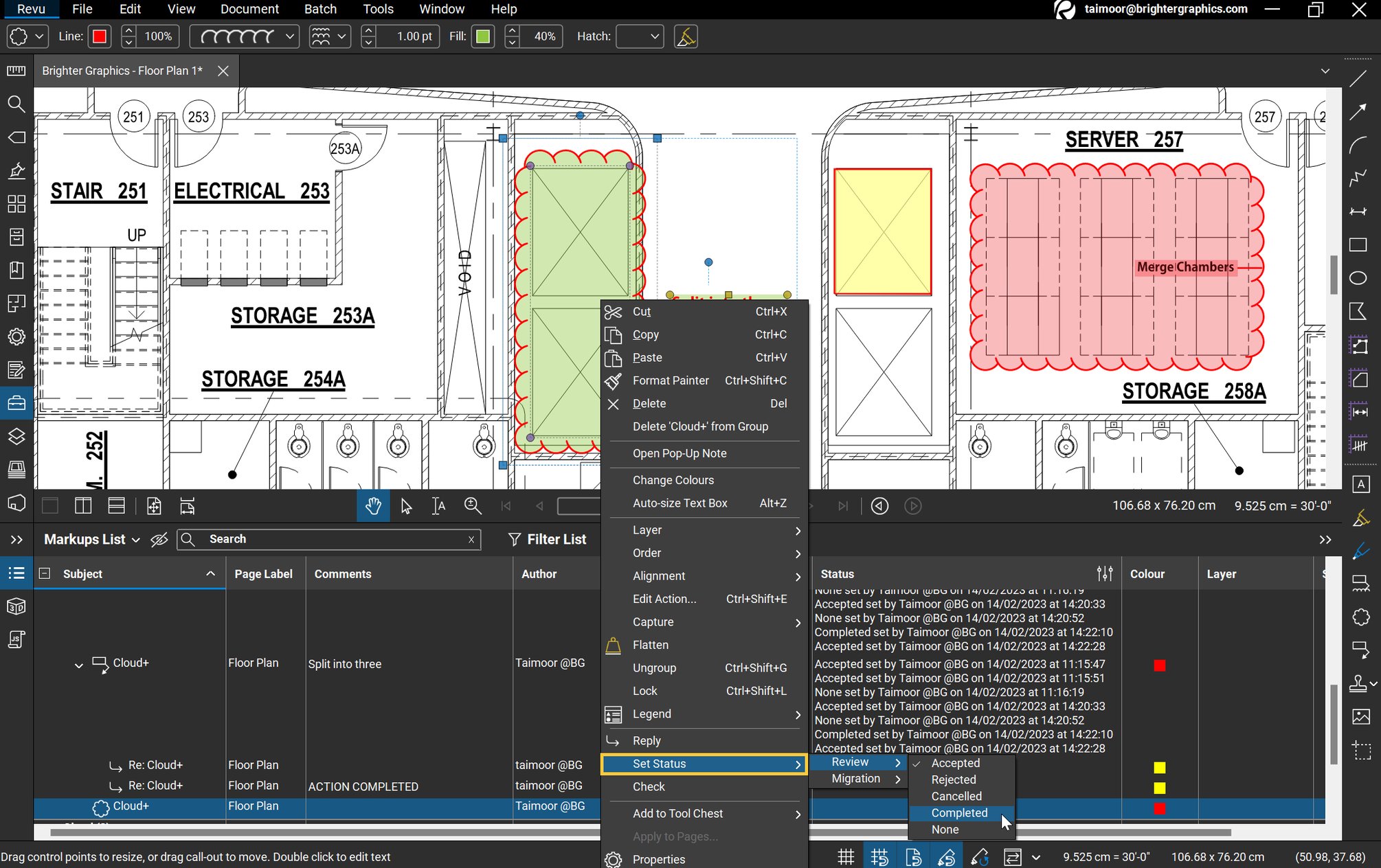
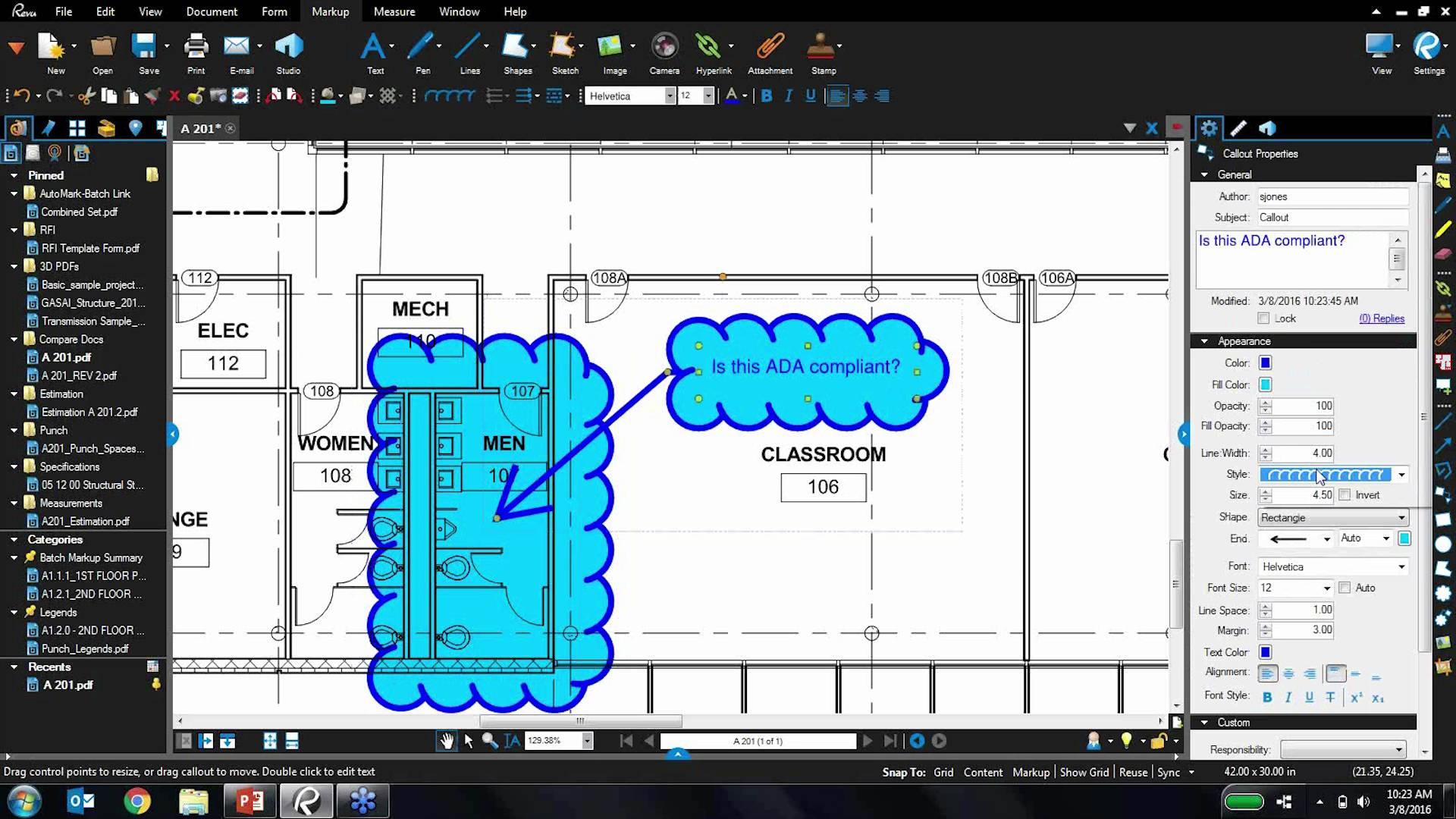
The defining feature of Bluebeam Revu is its Tool Chest, an active memory bank for industry-standard and custom markup tools. Rather than re-creating redlines, callout boxes, symbols, or revisions manually, users save customized graphical elements into centralized tool sets.
- TOOL CHEST
- Architectural Symbols
- Safety Callouts
- Electrical Tags
- MARKUPS LIST
- [Author] | [Layer] | [Subject] | [Status] | [Count / Cost]
- J. Doe | HVAC | Diffuser | Approved | 14 Units ($700)
Key markup capabilities include:
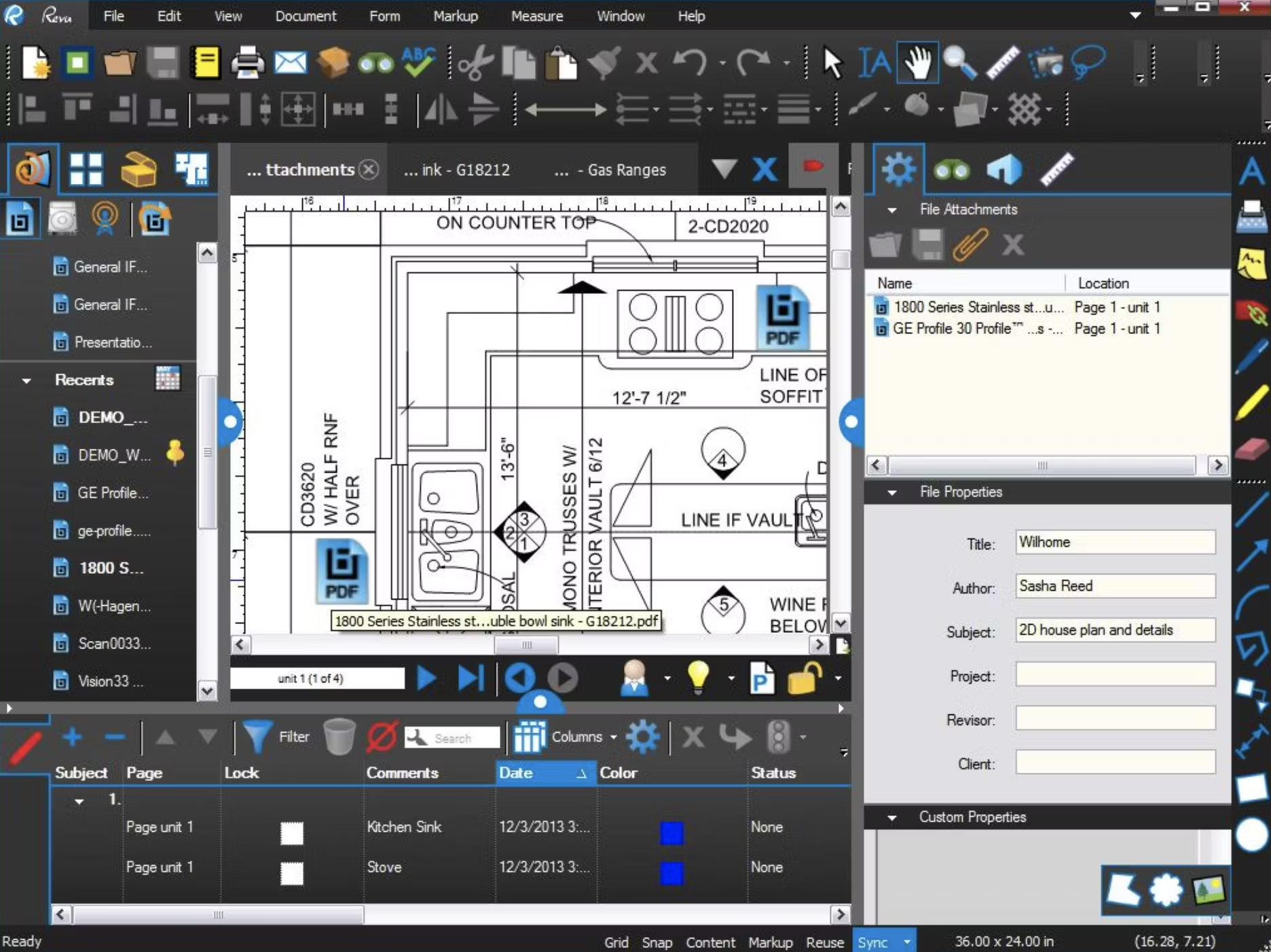
- Properties & Layering: Markups store metadata including subject, author, date, layer allocation, and customizable statuses (such as Approved, Rejected, or For Review).
- Tool Set Sharing: Enterprise administrators export tool sets (
.btxfiles) or deploy them globally across network drives, ensuring project-wide graphical consistency across sub-contractors and design leads. - Symbol Scaling: Standardized markup symbols scale automatically based on the calibrated scale of the drawing sheet, preventing visually distorted callouts on different drawing sizes (e.g., ARCH D vs. ARCH ANSI A).
2. Quantity Takeoff and Estimating Tools
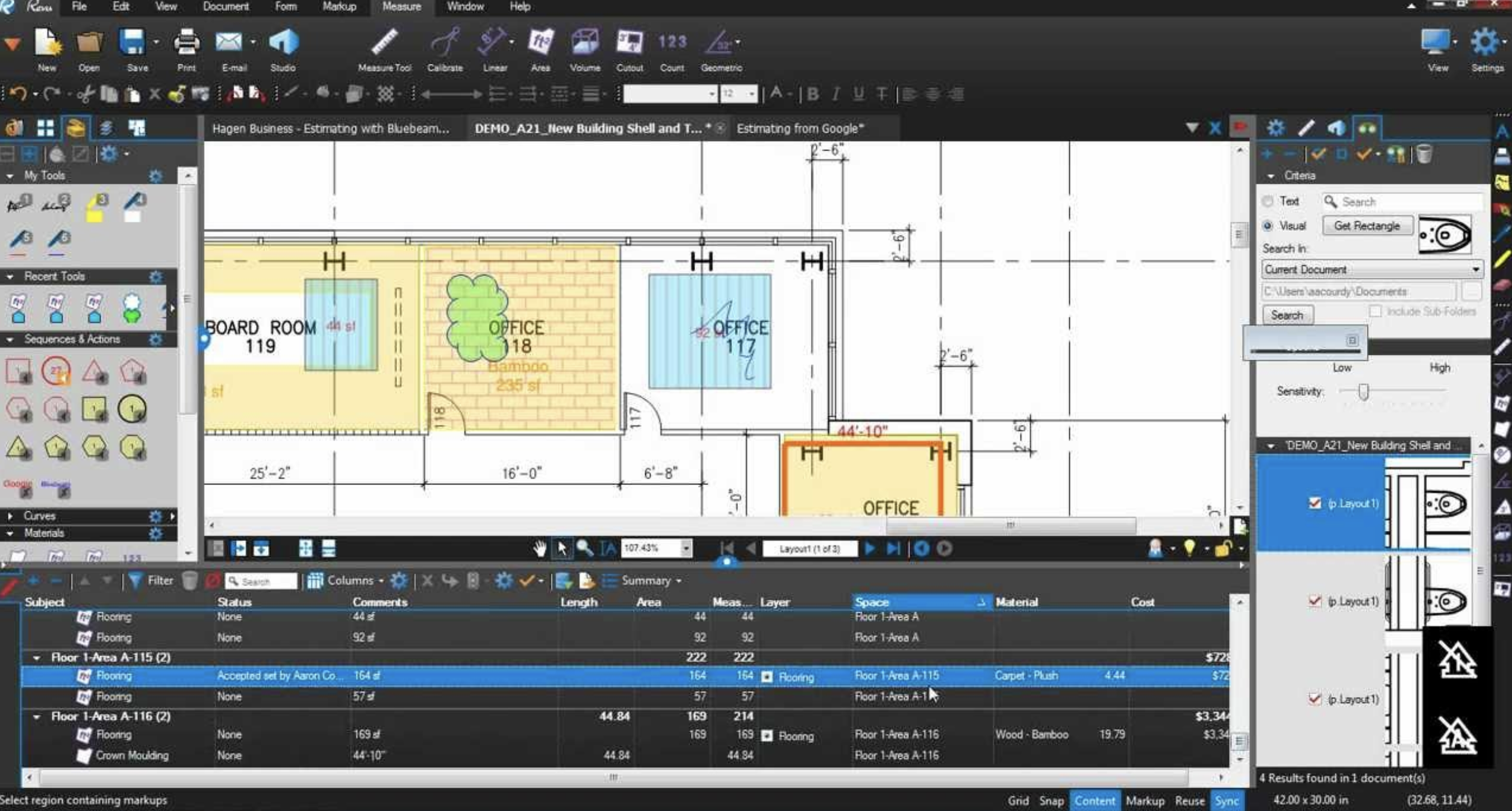
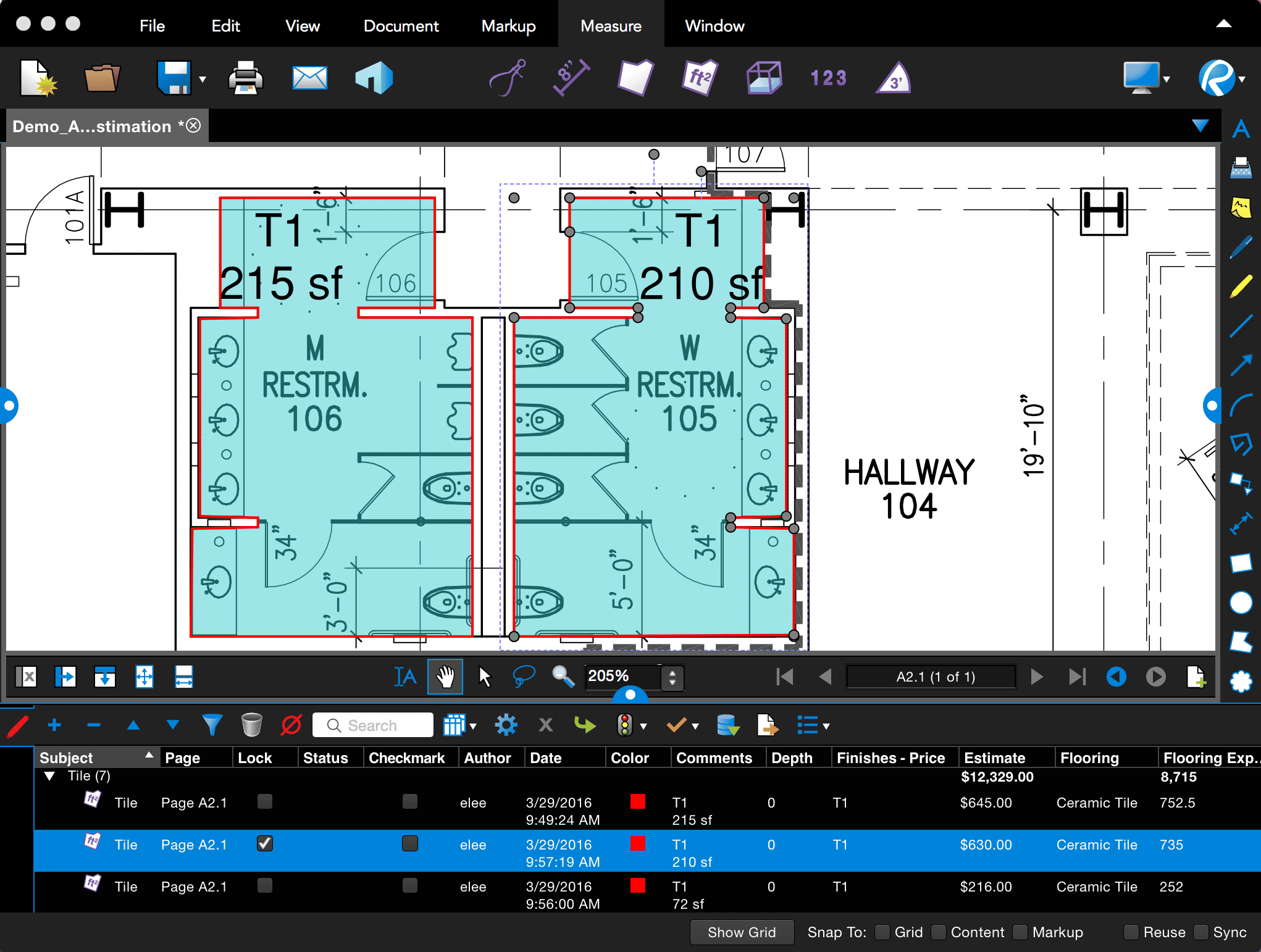
Revu functions as a primary estimating frontend for general contractors and trade subcontractors. Built-in spatial measurement tools allow users to deduce physical quantities directly from 2D vector drawing sheets:
- Measurement Types: Area, Volume, Perimeter, Length, PolyLength, Radius, Angle, and Count.
- Dynamic Cutouts: Subtracts architectural openings (such as windows, doors, or void spaces) automatically from gross surface area calculations.
- Custom Columns and Formulas: Users can input unit costs directly into the Markups List. Formula columns calculate material quantities, labor hours, and total costs without exporting to external spreadsheet applications.
- VisualSearch: Uses pattern recognition algorithms to search drawing sets for graphical symbols (e.g., electrical outlets, structural anchors, plumbing fixtures) and apply automatic count markups across hundreds of drawings simultaneously.
3. Real-Time Collaboration with Studio Sessions and Projects
Bluebeam Studio forms the cloud-collaboration engine integrated into the desktop application, split into two distinct operational modes:
- Studio Projects: Acts as a lightweight, cloud-hosted document management system with check-in/check-out permissions, revision histories, and folder structure controls.
- Studio Sessions: Enables up to 500 concurrent users to mark up the exact same PDF document simultaneously from different geographical locations. Every markup action is logged instantly to an immutable audit trail, complete with timestamps and user identification.
Because Studio Sessions store markup data on cloud layers separate from the underlying PDF vector geometry, sub-contractors and consultants can review submittals or redline construction drawings in real time without conflicting file locks or risk of data overwriting.
4. Advanced Automation and Document Control
For multi-sheet drawing revisions, Revu provides automated comparison tools:
- Compare Documents: Analyzes two PDF files pixel-by-pixel and automatically draws cloud markups around detected visual discrepancies.
- Overlay Pages: Blends two or more revisions of a drawing using stacked color-coded layers (e.g., Revision A in Red, Revision B in Green), making structural shifts and spatial collisions immediately obvious to reviewers.
- Batch Link: Automatically scans multi-page plan sets, builds dynamic links based on page labels, sheet numbers, or defined regions, and connects drawing index sheets directly to structural detail pages.
- Batch Slip Sheet: Automates the replacement of superseded drawing sheets in a master plan set with updated revisions, transferring existing markups, comments, and un-flattened annotations to the new sheet versions.
Bluebeam Revu Subscription Tiers Compared
With the Revu 21 architecture, pricing shifted from perpetual tiers (Standard, CAD, Extreme) to three annual subscription packages: Basics, Core, and Complete. The following table outlines the feature distribution and operational scope across these tiers.
| Feature / Capability | Basics Tier | Core Tier | Complete Tier |
|---|---|---|---|
| Primary Target User | Field Inspectors, Site Managers, Clients | Subcontractors, Engineers, Architects | Estimators, Project Engineers, BIM Managers |
| PDF Editing & Viewing | Yes | Yes | Yes |
| Standard Markup Tools | Yes | Yes | Yes |
| Studio Sessions & Projects | Access / Collaborate | Access / Collaborate / Host | Access / Collaborate / Host |
| Bluebeam Cloud App | Web & Mobile (View/Mark) | Web & Mobile (View/Mark/Field) | Web & Mobile (Full Field Suites) |
| Custom Markups List | Basic | Advanced Custom Columns | Advanced Custom Columns & Formulas |
| Quantity Takeoff Tools | Basic Measurements | Full Takeoff Suite | Full Takeoff Suite + Dynamic Quantity Link |
| CAD Plugins (Revit, AutoCAD) | No | Yes | Yes |
| Compare Docs & Overlay Pages | No | Yes | Yes |
| Batch Link & Batch Slip Sheet | No | No | Yes |
| Scripting & Automation | No | No | Yes |
Hardware Requirements and Performance Optimization
Because Bluebeam Revu processes high-resolution vector PDF files containing thousands of independent geometry paths, hardware configuration directly affects rendering speed and responsiveness.
System Requirements Guidelines
- Operating System: 64-bit Windows 11 or Windows 10 (version 1903 or higher).
- Processor (CPU): Intel Core i5/i7 (10th Gen or newer) or AMD Ryzen 5/7 series. High single-core clock speed (3.0 GHz+) is recommended over excessive multi-threading for vector rendering engines.
- Memory (RAM): 8 GB minimum; 16 GB to 32 GB recommended when working with multi-hundred-page drawing packages, 3D PDFs, or dense CAD exports.
- Graphics Processing Unit (GPU): Hardware acceleration relies on DirectX 11 or DirectX 12 compatible graphics cards with at least 2 GB to 4 GB dedicated VRAM (Nvidia GeForce/Quadro or AMD Radeon).
- Storage: Solid-State Drive (NVMe M.2 SSD preferred) is critical to eliminate disk input/output bottlenecks during batch processing and file caching.
Optimization Strategies for Large Plan Sets
- Enable Hardware Acceleration: Navigate to
Preferences > Engine > Renderingand select Hardware Acceleration to offload 2D vector calculation to the graphics card. - Adjust Rendering Engine Settings: For complex vector files with sluggish redraw rates, changing the rendering engine display mode from Iterative to Wait for completion reduces CPU usage during zooming and panning.
- Flatten Markups Periodically: Un-flattened markups remain active vectors, increasing document file size and RAM footprint. Use the Flatten function (
Ctrl+Shift+M) on approved revisions to merge annotations into the background layer. - Purge Cache Files: Clear the temporary rendering cache periodically under
Preferences > NetConfigto free up system drive space and restore startup speed.
Pros and Cons: A Balanced Assessment
Key Strengths
- AEC-Specific Feature Set: Tools are designed explicitly for construction workflows, outperforming standard office PDF editors in drawing navigation, spatial scale calibration, and revision management.
- Robust Data Extraction: The Markups List transforms visual redlines into structured relational data that can be exported directly to CSV, XML, or integrated directly into Microsoft Excel using Quantity Link.
- Seamless Field-to-Office Bridge: Bluebeam Cloud synchronizes markups and field punch items across job site mobile devices and central office desktop stations.
- Extensive CAD Integration: Direct plugins for Autodesk Revit, AutoCAD, Navisworks, and SolidWorks enable one-click generation of 2D files and interactive 3D PDFs with preserved assembly hierarchies.
Operational Limitations
- Learning Curve for Advanced Features: While basic markup creation is straightforward, mastering custom columns, scripting, batch link rules, and tool set deployment across large teams requires formal training and administrative oversight.
- Resource Consumption: Large, un-optimized vector PDFs can exhaust system memory, leading to frame-rate drops or temporary application unresponsiveness on entry-level computer hardware.
- Lack of Native macOS Desktop Client: Mac-centric architectural practices must rely on web browser tools via Bluebeam Cloud or deploy Windows virtual machines to access desktop capabilities.
- Subscription Model Shift: Enterprise organizations transitioning from legacy perpetual software licenses must account for recurring operational costs (OpEx) for every active user seat.
Bluebeam Revu vs. Alternative Software Platforms
When evaluating Revu against competing construction technology and PDF management software, choices often depend on whether the primary goal is generic document handling, spatial takeoff, or job site punch-listing.
| Feature Set | Bluebeam Revu | Adobe Acrobat Pro |
|---|---|---|
| Primary Intent | AEC Engineering & Takeoff | General Business Docs |
| Measurement Tools | Calibrated Area/Vol/Poly | Basic Ruler Tools |
| Collaboration | Real-Time Studio Sessions | Cloud Document Sharing |
| Construction Tech | Custom Tool Chest/Punch | Form Filling & E-Sign |
Bluebeam Revu vs. Adobe Acrobat Pro
Adobe Acrobat Pro remains an industry standard for general business document administration, interactive PDF forms, contract management, and optical character recognition (OCR). However, Acrobat lacks spatial scale calibration, vector overlay functionality, dynamic quantity takeoff columns, and specialized construction markup management. For technical design reviews and estimating workflows, Bluebeam Revu is substantially better suited.
Bluebeam Revu vs. Autodesk Construction Cloud / PlanGrid
Autodesk Construction Cloud and PlanGrid focus primarily on sheet distribution, mobile document viewing, and project management workflows across field personnel. While Autodesk excels in 3D Model coordination (BIM 360) and cloud sheet distribution, Bluebeam Revu's desktop application provides vastly superior precision for 2D quantity takeoff, detailed drafting markups, dynamic measurement formulas, and offline local file handling.
Practical Recommendation: Choosing the Right Deployment Strategy
Organizations evaluating Bluebeam Revu should align their subscription plan selection with specific workforce roles:
- Deploy Basics Tier for Non-Technical Field Teams & Executives: Assign Basics licenses to field superintendents, project owners, or administrative staff who only require drawing viewing, simple markup capability, and mobile RFI/punch list logging through Bluebeam Cloud.
- Standardize Core Tier for Design & Engineering Teams: Select Core licenses for structural, mechanical, civil, and architectural teams. This tier provides essential CAD plugins, drawing comparison features, scale calibration, and complete access to Studio Sessions.
- Reserve Complete Tier for Estimators & Project Engineers: Assign Complete licenses to cost estimators, project control directors, and BIM managers who require advanced automation tools (Batch Link, Batch Slip Sheet), dynamic Excel Quantity Link workflows, and custom formula calculations.
Frequently Asked Questions
Can Bluebeam Revu run offline without an active internet connection?
Yes. The Windows desktop application runs natively on local hardware and supports full offline PDF viewing, editing, spatial measuring, and tool chest access. An internet connection is only required periodically to validate subscription licensing logins, synchronize Bluebeam Cloud projects, or participate in active Studio Sessions.
How does the Bluebeam Quantity Link feature work with Microsoft Excel?
Exclusive to the Complete subscription tier, Quantity Link establishes a live data bridge between Bluebeam Revu PDF markups and Microsoft Excel spreadsheets. When an estimator updates area, length, or count markups within a drawing, the metric updates dynamically in linked Excel cells, eliminating manual copy-pasting of takeoff data.
Can legacy perpetual license keys (Revu 20 and earlier) still be upgraded?
Legacy perpetual licenses are no longer updated with new features by Bluebeam. While legacy desktop installations continue to function locally on compatible operating systems, accessing new cloud capabilities, security patches, and Bluebeam Cloud integrations requires transitioning to a Revu 21 subscription plan.
Does Bluebeam Revu support 3D PDF files?
Yes. Revu can generate, view, and annotate 3D PDF files exported from supported CAD platforms like Revit, AutoCAD, or SolidWorks. Users can navigate 3D mesh geometry, isolate structural components, change rendering modes, and attach markup annotations to specific spatial elements within the 3D model environment.
What is the difference between Studio Projects and Studio Sessions?
Studio Projects operates as a cloud file repository where users check out PDF files, edit them locally, and check them back in, maintaining file version control. Studio Sessions is a live, simultaneous markup room where up to 500 concurrent users can redline the exact same PDF document in real time without downloading or locking the original file.
Image Gallery