Understanding How Long Your iPad Battery Will Last: Daily Runtime vs. Long-term Lifespan
An iPad battery typically provides 10 hours of active use for web browsing or video playback on Wi-Fi, a standard Apple has maintained across most models. Long-term, the battery is designed to retain up to 80% of its original capacity...
An iPad battery typically provides 10 hours of active use for web browsing or video playback on Wi-Fi, a standard Apple has maintained across most models. Long-term, the battery is designed to retain up to 80% of its original capacity after 1,000 full charge cycles, which generally translates to three to five years of regular use.
Contents
Understanding how long an iPad battery lasts requires looking at two distinct metrics: runtime (how many hours you get on a single charge) and lifespan (how many years the battery remains healthy before needing replacement). While Apple’s marketing has famously stuck to the "10-hour" rule since the original iPad's release, real-world variables in 2026—such as high-refresh-rate displays, M-series chips, and 5G connectivity—create significant variance in performance.
The Benchmark: Daily Runtime by Model Category
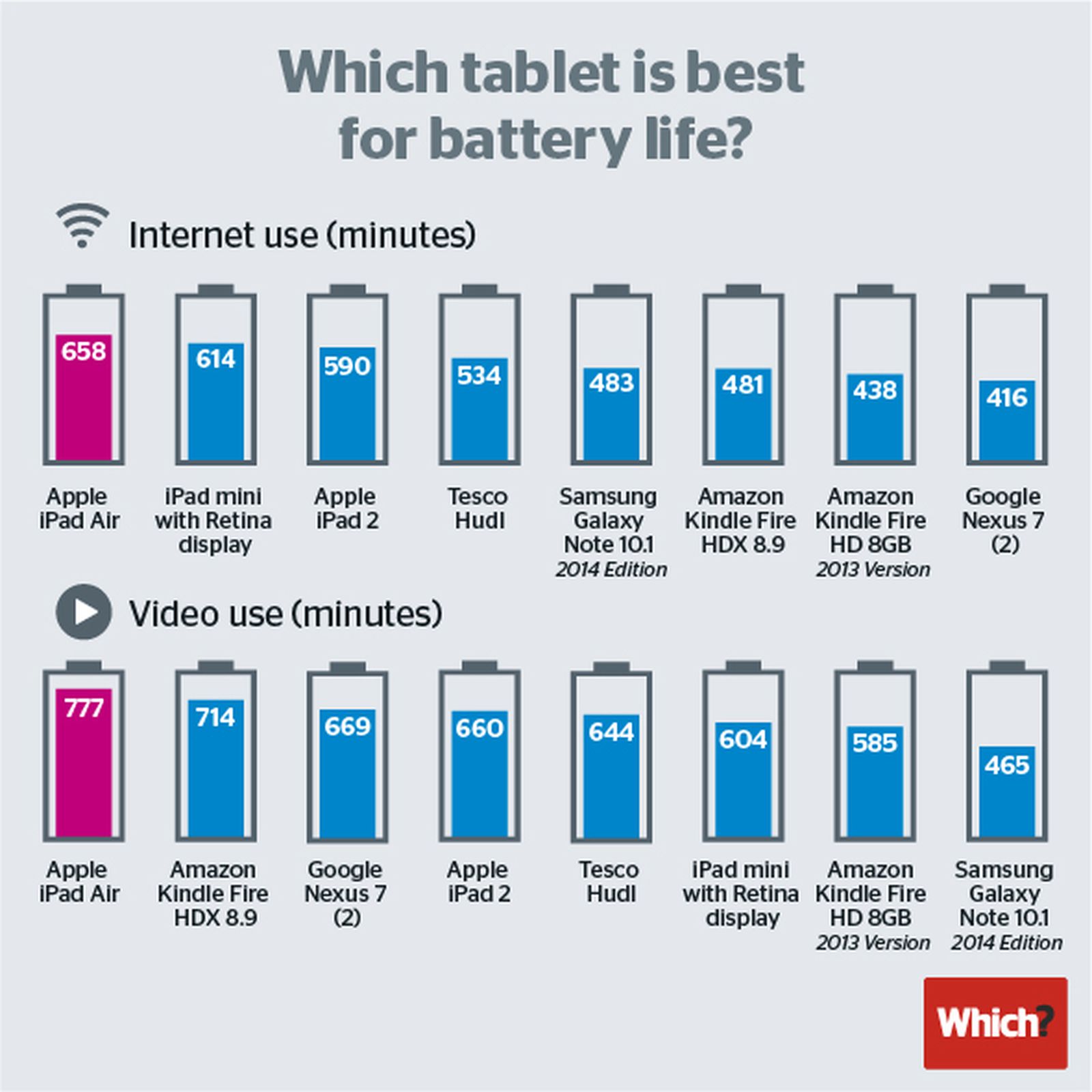
For over a decade, the baseline for iPad battery life has been 10 hours of "surfing the web on Wi-Fi or watching video." However, the introduction of more powerful hardware has shifted the reality of these numbers depending on the specific model and the intensity of the tasks performed.
iPad Pro (M-Series Models)
The iPad Pro, particularly the 11-inch and 13-inch models featuring Tandem OLED displays and M4 or M2 chips, targets professional users. While they meet the 10-hour Wi-Fi benchmark for light tasks, intensive "Pro" workflows like 4K video editing in LumaFusion or 3D rendering in Octane can drain a full charge in 4 to 6 hours. The ProMotion technology (120Hz refresh rate) dynamically adjusts to save power, but high-brightness HDR content remains the primary battery consumer.
iPad Air and Standard iPad
The iPad Air and the entry-level iPad are the most consistent performers regarding the 10-hour claim. Because they often lack the extreme brightness levels or the power-hungry 120Hz displays of the Pro line, their power consumption is more predictable. For education and general office work, these models frequently exceed 10 hours of light use.
iPad Mini
The iPad Mini has a physically smaller battery due to its compact form factor. While Apple still rates it for 10 hours, users often find that it reaches the 10% warning faster than its larger counterparts when used for gaming or high-brightness reading, simply because there is less "buffer" capacity in the smaller cell.
Understanding Battery Lifespan and "Cycles"
The lifespan of an iPad battery is measured in charge cycles. One charge cycle is completed when you have discharged an amount equal to 100% of your battery’s capacity—but not necessarily all from one charge. For example, using 50% of your battery one day and 50% the next constitutes one cycle.
As of 2026, iPad batteries are engineered to retain approximately 80% of their original capacity after 1,000 complete charge cycles.
- Heavy Users: If you charge your iPad from 0% to 100% every single day, you will likely hit the 80% health threshold in approximately 2.7 years.
- Moderate Users: If you charge your iPad every two to three days, the battery health may remain above 80% for 5 to 7 years.
When a battery drops below 80% maximum capacity, it is considered "chemically aged." At this point, the battery may struggle to provide the peak power necessary for the processor, potentially leading to unexpected shutdowns or a noticeable sluggishness in performance as the system manages power more conservatively.
Primary Factors That Impact Battery Longevity
Several technical and environmental factors determine how quickly your battery percentage drops throughout the day and how fast the hardware degrades over the years.
Display Brightness and Refresh Rates
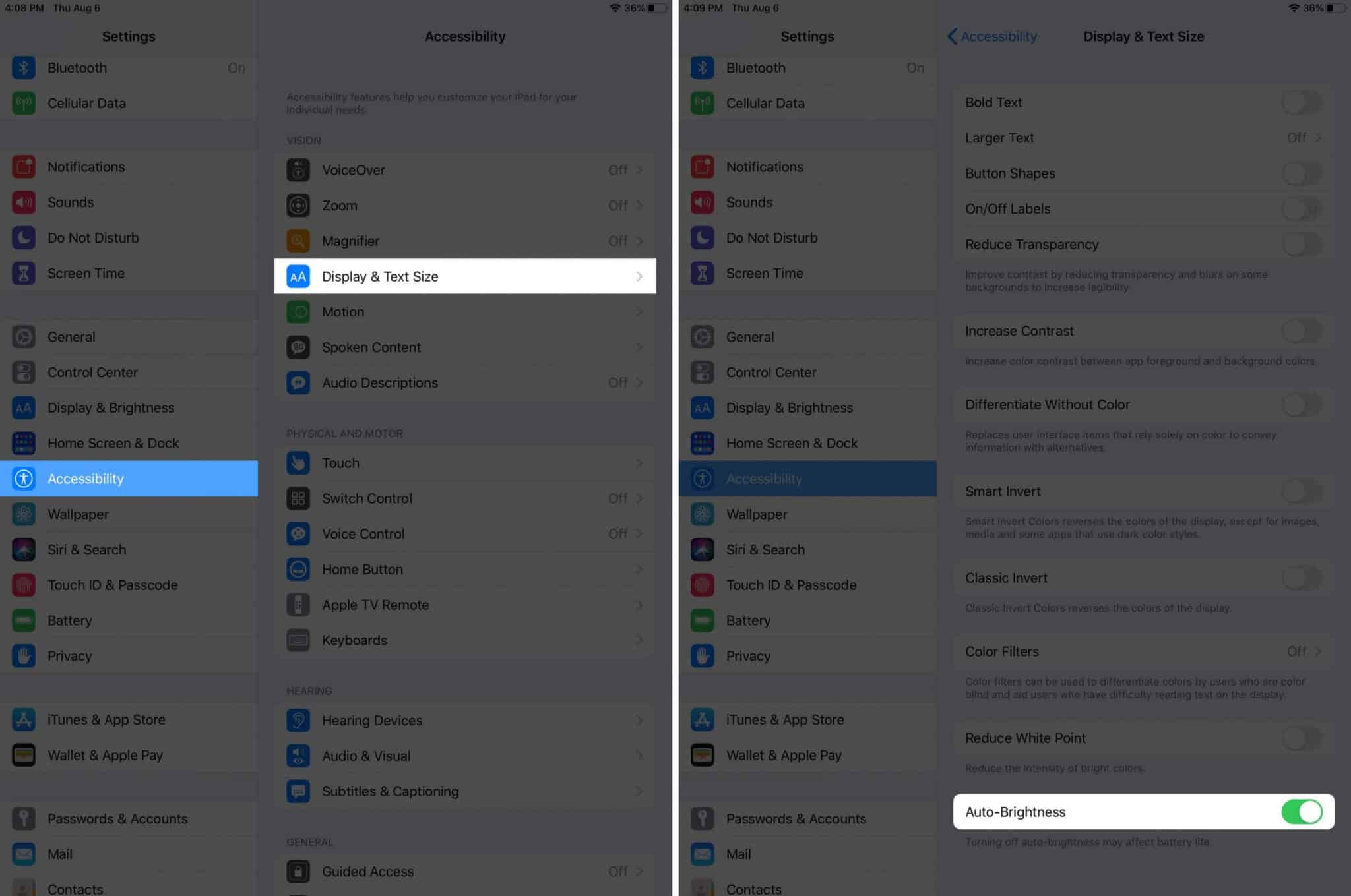
The display is the single largest consumer of power. iPad Pro models with ProMotion can drop their refresh rate to as low as 10Hz to save power when viewing static images, but they ramp up to 120Hz for scrolling. If you manually lock your brightness at 100%, you can expect the 10-hour estimate to be cut by nearly 40%.
Peripheral Power Draw
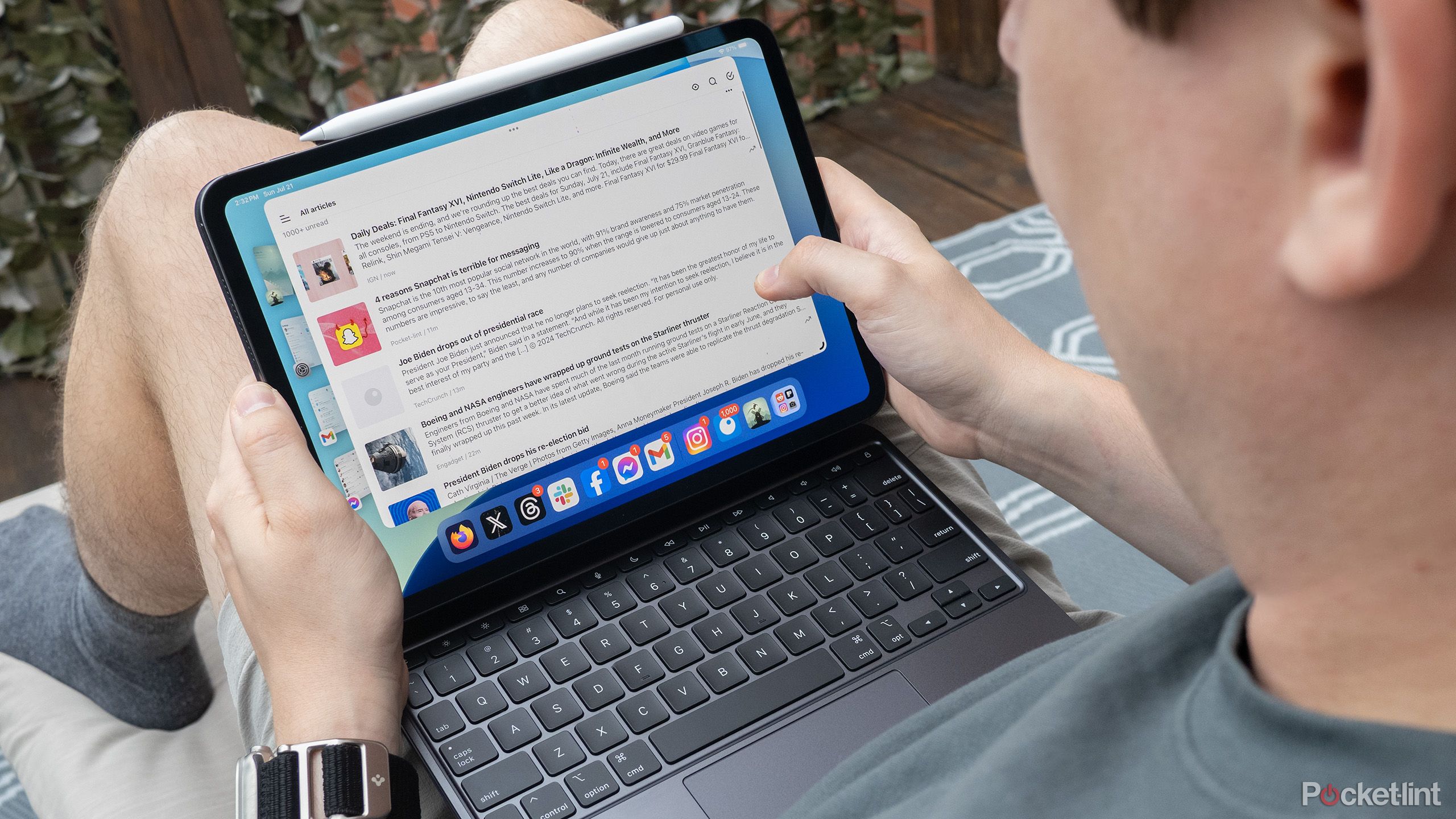
Accessories such as the Magic Keyboard and the Apple Pencil do not have their own power cables; they draw energy directly from the iPad via the Smart Connector or magnetic induction. Using a backlit Magic Keyboard can reduce overall battery runtime by roughly 1 to 1.5 hours over a full charge cycle.
Cellular Data vs. Wi-Fi
Apple officially rates cellular iPad models for 9 hours of web browsing on a data network, compared to 10 hours on Wi-Fi. In areas with weak 5G signals, the iPad’s modem increases power to maintain a connection, which can cause rapid and significant battery drain.
Thermal Management
Lithium-ion batteries are sensitive to heat. Operating an iPad in environments above 95° F (35° C) can permanently damage battery capacity. If the iPad gets too hot during a charge—often caused by high-intensity gaming while plugged in—the software may pause charging at 80% to protect the hardware.
How to Check iPad Battery Health in 2026
For many years, iPadOS did not provide a simple "Battery Health" percentage like the iPhone. However, in more recent versions of iPadOS (starting significantly with the M4 iPad Pro and M2 iPad Air lineups), Apple integrated more transparent battery health tools.
To check your status:
- Open Settings.
- Navigate to Battery.
- Tap Battery Health.
Here, you will see the Maximum Capacity, which is a measure of the battery capacity relative to when it was new. Lower capacity may result in fewer hours of usage between charges. On the newest models, you can also see the Cycle Count, giving you a precise look at how much "work" the battery has done over its lifetime.
Comparison of Battery Specifications by Model
The following table outlines the battery capacities and rated runtimes for current iPad models as of 2026.
| iPad Model | Battery Capacity (Watt-hours) | Estimated Wi-Fi Runtime | Estimated Cellular Runtime | Expected Lifespan (Cycles) |
|---|---|---|---|---|
| iPad Pro 13-inch (M4) | 38.99 Wh | 10 Hours | 9 Hours | 1,000 |
| iPad Pro 11-inch (M4) | 31.29 Wh | 10 Hours | 9 Hours | 1,000 |
| iPad Air 13-inch (M2) | 36.59 Wh | 10 Hours | 9 Hours | 1,000 |
| iPad Air 11-inch (M2) | 28.93 Wh | 10 Hours | 9 Hours | 1,000 |
| iPad (10th Gen / 2024 Refresh) | 28.6 Wh | 10 Hours | 9 Hours | 1,000 |
| iPad Mini (6th/7th Gen) | 19.3 Wh | 10 Hours | 9 Hours | 1,000 |
Optimization Strategies for Daily and Long-Term Use
To maximize the time between charges and the total years of service your iPad provides, consider the following technical adjustments.
Enable Low Power Mode
Introduced to the iPad with iPadOS 15, Low Power Mode reduces display brightness, optimizes system animations, and limits background syncing. This is the most effective way to stretch the final 20% of your battery for several additional hours.
Manage Background App Refresh
Many apps update their content in the background using Wi-Fi or cellular data. By going to Settings > General > Background App Refresh, you can disable this for apps that do not require real-time updates (like games or retail apps), significantly reducing "idle drain."
The 20-80 Rule for Longevity
Lithium-ion batteries experience the most stress when they are at 0% or 100%. To extend the overall lifespan of the iPad hardware, try to keep the battery level between 20% and 80%. Many modern iPads include an "80% Limit" charging option in the Battery Health settings to automate this process for users who keep their devices plugged in at a desk.
Software Updates
Apple frequently releases iPadOS updates that include power management optimizations. Ensuring your device is running the latest version of iPadOS ensures you are benefiting from the most recent efficiency improvements for the M-series or A-series architecture.
Common Battery Troubleshooting
If your iPad is not meeting the 10-hour benchmark, the cause is usually software-related rather than a hardware defect.
- Check Battery Usage by App: In Settings > Battery, look at the list of apps from the last 24 hours. If an app you haven't used much shows a high percentage of battery usage, it may be "hanging" in the background. Force-closing the app or deleting and reinstalling it often solves the issue.
- Excessive Mail Fetching: If you have multiple email accounts set to "Push," the iPad is constantly communicating with servers. Switching to "Fetch" (e.g., every 15 or 30 minutes) can save a measurable amount of power.
- Recent Updates: After a major iPadOS update, the system performs background indexing of files, photos, and databases. It is normal to see increased battery drain for 24 to 48 hours following a software update.
Frequently Asked Questions
Does fast charging damage the iPad battery?
Using a high-wattage charger (such as a 45W or 67W MacBook adapter) does not damage the iPad. The iPad's internal power management system only draws the maximum wattage it is rated for. However, fast charging generates more heat; if the device feels excessively hot, it is better to use a standard 20W charger to preserve long-term health.
Why does my battery drain even when I’m not using the iPad?
This is known as "Standby Drain." It is usually caused by "Find My" networking, background notifications, or the iPad searching for a cellular signal. If you find your iPad loses more than 2-3% overnight, consider turning on Airplane Mode or disabling Background App Refresh.
Is it worth replacing an iPad battery once it hits 80%?
If you plan to keep the device for another two years, a battery replacement is a cost-effective way to restore original performance. When battery health is low, the iPad may "throttle" the CPU to prevent crashes, so a new battery can make an older iPad feel significantly faster.
Does "Dark Mode" save battery on an iPad?
Dark Mode only saves significant battery life on iPads with OLED displays (such as the 2024 and newer iPad Pro models). On these screens, black pixels are completely turned off, consuming no power. On standard LCD iPads (Air, Mini, and base model), Dark Mode is purely aesthetic and does not significantly impact battery life.
Next Steps for iPad Owners
To ensure your iPad battery lasts as long as possible, your first action should be to check your current Maximum Capacity in the Settings menu. If your device is relatively new, enable the Optimized Battery Charging feature to allow the iPad to learn your daily charging routine and wait to finish charging past 80% until you need it. If you are experiencing rapid drain, audit your Background App Refresh settings and reduce your screen brightness to 50% or lower for indoor use.
Image Gallery