Complete Guide to PECO Online Bill Pay in 2026
Managing utility expenses efficiently requires a secure and reliable digital payment ecosystem. For customers of PECO, Pennsylvania's largest electric and natural gas utility serving southeastern Pennsylvania including Philadelphia, Bu...
Managing utility expenses efficiently requires a secure and reliable digital payment ecosystem. For customers of PECO, Pennsylvania's largest electric and natural gas utility serving southeastern Pennsylvania including Philadelphia, Bucks, Montgomery, Delaware, and Chester counties, understanding the available payment portals is essential. The PECO online bill pay infrastructure for 2026 provides streamlined ways to manage accounts, monitor real-time energy usage, and execute secure transactions without incurring unnecessary processing delays or transaction fees.
Contents
Core Digital Payment Methods and Official Portals
Navigating the PECO billing environment involves selecting a payment mechanism that aligns with your financial management preferences. PECO provides several official digital gateways designed to ensure encrypted transactions and immediate account crediting.
- My Account Web Portal: The primary desktop dashboard where customers can view statements, analyze hourly interval meter data, track historical consumption trends, and execute single-use or recurring ACH payments.
- PECO Mobile Application: Available for iOS and Android devices, the application grants biometric login capabilities, push notifications for billing cycle alerts, and a streamlined mobile checkout flow.
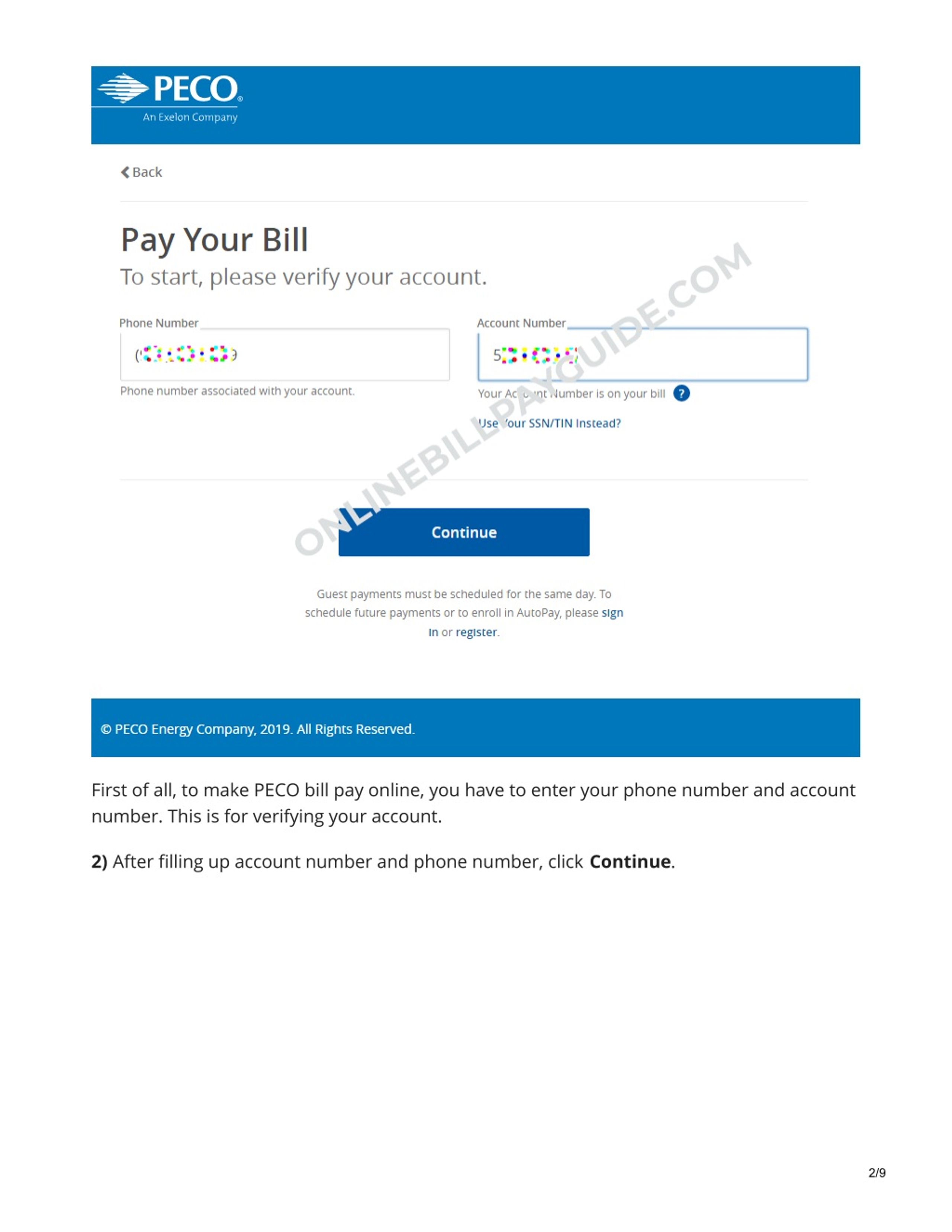
- Guest Pay Feature: A quick-pay utility that allows users to clear their current balance using a debit card, credit card, or checking account number without logging into a permanent profile, though creating an account unlocks deeper historical billing insights.
- Auto Pay Enrollment: An automated debit arrangement linked directly to a checking account or major credit card, ensuring funds are withdrawn on the designated statement due date to avoid late fees.
- Paperless Billing Integration: An eco-friendly alternative that suppresses physical statements in favor of immediate email alerts containing direct payment links and secure PDF downloads of itemized utility charges.
Step-by-Step Guide to Executing a Secure Online Payment
Completing your utility transaction safely requires adherence to verified security protocols and accurate entry of financial data. Follow this structured process to submit your payment through the official PECO digital channels in 2026.
- Verify Official URL and Security: Ensure you are navigating directly to the official PECO website or using the authenticated mobile application. Look for the secure HTTPS protocol and valid SSL encryption certificates in your browser bar before entering credentials.
- Authenticate Your Session: Log in to your My Account profile using your unique username and password, or use multi-factor authentication if enabled for enhanced security.
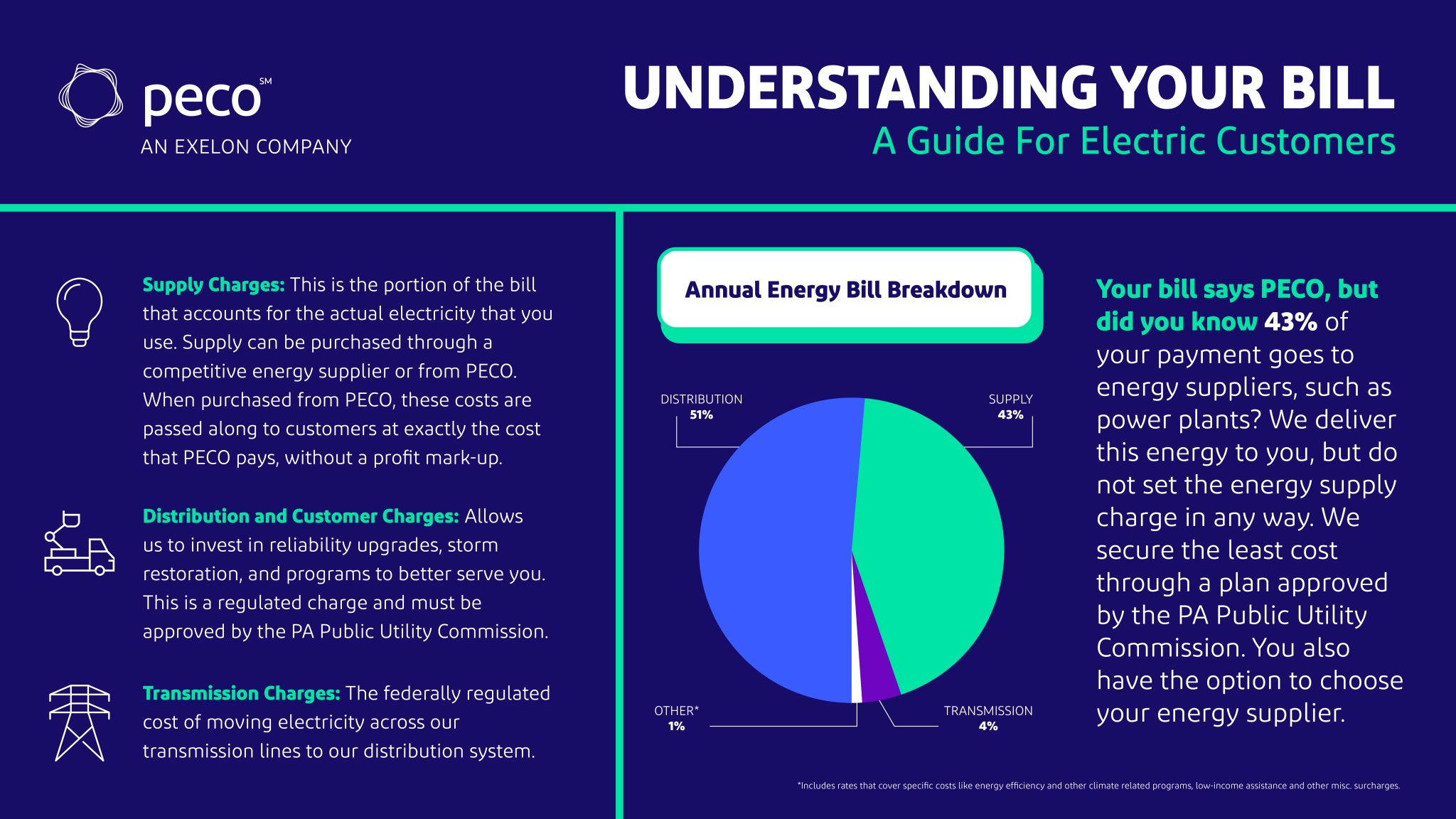
- Navigate to the Billing and Payments Tab: Once on the dashboard, locate the current balance summary box and select the View Bill or Make a Payment option to review itemized generation, transmission, and distribution charges.
- Select Payment Source and Amount: Choose your preferred funding source. You may pay the exact balance, set a custom amount, or schedule a future-dated payment that matches your personal cash flow cycle.
- Review Transaction Terms: Inspect the summary screen for any applicable processing fees associated with credit or debit card usage, or confirm that your electronic check (ACH) transaction is fee-free.
- Authorize and Save Confirmation: Submit the transaction and wait for the system to generate a unique digital confirmation number. Retain this reference code for your personal financial records or download the digital receipt.
Comparative Analysis of PECO Payment Channels
Selecting the right transaction channel depends on your urgency, preferred funding source, and whether you require transaction fee mitigation. The following comparison matrix outlines the technical specifications, processing speeds, and fee structures for standard payment options available to PECO customers.
| Payment Method | Processing Speed | Transaction Fee | Authentication Requirement | Best Suited For |
|---|---|---|---|---|
| PECO My Account (ACH) | Instant to 1 Business Day | $0.00 (Free) | Username / Password | Standard recurring or one-time checking account payments |
| PECO Mobile App (Card) | Instant | Third-party vendor fee applies | Biometric / PIN | Fast mobile checkouts using debit or credit cards |
| Guest Pay Portal | Instant to 1 Business Day | Dependent on payment type | Account # and Zip Code | Quick payments without registering a permanent user profile |
| Auto Pay Setup | Automatic on Due Date | $0.00 (Free for ACH) | Profile Enrollment | Hands-off monthly utility management |
| Phone Payment System | Instant | Automated vendor fee applies | Interactive Voice Response | Users without reliable broadband internet access |
Troubleshooting Common Digital Billing Failures
Technical glitches or data entry errors can occasionally disrupt an online payment attempt. Understanding how to diagnose and resolve these issues prevents service disconnection notices and unexpected late charges.
Failed ACH Transactions: Verify that your bank routing number and checking account digits match your physical checks or banking application exactly. Entering an incorrect transit code will result in a returned payment fee from both your financial institution and PECO.
Session Timeouts and Browser Errors: Utility portals utilize strict session security timers. If your connection drops during a transaction, clear your browser cache, disable aggressive tracking protection extensions, or switch to an alternate modern web browser before re-attempting the payment.
Credit Card Authorization Declines: Ensure your billing address zip code entered within the PECO portal matches the exact address on file with your card issuer. Mismatched address verification system (AVS) parameters frequently trigger automated fraud blocks.
Customer Support and Regional Assistance Resources
When technical issues persist or billing disputes arise, direct communication with PECO support representatives or regional assistance networks ensures your account remains in good standing.
- PECO Customer Care Center: Accessible by phone for general billing inquiries, payment arrangement agreements, and emergency outage reporting.
- Low-Income Home Energy Assistance Program (LIHEAP): State-administered financial grants designed to assist qualifying households with winter heating bills and crisis intervention.
- PECO Matching Energy Assistance Fund (MEAF): A charitable grant program providing financial assistance to residential customers experiencing temporary financial hardship.
- Local County Assistance Offices: Regional Pennsylvania Department of Human Services centers offering direct application processing for utility relief grants and weatherization services.
Frequently Asked Questions
How do I make a payment on PECO without logging into an account?
You can utilize the Guest Pay feature directly on the official PECO website by entering your utility account number and service zip code. This allows for fast processing using a credit card, debit card, or electronic check without requiring username registration.
Are there any fees associated with paying my PECO bill online?
Paying via electronic check (ACH) through the official web portal or mobile application is completely free of charge. However, third-party credit and debit card transactions may incur a nominal processing fee charged by the payment gateway provider.
What should I do if my online payment confirmation number is missing?
Check your registered email address for an instant electronic receipt or log back into your My Account dashboard to inspect the recent payment history ledger. If the transaction does not appear within your history after 24 hours, contact customer support before initiating a duplicate payment.
Can I schedule a future payment date to match my payday?
Yes, the online billing portal allows you to select a specific scheduled payment date up until the actual due date printed on your statement. This prevents premature withdrawals while ensuring your account never enters past-due status.
How quickly does an online payment post to my active PECO account?
Payments executed via electronic check or debit card through the authenticated digital portal typically post to your account balance instantly or within a few hours, updating your real-time ledger status immediately.
What happens if my scheduled Auto Pay fails due to insufficient funds?
If an automated withdrawal is rejected by your financial institution, PECO will send an automated notification regarding the returned payment. Your account may be assessed a return fee, and you will need to submit an alternate manual payment immediately to avoid collection actions.
Image Gallery