Understanding the Subdomain Host: A Comprehensive Guide to DNS Architecture
A subdomain host is a specific entry within a Domain Name System (DNS) zone file—typically an 'A' or 'CNAME' record—that directs a sub-part of a domain (e.g., blog.example.com) to a specific server, application, or hosting environment....
A subdomain host is a specific entry within a Domain Name System (DNS) zone file—typically an 'A' or 'CNAME' record—that directs a sub-part of a domain (e.g., blog.example.com) to a specific server, application, or hosting environment. By defining the host, administrators effectively partition a single domain into distinct services, allowing them to scale infrastructure or segment content without registering new top-level domains.
Contents
The Role of Subdomains in Internet Infrastructure
At the core of the Domain Name System, a domain is not a singular monolithic entity but a hierarchical tree structure. While a root domain (or apex domain) serves as the primary identifier for an organization, subdomains provide the flexibility to branch off that root into specialized functions.
When you configure a subdomain host, you are essentially telling the internet, "When a user requests this specific prefix, route them to this specific destination." This is accomplished through DNS records, which act as the global directory for the internet. Without the proper configuration of these hosts, a web browser would not know which server holds the files, databases, or application logic for the requested subdomain.
The primary utility of the subdomain host lies in resource isolation. For instance, a corporation may host its primary website on a secure, high-performance web server, but opt to host its customer support portal on a third-party SaaS platform. By creating a subdomain host—such as support.company.com—and pointing it toward the external service’s IP address or hostname, the organization seamlessly integrates that service into its professional digital presence.
Anatomy of a Subdomain Record
To understand the subdomain host, one must recognize the anatomy of a DNS zone file. A zone file is the text file that describes a domain's configuration. It contains several key components that dictate how a subdomain host functions:
- The Host/Name Field: This is the prefix of your subdomain. If you wish to create shop.example.com, the host field in your DNS manager would simply be "shop."
- The Record Type: This defines what the host is pointing to.
- A Records: Map the host directly to an IPv4 address.
- CNAME (Canonical Name) Records: Map the host to another domain name. This is common when using cloud-hosted services where IP addresses may change dynamically.
- AAAA Records: Map the host to an IPv6 address.
- The Value/Target: This is the destination. It could be an IP address (e.g., 192.0.2.1) or an alias (e.g., server123.hostingprovider.com).
- The TTL (Time to Live): A setting that determines how long the DNS record remains cached in local resolvers before the system checks for updates again.
Technical Comparison of DNS Records for Subdomain Hosting
Choosing the right record type is vital for the stability of your subdomain. The following table outlines the most common methods for pointing a subdomain to a host.
| Record Type | Best For | Technical Consideration |
|---|---|---|
| A Record | Static IP addresses | Direct and fast, but requires updates if the destination IP changes. |
| CNAME | Aliasing to cloud services | Simplifies management; the DNS lookup automatically follows the target domain. |
| AAAA | IPv6-only environments | Essential for modern network standards and future-proofing. |
| ALIAS/ANAME | Apex redirection | A pseudo-record type used to point the root or a sub-host to another domain, overcoming CNAME-at-root limitations. |
Practical Steps to Configure a Subdomain Host
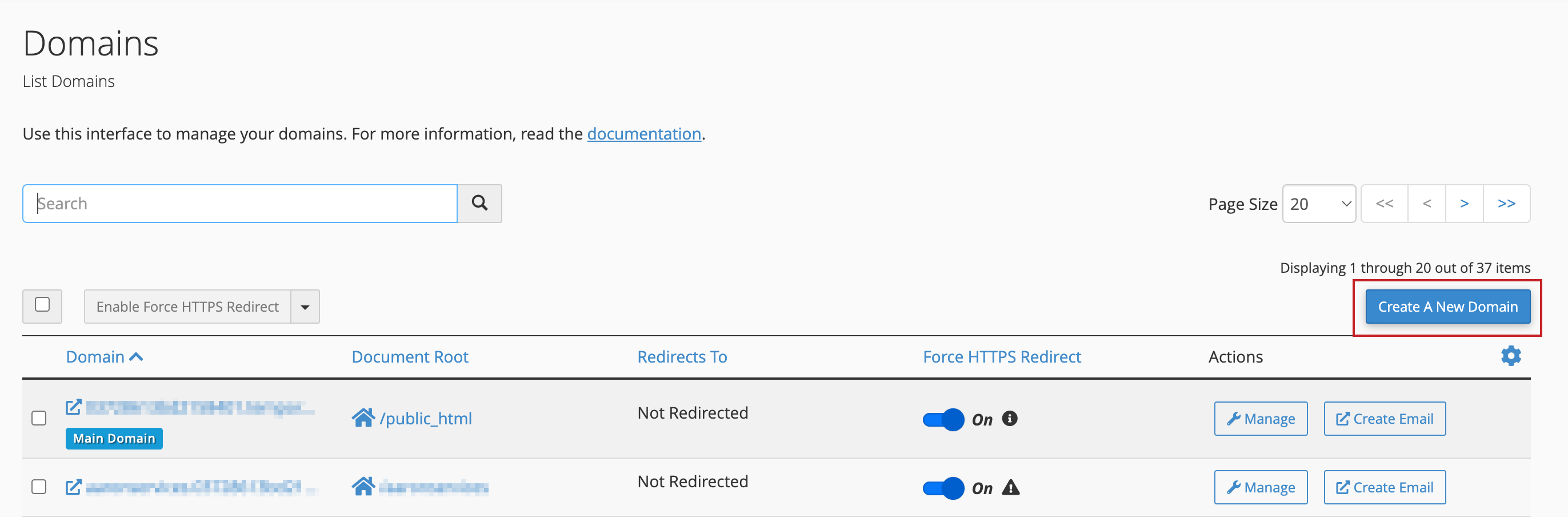
Configuring a subdomain host is a process performed within your domain registrar’s dashboard or your DNS provider’s management console. While interfaces vary, the workflow remains consistent across the industry in 2026.
- Identify the Zone: Log into your DNS provider (e.g., Cloudflare, Route 53, or a domain registrar). Select the domain for which you intend to create the subdomain.
- Access DNS Management: Navigate to the "DNS Records" or "Zone Editor" section.
- Add New Record: Select the option to "Add Record."
- Enter Details:
- Choose the record type (usually A or CNAME).
- Input the subdomain prefix into the "Name" or "Host" field.
- Input the IP address or destination URL provided by your hosting company in the "Value" or "Points to" field.
- Set the TTL. A value of 3600 (one hour) is a common default, though it can be lower if you anticipate needing to switch servers quickly.
- Save and Propagate: Once saved, the change is broadcast globally. Note that "propagation"—the time it takes for servers across the world to recognize the change—can take anywhere from a few minutes to 48 hours, depending on the TTL and local caching behaviors of various Internet Service Providers (ISPs).
Troubleshooting Subdomain Host Issues
Even with precise configuration, issues can arise. Understanding how to diagnose them is a critical skill for any site administrator.
- DNS Propagation Delays: If you have just created the host and it is not working, patience is often the solution. Use tools like dig or nslookup (command-line utilities) to verify if your record has propagated globally.
- Conflicting Records: Ensure you do not have multiple conflicting records for the same host. For example, having both an A record and a CNAME record for the same subdomain will cause the DNS lookup to fail or return unpredictable results.
- SSL/TLS Mismatches: If you are using HTTPS, your subdomain host must be covered by an SSL certificate. Simply pointing the host via DNS is not enough; you must also ensure that the server at the destination is configured to accept traffic for that specific subdomain and possesses a valid certificate for it.
- Propagation Checkers: If a user in one location can access the site but another cannot, the issue is likely local caching. Requesting that the user flush their DNS cache or attempting to reach the site via a proxy or different network can help verify the server-side configuration.
Security Implications
Managing subdomains adds a layer of complexity to your security posture. A common mistake is creating "orphan" subdomains—hosts that point to services or servers that are no longer active. If a malicious actor realizes an organization is no longer using a specific subdomain host, they can potentially perform a "subdomain takeover" by provisioning their own service at the old destination.
Always audit your DNS records annually. If you discontinue a service, remove the corresponding subdomain host record immediately to prevent unauthorized access or hijacking.
Frequently Asked Questions
Can I point multiple subdomains to the same host? Yes. You can create multiple A records for different subdomains that all point to the same IP address. This is a common practice when a single web server is configured to handle multiple virtual hosts, allowing it to serve distinct content based on the incoming request header.
Does a subdomain host affect my SEO? Search engines generally treat subdomains as unique entities relative to the root domain. While they share the authority of the parent domain to some extent, they are indexed separately. For SEO purposes, use a subdomain only when the content is meaningfully different from the root domain, such as an e-commerce shop or a documentation portal.
What is the difference between a subdomain and a subdirectory? A subdirectory (example.com/blog) exists within the file structure of your primary website. A subdomain (blog.example.com) is a separate address managed by DNS. Subdirectories are generally easier to manage for SEO, while subdomains provide better separation of server-side technologies or third-party integrations.
How many subdomains can I create? Technically, there is no hard limit on the number of subdomains you can create under a single root domain, provided your DNS provider supports the volume. However, keep the zone file organized to avoid management overhead and potential performance degradation in massive DNS environments.
Final Recommendation
To ensure your subdomain host functions correctly, start by verifying your destination requirements with your hosting provider. Whether you require a static IP for an A record or a target URL for a CNAME, having these values clearly defined before entering your DNS management console will prevent errors. Once configured, verify the record using a command-line tool to confirm the resolution is active before deploying your live content.
Image Gallery