How to See If There Is a Chipotle BOGO Offer Today
To check if Chipotle is running a Buy One, Get One Free (BOGO) promotion today, open the Chipotle Rewards app and check the "Offers" tab, visit Chipotle's official X (formerly Twitter) account (@ChipotleTweets), or check your email and...
To check if Chipotle is running a Buy One, Get One Free (BOGO) promotion today, open the Chipotle Rewards app and check the "Offers" tab, visit Chipotle's official X (formerly Twitter) account (@ChipotleTweets), or check your email and SMS alerts. Chipotle frequently releases flash BOGO promo codes during major sports broadcasts, holidays, and interactive online trivia challenges.
Contents
Fast Ways to Check for a Chipotle BOGO Deal Right Now
Chipotle Mexican Grill rarely runs unannounced nationwide BOGO promotions without digital traces. Because modern fast-casual promotions rely heavily on digital engagement, verifying whether a Buy One, Get One Free offer is active today requires checking a few primary channels.
- Chipotle App
- Check "Offers" & "Rewards" Tab
- Official X/Twitter (@ChipotleTweets)
- Email & Push Notifications
1. Check the Official Chipotle Mobile App
The fastest and most reliable way to check for a personalized or nationwide BOGO is directly inside the official Chipotle app (available on iOS and Android).
- Launch the app and sign in to your Chipotle Rewards account.
- Tap the Rewards or Offers tab at the bottom navigation bar.
- Look under active rewards or available promo cards. Nationwide promotions as well as account-specific targeted offers (such as win-back promotions or bonus points deals) appear directly in this hub.
If a digital BOGO is live for your account, you will see a specific barcode for in-restaurant scanning or a single-use digital promo code for online and app orders.
2. Monitor Official Social Media Channels
Chipotle frequently announces short-lived "flash BOGOs" and text-to-win promotional codes exclusively on social media platform X (@ChipotleTweets) and Instagram (@Chipotle).
- Text Keyword Drops: During major sporting events (such as the Stanley Cup Finals, NBA Finals, or soccer tournaments), Chipotle often tweets custom text keywords (e.g., text a specific word to 888222). The first 10,000 to 50,000 respondents receive a unique BOGO promo code via text message.
- Interactive Trivia & Games: Leading up to holidays like National Burrito Day, Chipotle regularly launches interactive digital games on custom microsites, rewarding participants who complete challenges with BOGO codes.
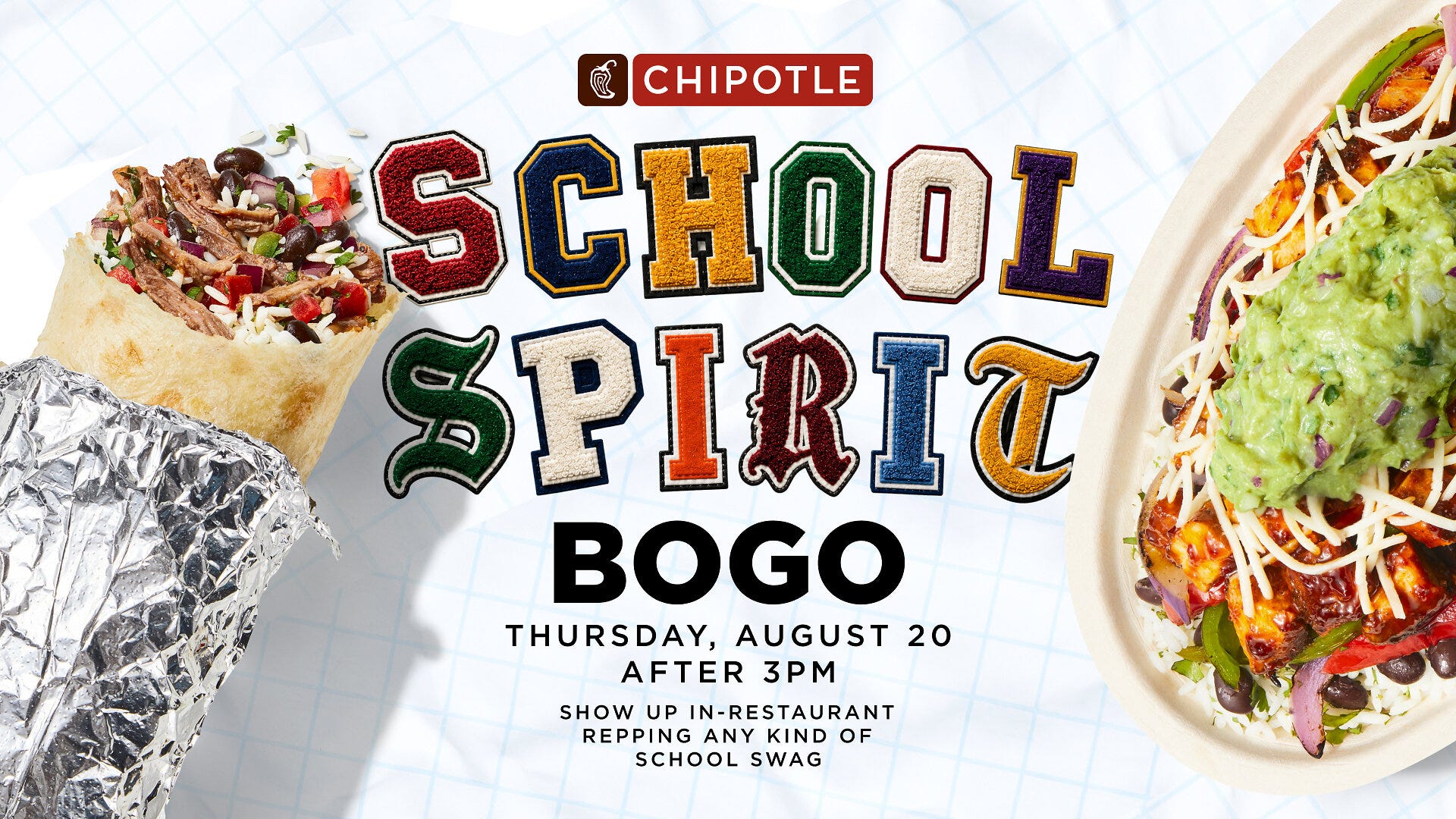
- Pinned Posts: When a major nationwide BOGO is active—such as a "wear a specific jersey" in-store deal—it will almost always be pinned to the top of Chipotle's official X and Instagram profiles.
3. Review Email Newsletters and SMS Alerts
If you signed up for Chipotle Rewards or marketing communications, search your email inbox for recent messages sent from Chipotle. Flash sales and holiday BOGOs are typically emailed early in the morning on the day of the promotion.
Additionally, if you opted into Chipotle’s SMS notification service, check your text messages. Text alerts often provide instant direct links or text keywords needed to claim limited-quantity BOGO vouchers before they run out.
4. Search the Official Chipotle Newsroom
For multi-day or major seasonal promotions, Chipotle releases formal announcements through its corporate communications center. Visiting newsroom.chipotle.com provides official documentation regarding event dates, participating locations, qualifying menu items, and redemption limits. This source is ideal for verifying whether a viral social media rumor about a BOGO offer is authentic or expired.
Annual Events and Holidays Known for Chipotle BOGO Promotions
While Chipotle occasionally drops surprise BOGO offers, the chain follows an established pattern of scheduled annual events where BOGOs or heavily discounted entrées are guaranteed or highly likely.
- Q1: National Burrito Day (April): Interactive Trivia & Digital Codes
- Q2: Teacher & Healthcare Weeks: In-Store ID Verification BOGOs
- Q3: Sports Finals (Hockey/Bball): Flash Text-to-Win BOGOs
- Q4: Halloween "Boorito": Costume Discounts / BOGO Offers
National Burrito Day (First Thursday in April)
National Burrito Day is traditionally one of Chipotle’s largest promotional days of the year. In recent years, Chipotle has hosted digital competitions, memory games, or cryptocurrency-style giveaways leading up to the holiday, awarding tens of thousands of free burrito and BOGO codes to participants.
Hockey & Basketball Championship Promotions
Chipotle maintains official partnerships with major professional sports leagues. During championship events like the NHL Stanley Cup Finals, Chipotle often runs a popular "Wear a Hockey Jersey" BOGO. Customers who enter a participating store wearing a hockey jersey after 3:00 PM local time on designated game days receive a free entrée with the purchase of an entrée of equal or greater value.
Healthcare Workers and Teachers Appreciation Days
During National Nurses Week (May) and Teacher Appreciation Week (May), Chipotle periodically offers targeted BOGO promotions to honor essential community workers. In past iterations, these deals required either presenting a valid work ID in-restaurant or registering through a verification portal to receive a digital single-use BOGO code.
Halloween "Boorito" Event (October 31)
Although Chipotle’s famous Halloween "Boorito" event originally started as an in-store BOGO for customers wearing costumes, it has evolved over time into a mix of discounted entrées (such as $6 burritos for Chipotle Rewards members after 3:00 PM) and digital BOGO drops. Checking official channels in late October confirms the exact format used for the current year.
Comparing Chipotle Promotion Types and Rules
Understanding how different promo offers function helps prevent surprises at the register or online checkout. The following table breaks down common Chipotle discount formats:
| Promotion Type | How to Find It | Primary Channel | Typical Redemption Method | Common Exclusions |
|---|---|---|---|---|
| Flash Text BOGO | X (@ChipotleTweets) / Instagram | Text Keyword to 888222 | Unique promo code entered in Chipotle App | Limited to first 10,000–50,000 claimants; expires rapidly |
| In-Store Event BOGO | Newsroom / Social Media | In-Restaurant Visit | Physical action (e.g., wearing a sports jersey or costume) | In-person only; cannot be used for online pickup or delivery |
| Targeted Rewards BOGO | Chipotle App "Offers" Tab | Chipotle Rewards Account | Scan Rewards QR Code at checkout or apply in app | Single-use only; bound to your specific account ID |
| App Promo Code | Push Notification / Email | Digital Checkout | Enter coupon string in app promo box | One per order; requires minimum purchase of one main entrée |
| Free Entrée Reward | Rewards Catalog | Chipotle Rewards Points | Redeem 1,600+ points for digital voucher | Covers base entrée price; extra guac/queso/meats cost extra |
Chipotle BOGO Rules, Terms, and Limitations
Before attempting to redeem a Buy One, Get One Free deal at Chipotle, carefully review the standard terms and conditions that apply to virtually all company promotions.
- Qualifying Entrée (Burrito, Burrito Bowl, Quesadilla, Salad, Tacos)
- Free Second Entrée (Equal or Lesser Value than Purchased Item)
- Extra Charges (Guacamole, Queso Blanco, Double Meat, Extra Toppings)
1. Equal or Lesser Value Rule
When redeeming a BOGO, the free item will always be the entrée of equal or lesser value compared to the purchased item. For example, if you order a Steak Burrito Bowl ($11.50) and a Chicken Burrito ($9.50), the Chicken Burrito will be discounted as the free item.
2. Standard Entrée Qualification
Qualifying entrées generally include:
- Single Burritos
- Burrito Bowls
- Orders of Three Tacos
- Salads
- Approved Quesadillas (when ordered digitally)
Items that do not count as an entrée include single side tacos, chips and dip, kid’s meals, side orders, and catering orders.
3. Extra Charges Are Not Included
A Chipotle BOGO offer covers only the base price of the free entrée. If you request additional upgrades on either item, you must pay the price difference out of pocket. Charges not covered by a standard BOGO voucher include:
- Extra Protein / Double Meat
- Guacamole (unless included in a vegetarian entrée)
- Queso Blanco
- Side items (chips, salsa, drinks)
4. Channel Specificity (In-Store vs. Digital)
Pay close attention to whether the BOGO is strictly a digital promo code or an in-store offer.
- Digital-Only Codes: Must be entered during checkout in the Chipotle app or website. Cashiers cannot manually type a digital code into the in-store point-of-sale (POS) terminal unless a scannable barcode is provided.
- In-Store Only Offers: Must be redeemed at the physical cash register. These cannot be applied to orders placed ahead via the app for order pickup or delivery.
Step-by-Step: How to Redeem a Chipotle BOGO Code
Redeeming Online or in the Chipotle App
Open the Chipotle App or go to Chipotle.com.
Select your store location and start a pickup or delivery order.
Add two qualifying entrées (e.g., two bowls or burritos) to your digital bag.
Proceed to the Checkout screen.
Locate the Enter Promo Code field (found under the order summary section).
Type or paste your BOGO code exactly as shown and click Apply.
Confirm that the price of one entrée has been deducted from your total balance before finalizing payment.
Add 2 Entrées to Bag
Proceed to Checkout
Enter Promo Code
Verify $0 for 2nd Entrée
Redeeming In-Store at the Cashier
- Order two qualifying entrées at the main service counter.
- Tell the cashier you have a BOGO promotion before payment is processed.
- Open the Chipotle App and present your digital rewards barcode or show the valid BOGO promotional scan code from your text message/email.
- Allow the cashier to scan the code from your mobile screen.
- Verify on the register screen that the discount applied to the second item before tapping your credit card or paying with cash.
Troubleshooting: Why Isn't My Chipotle BOGO Working?
If you located a BOGO offer today but the code or discount fails to apply, the issue usually stems from one of the following factors:
- BOGO Code Not Working?
- Code Expired (Check date/time)
- Limit Reached (First 50k users used)
- Incorrect Items (Only 1 entrée in cart)
- The Code Claim Limit Has Been Reached: Flash text promotions often limit redemptions to the first 25,000 or 50,000 customers. Once the cap is reached, the system will show an error message stating "Code is invalid or has expired."
- Only One Entrée Is in Your Cart: BOGO deals require purchasing one item to get the second one free. If you only add one burrito to your order and apply a BOGO code, the cart will return an error because there is no second qualifying item to discount.
- App Server Overload: During massive national BOGO events, Chipotle’s servers experience heavy traffic spikes. If the app freezes or throws an error at payment, force-close the app, wait 2–3 minutes, and attempt checkout again.
- Third-Party Delivery Apps Excluded: Chipotle BOGO codes issued directly by Chipotle generally do not work on third-party delivery platforms such as DoorDash, Uber Eats, Grubhub, or Postmates unless the promotion is explicitly hosted by that third party.
Practical Recommendation for Today
If you want to quickly see if a Chipotle BOGO is available right now:
- Open X (Twitter) and search for
@ChipotleTweetsto verify if a flash code drop or interactive event was posted within the last 12 hours. - Open the Chipotle App, navigate to the Offers tab, and check for any account-specific BOGO vouchers.
- If no active BOGO is found today, make sure your push notifications and text alerts are enabled so you are instantly notified when the next limited-quantity code drops.
Image Gallery