How to Get a Lot of Points on Fetch Rewards
To get a lot of points on Fetch Rewards, focus on completing Special Offers, which provide thousands of bonus points for specific products, and consistently utilize the Referral Program to earn massive point spikes. Additionally, link...
To get a lot of points on Fetch Rewards, focus on completing Special Offers, which provide thousands of bonus points for specific products, and consistently utilize the Referral Program to earn massive point spikes. Additionally, link your email and retailer accounts to capture every digital receipt and play featured games via Fetch Play to accumulate points during your downtime.
Contents
Fetch Rewards has evolved into one of the most popular consumer loyalty platforms because of its simplicity: you scan receipts and receive points that can be exchanged for gift cards. However, the difference between a casual user earning $5 a year and a power user earning hundreds of dollars lies in strategy. In 2026, the ecosystem is more robust than ever, integrating social challenges, gaming, and personalized brand offers. Understanding the mechanics behind the point system is the first step toward maximizing your rewards.
Understanding the Fetch Rewards Point Structure
Before diving into advanced tactics, it is essential to understand how points are calculated. Fetch Rewards generally operates on a two-tier point system: Base Points and Bonus Points.
Base Points
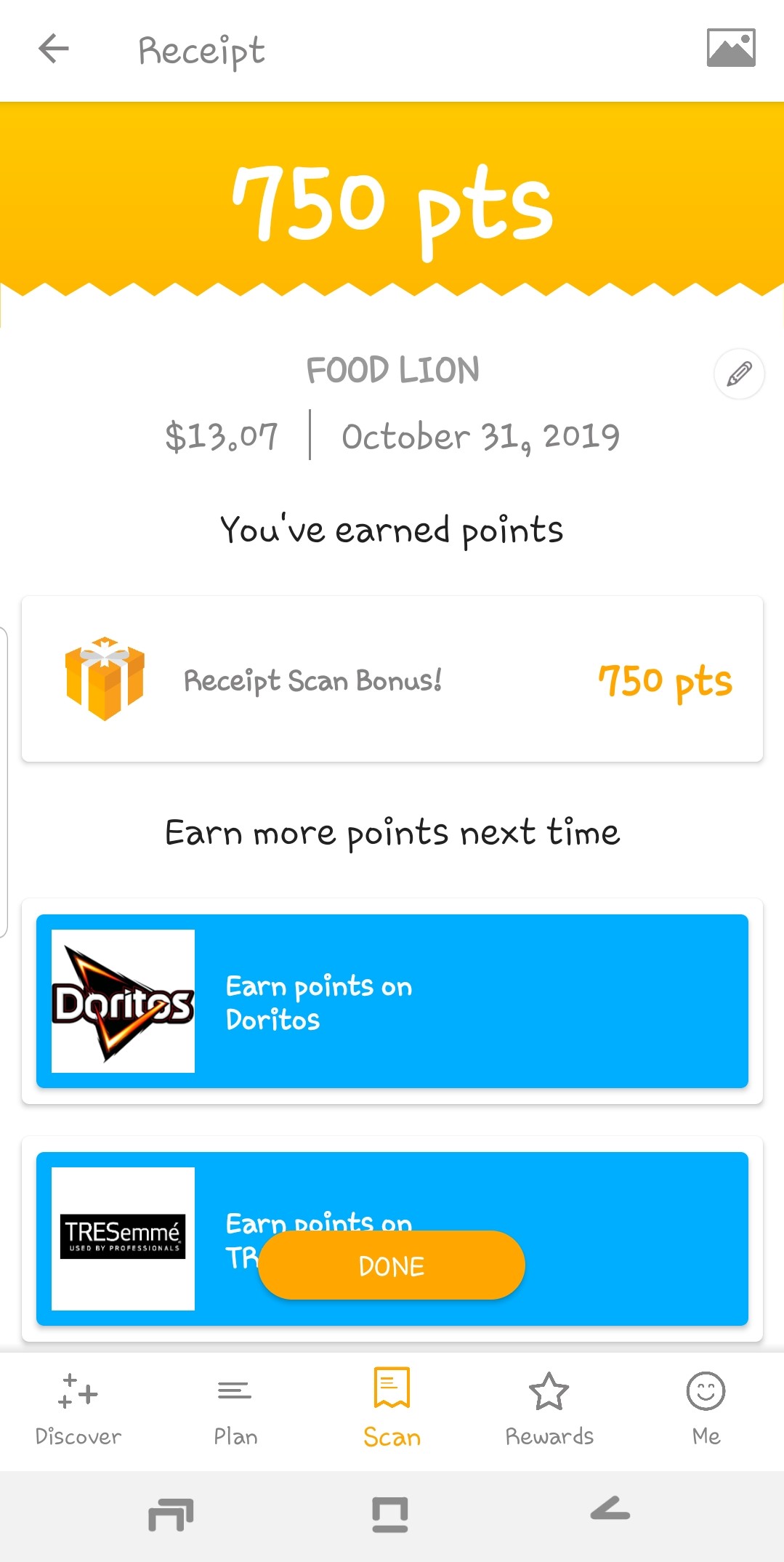
Every valid receipt you scan from a grocery store, convenience store, pharmacy, or big-box retailer typically earns a minimum of 25 points. While this sounds small, these points serve as the foundation of your account. In 2026, Fetch continues to accept receipts from almost any business that sells physical goods, including gas stations and liquor stores.
Bonus Points (The Real Growth Engine)
Bonus points are awarded when you purchase products from Fetch’s Partner Brands. Fetch has partnerships with hundreds of brands (such as Huggies, Pepsi, Ben & Jerry’s, and General Mills). When you scan a receipt containing a partner brand item, you earn a percentage of the purchase price in points, often ranging from 1% to 5% of the item's cost, in addition to the 25-point base.
Mastering Special Offers for Maximum Gains
If you want to accumulate points rapidly, you must move beyond base points and focus on Special Offers. These are time-sensitive promotions found on the app’s home screen that offer fixed point values—often between 500 and 10,000 points—for purchasing specific items.
Analyzing Offer Value
Not all offers are created equal. To "get a lot of points," you should look for "High-Yield" offers. For example, an offer might give you 3,000 points (the equivalent of $3.00) for buying a specific brand of laundry detergent. If that detergent is already on sale at your local grocery store for $8.00, you are effectively getting a nearly 40% discount via rewards.
The "Spend X, Get Y" Strategy
In 2026, Fetch frequently utilizes "Spend" goals. For instance, you might see an offer for 5,000 points if you spend $30 on Kimberly-Clark products over a month. These offers are cumulative. You do not need to spend the $30 in a single trip. The app tracks your progress across multiple receipts, making this one of the most reliable ways to earn large point blocks without changing your shopping habits significantly.
Stacking with Store Coupons
Fetch Rewards calculates points based on the price paid after store discounts but often before manufacturer coupons are applied, depending on how the receipt is formatted. By using a manufacturer coupon in-store alongside a Fetch Special Offer, you can sometimes achieve a "net-zero" cost or even a "money-maker" status, where the rewards value exceeds the out-of-pocket cost of the item.
Optimizing Digital Receipt Scanning
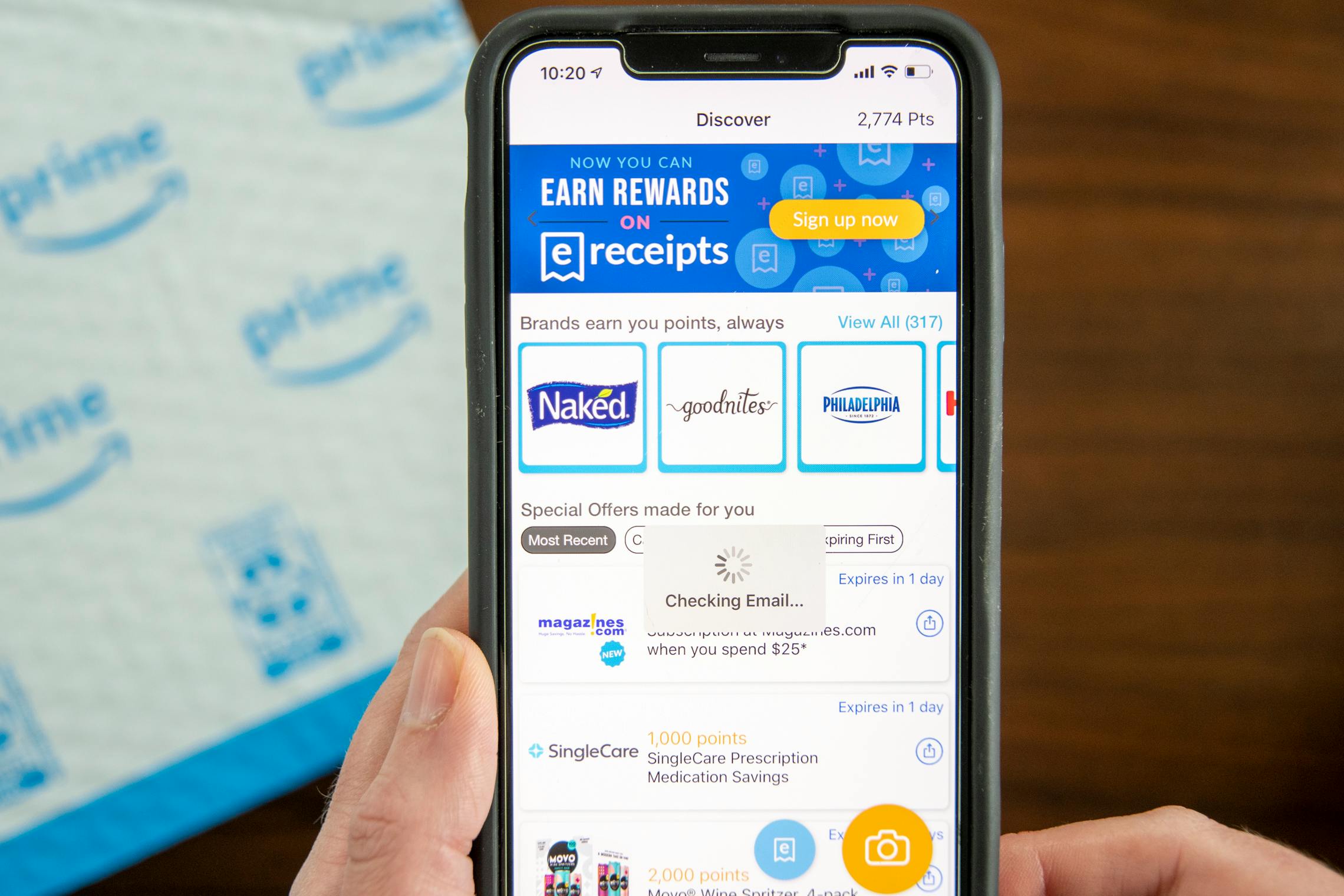
In the current retail landscape, a significant portion of shopping happens online. Failing to capture digital receipts is the most common mistake users make. To maximize points, you must utilize the eReceipt feature.
Linking Email and Amazon Accounts
Fetch allows you to securely link your Gmail, Outlook, or Walmart/Amazon accounts. Once linked, the app scans your inbox for digital invoices. This is crucial for capturing points from:
- Grocery Delivery: Instacart, Shipt, and Peapod.
- Online Giants: Amazon and eBay.
- Direct-to-Consumer: Monthly subscription boxes and specialty health brands.
The "Single Tap" Routine
Develop a habit of tapping the blue "eReceipt" button at least once every three days. Digital receipts have an expiration window, and catching them early ensures you don't miss out on high-value "Special Offers" that may have expired by the time you remember to scan.
Leveraging the Referral Program
The fastest way to see your point balance jump by thousands in a single day is through the Fetch Referral Program. When you invite a friend using your unique referral code, both you and the friend receive a bonus once they scan their first receipt.
Timing Your Referrals
Fetch frequently runs "Referral Boost" events. During a standard week, a referral might be worth 2,000 points. However, during promotional windows in 2026, these bonuses often jump to 4,000 or 5,000 points per person. If you have a social media following or a large family, waiting for these boost periods to share your code can triple your efficiency.
Strategic Sharing
Instead of spamming referral codes, provide value. Explain to potential referrals how much you have personally saved. In 2026, trust is the primary currency in social commerce. Sharing a screenshot of a recently redeemed $50 gift card is more effective than a text-only link.
Fetch Play: Earning Points Through Gaming
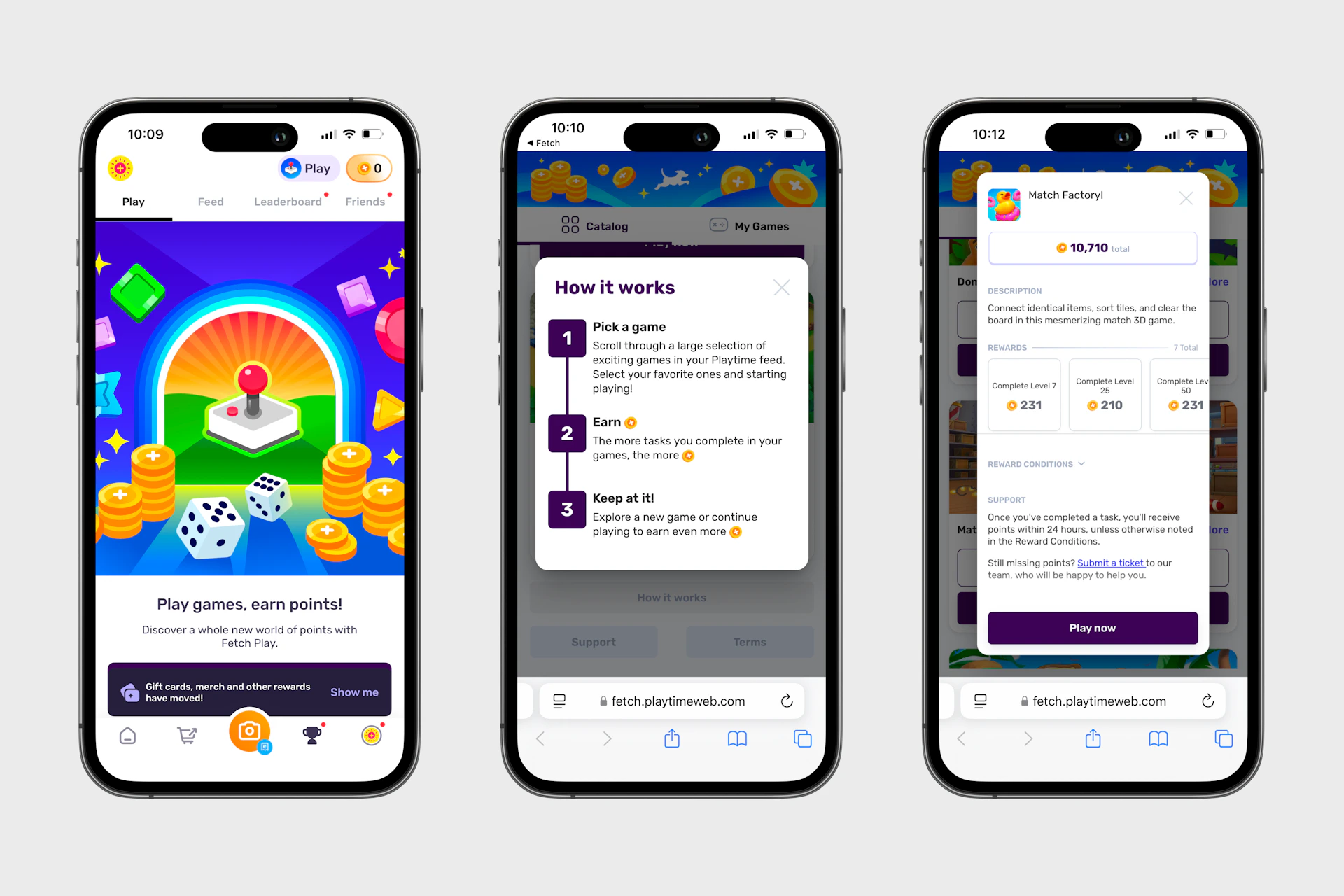
Fetch Play is a relatively newer addition to the app’s ecosystem that allows users to earn points by downloading and playing mobile games. This is an "active" earning method that doesn't require spending money at a store.
How Fetch Play Points Work
Points in Fetch Play are usually awarded based on milestones (reaching Level 10, completing a tutorial) or time played. If you enjoy mobile gaming, this is a "free" way to pad your point balance.
To maximize this:
- Check for High-Point Games: Some games offer 10,000+ points for reaching advanced levels.
- Focus on "Points Per Minute" Games: If you are short on time, choose games that reward based on duration rather than complex achievements.
- Cross-Reference with Special Events: Occasionally, Fetch runs "Multipliers" for Fetch Play, where all gaming points are doubled for a weekend.
The Daily Reward Spin
Fetch Rewards includes a "Daily Reward" feature. Once every 24 hours, after you scan a receipt, you are granted a "spin" on a virtual wheel. The prizes range from a few points to several thousand. While the average win is small (often 5 to 100 points), the consistency adds up over a year. More importantly, the Daily Reward serves as a psychological anchor to keep you scanning receipts daily rather than letting them pile up and expire.
Point Earning Potential Comparison
The following table compares the different methods of earning points to help you prioritize your efforts.
| Method | Potential Point Yield | Effort Level | Consistency |
|---|---|---|---|
| Standard Receipt Scan | 25+ points | Very Low | High |
| Special Offers | 500 – 10,000 points | Medium | Moderate |
| Referrals | 2,000 – 5,000 points | High | Low |
| Fetch Play (Gaming) | 100 – 20,000 points | High | Moderate |
| eReceipt Linking | 25 – 5,000 points | Low (Set & Forget) | High |
| Daily Reward Spin | 5 – 1,000 points | Very Low | Daily |
Common Pitfalls and Account Safety
To maintain a high point balance, you must ensure your account remains in good standing. Fetch Rewards uses sophisticated AI and OCR (Optical Character Recognition) to detect fraudulent activity.
Avoid Receipt "Faking"
Never attempt to scan receipts that you did not personally acquire through a legitimate transaction. Scanning receipts found in trash cans or "borrowing" receipts from friends can lead to an immediate account ban and forfeiture of all accumulated points.
The 14-Day Rule
Receipts must be scanned within 14 days of the purchase date. Any receipt older than two weeks will be rejected. This is why the habit of "Scan as you Go" is vital. Many users lose out on "a lot of points" simply because they leave receipts in their car or wallet until they are no longer valid.
Managing Multiple Accounts
Fetch Rewards strictly prohibits one person from having multiple accounts to farm referral bonuses. However, different members of the same household can have their own accounts, provided they are scanning their own individual purchases. Sharing a single receipt across two accounts is a violation of the Terms of Service.
Frequently Asked Questions
What is the fastest way to get 10,000 points?
The fastest way to hit 10,000 points is to combine a Referral Boost with a High-Value Special Offer. If you refer two friends during a 5,000-point boost event, you will hit the mark instantly. Alternatively, purchasing two or three specific "Special Offer" items (like high-end spirits or bulk household goods) can often yield 10,000 points in a single shopping trip.
Is there a limit to how many receipts I can scan?
Yes, Fetch Rewards typically limits users to scanning 35 receipts within a rolling 7-day period. This includes both physical and electronic receipts. If you reach this limit, you must wait for the earliest receipt in that window to "fall off" before you can scan more. This limit is designed to prevent commercial use of the app.
Do Fetch Rewards points expire?
Points only expire if your account becomes inactive. In 2026, the current policy states that if you do not scan a receipt or redeem a reward for 90 days, your points will expire. As long as you scan at least one receipt every three months, your balance remains safe.
Can I scan receipts from restaurants?
Yes, you can scan receipts from restaurants, cafes, and fast-food chains. While these usually only earn the base 25 points (unless there is a specific restaurant-based Special Offer), they still count toward your total and help you reach the "Daily Spin" requirement.
Why was my receipt rejected or marked as 0 points?
Receipts are usually rejected if they are too blurry, missing the date/total, or are older than 14 days. If the receipt is clear but shows 0 points, it may be because it is a duplicate or from a non-supported vendor (though non-supported vendors are rare in 2026). You can use the "Correct Receipt" feature in the app to manually flag items that the OCR missed.
Practical Recommendation for 2026
To maximize your earnings, start by auditing your "Special Offers" tab every Sunday before you go grocery shopping. Identify the brands you already use and prioritize those stores. Simultaneously, ensure your eReceipt accounts are synced so you never miss a digital transaction. If you find yourself 1,000 points short of a reward, spend 15 minutes on Fetch Play to bridge the gap. By treating Fetch as a integrated part of your shopping routine rather than an afterthought, you can easily earn "a lot of points" and redeem multiple high-value gift cards throughout the year.
Image Gallery