How to Find Broken Links on a Website: A Complete Technical Guide
Finding broken links on a website requires identifying internal and external hyperlinked URLs that return client errors (such as HTTP 404 Not Found) or server errors (such as HTTP 500 Internal Server Error). Webmasters and SEO speciali...
Finding broken links on a website requires identifying internal and external hyperlinked URLs that return client errors (such as HTTP 404 Not Found) or server errors (such as HTTP 500 Internal Server Error). Webmasters and SEO specialists locate these broken URLs by executing automated site crawls with desktop software, monitoring Google Search Console indexing reports, leveraging cloud SEO platforms, or using browser extensions and command-line scripts.
Contents
Why Finding and Fixing Broken Links Matters for Web Health
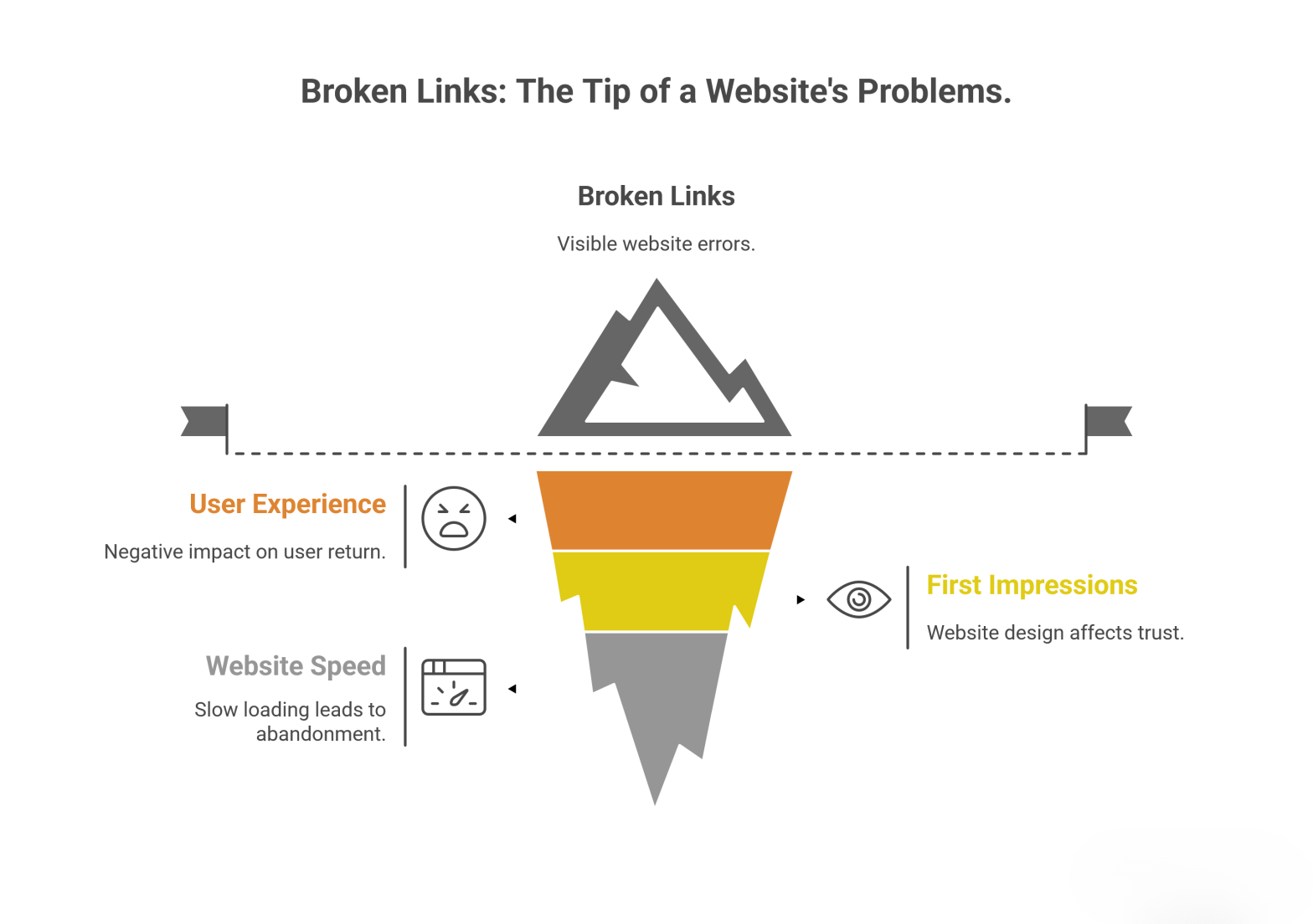
Broken links—often called dead links or broken hyperlinks—occur when a web link points to a resource that has been deleted, renamed, moved without a proper redirect, or blocked by a server misconfiguration. Leaving broken links unaddressed creates technical debt that negatively impacts search performance, user conversion rates, and overall site security.
- LINK DEGRADATION RISK
- User Experience (UX)
- Increased Bounce Rate
- Lost Conversions
- Crawl Efficiency
- Wasted Crawl Budget
- Inefficient Indexing
- Link Equity
- Dissipated PageRank
- User Experience (UX)
User Experience and Conversion Loss
When visitors click a link expecting relevant documentation, product details, or reference material and arrive at a dead end, friction increases immediately. User experience (UX) metrics decline as bounce rates increase and dwell time drops. On e-commerce sites or conversion-focused landing pages, a broken internal link pointing to a checkout flow or high-value service page leads directly to lost revenue.
Search Engine Crawling and Crawl Budget
Search engine bots, such as Googlebot, discover and index content by traversing links across pages. When a crawler encounters a broken link, it consumes resources without retrieving indexable content. On large enterprise sites with tens of thousands of URLs, excessive 404 or 5xx errors waste crawl budget. This prevents search engine spiders from efficiently discovering newly published pages or updated content.
Link Equity and PageRank Dissipation
Internal links distribute authority—historically termed PageRank or link equity—throughout a website architecture. When an internal page links to a broken URL, the equity passed through that hyperlink is lost rather than transferred to another functional page. Similarly, outbound external links that break undermine the editorial reliability of the source page, signaling to search engines that the content is outdated or unmaintained.
Understanding Link Status Codes and Broken Link Types
Before running a site audit, web teams must distinguish between different HTTP response codes and understand how broken links manifest within site architecture.
| HTTP Response Code | Status Name | Technical Meaning | Action Required |
|---|---|---|---|
| 404 | Not Found | Server cannot find the requested resource. | Redirect to relevant page or remove link. |
| 410 | Gone | Resource is permanently deleted with no replacement. | Remove link from source content. |
| 500 | Internal Server Error | Generic server-side failure prevented request completion. | Inspect server logs and backend code. |
| 502 / 503 | Bad Gateway / Service Unavailable | Server overloaded, down for maintenance, or proxy failed. | Check hosting infrastructure and uptime. |
| 301 / 302 Loop | Redirect Chain / Loop | Redirection points back to itself or exceeds hop limit. | Update link directly to final destination URL. |
Internal vs. External Broken Links
- Internal Broken Links: Hyperlinks where both the source URL and destination URL exist on the same domain. These are entirely under your administrative control and usually stem from changed URL slugs, deleted blog posts, or typos in relative path coding.
- External Broken Links: Outbound hyperlinks pointing to a third-party domain that has shut down, changed its URL structure, or placed content behind an authentication wall. Detecting outbound broken links requires crawling destination endpoints outside your own hosting server.
Broken Anchors vs. Orphaned Pages
A broken link refers to an existing hyperlink whose target returns an error code. In contrast, an orphaned page is a valid, functioning page (returning an HTTP 200 OK code) that lacks any incoming internal links from the rest of the site. While both represent technical audit priorities, finding broken links focuses on fixing invalid link targets, whereas fixing orphaned pages involves integrating valid pages into the site structure.
Method 1: Finding Broken Links with Google Search Console (Free)
Google Search Console offers a baseline, cost-free diagnostic tool for monitoring indexation errors that Googlebot encounters while crawling your site.
- Googlebot Crawl Effort
- Search Console Indexing
- [Not Found (404)] Report
- Inspect Sample URLs
- Export to CSV/Sheets
Step-by-step Audit in Google Search Console
- Navigate to Page Indexing: Log into Google Search Console, select your property, and click Pages under the Indexing section in the left navigation panel.
- Review the "Why pages aren't indexed" Table: Scroll down to inspect the detailed failure reasons logged by Googlebot. Look specifically for Not found (404), Soft 404, and Server error (5xx).
- Inspect Affected URLs: Click on the Not found (404) row to display a list of specific URLs that returned a 404 status when Google attempted to access them.
- Identify Incoming Links: Click any individual URL in the list and select the Inspect URL option or click URL Inspection. Expand the details tab to view the "Referring page" field, which reveals where Google discovered the broken link.
- Export the Dataset: Click the Export button in the top-right corner to download the complete list as a CSV or Google Sheets document for remediation.
Operational Limitations of Google Search Console
While Google Search Console provides historical data direct from Googlebot, it has distinct limitations:
- It primarily reports broken internal URLs that Googlebot attempted to index; it does not audit outbound external links.
- The platform samples errors rather than showing every single instance of a broken link across large enterprise domains.
- Data can lag by several days, meaning recently broken links might not appear immediately.
Method 2: Using Desktop Web Crawlers (Screaming Frog & Sitebulb)
Desktop crawling applications execute localized HTTP requests to mimic search engine crawlers. They provide complete, real-time control over technical site audits.
- Desktop Crawler sends GET Request to Web Host Server
- Web Host Server returns HTTP Status Code Output (200, 301, 404, 500) to Desktop Crawler
Auditing with Screaming Frog SEO Spider
Screaming Frog SEO Spider is an industry-standard desktop application capable of crawling thousands of URLs efficiently on Windows, macOS, and Linux.
- Configure Crawl Settings: Launch the application. If working on a website with JavaScript-rendered navigation (such as React or Vue frameworks), go to Configuration > Spider > Rendering and switch the mode from Text Only to JavaScript.
- Enter Target URL: Input your primary domain (e.g.,
https://example.com) into the top address bar and click Start. - Filter by Response Codes: Once the crawl completes, click on the Response Codes tab in the top navigation panel.
- Apply Status Code Filters: Set the filter dropdown to Client Error (4xx) to isolate 404 and 410 response codes, or Server Error (5xx) for server-side failures.
- Locate Source Pages Using Inlinks: Select a broken destination URL from the top window, then click the Inlinks tab at the bottom of the screen. This panel displays every page on your site containing a hyperlink to that broken URL, complete with exact anchor text and HTML link positions.
- Export the Report: Click Bulk Export > Response Codes > Client Error (4xx) Inlinks to generate an actionable spreadsheet for your development team.
Method 3: Cloud-Based SEO Platforms (Ahrefs, Semrush, Audits)
Cloud platforms perform recurring, scheduled site crawls directly from cloud infrastructure, providing ongoing monitoring without consuming local computer processing power.
Cloud Audit Capabilities Comparison
- Ahrefs Site Audit: Crawls your domain and populates the Internal pages report. Filtering by HTTP status code
4xxisolates broken internal links. Ahrefs also features a specialized Broken Links report under outbound links, specifically pinpointing external websites your content links to that now return 404 errors. - Semrush Site Audit: Runs automated diagnostic suites checking over 140 technical factors. The Issues tab categorizes errors by severity, explicitly grouping
4xxpages under top-priority warnings. The platform provides direct integration with task management systems like Trello or Jira to assign fixes.
Setting Up Continuous Monitoring
To catch link decay before it affects search rankings or user flow:
- Establish a weekly cloud audit schedule within your chosen platform.
- Configure email or Slack alert notifications triggered when
4xxerror thresholds increase past a specific limit (e.g., more than 10 new broken links in a single crawl). - Set custom crawl rates to avoid overloading small hosting servers during peak business hours.
Method 4: Browser Extensions and Command-Line Tools for Developers
For rapid single-page checks or automated integration into continuous integration (CI/CD) software build pipelines, developers often rely on browser extensions or command-line interfaces (CLI).
Browser Extensions for Quick Page Inspections
- Check My Links (Chrome): An extension designed for content editors. When activated on an active browser tab, it scans all
tags on the rendered page, highlighting functional links in green and broken links in red while logging HTTP status codes in a summary pop-up.
Command-Line and Programmatic Auditing
Using the wget utility on Linux/macOS to crawl a site and log broken URLs:
wget --spider --recursive --no-verbose --output-file=wget-broken-links.log https://example.com
--spider configures wget to act as a web crawler without downloading page contents.
--recursive forces the tool to follow internal links across the domain depth.
--no-verbose reduces terminal noise to record essential status details and broken endpoints directly to wget-broken-links.log.
import requests
from bs4 import BeautifulSoup

def check_url(url):
    try:
        response = requests.head(url, allow_redirects=True, timeout=5)
        if response.status_code >= 404:
            print(f"Broken Link Found: {url} (Status: {response.status_code})")
    except requests.RequestException as e:
        print(f"Failed to connect to {url}: {e}")

# Example execution for single endpoint checking
check_url("https://example.com/non-existent-page")
Comparing Methods for Finding Broken Links
Selecting the right audit approach depends on domain size, technical budget, reporting needs, and developer workflows.
| Audit Method | Ideal Use Case | Cost Level | Internal Link Detection | External Outbound Detection | Automation / Scheduling |
|---|---|---|---|---|---|
| Google Search Console | Basic indexation oversight | Free | Excellent (Googlebot view) | Not Supported | Continuous (Manual export) |
| Screaming Frog SEO Spider | Deep technical site audits | Free (up to 500 URLs) / Paid Annual | Exceptional | High (Requires external crawl toggles) | Supported via CLI/Cron |
| Cloud Platforms (Ahrefs/Semrush) | Enterprise monitoring & outbound audits | Paid Subscription | High | Exceptional | Fully Automated Scheduled Auditing |
| Browser Extensions | Single-page content editing | Free | Page-Level Only | Page-Level Only | Manual |
| CLI / Custom Scripts | CI/CD build checks & dev environments | Free / Open-Source | Custom Configurable | Custom Configurable | Fully Automated in Pipelines |
How to Fix Broken Links After Finding Them
Locating broken links is only the first half of link governance. Remediating detected errors requires choosing the appropriate resolution strategy based on cause and context.
- Broken Link Detected (404)
- Is replacement content available?
- YES: Implement 301 Redirect to exact matching URL
- NO: Update HTML Source Code OR apply HTTP 410 Gone
1. Implement 301 Permanent Redirects
If a broken URL previously received traffic, earned backlinks from external sites, or was moved to a new destination slug, implement a 301 redirect.
- Map the old, broken URL to the most topically relevant, active equivalent page on your domain.
- Avoid redirecting all broken URLs indiscriminately to the homepage; search engines treat non-relevant homepage redirects as Soft 404s, negating link equity transfer.
2. Update Source HTML Anchor Tags
When an internal link breaks due to a typo in the URL path (for example, /blog/technial-seo instead of /blog/technical-seo), update the source code directly. Correct the href attribute in your content management system (CMS) or codebase rather than relying on a redirect to fix an internal error.
3. Handle Deleted Content (HTTP 410 Gone)
If a product, service, or article was permanently retired with no equivalent alternative, serve an HTTP 410 Gone header status code. A 410 code explicitly informs search engine crawlers that the resource was deliberately removed and should be dropped from search indexes faster than a standard 404. Remove the incoming internal links pointing to that deleted resource.
4. Fix Redirect Loops and Chains
A redirect chain occurs when URL A redirects to URL B, which then redirects to URL C. This creates latency and slows down page rendering. Edit links on source pages so they point directly to the final working destination (URL C).
Frequently Asked Questions
What is the difference between a 404 error and a Soft 404 error?
A standard 404 Not Found error occurs when the web server returns an official HTTP 404 header status code. A Soft 404 occurs when a server returns an HTTP 200 OK success header, but the page content itself displays a "Not Found" message, contains minimal/blank content, or indiscriminately redirects to an unrelated page (like the homepage). Search engines flag Soft 404s because the server response contradicts the visual page content.
Do broken external links hurt my website's SEO performance?
Yes. While external broken links do not directly waste your internal crawl budget, linking out to dead, spammy, or expired domains degrades content quality. Search engines prioritize websites that maintain high editorial standards, and dead outbound links signal that an article is unmaintained or outdated.
How often should I scan my website for broken links?
Small to medium websites (under 1,000 pages) should undergo a comprehensive broken link audit at least once per month. Enterprise domains, high-volume blogs, and e-commerce platforms with thousands of dynamic product URLs should run automated weekly scans alongside automated CI/CD checks during deployment releases.
Can I fix all broken links by redirecting them to my homepage?
No. Redirecting all 404 pages to your homepage is a bad SEO practice. Search engine guidelines classify mass redirects to unrelated destinations as Soft 404 errors, meaning search engines will not pass any historical link equity to your homepage. Redirect dead URLs only to direct, topically equivalent alternatives, or let them serve a proper 404/410 status while updating source links.
Will fixing a broken link instantly restore lost traffic?
Fixing an internal broken link restores user navigation immediately. However, search engines must re-crawl both the referring page and the corrected destination page before search console reports update and link equity distribution normalizes across the index. This process typically takes anywhere from a few days to several weeks, depending on crawl frequency.
Next Steps for Maintaining Link Integrity
To establish long-term link health and protect your search visibility, implement an ongoing link maintenance workflow:
- Run an Initial Baseline Crawl: Use Screaming Frog or a cloud platform like Ahrefs to capture a complete snapshot of all existing 4xx and 5xx errors across your domain.
- Fix High-Impact Errors First: Prioritize internal broken links that have high inbound internal link counts or receive existing search impressions in Google Search Console.
- Clean Up Outbound Links: Edit or remove external hyperlinks that lead to dead third-party sites.
- Automate Monitoring: Establish scheduled weekly site audits to catch broken links introduced by content team edits or site redesigns before they accumulate.
Image Gallery