How to Choose the Best Perpetual License CRM Software
Selecting the ideal perpetual license CRM software requires balancing upfront software ownership costs against long-term operational maintenance, infrastructure expenses, and data control needs. To choose the right platform, organizati...
Selecting the ideal perpetual license CRM software requires balancing upfront software ownership costs against long-term operational maintenance, infrastructure expenses, and data control needs. To choose the right platform, organizations must evaluate technical hosting prerequisites, calculate five-year Total Cost of Ownership (TCO), assess vendor maintenance agreements, and verify that system architecture aligns with internal security and customization requirements.
Contents
Understanding Perpetual Licensing vs. SaaS CRM Models
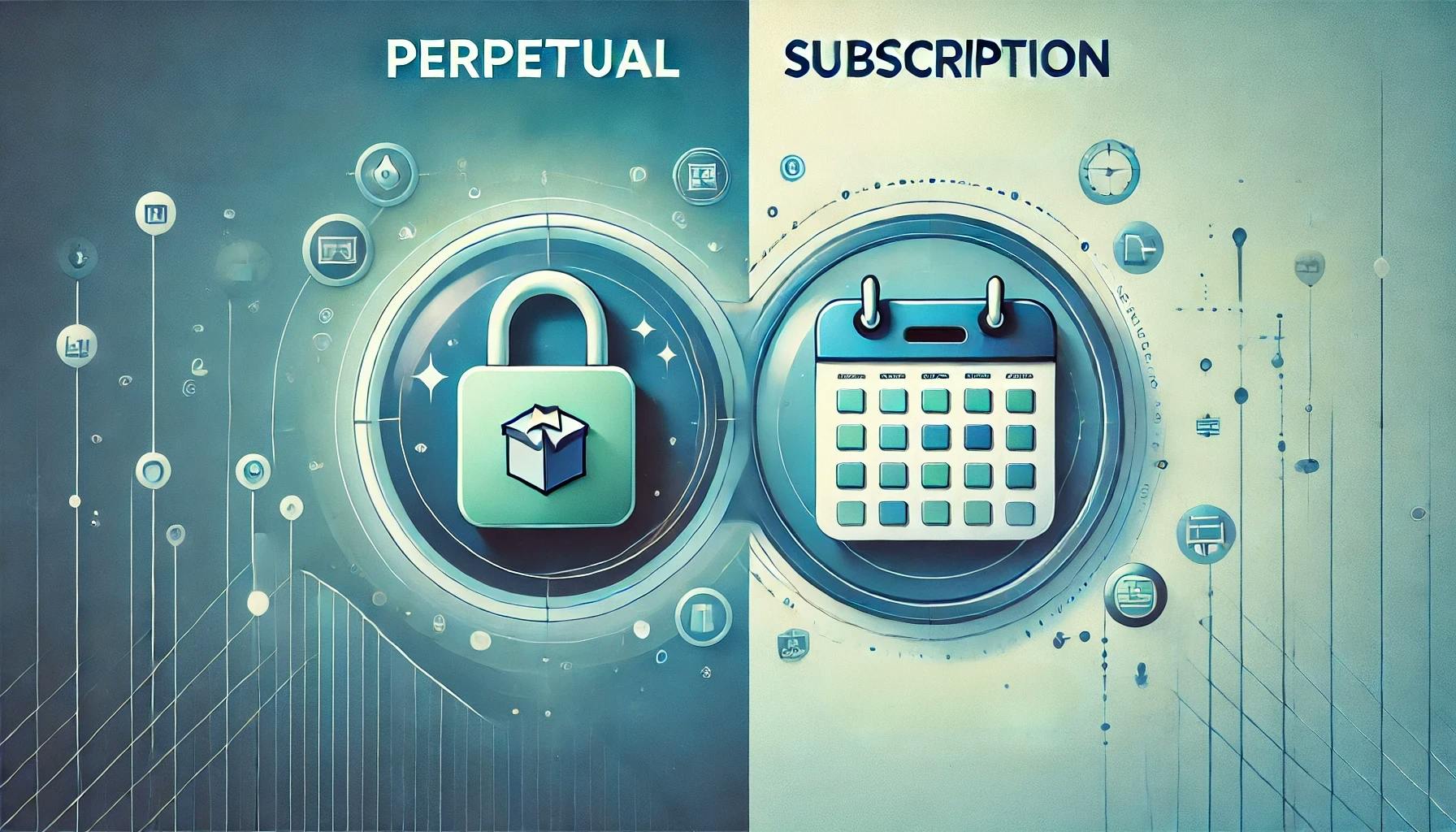
In customer relationship management (CRM) software, the financial and operational framework generally falls into two distinct categories: perpetual licensing and Software-as-a-Service (SaaS).
A perpetual license is a software delivery model where an organization pays a single, upfront fee to purchase the license rights to use a specific version of the CRM software indefinitely. The software is typically deployed on-premises within the organization’s own data center or hosted on private cloud infrastructure managed by internal IT teams.
Conversely, a SaaS CRM operates on a subscription model where the vendor hosts the application, manages database infrastructure, delivers continuous software updates, and charges users a monthly or annual fee per seat.
| Perpetual License Model | SaaS Subscription Model |
|---|---|
| Upfront Capital Expense (CapEx) | Ongoing Operating Expense |
| Self-Hosted / On-Premises | Vendor Cloud-Hosted |
| Complete Data Control | Multi-Tenant Shared Data |
| Optional Maintenance (SMA) | Automatic Bundled Updates |
Understanding this distinction is critical for finance and IT leadership. Perpetual licensing converts software acquisition from an ongoing Operational Expenditure (OpEx) to an initial Capital Expenditure (CapEx). While SaaS models minimize upfront capital outlays, their recurring costs compound annually and scale with user growth. A perpetual license provides asset ownership, giving businesses predictable long-term licensing costs, total operational control, and independence from vendor subscription rate increases.
Core Advantages and Strategic Trade-Offs of Perpetual License CRMs
Choosing a perpetual license CRM involves clear trade-offs between architectural independence and administrative responsibility.
Key Advantages
- Data Sovereignty and Compliance Control: Organizations operating in highly regulated industries—such as defense contracting, healthcare, financial services, and legal sectors—often must adhere to strict data residency and governance laws (such as GDPR, HIPAA, or regional data localization directives). Storing client records on self-hosted perpetual software guarantees that sensitive data remains within private, firewalled networks without traversing multi-tenant public cloud services.
- Deep Customization and System Access: Unlike cloud CRMs that limit customizations to vendor-defined APIs and strict multi-tenant governor limits, perpetual software installed on private servers typically grants full access to the underlying database schemas, source code, and enterprise service buses. This allows deep integration with legacy enterprise resource planning (ERP) applications and complex core databases.
- Long-Term Cost Efficiency at Scale: For organizations with stable user numbers over extended timeframes, perpetual licensing offers substantial cost savings after the initial payback period (typically 24 to 36 months). Once the software purchase is amortized, ongoing costs drop primarily to optional maintenance fees and hosting overhead.
- Immunity to forced UI or Feature Changes: Cloud vendors often push mandatory interface redesigns, deprecate legacy API endpoints, or bundle features into higher pricing tiers. Perpetual software allows organizations to manage release pipelines, test upgrades in staging environments, and deploy updates only when operational workflows permit.
Strategic Trade-Offs
- Substantial Initial Capital Investment: Acquiring perpetual licenses requires significant upfront capital. Initial deployment costs include license seat packages, database server hardware or private cloud compute instances, network equipment, and professional services for initial deployment.
- Infrastructure and Security Burden: Because the enterprise owns the deployment environment, internal IT teams shoulder full responsibility for infrastructure resilience, operating system patching, firewalls, backup systems, disaster recovery planning, and vulnerability remediation.
- Managed Upgrade Cycles: Perpetual licenses grant lifetime rights to the purchased version of the software. Access to major updates, patch releases, and technical support usually requires an active Software Maintenance Agreement (SMA), which typically costs 15% to 25% of the initial license cost annually.
Essential Features to Evaluate in a Perpetual License CRM
Evaluating perpetual license CRM systems requires looking beyond standard sales pipeline views and contact management. Tech buyers must rigorously inspect underlying structural attributes to ensure long-term usability and scalability.
- Perpetual CRM Evaluation Metrics
- Infrastructure Flexibility
- OS Support
- Virtualization
- DB Engine Choice
- Security & Compliance
- RBAC & Encryption
- Audit Logging
- On-Prem Auth
- Extensibility & Database API
- REST/SOAP APIs
- DB Schema Access
- Code Access
- Infrastructure Flexibility
1. Database Support and Integration Capabilities
Determine which database management systems (DBMS) the CRM natively supports. Enterprise environments often standardize on Microsoft SQL Server, PostgreSQL, or MySQL/MariaDB. Ensure the CRM architecture exposes robust REST or SOAP APIs and allows webhooks for external messaging systems. Direct database read/write access should be evaluated carefully to ensure custom reporting applications can extract BI data without invalidating vendor support.
2. Role-Based Access Control (RBAC) and Directory Integration
Security policy management relies on granular permissions. The software must support native integration with centralized directory services such as Microsoft Active Directory, LDAP, or SAML-based identity provider solutions for Single Sign-On (SSO). Check whether user privilege models allow row-level, field-level, and group-based security restrictions.
3. Mobile Synchronization and Offline Access
Field service teams and external sales representatives require access to operational data when connectivity is limited. Look for perpetual platforms that offer secure mobile applications capable of offline local caching, transactional queuing, and two-way sync when re-establishing server connections.
4. Source Code and Module Extensibility
Evaluate whether the platform permits custom module development and UI modifications. Open-source or developer-accessible perpetual CRMs allow internal engineers to build bespoke workflows directly within the application framework, extending the CRM beyond standard functionality without reliance on external SaaS integration bridges.
Top Perpetual License and Self-Hosted CRM Solutions
While many software vendors have transitioned exclusively to recurring SaaS subscription models, several established platforms continue to offer perpetual licenses, open-source enterprise installations, or hybrid deployment models suitable for self-hosted enterprise environments.
SuiteCRM
SuiteCRM is an enterprise-grade, open-source CRM platform derived from SugarCRM's community code base. Available under the GNU AGPL license, it provides complete freedom from software licensing fees.
- Deployment: Self-hosted on Linux or Windows servers (LAMP/WAMP stack).
- Key Strengths: Full access to the core source code, unrestricted customization options, no per-user license fees, and a large global developer community.
- Best Suited For: Organizations with internal software development capabilities seeking a zero-license-cost platform with complete control over data architecture.
Odoo CRM (Community & Enterprise On-Premises)
Odoo provides an integrated ecosystem of business applications. Its CRM module can be deployed self-hosted under the open-source Odoo Community edition (free perpetual use) or through an On-Premises Enterprise license purchased as a perpetual software asset with annual software maintenance agreements.
- Deployment: Self-hosted on Linux environments utilizing PostgreSQL databases.
- Key Strengths: Native modular integration with accounting, inventory, purchase order, and manufacturing modules; highly structured modular app store framework.
- Best Suited For: Mid-market enterprises looking for an end-to-end ERP and CRM unified environment deployed entirely on private infrastructure.
Act! Premium (Desktop & On-Premises)
Act! remains one of the longest-standing brands in customer contact management. Although Act! offers subscription plans, it retains options for local desktop and private server deployment with persistent licensing tiers for specialized enterprise deployment scenarios.
- Deployment: Windows Server, Microsoft SQL Server backend, client-side desktop installations, or private web server hosting.
- Key Strengths: Deep integration with Microsoft Office applications, robust offline client synchronization, proven stability, and familiar layout for traditional sales teams.
- Best Suited For: Small to mid-sized teams requiring straightforward contact management with offline local database synchronization.
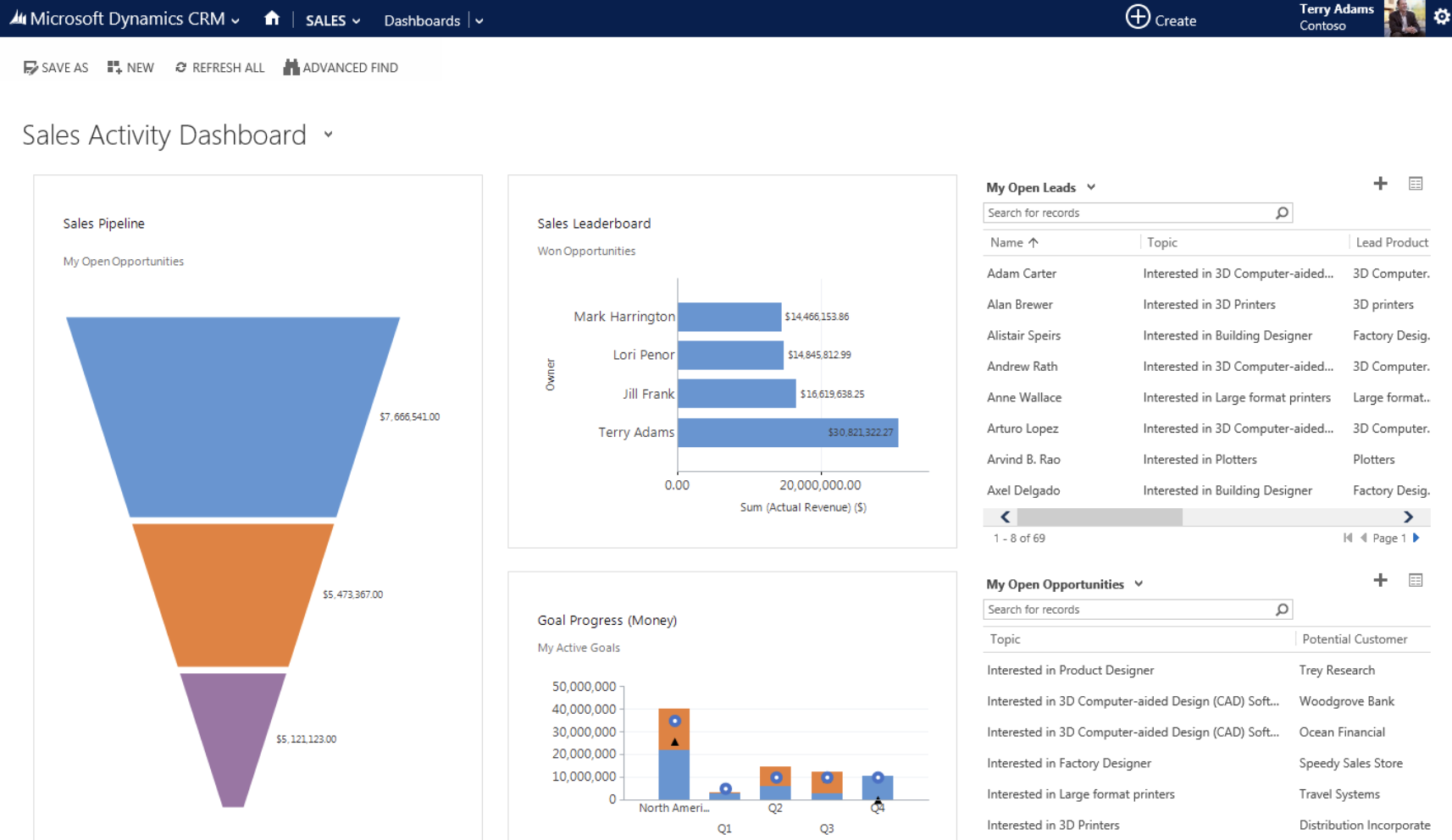
Microsoft Dynamics 365 Customer Engagement (On-Premises)
Microsoft provides on-premises dual-use rights for enterprise customers buying volume licensing for Dynamics 365. This enterprise-tier CRM system can be installed inside proprietary data centers running Windows Server, Microsoft SQL Server, and Active Directory environments.
- Deployment: On-premises Windows Server deployment utilizing standard Microsoft Enterprise infrastructure.
- Key Strengths: Deep integration with Azure Active Directory, Office 365, SQL Server Reporting Services (SSRS), and Power BI embedded environments.
- Best Suited For: Large enterprises deeply invested in the Microsoft technical stack needing high customization, advanced analytics, and strict data governance.
GoldMine Premium Edition
GoldMine is a legacy CRM platform designed specifically for on-premises network environments. It uses a perpetual licensing framework focused on contact management, sales automation, and customer support tracking.
- Deployment: Local Area Network (LAN) installation backed by Microsoft SQL Server.
- Key Strengths: Extremely low infrastructure bandwidth demands, static one-time licensing model, predictable deployment parameters, and zero external dependency on vendor cloud services.
- Best Suited For: Small-to-medium businesses requiring a static internal network contact management tool without complex cloud dependencies.
Perpetual CRM Vendor Comparison Matrix
| Platform / Solution | Primary Licensing Model | Source Code Access | Underlying Database Support | Ideal Target Organization Size | Primary Advantage |
|---|---|---|---|---|---|
| SuiteCRM | Open Source (AGPL) / Free Perpetual | Complete Access | MySQL / MariaDB | Small to Large Enterprise | Zero recurring license fees & total code access |
| Odoo CRM | Open Source (Community) / Enterprise Perpetual | Partial (Community = Full, Enterprise = Restricted) | PostgreSQL | Mid-Market to Enterprise | Seamless, native integration with broader ERP modules |
| Act! Premium | Hybrid / Perpetual Desktop | No Access | Microsoft SQL Server | Small to Mid-sized Businesses | Excellent offline desktop synchronization |
| MS Dynamics 365 (On-Prem) | Volume Licensing Perpetual | Proprietary (Extensible via SDK) | Microsoft SQL Server | Large Enterprise | Unmatched integration with Microsoft technology ecosystem |
| GoldMine Premium | Traditional Perpetual License | Proprietary | Microsoft SQL Server | Small to Mid-sized Businesses | Proven stability on internal corporate LANs |
Calculating Total Cost of Ownership (TCO) Over a 5-Year Horizon
A common error when evaluating perpetual license software is assuming that omitting monthly SaaS subscription fees translates to zero ongoing expenditures. To build an accurate business case, finance and technical teams must calculate the total cost of ownership across a 5-year operational lifecycle.
- 5-Year TCO Cost Breakdown Spectrum
- Year 1 CapEx & OpEx
- Software Licenses
- Server Hardware
- Implementation
- SMA Year 1
- Years 2 - 5 Recurring OpEx
- Annual SMA (15-25%)
- Hosting Compute/Power
- IT Admin & Security
- Year 1 CapEx & OpEx
1. Upfront Capital Outlays (Year 1)
- Base License Costs: One-time cost to purchase user seats or server-wide perpetual software licenses.
- Infrastructure Hardware: Purchasing physical rack servers, storage arrays (SAN/NAS), load balancers, and network security appliances—or provisioning dedicated private cloud virtualization infrastructure.
- Implementation and Data Migration: Professional service fees for data extraction, database normalization, schema design, custom code development, and integration testing.
2. Ongoing Operational Expenses (Years 2 through 5)
- Software Maintenance Agreements (SMA): Vendors typically charge 15% to 25% of the original base license cost annually to provide patch updates, version upgrades, security bulletins, and level-2/level-3 technical support.
- Infrastructure Power, Compute, and Rack Hosting: Co-location datacenter fees, electrical power, bandwidth, or month-to-month private cloud infrastructure compute consumption.
- Internal IT Administration Costs: Dedicated staff allocation for system maintenance, database indexing, backup verification, OS upgrades, and security patch deployment.
Financial Scenario Example: 50 Users Over 5 Years
- SaaS Model ($60/user/month): $60 × 50 users × 60 months = $180,000 Total
- Perpetual Model:
- Initial Licenses (50 seats @ $1,000 upfront): $50,000
- Initial Implementation & Deployment: $20,000
- Annual Maintenance Fee (20% of licenses = $10,000/year × 4 years): $40,000
- Self-Hosted Infrastructure/Hosting Allocation ($300/mo × 60 mos): $18,000
- Internal IT Overhead Allocation ($500/mo × 60 mos): $30,000
- Perpetual TCO Total: $158,000 Total
In this typical scenario, the perpetual deployment yields a $22,000 net savings over five years, with savings accelerating significantly in years six and beyond.
Step-by-Step Selection Framework
Follow this structured selection framework to ensure your chosen platform meets operational requirements without causing technical friction or unexpected costs.
- Step 1: Audit Data Sovereignty & Security Needs
- Step 2: Evaluate Internal IT & Server Capacity
- Step 3: Run 5-Year Comparative TCO Analysis
- Step 4: Conduct On-Premises Sandbox Trial & POC
- Step 5: Review SMA Terms & Vendor Roadmap
Step 1: Audit Data Sovereignty and Security Mandates
Document compliance requirements, data encryption parameters, and regulatory mandates. Determine if customer records must reside entirely on physical infrastructure owned by your firm or if private cloud hosting fulfills compliance requirements.
Step 2: Evaluate Internal IT Resources and Engineering Support
Be realistic about your organization's IT capabilities. If you lack dedicated system administrators, network engineers, and database administrators (DBAs), managing a perpetual CRM on internal hardware will create operational bottlenecks. If internal IT capacity is limited, prioritize open-source options backed by managed hosting providers or vendors offering managed on-premises packages.
Step 3: Run 5-Year Comparative TCO Models
Build financial models that weigh the upfront software acquisition and hardware costs against ongoing SaaS subscription costs. Include variables such as projected user growth, optional annual maintenance agreements, data backup storage, and system maintenance costs.
Step 4: Execute a Controlled On-Premises Sandbox Proof of Concept (POC)
Deploy the vendor’s trial build or community installer inside an isolated staging environment. Test critical installation steps:
- Integrate the staging CRM with Active Directory/LDAP services.
- Test API throughput by running mock updates against staging databases.
- Evaluate how custom data fields affect database query latency.
- Verify full database recovery using system backups.
Step 5: Review SMA Terms and Vendor Roadmaps
Carefully review the vendor’s Software Maintenance Agreement. Confirm what happens if you pause the maintenance contract—does the system remain operational? Ensure that declining an optional annual maintenance agreement does not permanently revoke your software license rights or require software re-licensing fees later.
Frequently Asked Questions
Is perpetual license CRM software completely free of ongoing costs?
No. While a perpetual license eliminates ongoing subscription access fees, you still pay for hosting infrastructure, system administration, database maintenance, data backup solutions, and physical hardware upgrades. Additionally, vendor support, critical security updates, and software version upgrades generally require an optional or mandatory annual Software Maintenance Agreement (SMA).
Can perpetual license CRM platforms integrate with third-party cloud applications?
Yes. Modern self-hosted and perpetual CRMs expose standard REST and SOAP APIs, enabling them to send and receive data from cloud services, marketing automation engines, and payment gateways. Integrations can be achieved using custom webhooks, direct API calls, or middleware integration software.
How do security updates work for self-hosted perpetual CRMs?
Unlike multi-tenant cloud platforms that roll out security updates automatically, updates for perpetual software must be applied manually or managed through internal IT automation tools. The software vendor releases security patches, which systems administrators must test in staging environments before applying to production servers.
Are open-source CRMs considered perpetual license software?
Yes. Most open-source software licenses (such as GNU AGPL or Apache 2.0) function as open-ended perpetual licenses. You can install, modify, run, and maintain the software indefinitely on private hardware without recurring seat fees.
What occurs if a business cancels its Software Maintenance Agreement (SMA)?
Under a true perpetual license agreement, canceling an SMA leaves the underlying software operational for the specific software version installed at the time of cancellation. However, the business typically loses access to vendor technical support, future software feature upgrades, and official security patches released after the agreement lapses.
Strategic Recommendation and Next Steps
Choosing the right perpetual license CRM software requires aligning long-term financial strategy with internal technical capabilities and data security requirements. For enterprises with strict regulatory needs or specialized IT teams, perpetual licensing offers complete data ownership, customization freedom, and long-term cost stability.
Next Action Steps:
- Define Security Requirements: Gather security teams to confirm whether self-hosted or private cloud infrastructure is necessary for compliance.
- Audit Technical Resources: Evaluate internal IT capacity to manage database performance, server maintenance, data backups, and security patching.
- Initiate Staging Testing: Select two candidates from this guide (such as SuiteCRM for open-source flexibility or Microsoft Dynamics 365 for deep Microsoft ecosystem integration) and deploy a sandbox instance to evaluate administration overhead and database architecture firsthand.
Image Gallery