Understanding the Dimensions of the MacBook Pro: A Comprehensive Guide
The physical dimensions of a MacBook Pro vary significantly depending on the specific model and screen size. As of 2026, the lineup primarily consists of 14-inch and 16-inch variants. The 14-inch models generally measure approximately...
The physical dimensions of a MacBook Pro vary significantly depending on the specific model and screen size. As of 2026, the lineup primarily consists of 14-inch and 16-inch variants. The 14-inch models generally measure approximately 12.31 inches in width and 8.71 inches in depth, while the 16-inch models measure approximately 14.01 inches in width and 9.77 inches in depth.
Contents
Defining MacBook Pro Dimensions
When evaluating "how long" a MacBook Pro is, it is essential to distinguish between the physical length (width), depth, and thickness (height) of the chassis. These measurements are critical for users selecting carrying cases, laptop sleeves, or desk mounts. Since the introduction of the modern unibody design language, Apple has maintained consistent footprints for their respective screen classes, though minor variances occur between specific generations due to internal hardware shifts and display bezel engineering.
The term "length" in consumer electronics is most commonly interpreted as the width of the device—the horizontal measurement across the front of the laptop when it is open. However, users often conflate this with the "depth," which is the distance from the front edge of the keyboard area to the back hinge. Understanding both dimensions is necessary for ensuring your hardware fits into specialized equipment like portable workstations or security-gated flight bags.
Current MacBook Pro Lineup Dimensions (2026 Reference)
In 2026, the market is dominated by the M4-series and subsequent generation of silicon chips. These machines are engineered with high-efficiency cooling systems and advanced display technology, which dictate the external dimensions. The following table provides the standard physical footprints for the current generation of MacBook Pro models.
| Model Size | Width (Length) | Depth | Thickness (Height) |
|---|---|---|---|
| 14-inch MacBook Pro | 12.31 inches (31.26 cm) | 8.71 inches (22.12 cm) | 0.61 inch (1.55 cm) |
| 16-inch MacBook Pro | 14.01 inches (35.57 cm) | 9.77 inches (24.81 cm) | 0.66 inch (1.68 cm) |
Note: Dimensions provided are based on the standard aluminum unibody chassis. Minor variations may exist in third-party ruggedized cases or skins.
Why Dimensions Matter for Users
Beyond simple aesthetics, the physical size of the MacBook Pro impacts several practical areas of daily operation. The most common challenge is accessory compatibility. A sleeve designed for a 13-inch legacy MacBook Pro will likely fail to accommodate the slightly larger chassis of a 14-inch model, as the increased depth necessitated by the display notch and thicker hinge structure often causes zippers to snag or prevents the case from closing entirely.
Furthermore, ergonomic setup plays a significant role. If you are using a vertical laptop stand, the width and depth are the primary factors in determining center-of-gravity stability. A 16-inch MacBook Pro, with its larger footprint, requires a stand with a wider base to prevent tipping, particularly when all ports are populated with cables that add torque to the device.
Historical Context and Evolution
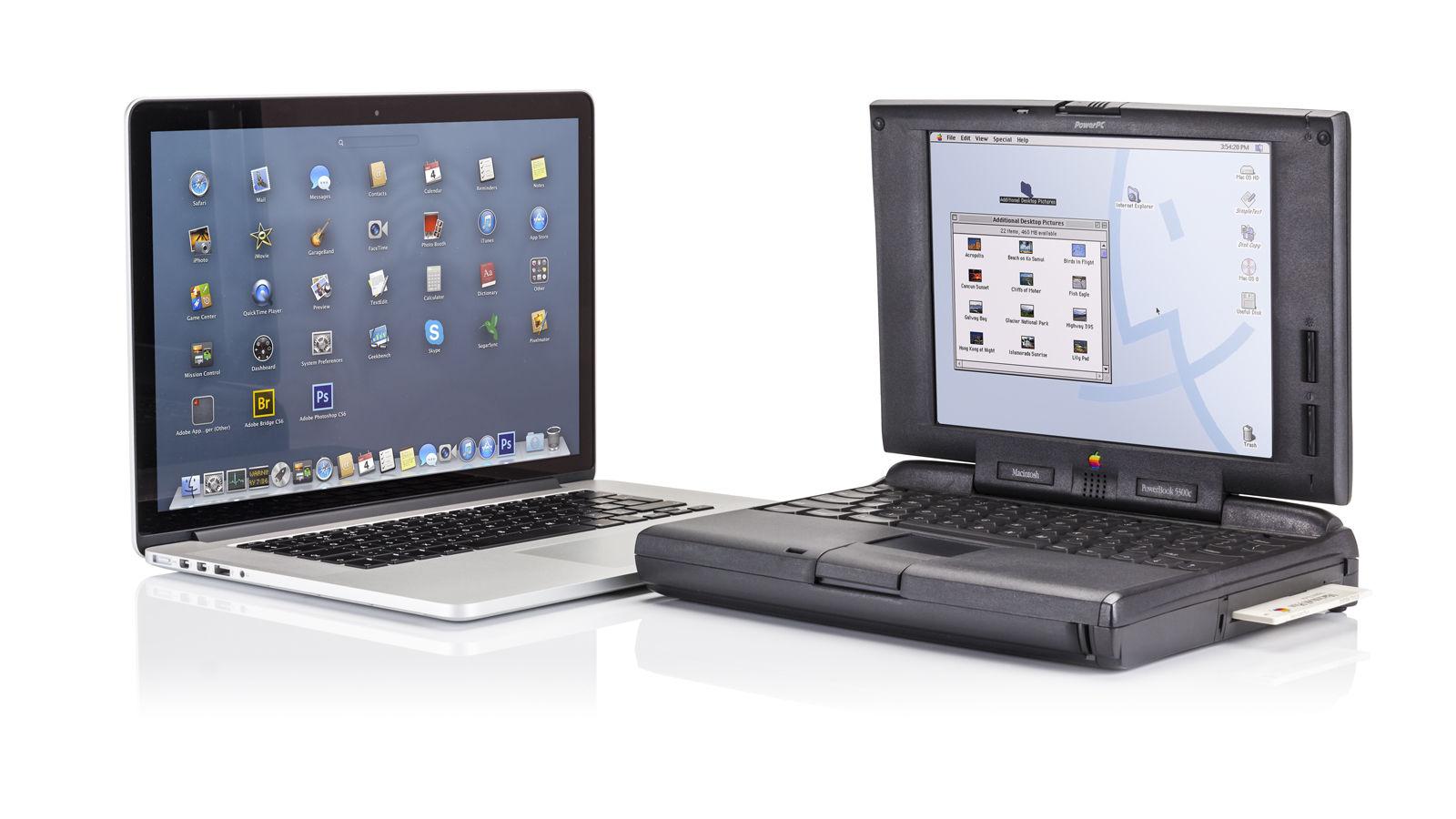
The evolution of the MacBook Pro's size reflects changes in internal technology. Early 15-inch "Retina" models from the early 2010s had dimensions that differed significantly from the current 16-inch models. While the screen size increased, the overall footprint remained manageable through the reduction of display bezels.
Historically, Apple transitioned from the "tapered" designs—which were thicker at the hinge and thinner at the front—to the current "flat-bottomed" chassis design seen in the 2021-2026 models. This shift was largely driven by the thermal requirements of Apple silicon, which allows for a consistent height across the entire length of the machine. When measuring your older MacBook Pro to compare with modern units, always measure the widest part of the chassis to ensure accuracy for storage solutions.
Factors Affecting Measurements
When verifying the dimensions of your specific unit, it is helpful to understand what contributes to these numbers:
- Bezel Width: Modern MacBook Pro displays feature minimal borders. This allows for a larger screen-to-body ratio, meaning a 14-inch laptop today has a smaller overall physical footprint than a 14-inch laptop from a decade ago.
- Thermal Vents: The placement of cooling vents on the sides and back of the machine can slightly influence the perceived "depth." Always measure from the absolute outer edge of the casing.
- Rubber Feet: Most technical specifications from manufacturers exclude the rubber feet on the bottom of the device. If you are measuring for a desk-drawer insert or a customized cabinet slot, add approximately 0.05 to 0.1 inches to the thickness to account for these feet.
How to Measure Your MacBook Pro Accurately
If you are uncertain which model you own or need to verify dimensions for a custom mounting solution, follow these steps:
- Identify the Model: Go to the Apple Menu > About This Mac. This will confirm the year and screen size, which you can cross-reference with official Apple technical specifications online.
- Use Digital Calipers: For precise measurement, use digital calipers. Place the laptop on a flat, level surface.
- Account for the Hinge: When measuring depth, ensure the lid is fully closed. Measure from the front edge to the very back of the hinge assembly, as this is the widest point of the device when stored.
- Tolerance: Always leave a margin of 0.25 inches (approx. 6mm) for ventilation and ease of insertion if you are purchasing a bag or a fixed mounting bracket.
Common Troubleshooting and FAQ
Does the screen size (14" vs 16") change the width? Yes, the 16-inch model is physically wider and deeper than the 14-inch model. While the height (thickness) is relatively similar, the total surface area of the 16-inch model is significantly greater, necessitating different sized accessories.
Are there differences in dimensions for M-series vs. Intel-based MacBook Pros? Yes. Intel-based MacBook Pros, particularly those produced between 2016 and 2020, often had different chassis designs compared to the current Apple Silicon models. If you are replacing an older Intel unit with a new M4-series model, do not assume your old accessories will fit perfectly.
Why does my sleeve feel tight even if the measurements match? Laptop sleeves often use padding that compresses. Even if the internal dimensions match your laptop's width and depth, the thickness of the material and the volume of the laptop's corners (which are rounded) can affect the "fit."
Should I measure with the laptop open or closed? Always measure with the laptop in its closed, flat position. This is how the device is stored, transported, and fitted into docking stations.
Will my custom skin or protective hard shell affect dimensions? Yes. A hard-shell plastic case can add between 1mm and 3mm to the overall width, depth, and height of your MacBook Pro. If you intend to use a hard shell, measure the laptop after the shell is installed to ensure it still fits your carrying bag or mount.
Recommendation for Future-Proofing
When purchasing accessories like high-end leather sleeves or precision-cut wooden stands, choose items that offer a slight degree of "slack." As Apple tends to refine the chassis every few years, an accessory that fits your 2026 model exactly may not be compatible with a future model that could be slightly thinner or have a redesigned port array. Prioritizing adjustable stands or slightly oversized sleeves provides better long-term value for your equipment.
Image Gallery