Complete Guide to Pay Your Nissan Car Payment Step by Step
Managing your automotive financing effectively requires understanding how and where to submit your monthly obligations to avoid late fees and protect your credit score. To pay your Nissan car payment step by step, you can use the offic...
Managing your automotive financing effectively requires understanding how and where to submit your monthly obligations to avoid late fees and protect your credit score. To pay your Nissan car payment step by step, you can use the official Nissan Motor Acceptance Company (NMAC) online portal, mobile app, phone service, or mail system by providing your account number, billing details, and payment amount before your scheduled due date.
Contents
Navigating auto loan repayments can sometimes feel cumbersome, especially if you are transitioning between different payment channels or managing your account for the very first time. Nissan Motor Acceptance Company (NMAC)—the financial services arm handling Nissan vehicle loans and leases—provides multiple avenues to submit your monthly dues. Whether you prefer the convenience of automated digital portals or traditional mailing methods, understanding the exact technical requirements, processing times, and security safeguards ensures your funds post correctly and on time.
Understanding Your Nissan Financing Account
Before initiating any transaction, establishing a clear understanding of your loan structure, due dates, and billing cycles prevents costly mistakes. When you financed or leased your vehicle through NMAC, you were assigned a unique account number and a specific monthly payment amount due on a set calendar day.
Reviewing your monthly billing statement reveals vital pieces of information, including your principal balance, interest charges, remaining loan term, and any applicable grace periods. While many lenders offer a brief grace period (typically 10 to 15 days) before assessing late fees, relying on a grace period can still result in negative reporting to major credit bureaus if the payment is delayed past the contractual due date.
Prerequisites for Making a Payment
- Active Account Number: Located at the top of your monthly statement or within your online profile.
- Valid Payment Source: A checking or savings account routing and account number, or a debit card. (Note: NMAC typically restricts credit cards for standard monthly loan payments).
- Registered NMAC Online Profile: Access to the official Nissan Finance portal requires a verified username and password.
Method 1: Paying Online via the NMAC Portal
The online portal remains the most popular and efficient method for submitting monthly payments. It offers real-time processing options, historical statement archiving, and the ability to schedule future or recurring transactions.
| Feature | Online Portal / Mobile App |
|---|---|
| Processing Speed | Same-day (if made before cutoff) |
| Convenience | High (Accessible 24/7) |
| Recurring Payments | Fully Supported |
| Additional Fees | None for Standard ACH/Debit |
Step-by-Step Instructions for Online Payments
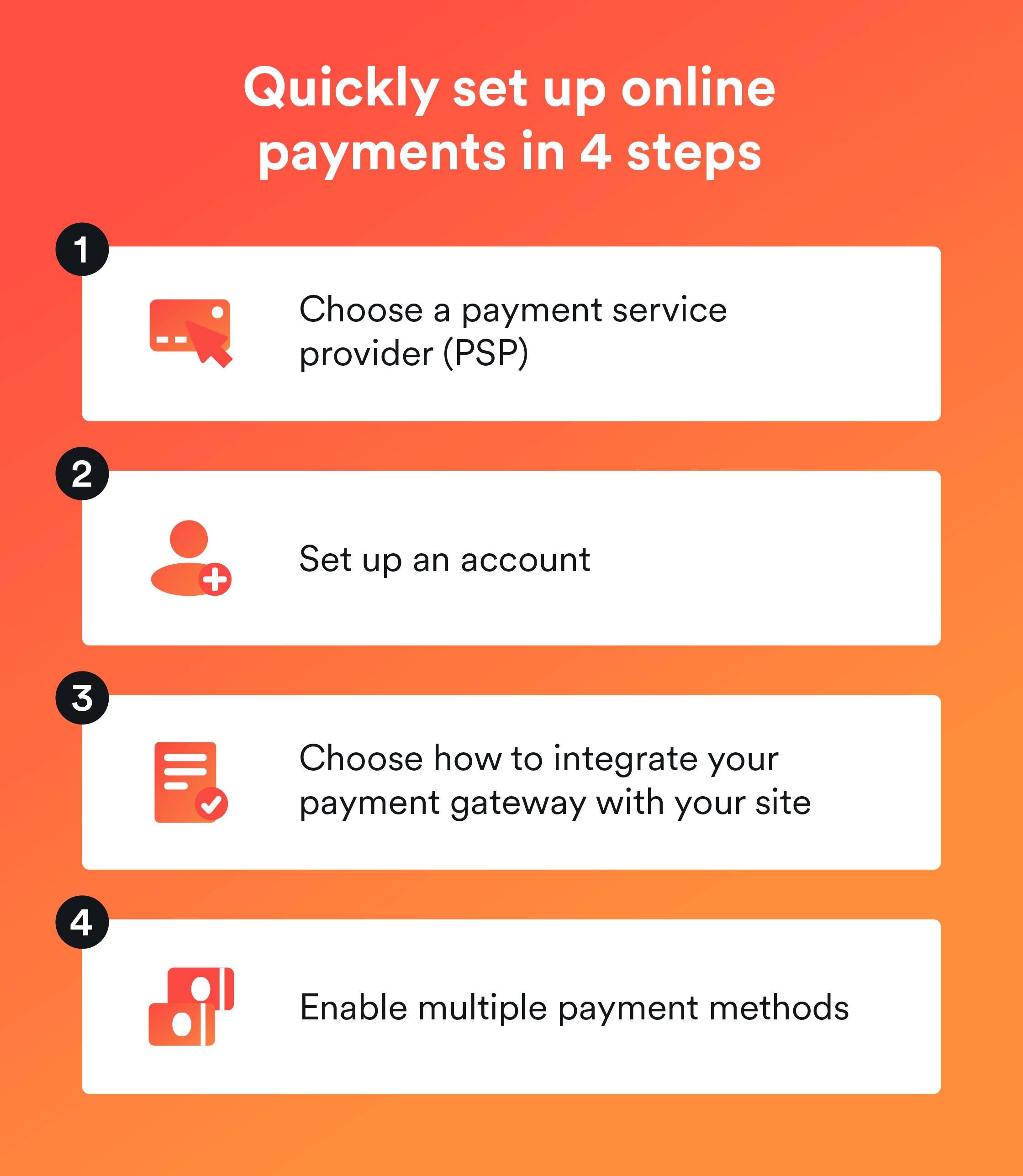
- Navigate to the Official Portal: Open a secure web browser and visit the official Nissan Finance website. Avoid clicking links from unsolicited emails to protect your financial data from phishing attempts.
- Log In to Your Account: Enter your registered username and password. If you are a first-time user, click on the "Register" or "Set Up Account" prompt, and provide your NMAC account number, Social Security Number (SSN) or Taxpayer Identification Number (TIN), and ZIP code to verify your identity.
- Access the Payment Dashboard: Once logged in, locate the "Make a Payment" or "Payments" tab on your primary dashboard. This screen displays your current balance, minimum due, and upcoming due date.
- Select Your Payment Source: Choose an existing saved bank account or click "Add Payment Method" to input a new checking or savings account routing number and account number.
- Specify Amount and Date: Enter the exact dollar amount you wish to pay. You can select the regular monthly payment, a custom amount (specifying whether extra funds should apply directly to the principal balance), or pay off the remaining loan balance entirely.
- Review and Submit: Carefully review the transaction details, including the withdrawal date and bank account information. Click "Submit Payment." Save or print the confirmation number provided on the screen for your financial records.
Method 2: Using the Nissan Finance Mobile App
For smartphone users, the official mobile application provides a streamlined interface to manage your account while on the go. Available for both iOS and Android platforms via the Apple App Store and Google Play Store, the app mirrors the core functionality of the desktop website.
- Download and Install: Search for the official Nissan Finance app published by Nissan Motor Acceptance Company. Verify the publisher name to ensure you are downloading the legitimate application.
- Biometric Authentication: Enable Face ID or fingerprint login for secure, rapid access during subsequent sessions.
- Quick Pay Feature: Utilize the app's quick-pay interface to submit funds using saved banking credentials with just a few taps on your screen.
Method 3: Making Payments by Phone
If you prefer speaking with an automated system or a customer service representative, phone payments offer a direct alternative. Keep in mind that utilizing live representative assistance may sometimes incur a phone-processing fee, whereas automated interactive voice response (IVR) systems are typically free.
- Call Customer Service: Dial the official NMAC customer service number listed on your monthly billing statement or card.
- Enter Account Information: Follow the automated prompts to input your account number, the last four digits of your SSN, and your banking details using your phone keypad.
- Verify and Confirm: The system will read back your payment details and provide a verbal confirmation number once the transaction is successfully authorized.
Method 4: Traditional Mail (Check or Money Order)
While digital methods offer instant confirmation, some consumers prefer mailing physical checks or money orders. If you choose this method, you must account for postal delivery times to avoid late charges.
- Prepare the Instrument: Write a personal check, cashier's check, or money order made payable to Nissan Motor Acceptance Company (or NMAC). Never send cash through the mail.
- Include Account Details: Clearly write your unique NMAC account number on the memo line of the check.
- Attach the Payment Stub: Detach the payment coupon from the bottom of your monthly paper statement and enclose it with your check inside the return envelope.
- Verify the Address: Mail your payment to the official remittance address provided on your most recent billing statement. Do not use generic addresses found on unverified third-party websites, as remittance lockboxes vary by region.
Setting Up Auto-Draft for Hands-Free Management
To eliminate the risk of forgotten due dates and accidental late fees, setting up automatic monthly deductions (Auto-Draft) is an effective strategy.
- Enrollment: Log into the online portal, navigate to the Auto-Draft or Auto-Pay section, and complete the enrollment agreement.
- Timing: Select your preferred withdrawal date. Ensure that your linked bank account maintains sufficient funds on this specific day each month to avoid overdraft fees from your financial institution or returned-payment fees from NMAC.
- Modification: You can modify or cancel your auto-draft instructions through the online portal at any time, provided you submit changes several business days before the scheduled withdrawal date.
Troubleshooting Common Payment Issues
Even with careful planning, technical glitches or banking errors can occasionally occur. Knowing how to resolve them quickly prevents adverse financial impacts.
Returned Payments (NSF)
If your payment is returned due to Non-Sufficient Funds (NSF), NMAC may assess a returned-payment fee, and your bank may charge an overdraft fee. Ensure your checking account has cleared funds before scheduling any transaction.
Password Recovery and Locked Accounts
If you enter incorrect login credentials multiple times, the online portal will temporarily lock your account for security purposes. Use the "Forgot Username" or "Forgot Password" self-service links, or contact customer support to verify your identity and restore access.
Processing Delays
Online and phone payments submitted after daily cutoff times (typically evening hours Eastern Time) may not post until the following business day. Always initiate your payments at least two to three business days before your official due date to account for weekends and federal holidays.
Frequently Asked Questions
Can I pay my Nissan car payment with a credit card?
Standard monthly loan and lease payments through NMAC typically cannot be made using a standard credit card. NMAC requires payments to be drawn from a checking or savings account (via ACH routing), debit card, check, or money order.
How do I ensure extra payments go toward my principal balance?
When making an online payment, look for the option to allocate funds. You can designate extra money to apply directly toward reducing the principal balance rather than prepaying future finance charges, which reduces the overall interest accrued over the life of the loan.
What should I do if I cannot make my monthly payment on time?
If you experience financial hardship, contact NMAC customer service immediately before your due date. Lenders occasionally offer temporary relief programs, payment extensions, or loan modifications depending on your specific account standing and contract terms.
Are there any fees for paying online or through the mobile app?
Standard electronic payments processed online or through the official mobile app using ACH (bank routing and account number) or a standard debit card are generally free of additional processing fees.
How long does it take for a mailed payment to post to my account?
Mailed checks and money orders typically take five to seven business days to reach the remittance processing center and post to your account. It is critical to mail physical payments well in advance of your due date to prevent late penalties.
Next Actions and Best Practices
To maintain a healthy financial standing with your auto lender, make a habit of monitoring your account monthly via the digital portal. Verify that all payments post correctly, review your remaining loan balance, and keep your contact information updated whenever you change your address, phone number, or banking institution. Proactive account management ensures a smooth financing experience from your first payment to the final payoff.
Image Gallery