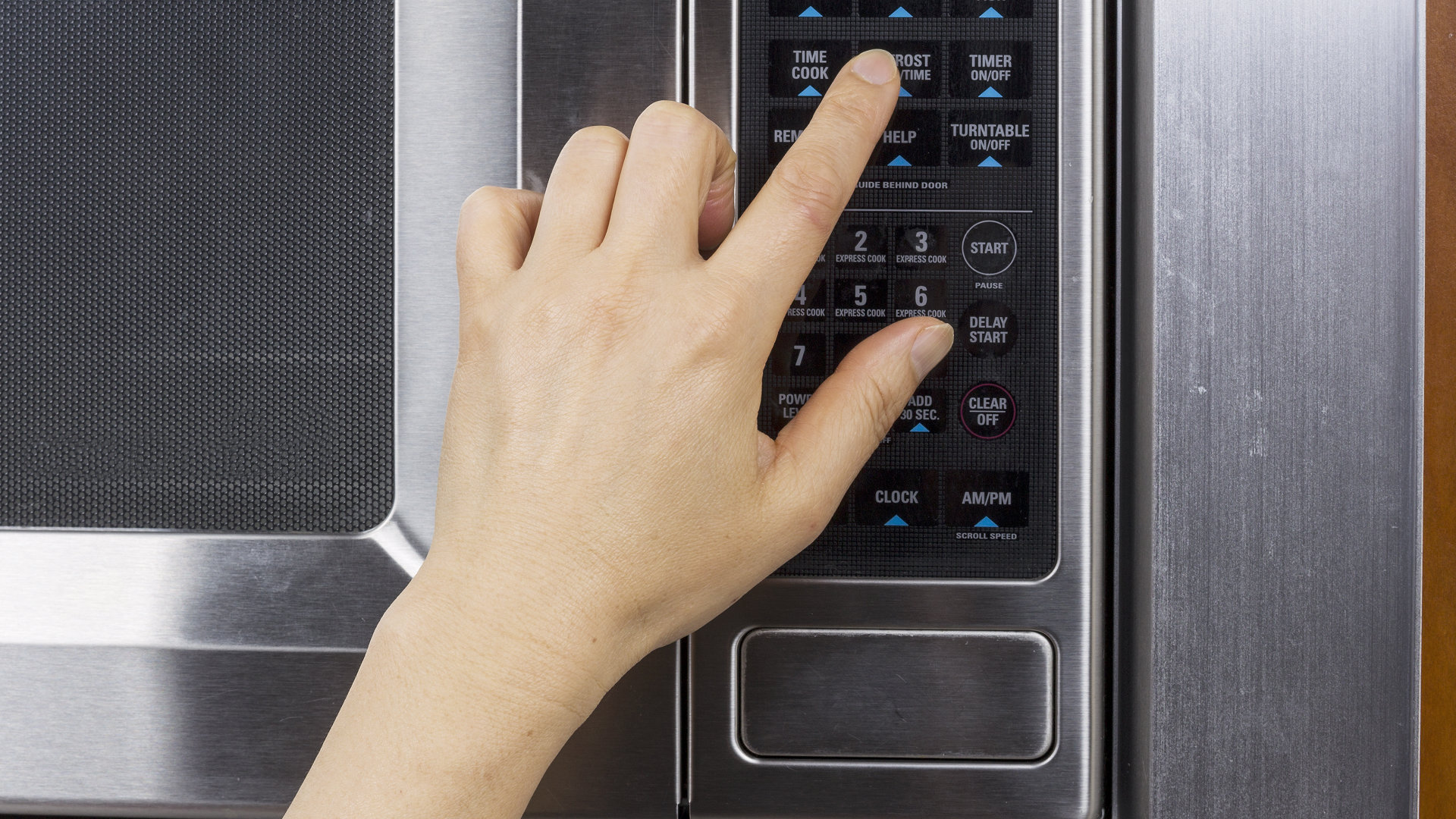
Samsung Microwave Not Turning On: Comprehensive Troubleshooting and Repair Guide
When your Samsung microwave suddenly stops turning on, the issue is typically caused by a tripped circuit breaker, an active energy-saving setting, a blown internal line fuse, a tripped thermal cut-off, or a faulty door interlock switc...
When your Samsung microwave suddenly stops turning on, the issue is typically caused by a tripped circuit breaker, an active energy-saving setting, a blown internal line fuse, a tripped thermal cut-off, or a faulty door interlock switch. Diagnosing the root cause involves checking basic power delivery first before opening the cabinet to test internal protection components with a multimeter.
Contents
Critical Appliance Safety and High-Voltage Hazards
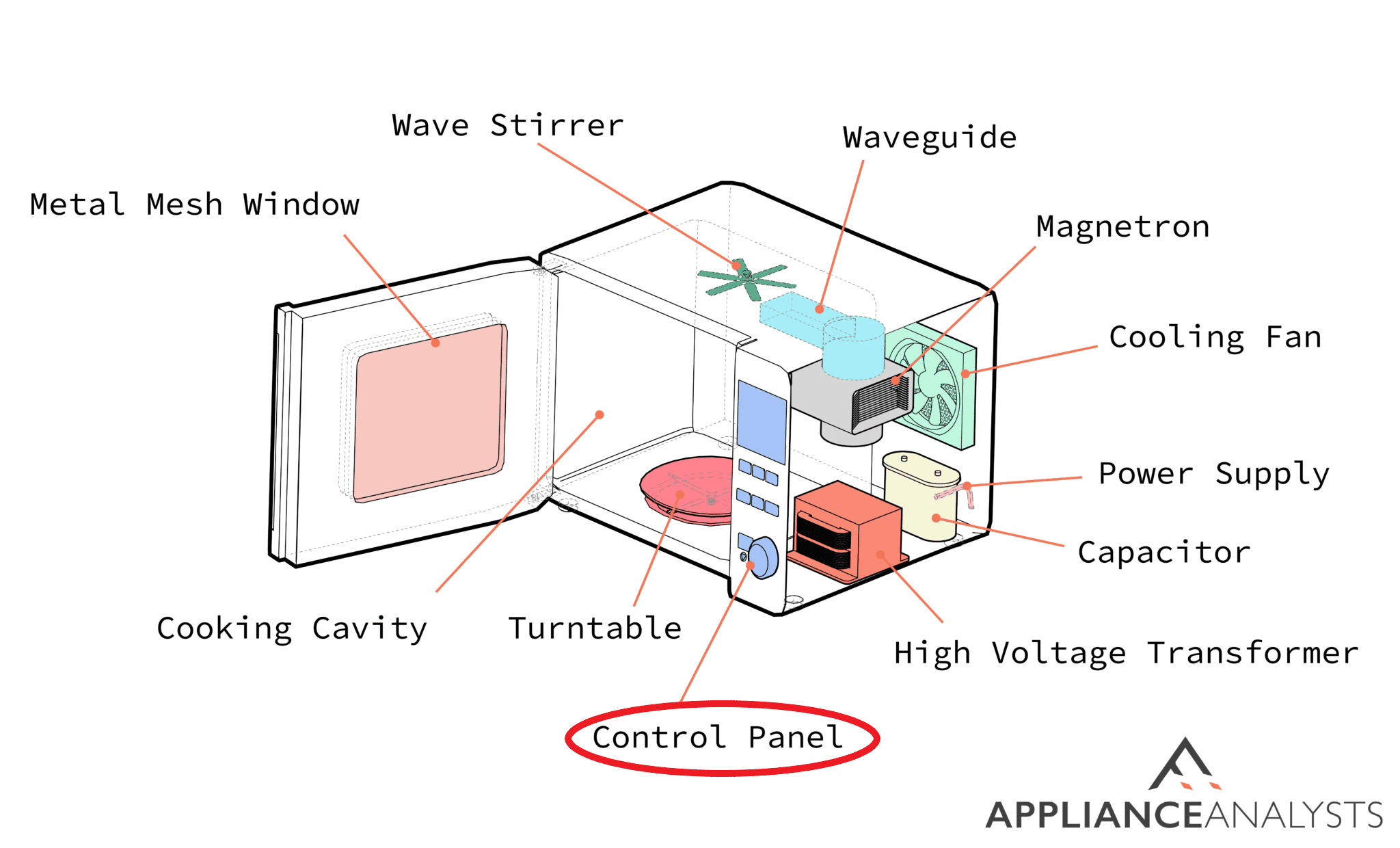
Before performing any diagnostic tests or internal repairs on a microwave, you must understand the serious safety hazards involved. Microwaves operate using high-voltage transformers and capacitors capable of storing high-voltage electricity—often exceeding 2,000 to 4,000 volts—even when the appliance is completely unplugged from the wall.
SAFETY WARNINGHIGH VOLTAGE HAZARD!High-voltage capacitors can store lethal energy long after unplugging the appliance.
Always unplug the unit from the electrical outlet before removing the outer metal housing. If you are servicing an over-the-range (OTR) model, turn off the dedicated breaker at your main electrical panel before unmounting or inspecting the wiring. Never touch the high-voltage capacitor, magnetron, or high-voltage transformer unless you are a qualified technician equipped with insulated tools and proper capacitor discharge procedures. If your troubleshooting leads to a failed high-voltage component, professional repair or appliance replacement is strongly recommended.
Step 1: External Power Supply and Basic Reset Procedures
Before assuming an internal electronic failure has occurred, eliminate external power delivery issues and soft-software states. A microwave that appears completely dead often lacks adequate incoming voltage or has entered an idle control mode.
Checking the Wall Outlet and Circuit Breaker
Samsung microwaves require a dedicated 120-volt AC, 60 Hz electrical circuit protected by a 15-amp or 20-amp breaker. Countertop units plugged into shared kitchen circuits or GFCI (Ground Fault Circuit Interrupter) outlets can easily trip the outlet or breaker during power surges.
- Test the Outlet: Unplug the microwave and plug a small lamp or portable appliance into the same socket to verify if power is present.
- Inspect the GFCI: If the microwave is plugged into a GFCI outlet, press the Reset button on the receptacle faceplate.
- Check the Main Panel: Inspect your home's breaker panel. Flip the breaker designated for the kitchen or microwave completely to the Off position, then reset it back to On.
- Examine the Power Cord: Inspect the microwave's power cord and plug for visible melt marks, fraying, or bent prongs. A damaged cord requires immediate replacement.
Performing a Hard Reset
Electronic control boards in modern Samsung microwaves can experience transient logic locks due to voltage spikes or brownouts. Performing a hard reset clears residual memory on the control board:
- Unplug the microwave power cord from the wall (or turn off the dedicated circuit breaker).
- Leave the unit completely unpowered for at least 5 to 10 minutes.
- Press and hold the Stop/Clear button for 5 seconds while the unit is unplugged to help drain lingering circuit board capacitance.
- Plug the unit back in and check if the display clock illuminates or beeps.
Deactivating Eco Mode and Child Lock
If your Samsung microwave display remains dark or refuses to accept button inputs, it may be stuck in an operational lock or power-saving state:
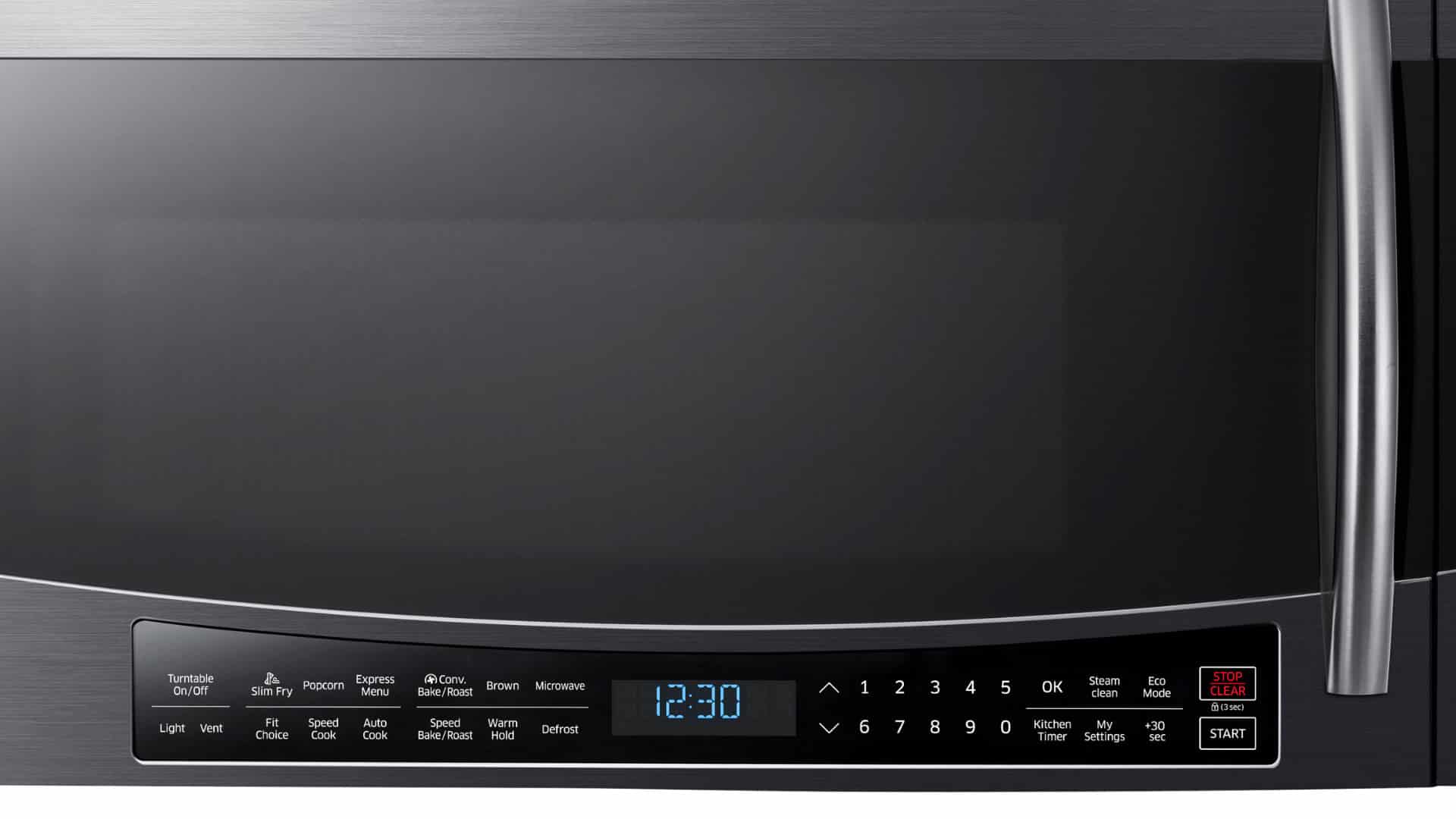
- Eco Mode / Energy Saver: Many Samsung models feature an Eco button that turns off the digital display clock to reduce standby power. Pressing the Eco or Energy Saver button (or opening and closing the door) typically wakes the control display.
- Child Safety Lock: When Child Lock is engaged, the control panel ignores key presses, and an "L" or lock icon may appear. To unlock, press and hold the Stop/Clear or Child Lock button for 3 seconds until the lock icon disappears or a double beep sounds.
Diagnostic Symptoms and Potential Causes
The table below correlates specific microwave symptoms with their primary hardware causes and standard repair actions:
| Symptom / Observed Behavior | Likely Root Cause | Diagnostic Method | Typical Solution |
|---|---|---|---|
| Completely dead display; no response to door opening or buttons | Tripped breaker, blown main line fuse, or open thermal cut-off | Check outlet voltage; test line fuse for continuity | Reset breaker; replace 20A/25A ceramic fuse or thermal fuse |
| Display lights up, but microwave shuts down immediately when START is pressed | Faulty door interlock switch or shorted monitor switch | Test door switches for continuity when door is open/closed | Replace malfunctioning microswitch or switch bracket assembly |
| Display works and timer counts down, but no heat, light, or turntable rotation | Blown high-voltage fuse, bad door switch, or main PCB relay failure | Multimeter continuity test on HV fuse and door switches | Replace HV fuse or switch assembly; inspect control board relays |
| Touchpad displays "SE" or "5E" error code and stops responding | Stuck key or shorted membrane switch on control panel | Inspect touch pad ribbon cable for moisture or shorts | Clean ribbon connector; replace touch keypad or control panel |
| Display is completely dark, but internal cavity light turns on when door opens | Blown main PCB low-voltage transformer or damaged display board | Measure low-voltage output from main control board | Replace electronic main control board |
Step 2: Inspecting Internal Protective Components
If basic power checks and resets do not restore functionality, the issue likely stems from internal electrical protection devices designed to cut power under overcurrent or overheating conditions.
The Main Line Fuse
The main line fuse is the primary defense against internal short circuits. Located just inside the microwave cabinet where the main power cord enters, this is typically a 20-amp or 25-amp ceramic cartridge fuse (125V/250V). Unlike clear glass automotive fuses, ceramic fuses cannot be visually inspected; they must be tested with a multimeter.
Main Power Cord
Main Line Fuse
Noise Filter / Board
Control System
Unplug the microwave completely.
Remove the outer metal cabinet mounting screws and slide off the housing.
Locate the ceramic fuse attached to the noise filter board near the power entry point.
Set your multimeter to the Ohms ($\Omega$) or Continuity setting.
Touch the multimeter probes to opposite metal endcaps of the fuse:
- Continuity (Near 0 $\Omega$): The fuse is intact.
- Open Loop (Infinite $\Omega$ / OL): The fuse is blown and must be replaced with an identically rated ceramic fuse.
Note: A line fuse rarely blows without a cause. If a replacement fuse blows immediately upon plugging the unit back in, a shorted door switch or internal high-voltage component is drawing excessive current.
Thermal Cut-Off (TCO) Sensors
Samsung microwaves contain multiple thermal cut-off switches mounted to the outer cooking cavity and magnetron tube. These thermostat switches trip and cut power to the control board if the unit overheats—often due to a failed cooling fan motor, blocked ventilation louvers, or running the unit empty.
- Flame Thermal Cut-Off: Usually mounted on top of the air duct or outer cavity wall.
- Magnetron Thermal Cut-Off: Mounted directly on or adjacent to the magnetron housing.
To test a thermal cut-off:
- Ensure the microwave remains completely disconnected from power.
- Label and disconnect the two wire leads attached to the thermal switch terminals.
- Test continuity across the two terminals at room temperature using a multimeter.
- A functional thermal cut-off should show continuous circuit continuity (0 $\Omega$). An "OL" reading indicates the internal switch has tripped open due to thermal failure and requires replacement.
Step 3: Testing Door Interlock Switches
Modern Samsung microwaves utilize a triple door switch safety interlock system to prevent dangerous microwave radiation leakage. This assembly consists of three microswitches held in a plastic latch body:
- Primary Interlock Switch: Normally open (NO); closes when the door is shut to complete the power circuit.
- Secondary Interlock Switch: Normally open (NO); closes when the door is shut to power the control circuit.
- Monitor Interlock Switch: Normally closed (NC); creates an intentional dead short to blow the main fuse if the door opens while the primary switches fail to operate correctly.
- Door Closed
- Actuates Latches
- Primary/Secondary (CLOSED) | Monitor (OPEN)
- Door Open
- Releases Latches
- Primary/Secondary (OPEN) | Monitor (CLOSED)
If one of these switches breaks mechanically, shifts out of alignment on its mounting bracket, or suffers internal contact burning, the microwave will refuse to power on or will instantly trip the main line fuse when you press the Start button.
How to Test Door Microswitches
- Unplug the appliance and remove the outer cabinet.
- Locate the door latch bracket assembly behind the control panel side of the door frame.
- Carefully detach the wire harness terminals from a single switch at a time, noting their placement.
- Depress the tiny mechanical button on the switch body while reading resistance across the terminals:
- Normally Open (NO) Switch: Should read open circuit (OL) when released, and zero resistance (0 $\Omega$) when fully depressed.
- Normally Closed (NC) Switch: Should read zero resistance (0 $\Omega$) when released, and open circuit (OL) when fully depressed.
- If any switch fails to toggle state cleanly or exhibits high electrical resistance (above 0.3 $\Omega$ when closed), replace the microswitch.
Step 4: Electronic Control Board and Touchpad Diagnostics
When incoming electrical power, fuses, and door switches test normally, the failure rests within the main electronic control board (PCB) or the user control panel assembly.
Keypad Errors ("SE" or "5E" Codes)
A common issue across several Samsung microwave product lines is the display showing an SE or 5E error code. This indicates a key-short condition, where a button on the touch membrane is registered as continuously pressed.
- Causes: Accumulation of steam, grease, or internal moisture behind the touch panel ribbon cable, or physical degradation of the membrane switches.
- Solution: Unplug the unit, remove the control panel assembly, disconnect the flexible flat ribbon cable from the PCB connector, clean the copper contact pins gently with isopropyl alcohol, and re-seat the connector firmly. If the error persists after restoring power, the touch keypad assembly must be replaced.
Main Control Board (PCB) Failure
The main control board houses the step-down power transformer, microprocessors, and heavy-duty relays that route 120V AC to the high-voltage circuit and fan motors.
Indications of a failed main control board include:
- Incoming 120V AC power is verified up to the control board input terminals, but the front display panel remains completely blank.
- Visible charring, burnt solder joints, or swollen capacitors on the green PCB circuit board.
- The display lights up normally, but the relay fails to click open or close when command cycles are initiated.
When replacing a Samsung control board, ensure you source the exact part number printed on the original PCB sticker (e.g., DE92-xxxxxx series), as identical-looking boards often carry incompatible firmware revisions across different model years.
Repair vs. Replacement Decision Guide
Deciding whether to repair or replace a non-functioning Samsung microwave depends on its mounting style, overall age, and the cost of necessary replacement components.
- DECISION TREE
- Is it Over-the-Range (OTR)?
- YES
- Age < 5 Years?
- YES: REPAIR
- NO: REPLACE
- Age < 5 Years?
- NO (Countertop)
- Age < 3 Years?
- YES: REPAIR
- NO: REPLACE
- Age < 3 Years?
- YES
- Is it Over-the-Range (OTR)?
Countertop Models
Standard countertop units generally cost between $100 and $250. If diagnosing your unit reveals a failed main control board (costing $80–$140) or magnetron assembly on an older appliance, replacing the complete microwave is usually more economical than purchasing individual parts and labor.
Over-the-Range (OTR) and Built-In Models
Over-the-range and built-in Samsung microwaves often cost between $350 and $900, excluding installation fees. Simple repairs—such as replacing a $10 main line fuse, a $15 thermal cut-off switch, or a set of $12 door microswitches—are highly cost-effective and preserve your existing ventilation and cabinetry setup.
For official technical documentation, replacement parts diagrams, and warranty service registration, refer to the official Samsung Support portal. To review consumer appliance safety standards and recall histories, consult the U.S. Consumer Product Safety Commission.
Frequently Asked Questions
Why did my Samsung microwave suddenly go completely dead with no lights?
A completely unpowered unit is usually caused by a tripped home circuit breaker, a tripped GFCI outlet, a blown internal ceramic line fuse, or an open thermal cut-off sensor. If the line fuse is blown, it typically indicates a momentary power surge or a failing door microswitch that created a short circuit when the door was operated.
How do I clear an "SE" or "5E" error code on a Samsung microwave?
An "SE" or "5E" error indicates a stuck key on the touchpad control panel. Try resetting the appliance by unplugging it for 10 minutes. If the code reappears upon plugging it back in, the touch membrane ribbon cable may need to be cleaned of moisture and reseated into the main control board connector, or the keypad assembly must be replaced.
Can a bad door switch keep a Samsung microwave from turning on?
Yes. Samsung microwaves rely on three interlock switches to verify the door is securely closed. If any switch fails mechanically or electrically, the control board will prevent heating, or the monitor switch will deliberately blow the main line fuse to protect the user from microwave leakage.
How much does it cost to fix a microwave that won't turn on?
If you fix the unit yourself, minor parts like fuses, thermal switches, or door microswitches typically cost between $10 and $30. If the repair requires a new electronic control board, parts range from $80 to $150. Professional appliance repair services generally charge between $120 and $250 for diagnostic fees and labor.
Final Recommendation and Next Steps
If your Samsung microwave fails to turn on, begin by performing a hard reset: unplug the unit for 10 minutes and verify that the wall outlet delivers adequate voltage using another household device. If power to the outlet is confirmed, check for non-hardware states like Eco Mode or Child Lock.
For units requiring disassembly, systematically test the internal ceramic line fuse, thermal cut-off switches, and door interlock switches using a digital multimeter set to continuity mode. If low-cost protective switches test normal but the display remains completely unpowered, inspect the main electronic control board for damage. When high-voltage system failures or major PCB component costs approach half the price of a new unit, replacing the appliance offers the safest and most reliable long-term solution.
Image Gallery