What Channels You Can Get with an HDTV Antenna: A Complete Guide
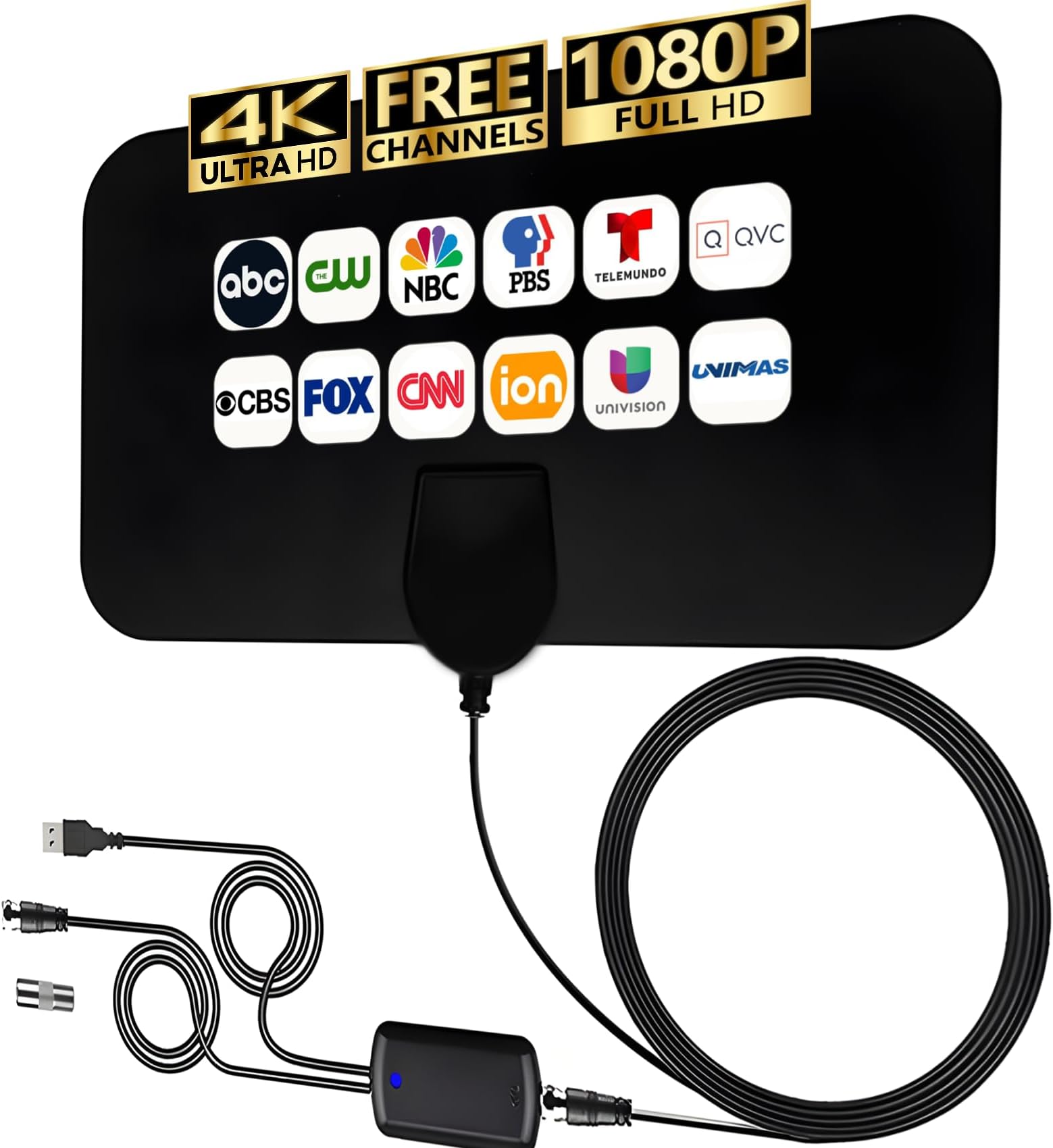
An HDTV antenna lets you watch major broadcast networks—including ABC, CBS, NBC, FOX, PBS, The CW, Telemundo, and Univision—entirely for free. Depending on your distance from local television broadcast towers, you can also access dozen...
An HDTV antenna lets you watch major broadcast networks—including ABC, CBS, NBC, FOX, PBS, The CW, Telemundo, and Univision—entirely for free. Depending on your distance from local television broadcast towers, you can also access dozens of digital subchannels offering classic television, movies, news, sports, and niche programming without a paid subscription.
Contents
Understanding Over-the-Air (OTA) Television Broadcasting
Over-the-air (OTA) television is transmitted directly from broadcast towers using radio frequency (RF) signals. Unlike cable or satellite television, which package channels into paid tiers, OTA broadcasts are legally required in many countries, including the United States, to serve the public interest by broadcasting uncompressed, high-definition programming free of charge.
When you connect a modern digital HDTV antenna to your television, your TV's ATSC tuner decodes these wireless signals into audio and video. Because OTA broadcasts do not undergo the heavy compression used by streaming services and cable providers, image quality on main channels is often noticeably sharper and lower in latency than cable or live-TV streaming feeds.
The specific channels you receive depend heavily on your geographic location, terrain, surrounding obstacles, and the physical design and placement of your antenna. Understanding what programming exists across the broadcast spectrum helps you set expectations and select the proper reception equipment.
Major Broadcast Networks and Free Subchannels
Free OTA television encompasses far more than just four or five local stations. A single broadcast channel bandwidth (6 MHz in North America) can carry multiple independent programming feeds simultaneously through a technology known as digital multicasting.
The Core Primary Networks
In almost every broadcast market across the United States, primary channels are operated by major networks broadcasting in high definition (1080i or 720p). These include:
- CBS: Features prime-time dramas, reality television, daytime soap operas, local news, and major sports broadcasts such as NFL games and PGA Tour golf.
- NBC: Offers morning programs, prime-time series, late-night talk shows, local news, and sports including Sunday Night Football and Olympic coverage.
- ABC: Provides morning shows, daytime programming, prime-time entertainment, news broadcasts, and live sports such as college football and the NBA Finals.
- FOX: Delivers prime-time comedies, reality TV, sports broadcasts (MLB, NFL, NASCAR), and local news programs.
- PBS (Public Broadcasting Service): Features educational children's television, documentaries, public affairs programs, arts performance, and local community features.
- The CW: Broadcasts young adult dramas, reality series, and syndicated programming.
- Telemundo & Univision: Major Spanish-language broadcast networks providing news, sports, telenovelas, and entertainment shows.
- Independent & Regional Stations: Independent local stations often carry local news, high school or regional sports, and syndicated rerun packages.
Digital Subchannels (Multicasting)
When a station broadcasts on a primary virtual channel—such as Channel 4.1—it uses digital multiplexing to split its signal into secondary channels known as subchannels (e.g., 4.2, 4.3, 4.4). These subchannels focus on specific genres, classic television series, lifestyle programming, or round-the-clock news and weather.
Commonly available national digital subchannels include:
- Classic Television & Sitcoms: MeTV, Antenna TV, Catchy Comedy (formerly Decades), Rewind TV, and Cozi TV.
- Action, Westerns, & Drama: Grit, Heroes & Icons (H&I), Bounce TV, and Charge!.
- Movies & Crime: ION Television, Crime & Mystery (formerly ION Mystery), Court TV, Movies!, and Laff.
- Science, Documentaries, & Lifestyle: Create, World Channel, Dabl, and PBS Kids.
- Game Shows & Reality: Buzzr, Game Show Central, and Game Show Network syndicates.
In medium to large television markets, a single outdoor or indoor antenna can frequently tune into 30 to 80 distinct channels when counting primary channels and subchannels combined.
Key Factors That Determine Your Channel Availability
No two locations receive the exact same lineup of over-the-air channels. The number and quality of channels you capture depend on several environmental and technical variables:
- Broadcast Tower (RF Signal)
- Distance & Terrain
- Antenna Type & Height
- TV ATSC Tuner
1. Distance from Broadcast Towers
Broadcast signals follow line-of-sight propagation paths. Most transmission towers are elevated on mountain peaks, hills, or tall urban structures to maximize reach. If you live within 15 to 30 miles of transmission towers, an indoor antenna typically receives strong signals. At distances of 35 to 70 miles, outdoor or attic-mounted directional antennas are generally required.
2. Physical Obstacles and Terrain
Solid structures attenuate (weaken) radio signals. Mountains, rolling hills, dense forest, high-rise buildings, brick walls, and energy-efficient radiant barrier insulation in attics obstruct or reflect signals, causing signal dropouts or preventing reception entirely.
3. Antenna Height and Placement
Height is the single most effective variable for improving OTA television reception. Placing an antenna on a rooftop or elevated mast bypasses obstacles such as neighboring houses, vehicles, and trees. Even indoors, moving an antenna from ground level to a top-floor window significantly improves signal strength.
4. Broadcast Frequency Bands (UHF vs. VHF)
Television broadcasts operate on two distinct radio frequency bands. Understanding the difference between them is vital when choosing antenna hardware:
- VHF-Low (RF Channels 2–6): Operating between 54 MHz and 88 MHz, these frequencies require long metallic elements (dipoles or "rabbit ears"). Modern compact flat indoor antennas perform poorly in this band.
- VHF-High (RF Channels 7–13): Operating between 174 MHz and 216 MHz, these frequencies carry many major network affiliates in suburban and urban markets.
- UHF (RF Channels 14–36): Operating between 470 MHz and 608 MHz, the Ultra High Frequency band carries the vast majority of digital channels and subchannels today. Small flat panel antennas are optimized primarily for UHF signals.
Note on Channel Numbers: A channel's virtual channel number (the number displayed on your TV screen, like 5.1) often differs from its physical RF channel number (the actual broadcast frequency used by the transmitter). You must ensure your antenna supports the physical RF frequencies transmitted in your local market.
Spectrum Realignment and ATSC 3.0 (NextGen TV)
The landscape of over-the-air broadcasting has evolved due to federal spectrum management and technological upgrades.
The FCC Spectrum Repack
Through the Federal Communications Commission (FCC) Spectrum Incentive Auction, broadcast channels above RF 36 were reallocated to mobile wireless carriers for 5G services. Stations formerly operating on RF channels 38 through 51 were shifted down to lower UHF or VHF frequencies. If you have not scanned for channels on your television recently, running a channel auto-tune will re-index your channel list to reflect these relocated frequency assignments.
ATSC 3.0 / NextGen TV
The broadcast industry is actively transitioning from the original ATSC 1.0 standard to ATSC 3.0, commercially branded as NextGen TV. This IP-based broadcast format introduces significant upgrades for antenna viewers:
- Video Quality: Capabilities for 4K Ultra HD resolution, High Dynamic Range (HDR10/HLG), and higher frame rates.
- Audio Enhancements: Support for Dolby Atmos and Voice + dialogue Enhancement technology to clarify low spoken audio over background sound effects.
- Signal Robustness: Improved resistance to multipath interference (reflections off buildings), enabling clearer reception in dense urban settings and on mobile devices.
- Encryption and DRM: Some ATSC 3.0 broadcasts utilize standard digital rights management (DRM) protection. Viewing encrypted NextGen TV channels requires a TV or external converter box with built-in, licensed ATSC 3.0 decryption support connected to an active internet connection for key verification.
ATSC 1.0 broadcasts remain widely available across North America, ensuring standard HDTV antennas continue receiving existing digital channels without requiring new hardware.
Technical Comparison: Channel Categories & Signal Profiles
The following table summarizes the primary categories of over-the-air channels, their typical frequency designations, broadcast resolutions, and reception characteristics:
| Channel Category | Example Stations / Subchannels | Typical Broadcast Format | Frequency Band | Ideal Antenna Type | Key Reception Challenges |
|---|---|---|---|---|---|
| Major Commercial Networks | CBS, NBC, ABC, FOX | 720p or 1080i HD (ATSC 1.0) / 1080p (NextGen TV) | VHF-High (RF 7–13) or UHF (RF 14–36) | Amplified Dual-Band (VHF/UHF) Outdoor/Indoor | Physical obstacles, distance from major towers |
| Public & Educational | PBS, Create, World, PBS Kids | 720p HD (Primary) / 480i SD (Subchannels) | UHF or VHF-High | Combo Yagi or Flat Panel with VHF Dipoles | Lower transmitter power in certain rural districts |
| Spanish-Language Networks | Telemundo, Univision, UniMás, Estrella | 720p / 1080i HD | UHF | Compact Indoor or Outdoor Directional | Signal direction relative to English-language towers |
| Retro & Classic TV Networks | MeTV, Antenna TV, Catchy Comedy, Cozi TV | 480i Standard Definition (4:3 or 16:9) | UHF (Multicast Subchannel) | Standard UHF Flat Leaf or Outdoor Antenna | High compression artifacts on busy multicasts |
| Action, Crime & Movies | Grit, ION, Court TV, Bounce, Laff | 480i SD or 720p HD | UHF (Multicast Subchannel) | Standard UHF Flat Leaf or Outdoor Antenna | Bandwidth allocation shared with main network stream |
| NextGen TV (ATSC 3.0) | Local Network 4K/HDR Feeds | Up to 4K HDR, Dolby AC-4 Audio | UHF / VHF-High | Standard OTA Antenna + ATSC 3.0 Tuner Hardware | DRM content protection requiring hardware verification |
How to Find and Scan for Channels in Your Location
Because over-the-air signals depend entirely on geography, you should verify which signals reach your home before purchasing or mounting an antenna.
Step 1: Check Local Signal Maps
Use trusted, independent broadcast signal databases to see a list of channels available at your exact address:
- FCC DTV Reception Maps: The official Federal Communications Commission DTV Maps tool provides signal strength predictions, virtual channel numbers, and physical RF channels for any US location.
- AntennaWeb: Maintained by the Consumer Technology Association and the National Association of Broadcasters, AntennaWeb calculates distance, compass headings, and recommended antenna color codes based on location data.
- RabbitEars: The signal map tool on RabbitEars.info provides deep technical analysis, listing exact signal margins (dB), transmitter power, physical channel frequencies, and ATSC 3.0 availability.
Step 2: Select and Install the Right Antenna
Select an antenna designed for the specific physical RF frequencies in your market:
- Indoor Flat Antennas: Best for urban or near-suburban areas within 15–20 miles of transmitters. Ensure the antenna includes attachable dipole rods if your local stations broadcast on VHF-High (RF 7–13).
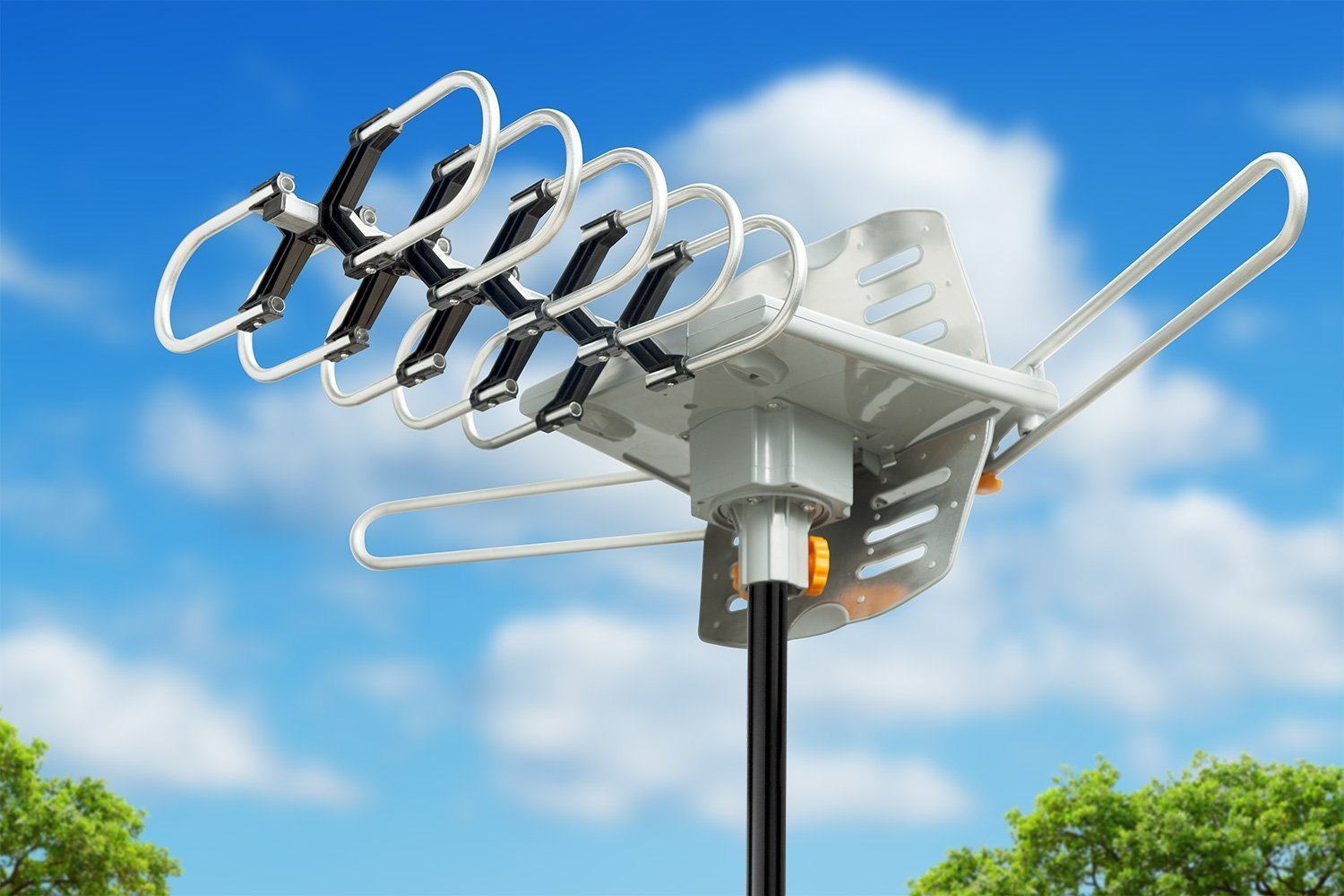
- Attic/Outdoor Yagi or Multi-Element Antennas: Necessary for suburban and rural areas 25–60+ miles away, or locations situated behind hills and dense tree lines.
- Amplified vs. Unamplified: Use an inline preamplifier if you have long coaxial cable runs (over 50 feet) or splitters feeding multiple TVs. Avoid amplifiers if you live within 15 miles of transmitters, as overpowering the TV tuner causes signal distortion and lost channels.
Step 3: Connect and Execute a Channel Scan
Connect your coaxial cable firmly to the ANT/CABLE IN port on the back of your television or external tuner box.
Access your TV's settings menu using your remote control.
Navigate to Channels, Tuner, or Input Settings.
Set the input source to Air, Antenna, or Over-the-Air (do not select Cable).
Select Auto-Program, Channel Scan, or Rescan.
Allow 3 to 10 minutes for the TV to scan all available UHF and VHF physical frequencies.
TV Settings Menu
Select Input: Antenna/Air
Run Channel Auto-Scan
Save Channel Map
Troubleshooting Missing or Pixellated Channels
If expected major networks or subchannels are missing from your channel guide or suffer from frequent digital pixelation (tile-like distortion and audio popping), systematic troubleshooting can restore signal integrity.
1. Re-Orient the Antenna Toward Tower Clusters
Most signal coverage tools give you exact compass headings for local transmitters. Point directional antennas directly toward the tower cluster. If towers are located in opposing directions, consider an omnidirectional antenna or install a rotor system.
2. Move the Antenna Higher and Away from Electronics
Modern electronics generate electromagnetic interference (EMI) that degrades OTA signal quality. Keep indoor antennas away from:
- Wi-Fi routers, mesh nodes, and cable modems
- LED light bulbs and power strip transformers
- Computers, gaming consoles, and microwave ovens
Mounting the antenna near a window facing the broadcast towers yields higher signal-to-noise ratios.
3. Check for VHF Element Requirements
If you receive UHF channels (such as 14.1, 28.1, or subchannels) cleanly, but miss primary channels that broadcast on physical RF 7 through 13, your antenna likely lacks adequate VHF elements. Extend dipole "rabbit ear" rods horizontally or upgrade to a dual-band outdoor antenna designed specifically for both UHF and VHF spectrums.
4. Adjust Signal Amplification
If you live close to a station's transmitter, an active amplifier can saturate your television's front-end tuner, causing it to drop the station entirely. Disconnect active power supplies to test whether an unamplified signal restores missing channels. Conversely, if long cable runs cause weak signals, installing a low-noise preamplifier near the antenna element remedies signal loss.
Frequently Asked Questions
Can I get sports events on an HDTV antenna?
Yes. Major network affiliates (CBS, NBC, ABC, and FOX) transmit high-profile sporting events live and uncompressed over the air. This includes local Sunday NFL games, college football and basketball matchups, premier golf tournaments, Major League Baseball games, soccer tournaments, and major international competitions like the Olympics. However, regional sports networks (RSNs) and cable-exclusive networks (such as ESPN or FS1) are not broadcast over free OTA frequencies.
Do I need internet service to watch channels with an HDTV antenna?
No. Over-the-air television relies entirely on radio signals transmitted directly from local towers to your antenna and TV tuner. No internet connection, cellular data, or Wi-Fi network is required to receive standard ATSC 1.0 broadcasts. An internet connection is only needed if you choose to use certain cloud-based Electronic Program Guides (EPG) on networked tuner boxes or for DRM key handshakes on select ATSC 3.0 NextGen TV streams.
Why do channels sometimes disappear or stutter at night or during storms?
Radio waves are subject to environmental conditions, atmospheric temperature inversions, and physical obstruction. Heavy rain, high winds swaying foliage, and solar phenomena can cause temporary signal attenuation. Additionally, multipath interference—when a signal reflects off moving obstacles like aircraft or trees and arrives at the antenna slightly delayed—causes pixelation or temporary signal loss on older TV tuners.
Will an indoor HDTV antenna work in every room of my home?
Not necessarily. Indoor reception varies significantly depending on wall materials, room elevation, and window orientation. Ground-level rooms, basements, and interior spaces enclosed by foil-faced insulation, stucco, metal siding, or concrete block walls significantly weaken incoming broadcast signals. Installing an antenna on an upper level or near an exterior window facing broadcast towers provides the most reliable connection.
What is the difference between virtual channels and physical RF channels?
A physical RF channel refers to the actual radio frequency spectrum assigned to a transmitter (e.g., RF Channel 15). A virtual channel (e.g., Channel 2.1) is a digital label embedded within the broadcast data stream (PSIP) that directs your TV to display a familiar station number regardless of which frequency the station physically broadcasts on. This preserves historic station branding following spectrum reallocations.
Final Recommendation and Next Steps
To maximize the free channels available at your location, start by generating a free signal report on the official FCC DTV Maps or RabbitEars.info database using your physical address. Use the resulting frequency data to select an antenna rated for your local broadcast distance and active spectrum bands (UHF and VHF-High). Position the antenna as high as possible, orient it toward the main transmitter cluster, and perform a full channel scan on your TV to unlock your local over-the-air broadcast lineup.
Image Gallery