How to Send a Statement from Your Auto Insurance
Sending a statement from your auto insurance—whether it is a declarations page, a certificate of insurance, or a claims payout history—typically involves logging into your insurer's digital customer portal, downloading the relevant PDF...
Sending a statement from your auto insurance—whether it is a declarations page, a certificate of insurance, or a claims payout history—typically involves logging into your insurer's digital customer portal, downloading the relevant PDF document, and transmitting it via email, secure upload portal, or physical mail to the requesting party.
Contents
Navigating the administrative requirements of auto insurance documentation can sometimes feel daunting, particularly when a third party such as a lender, a landlord, an employer, or a legal representative requests official proof of your coverage or financial history. Insurance statements serve as legally binding summaries of your policy parameters, liability limits, deductible amounts, and premium structures. Understanding how to securely access, retrieve, and transmit these documents ensures that your personal information remains protected while meeting the exact verification requirements of the requesting entity. This guide explores the procedural mechanics of locating, formatting, and successfully sending your auto insurance statements across various digital and traditional channels.
Identifying the Type of Insurance Statement Required
Before initiating the transmission process, you must accurately identify which specific type of document the requesting party requires. Insurance companies generate several distinct types of statements, and sending the wrong document can lead to processing delays or rejected applications.
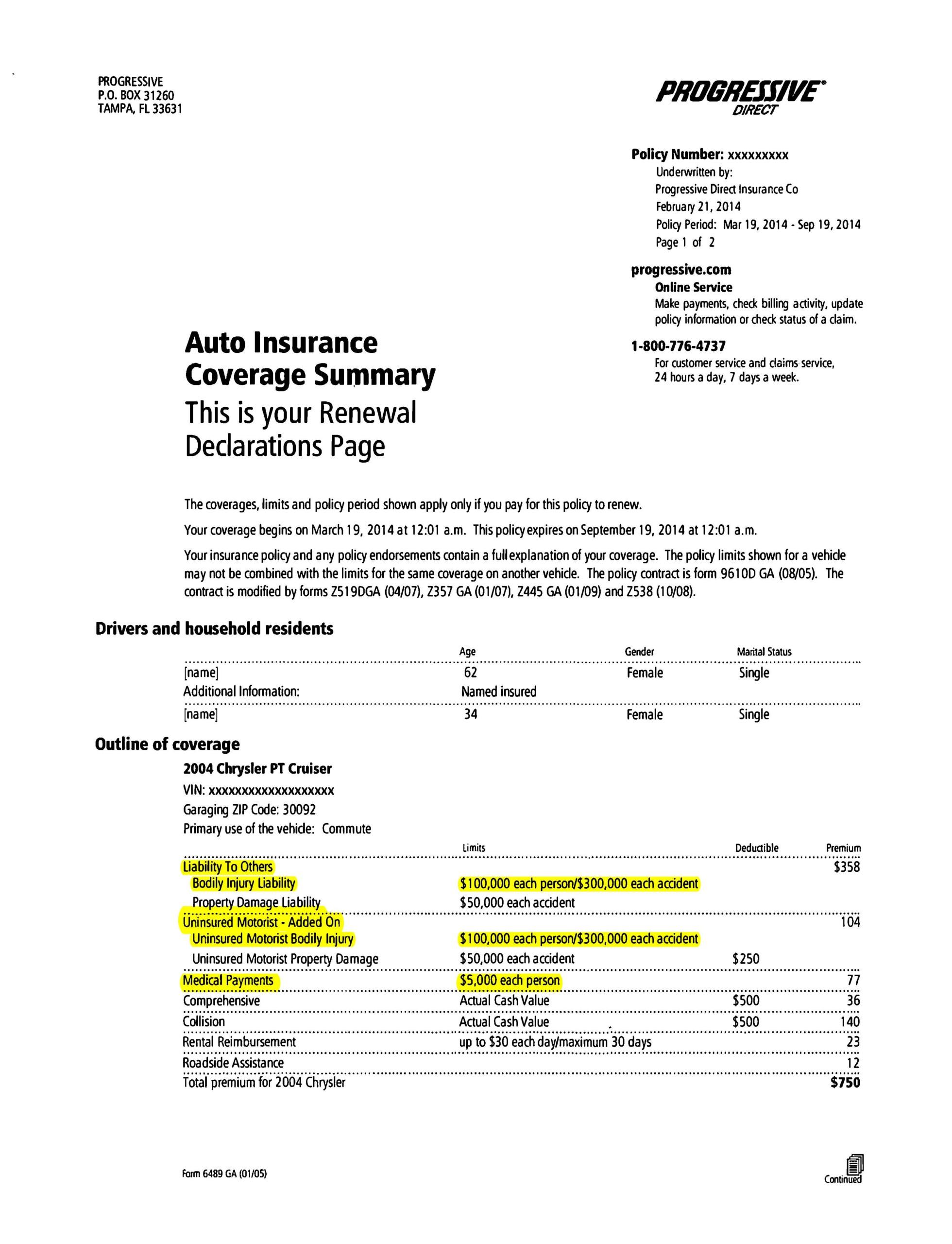
The most frequently requested document is the declarations page (often referred to as the "dec page"). This single-page or multi-page summary outlines your policy number, named insureds, covered vehicles with their Vehicle Identification Numbers (VINs), effective policy dates, coverage types, liability limits, and premium costs. Lenders, leasing companies, and employers routinely request this document to verify that active coverage is in place.
Other common statements include:
- Certificate of Insurance (COI): A formal document often used in commercial or rideshare contexts to prove specific liability limits to a third party.
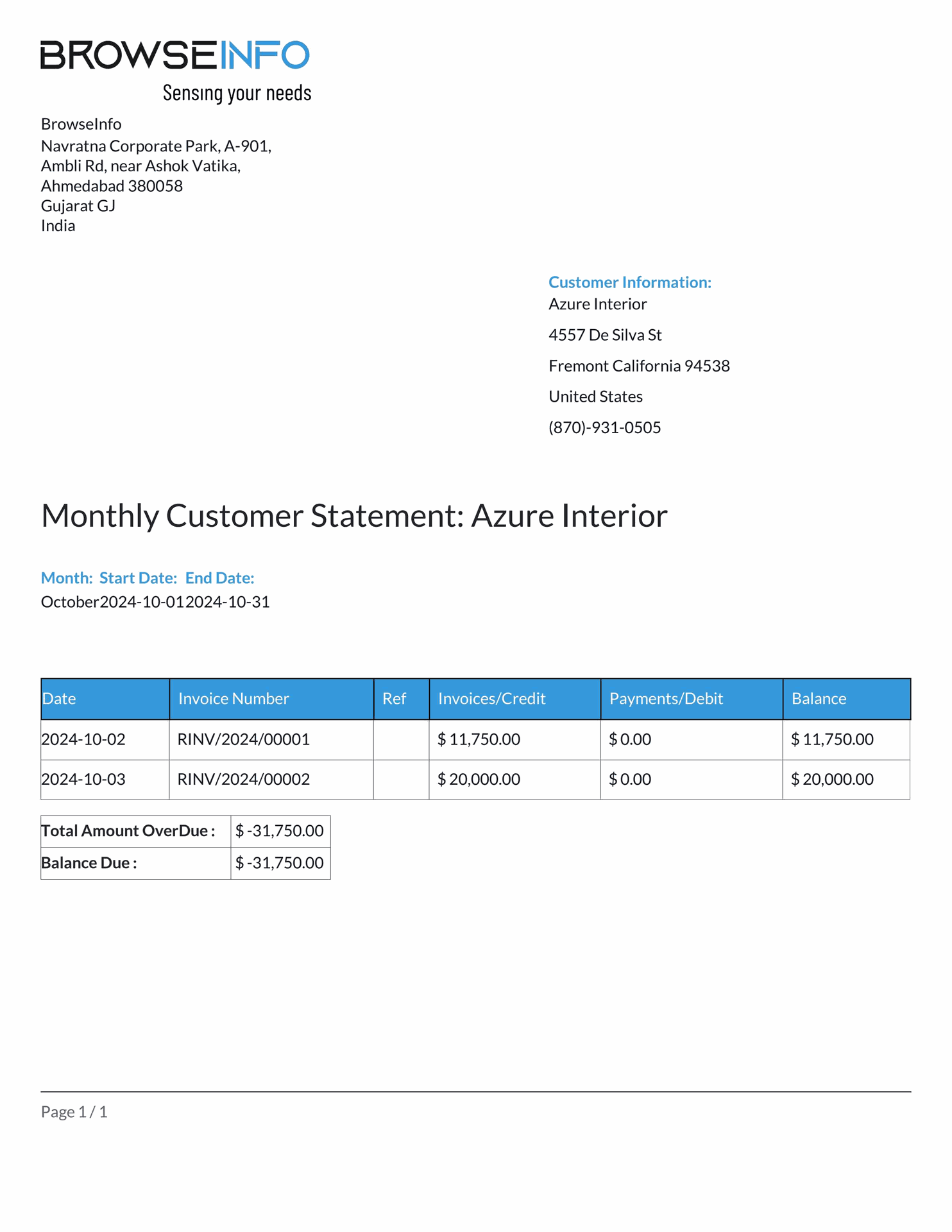
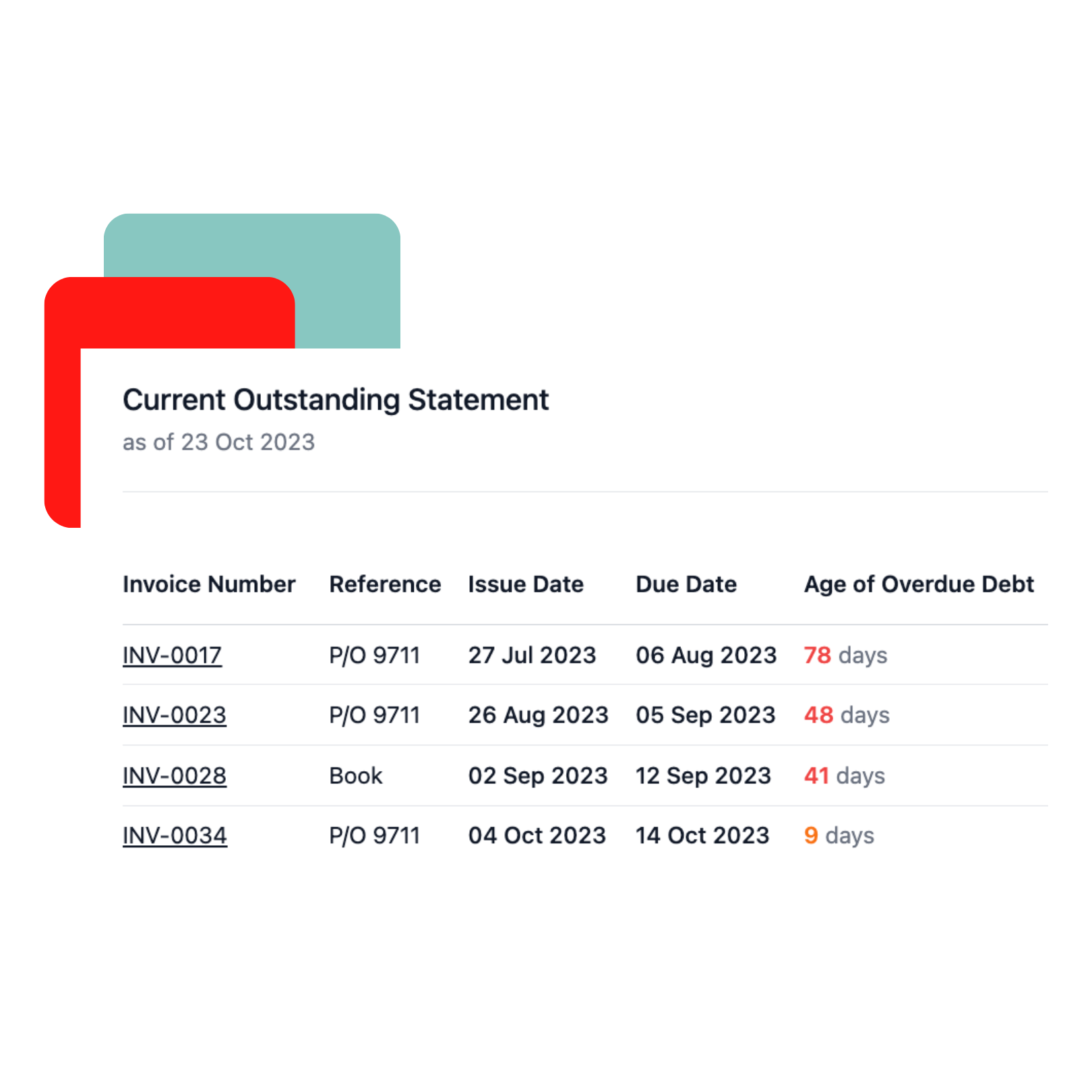
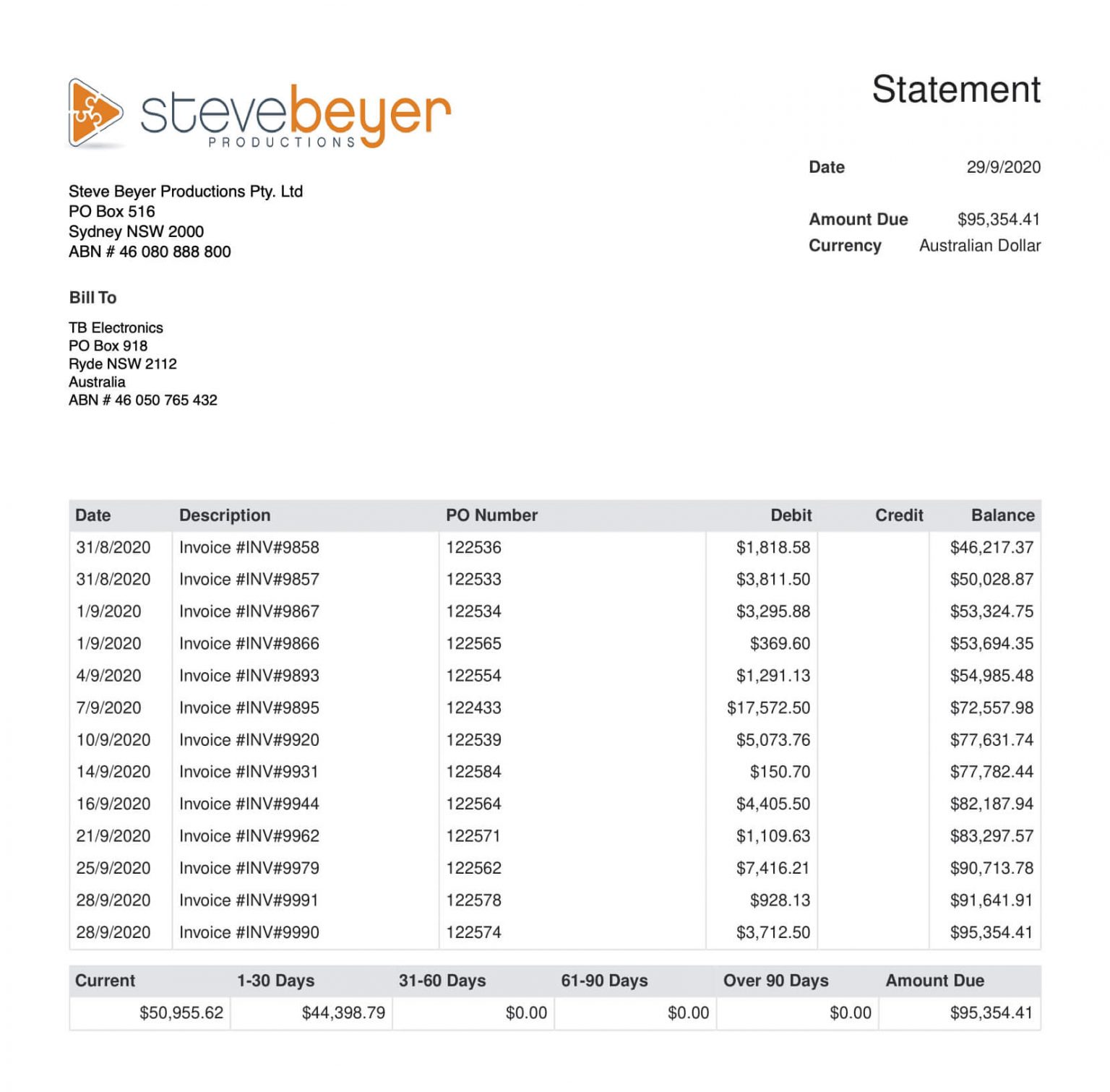
- Billing or Account Statement: A ledger showing your payment history, current balance, upcoming due dates, and past transaction records. This is frequently requested during mortgage underwriting or debt consolidation processes.
- Claims History Report (Loss Run Report): A formal record detailing any insurance claims filed under your name over a specific period, typically requested by prospective employers or new insurance underwriters.
Accessing Your Documents via Digital Customer Portals
In contemporary insurance administration, the vast majority of auto insurance statements are managed, archived, and distributed through online customer portals and mobile applications provided by carriers.
To access your documents digitally, navigate to your insurance provider’s official website or open their dedicated mobile application. Log in using your registered credentials, multi-factor authentication codes, or biometric verification methods. Once inside the dashboard, look for a section labeled "Documents," "Policy Documents," "Billing," or "ID Cards & Statements."
Most modern portals organize documents chronologically or by policy period. Locate the specific statement type you need and verify the date range to ensure it reflects your active or requested timeframe. Select the document to open it; it will typically render as a Portable Document Format (PDF) file. Click the download or export icon to save the file locally to your computer, smartphone, or tablet device. Always inspect the downloaded file to ensure it is complete, legible, and uncorrupted before proceeding to send it.
Transmission Methods: How to Send Your Statement Securely
Once you have successfully downloaded your auto insurance statement, you must choose the appropriate transmission channel based on the security requirements and preferences of the recipient.
Email Transmission
Sending a PDF via email is the most common method. However, auto insurance statements contain sensitive personally identifiable information (PII), including your home address, driver's license number, policy details, and sometimes financial account data. If you are sending the document via standard email, consider password-protecting the PDF file using Adobe Acrobat or your operating system's built-in file encryption tools, and send the password through a separate communication channel, such as an SMS text message or a phone call. Alternatively, use a secure email service if required by corporate or legal recipients.
Secure Upload Portals
Many institutional recipients—such as banks, mortgage underwriters, corporate HR departments, and legal offices—provide dedicated, encrypted web portals where you can upload verification documents. These portals utilize Transport Layer Security (TLS) encryption to protect data in transit. Drag and drop your downloaded insurance statement into the designated upload field, verify that the file upload is complete, and submit any accompanying confirmation forms.
Traditional Mail and Facsimile
For traditional institutions, government bodies, or legal proceedings that explicitly mandate physical paperwork, you may need to print a hard copy of your insurance statement. Ensure your printer settings scale the document properly without cutting off margins or policy numbers. Mail the physical document via certified mail with a return receipt requested, or transmit it via a secure facsimile machine, ensuring you obtain a transmission confirmation sheet for your records.
Summary of Auto Insurance Document Types and Uses
| Document Type | Primary Contents | Common Requestors | Recommended Transmission Method |
|---|---|---|---|
| Declarations Page | Policy limits, deductibles, vehicles, named insureds | Lenders, leasing companies, landlords | Secure upload portal or encrypted email |
| Billing Statement | Payment history, balance due, transaction ledger | Mortgage underwriters, financial advisors | Secure web portal or password-protected PDF |
| Loss Run Report | History of filed claims and payout amounts | Prospective employers, new insurance carriers | Certified mail or encrypted digital transfer |
| Certificate of Insurance | Specific liability limits, additional insured status | Commercial clients, event venues, employers | Direct corporate email or dedicated portal |
Prerequisites and Verification Before Sending
Before you dispatch your auto insurance statement to any third party, perform a meticulous quality control review. Ensure that the document is entirely up to date. Sending an expired declarations page is one of the most common reasons verification requests are rejected. Check the effective and expiration dates listed on the document to confirm that the policy covers the specific timeframe mandated by the recipient.
Additionally, verify whether the requesting entity requires specific endorsements. For instance, auto loan lenders and vehicle leasing companies frequently require that they be explicitly listed on your policy as a "Loss Payee" or "Lienholder." If your current statement does not reflect this designation, you will need to contact your insurance agent or log into your portal to update your policy endorsements before generating and sending the statement. Failing to include required lienholder clauses can result in breach of contract notifications from your financier.
Common Mistakes to Avoid
Managing and transmitting insurance documents requires precision to protect your personal security and ensure administrative compliance. Avoid these frequent pitfalls:
- Sending Unredacted Financial Data: If your billing statement includes linked checking account numbers or credit card digits, crop or redact those sensitive financial details if the recipient only requires proof of payment status or address verification.
- Using Screenshots Instead of PDFs: Smartphone screenshots of insurance apps often crop out vital policy details, headers, or timestamps. Always download the official PDF version rather than submitting images.
- Ignoring Document Expiration: Submitting a statement that lapses mid-transaction can cause administrative delays. Always ensure your coverage is active and renewed before pulling historical or current statements.
- Transmitting to Unverified Recipients: Never send insurance documents to unverified email addresses or unencrypted third-party messaging apps. Always confirm the official domain name of the organization requesting the verification.
Frequently Asked Questions
Can I send a digital insurance card instead of a full statement?
While a digital insurance card proves that your vehicle is legally insured for driving purposes, it does not replace a declarations page or billing statement when a third party requires proof of specific liability limits, comprehensive coverage, or policy dates. Always clarify whether the recipient needs a proof-of-insurance card or a comprehensive policy statement.
How do I get my insurance statement if my online portal is down?
If you cannot access your digital customer portal, you can contact your insurance company's customer service telephone hotline directly. A licensed representative can verify your identity and email or fax the official policy documents directly to you or to a verified third-party recipient on your behalf.
Is it safe to email my auto insurance declarations page?
Standard email is not inherently encrypted, meaning emails can theoretically be intercepted during transit. To maximize security, password-protect the PDF document before attaching it to an email, or utilize the recipient's secure, encrypted document upload portal whenever one is available.
What should I do if my insurance statement lists the wrong address or vehicle?
If you notice outdated personal information, an incorrect address, or a missing vehicle on your statement, do not send it to the requesting party. Contact your insurance agent immediately to execute a policy endorsement, update your records, and request a newly generated declarations page reflecting the correct information.
Do insurance companies charge fees to send statements?
In most cases, downloading digital statements through customer portals or requesting them via standard email is entirely free. However, some traditional carriers may charge nominal administrative or postage fees if you request physical copies to be mailed via postal services or expedited couriers.
Conclusion and Next Actions
Successfully sending a statement from your auto insurance hinges on identifying the precise document required, downloading the official uncorrupted PDF from your carrier's portal, verifying its accuracy and date validity, and transmitting it through a secure, encrypted channel. Start by checking the exact requirements of the requesting party, log into your insurer's portal to retrieve the document, and prioritize encrypted upload methods or password-protected emails to safeguard your personal information throughout the verification process.
Image Gallery