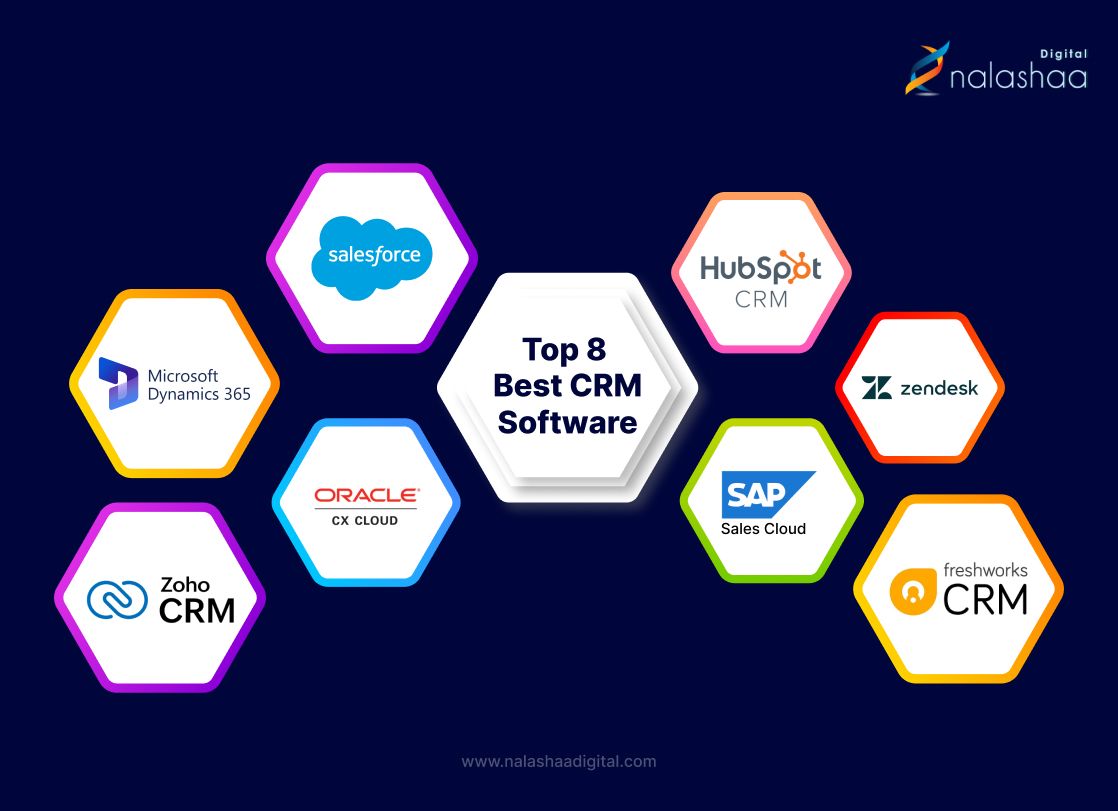
The Best Top Rated Sales CRM Software for Growing Teams in 2026
The best sales CRM software for growing teams in 2026 balances intuitive usability with enterprise-grade scalability, led by HubSpot, Salesforce, and Pipedrive. These platforms prioritize automated data entry, predictive AI forecasting...
The best sales CRM software for growing teams in 2026 balances intuitive usability with enterprise-grade scalability, led by HubSpot, Salesforce, and Pipedrive. These platforms prioritize automated data entry, predictive AI forecasting, and seamless integrations, allowing sales organizations to expand their headcount and lead volume without increasing administrative overhead or losing data integrity.
Contents
Selecting a Customer Relationship Management (CRM) platform is one of the most consequential decisions a sales leader can make. For a growing team, the challenge is twofold: you need a system that is simple enough for new hires to adopt quickly, yet robust enough to handle the complex reporting and automation requirements that emerge as the business scales. In 2026, the market has moved beyond simple digital Rolodexes toward "intelligent growth engines" that proactively manage the sales pipeline.
Defining the "Growing Team" CRM Requirements
Before evaluating specific software, it is vital to understand what differentiates a CRM for a "growing team" from one designed for a solo entrepreneur or a static enterprise. Growth implies transition, which means the software must facilitate change without breaking existing workflows.
Scalability and Modular Architecture
A growing team cannot afford to outgrow its software every 18 months. The best CRMs in 2026 utilize modular architectures. This allows a team to start with core lead management and add advanced modules—such as CPQ (Configure, Price, Quote), revenue operations (RevOps) dashboards, or international currency support—only when they become necessary. This "pay-as-you-grow" model prevents teams from being overwhelmed by features they do not yet need while ensuring the ceiling for growth is virtually limitless.
Automation and AI-Driven Productivity
As lead volume increases, manual data entry becomes the enemy of scale. Modern sales teams require a CRM that leverages AI to scrape contact data from LinkedIn, record and transcribe Zoom or Teams calls, and automatically update deal stages based on buyer behavior. By 2026, AI assistants have become standard, acting as "digital sales assistants" that remind reps of follow-ups and suggest the best "next action" based on historical win rates.
Data Visibility and Cross-Functional Alignment
Growth often creates silos. A high-rated CRM must serve as the single source of truth for sales, marketing, and customer success. When a team grows from five to fifty people, the ability to see the entire customer journey—from the first ad click to the latest support ticket—is essential for maintaining a personalized customer experience at scale.
Top Rated Sales CRM Software for 2026
The following platforms have consistently earned top ratings for their reliability, feature sets, and ability to support rapid organizational expansion.
1. HubSpot: The King of User Adoption
HubSpot remains the primary choice for teams that prioritize ease of use and internal adoption. Its "Sales Hub" is built on the same database as its Marketing and Service hubs, ensuring that as a team grows, there is no "friction" between departments.
- Why it's great for growth: HubSpot’s interface is famously intuitive. For a team hiring five new reps a month, the reduced training time is a significant cost saver.
- Key 2026 Features: Enhanced "Breeze AI" capabilities that automate lead enrichment and provide real-time coaching during live calls.
- The Scalability Path: Teams can start on the "Professional" tier and transition to "Enterprise" as they require advanced features like predictive lead scoring and multi-touch attribution.
2. Salesforce Sales Cloud: The Enterprise Standard
Salesforce continues to dominate the market for teams that require deep customization and have complex, non-standard sales processes. If your growing team has a dedicated Sales Operations (SalesOps) manager, Salesforce is often the logical choice.
- Why it's great for growth: There is almost no business process that Salesforce cannot handle. Its AppExchange ecosystem allows teams to plug in thousands of third-party tools for everything from specialized e-signatures to complex commission tracking.
- Key 2026 Features: Data Cloud integration is now native, allowing teams to ingest massive amounts of external data to build 360-degree customer profiles without custom API development.
- The Scalability Path: While the initial setup is complex, Salesforce can support a team from its first ten employees to ten thousand.
3. Pipedrive: Built for Activity-Based Selling
Pipedrive is specifically designed for sales teams that want to focus on the actions that drive deals forward. Its visual pipeline remains the benchmark for clarity in the industry.
- Why it's great for growth: It prevents "deal stagnation." For growing teams that struggle with pipeline hygiene, Pipedrive’s interface makes it obvious which deals are rotting and which need immediate attention.
- Key 2026 Features: Advanced workflow automation that can trigger emails, Slack alerts, and task assignments across the entire sales cycle without requiring a developer.
- The Scalability Path: Ideal for small-to-mid-market teams that want to remain lean and focused on high-velocity outbound sales.
4. Zoho CRM: The Value-Driven Powerhouse
Zoho CRM offers a feature set comparable to Salesforce but at a significantly lower price point, making it attractive for boot-strapped or high-growth startups mindful of "burn rates."
- Why it's great for growth: The Zoho One suite provides over 40 integrated business apps. As a sales team grows, the company can easily add Zoho Books for accounting or Zoho Recruit for hiring, all sharing the same data.
- Key 2026 Features: "Zia," Zoho’s AI, has evolved to provide highly accurate revenue forecasting and anomaly detection, alerting managers if a rep's performance suddenly dips.
Comprehensive Comparison of Top Sales CRMs
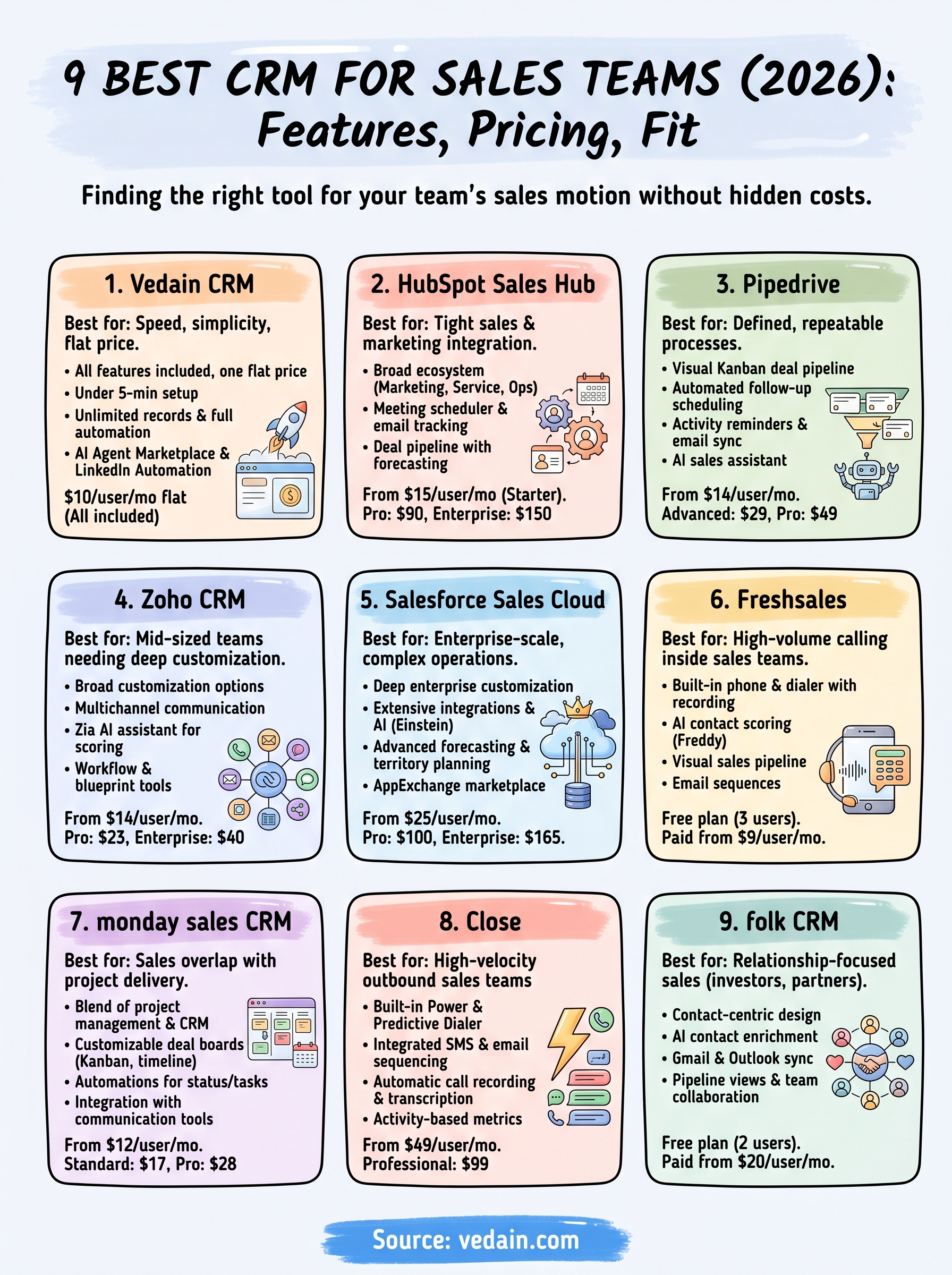
| Feature | HubSpot Sales Hub | Salesforce Sales Cloud | Pipedrive | Zoho CRM |
|---|---|---|---|---|
| Primary Strength | User Experience & All-in-One | Customization & Ecosystem | Visual Pipeline Focus | Value & Suite Integration |
| Ideal Team Size | 10 – 500+ | 50 – 10,000+ | 5 – 200 | 10 – 1,000+ |
| Setup Complexity | Low to Medium | High | Very Low | Medium |
| AI Capabilities | Predictive & Coaching | Generative & Deep Data | Activity Recommendations | Forecasting & Alerts |
| Mobile App | Excellent | Robust but Complex | Great for Field Sales | Strong & Offline Ready |
| 2026 Starting Price | ~$450/mo (5 users) | ~$25/user/mo (Basic) | ~$14/user/mo | ~$14/user/mo |
Critical Factors for Evaluating Your Choice
When selecting your platform in 2026, look beyond the marketing brochures and evaluate these three technical dimensions:
Integration Ecosystem
A CRM does not live in a vacuum. A growing team uses Slack for communication, Zoom for meetings, LinkedIn for prospecting, and perhaps PandaDoc for contracts. The "best" CRM is the one that integrates most natively with your existing tech stack. Check for "Bi-directional Sync"—this ensures that if a phone number is updated in the CRM, it is also updated in your marketing automation tool and vice versa.
Mobile and Remote Accessibility
With hybrid and remote work being the standard in 2026, the mobile experience is no longer a "nice to have." Sales reps in the field or working from home need the ability to scan business cards, update deal stages, and access customer history on the go. The best-rated CRMs offer offline modes, allowing data to be cached and synced once a connection is re-established.
Reporting and Revenue Intelligence
For management, the CRM is a reporting tool. As the team grows, you need to move beyond "how many calls were made?" toward "what is our customer acquisition cost (CAC) by channel?" and "which reps have the highest pipeline velocity?" Look for CRMs that offer "Revenue Intelligence" or "Sales Analytics" out of the box, rather than requiring you to export data to a separate BI tool like Tableau or PowerBI.
Common Pitfalls for Growing Teams
Many teams fail in their CRM implementation not because the software is bad, but because their strategy is flawed.
- Over-complicating the Setup: It is tempting to build out every possible field and automation on day one. This leads to "form fatigue," where reps stop using the CRM because it takes too long to log a call. Start simple and add complexity only when the data demands it.
- Neglecting Data Hygiene: In a growing team, "dirty data" (duplicates, old leads, incorrect emails) spreads like a virus. Choose a CRM with built-in de-duplication tools and mandatory field requirements to ensure the database remains actionable.
- Ignoring the "Mobile-First" Rep: If the CRM is difficult to use on a smartphone, your reps will keep their notes in their pockets or on separate spreadsheets, defeating the purpose of a centralized system.
Implementation Steps for Success
To successfully deploy a top-rated CRM in 2026, follow this sequence:
- Audit Current Workflows: Document how a lead currently moves from "New" to "Closed-Won." Identify the bottlenecks that are slowing down your current team.
- Clean Your Data: Before migrating to a new CRM, purge inactive contacts and standardize your formatting (e.g., ensuring all phone numbers use international codes).
- Appoint a CRM Champion: Identify one high-performing rep to be the "internal expert." Peers are more likely to adopt a new tool if they see a successful colleague using it effectively.
- Phased Rollout: Start with a pilot group (one small team) to iron out bugs in the automation before rolling the software out to the entire organization.
Frequently Asked Questions
Which CRM is best for a team that is doubling in size this year?
HubSpot is generally considered the best for rapid scaling due to its flat learning curve and the ability to add new seats and modules instantly. Its "Starter" to "Professional" transition is smoother than most competitors, making it ideal for teams undergoing 100% year-over-year growth.
Do I really need AI features in my CRM in 2026?
Yes. By 2026, AI is no longer a luxury; it is a competitive necessity. AI-driven CRMs can automate up to 30% of a sales rep's administrative tasks, such as summarizing meetings and updating contact info. For a growing team, this means your existing reps can handle more leads without hiring additional support staff.
How much should a growing team expect to spend on a CRM?
While entry-level tiers start around $15–$25 per user per month, a "growing team" typically needs professional features like automation and advanced reporting. Budget between $80 and $150 per user per month for a fully-featured system that includes technical support and integration capabilities.
Can we switch CRMs later if we make the wrong choice?
While "data portability" has improved by 2026, switching CRMs remains a significant undertaking that involves data mapping, retraining, and potential downtime. It is much more cost-effective to spend an extra 20% on a platform that can grow with you for five years than to choose the cheapest option today and have to migrate in twelve months.
Practical Recommendation
For most growing sales teams in 2026, HubSpot Sales Hub offers the best balance of power and simplicity. It scales gracefully from a five-person team to an enterprise organization. However, if your business model involves highly complex, multi-layered sales cycles that require bespoke logic, Salesforce remains the gold standard. Before committing, sign up for a 14-day trial of your top two choices and have your most active sales rep test the mobile app—if they find it easy to use, the rest of the team likely will too.
Image Gallery