Why the QuickBooks Payroll Only Plan Beats Most Small Business Options
The QuickBooks Payroll standalone plan provides a specialized, high-performance solution for businesses that require robust tax automation and direct deposit speed without the overhead of a full accounting suite. It outperforms competi...
The QuickBooks Payroll standalone plan provides a specialized, high-performance solution for businesses that require robust tax automation and direct deposit speed without the overhead of a full accounting suite. It outperforms competitors by offering a seamless "No-Penalty Guarantee," same-day direct deposit, and an integrated employee benefits ecosystem that scales effortlessly as a workforce grows.
Contents
Understanding the QuickBooks Payroll Standalone Model
For many years, a common misconception persisted among entrepreneurs that QuickBooks Payroll was strictly an "add-on" for the QuickBooks Online accounting software. In 2026, the reality is far more flexible. The standalone QuickBooks Payroll plan is a dedicated software-as-a-service (SaaS) product designed specifically for business owners who may use alternative accounting methods—such as Xero, FreshBooks, or even traditional ledger systems—but still want the industry-leading power of Intuit’s payroll engine.
Choosing a standalone payroll plan allows a business to isolate its labor costs and compliance requirements. This separation is particularly useful for companies with complex payroll needs but simple bookkeeping requirements. By utilizing the "Payroll Only" option, users gain access to full-service tax filing, automated payroll runs, and a comprehensive employee portal without paying for accounting features they do not intend to use. This modular approach is the primary reason why QuickBooks remains a dominant force even among businesses that have moved away from the broader Intuit ecosystem.
Cost Efficiency: Breaking Down the Standalone Advantage
When analyzing the financial feasibility of a payroll provider, small business owners must look beyond the base monthly fee. The value proposition of QuickBooks Payroll in 2026 lies in its tiered structure, which allows businesses to pay only for the level of service they require. Unlike many "boutique" payroll providers that charge extra for tax filings in multiple states or for year-end W-2 processing, QuickBooks builds these essential functions into its core pricing.
The three primary tiers—Core, Premium, and Elite—offer distinct advantages:
- QuickBooks Payroll Core: This is the entry-point for small teams. It includes automated tax calculations, full-service payroll, and next-day direct deposit. For a business with five employees, the total cost often sits significantly lower than mid-market competitors like ADP or Paychex, which frequently hide fees behind "custom quotes."
- QuickBooks Payroll Premium: As a business scales, the Premium tier introduces same-day direct deposit and a dedicated HR Support Center. This tier beats competitors by including a Workers’ Compensation integration that eliminates the need for large upfront deposits, instead using a "pay-as-you-go" model based on actual payroll data.
- QuickBooks Payroll Elite: This top-tier plan is designed for high-stakes environments. It includes an "Auto-Payroll" feature for salaried employees and, most importantly, the Tax Penalty Protection. If a mistake is made by the software, Intuit covers the resulting tax penalties and interest up to $25,000, a level of financial security that most independent payroll apps cannot match.
Automation and Tax Compliance in 2026
The complexity of payroll tax compliance has increased significantly over the last decade. With the rise of permanent remote work, a single small business might have employees living in five different states, each with its own withholding rules, local taxes, and unemployment insurance rates. QuickBooks Payroll manages this complexity through a massive, frequently updated database of tax jurisdictions.
One of the most significant reasons this plan beats other options is the automated tax filing system. Once the initial setup is complete, the software automatically calculates, files, and pays federal and state payroll taxes. While other platforms offer "assisted" filing where the user must still approve every move, QuickBooks allows for a "hands-off" approach that is critical for busy founders.
The software also handles the filing of Forms 941, 944, and 940 at the federal level, along with state-specific equivalents. In an era where the IRS and state tax agencies have increased their audit frequencies, having a centralized digital record of every filing—backed by a multi-billion dollar corporation—provides a level of "audit-readiness" that manual spreadsheets or cheaper, less-supported apps lack.
Feature Comparison: QuickBooks vs. The Competition
To understand why the standalone QuickBooks plan is superior, it is helpful to compare it directly against other popular options like Gusto, OnPay, and ADP.
| Feature | QuickBooks Payroll (Premium) | Gusto (Simple/Plus) | ADP (Run/Roll) | OnPay |
|---|---|---|---|---|
| Direct Deposit Speed | Same-day | 2-day or Next-day | Next-day | 2-day or 4-day |
| Tax Penalty Protection | Included in Elite ($25k) | Optional/Limited | Paid Add-on | Limited |
| Workers' Comp | Pay-as-you-go (Integrated) | Integrated | Integrated | Integrated |
| HR Support | Live HR Advisors (Elite) | HR Resource Center | Varies by tier | Limited |
| Multi-State Filing | Included | Often an extra fee | Extra fee per state | Included |
| Mobile Access | Comprehensive App | Mobile Web/App | Mobile App | Mobile Web |
The standout metric here is the Same-Day Direct Deposit. For many small businesses, cash flow can be tight. Being able to run payroll on a Friday morning and have employees see the funds in their accounts by Friday afternoon is a massive operational advantage. Most competitors still require a 24-to-48-hour "lead time," which forces business owners to predict their cash positions much earlier in the week.
Employee Experience and Self-Service Portals
A payroll system is only as good as the experience it provides to the people being paid. QuickBooks Payroll uses the QuickBooks Workforce portal, which has become a standard in the industry. Through this portal, employees can:
- Download W-2s and pay stubs without contacting the owner.
- Update their withholding (W-4) information directly.
- View their available Paid Time Off (PTO) balances.
- Track hours through the integrated Time Tracking (formerly TSheets) if the Premium or Elite plan is used.
By shifting these administrative tasks to the employees, business owners save hours of "back-and-forth" communication. Furthermore, the 2026 version of the Workforce app includes advanced AI-driven financial insights for employees, helping them understand their net take-home pay after deductions—a feature that fosters transparency and trust within a small team.
Practical Considerations and Operational Limitations
While the QuickBooks Payroll only plan is a powerhouse, it is essential to understand its prerequisites. To use it as a standalone product, you still need to create an Intuit account. If you eventually decide to move your entire accounting to QuickBooks Online, the transition is instantaneous, as the data is already within the Intuit ecosystem.
However, there are two primary limitations to consider:
- Initial Setup Time: Because the software takes on the responsibility for tax filings, the onboarding process is rigorous. You must have your EIN, state tax IDs, and previous payroll history ready. If these are entered incorrectly, the automation can fail.
- Customer Support Tiers: While Elite users get a dedicated specialist, Core users primarily rely on chat support and help articles. Businesses that prefer a dedicated human "account manager" may find the Core tier frustrating during complex troubleshooting.
Disclaimer: Payroll tax laws and financial regulations vary by jurisdiction. Business owners should consult with a certified tax professional or CPA to ensure full compliance with local and federal mandates.
Common Mistakes When Choosing a Payroll Plan
Many small business owners fall into the trap of choosing the cheapest possible option, only to be hit with hidden costs later. A common mistake is selecting a provider that does not include Local Tax filings. In states like Pennsylvania or Ohio, local taxes are notoriously difficult to track. QuickBooks Payroll’s automated local tax engine is one of the few that handles these complexities without requiring the user to manually enter local rates for every municipality.
Another mistake is ignoring scalability. A "budget" payroll app might work for two employees in the same office, but as soon as you hire a remote contractor or a part-time employee in another state, that budget app often breaks. QuickBooks Payroll is built on an enterprise-grade infrastructure that handles 50 employees just as easily as it handles five.
Frequently Asked Questions
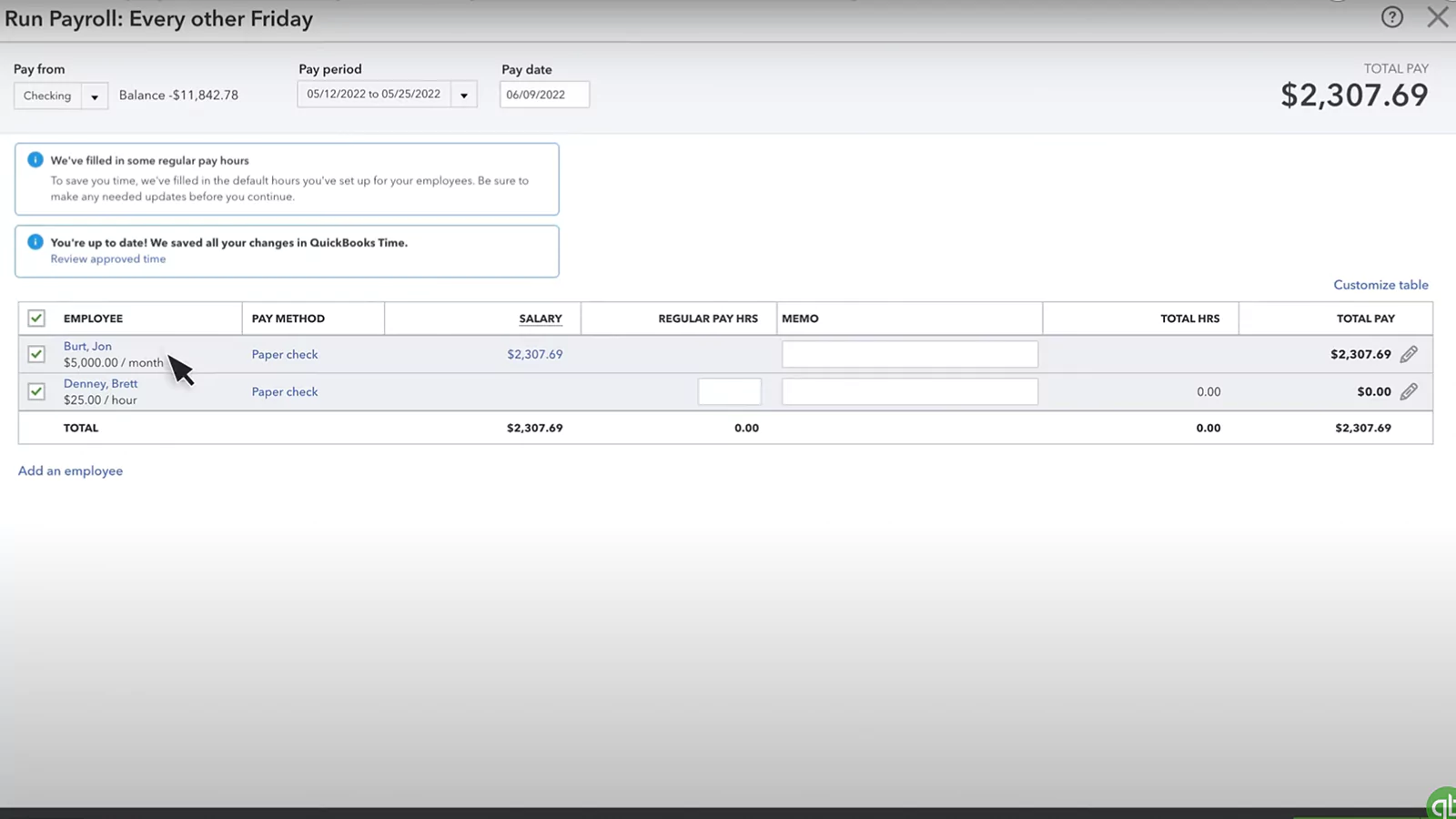
Can I really use QuickBooks Payroll without buying the accounting software? Yes. You can subscribe to QuickBooks Payroll as a standalone service. During the signup process, you simply select the payroll plan you want without adding a QuickBooks Online accounting subscription. You will still have a dashboard to manage employees and run reports, but you won't have the general ledger, invoicing, or bill-pay features of the full suite.
How does same-day direct deposit actually work? For Premium and Elite subscribers, as long as you submit your payroll data before 7:00 AM PT on the day you want employees to be paid, the funds are processed and deposited by the end of that business day. This is contingent on your bank’s processing times, but QuickBooks initiates the transfer immediately, which is significantly faster than the standard ACH cycles used by smaller providers.
Is the Tax Penalty Protection worth the cost of the Elite plan? For businesses with high turnover or those operating in multiple states, the Elite plan is highly recommended. The cost of a single filing error—such as missing an unemployment insurance update or a local tax change—can easily exceed $1,000 in penalties. The $25,000 protection acts as an insurance policy for your compliance department.
Does QuickBooks Payroll handle 1099 contractors? Yes. You can use the system to pay contractors via direct deposit and file their 1099-NEC forms at year-end. This is an essential feature for modern small businesses that rely on a mix of W-2 employees and 1099 freelancers.
What happens if I decide to switch to QuickBooks Online for my accounting later? The transition is seamless. Since your payroll is already on the Intuit platform, adding an accounting subscription simply "unlocks" new tabs in your existing dashboard. Your employee data, historical tax filings, and payroll bank settings will automatically sync with your new general ledger.
Final Recommendation for Small Business Owners
For the small business owner in 2026, the QuickBooks Payroll Premium plan represents the "sweet spot" of value and performance. It offers the same-day direct deposit functionality that provides vital cash-flow flexibility, while the integrated workers' compensation and HR center handle the most tedious aspects of personnel management.
If your primary goal is to "set it and forget it" regarding payroll taxes while ensuring your employees have a professional, modern experience, the standalone QuickBooks Payroll plan is currently the most robust option on the market. To get started, gather your previous four quarters of payroll data and your state withholding IDs to ensure a smooth transition during the initial setup phase.
Image Gallery