How Can I Cancel Uber in 2026: Complete Account and Ride Termination Guide
Navigating the digital ecosystem of modern ridesharing platforms requires clear, precise steps, especially when dealing with financial commitments or account security. Whether you are trying to halt an active trip, delete your entire p...
Navigating the digital ecosystem of modern ridesharing platforms requires clear, precise steps, especially when dealing with financial commitments or account security. Whether you are trying to halt an active trip, delete your entire passenger profile, or terminate a recurring Uber One membership, understanding the exact technical mechanisms of the platform is critical. As of 2026, Uber has streamlined several of its user interface pathways, yet specific cancellation fees, data retention policies, and subscription terms continue to govern how users exit the service. This comprehensive guide outlines the precise procedures required to safely cancel an active ride, terminate a subscription plan, and permanently delete your Uber account.
Contents
Understanding Your Cancellation Options: Rides, Memberships, and Accounts
Before initiating any cancellation sequence, it is essential to identify the exact service layer you wish to terminate. The platform encompasses distinct operational tiers, each governed by separate algorithmic rules, billing cycles, and penalty frameworks. Confusing a ride cancellation with an account deletion can result in unexpected charges or incomplete data purging.
- Active Ride Cancellations: Refers to halting a trip request or a booked journey before or during transit. This tier involves real-time driver matching and potential dynamic fee structures.
- Uber One Membership Terminations: Involves canceling recurring monthly or annual subscription charges while retaining the underlying user profile.
- Permanent Account Deletion: Represents the complete wiping of user data, historical trip logs, payment methods, and profile credentials from active servers.
To help clarify the differences in financial and operational impact, the following breakdown contrasts these three distinct actions.
| Cancellation Type | Financial Impact | Data Retention | Reversibility |
|---|---|---|---|
| Active Ride | Potential cancellation fee if canceled past the grace period. | Trip request logged in history. | Immediate; requires re-booking a new trip. |
| Uber One Subscription | Stops future billing; access remains until the paid cycle ends. | Membership history retained in profile. | Reversible by re-subscribing at current 2026 rates. |
| Account Deletion | Forfeits all active Uber Cash, credits, and promotions. | Data purged per regional privacy laws (e.g., GDPR/CCPA). | Irreversible after a 30-day grace period. |
Step-by-Step Guide to Canceling an Active Uber Ride
Canceling a ride in progress or a trip request that has already matched with a driver requires careful timing to avoid unnecessary financial penalties. The platform utilizes a short window for penalty-free cancellations, typically lasting between two to five minutes after the driver accepts the dispatch.
- Open the Application: Launch the mobile application on your iOS or Android device and ensure you are on the active trip interface.
- Access Trip Details: Tap the banner or the ride status card located at the bottom of the screen to open the active trip menu.
- Select Cancel Trip: Locate and tap the red or prominently highlighted "Cancel Trip" button.
- Confirm Your Decision: A prompt will appear asking you to confirm the cancellation. Review any potential cancellation fee warning displayed on the screen, then confirm.
- Verify Status: Ensure the screen returns to the standard map view, indicating that the trip has been successfully terminated and any assigned driver has been unlinked from your request.
Important Advisory Regarding Cancellation Fees: Fee Thresholds and Timing: If your driver has already arrived at the pickup location or has traveled a significant distance toward you, a standard cancellation fee will automatically be charged to your primary payment method. If you believe a fee was assessed in error due to driver delay or misdirection, navigate to your trip help menu within 48 hours to dispute the charge.
How to Cancel Your Uber One Subscription in 2026
If your goal is to halt recurring charges for the Uber One loyalty program without deleting your passenger account, you must navigate through the account settings menu. In 2026, the platform requires users to complete the cancellation flow manually to ensure automated renewals are stopped before the next billing cycle begins.
- Open your application and tap the "Account" icon in the bottom right corner of the screen.
- Select the "Uber One" tab from the menu options to view your current membership status and renewal date.
- Scroll down to the bottom of the membership details page and select "End Membership."
- Follow the on-screen prompts, confirming your choice through each verification step until you reach the final confirmation screen.
- Check for a confirmation notification or email verifying that your auto-renew has been disabled. You will retain your member benefits, such as zero delivery fees and promotional discounts, until the final day of your current billing period.
Permanently Deleting Your Uber Passenger Account
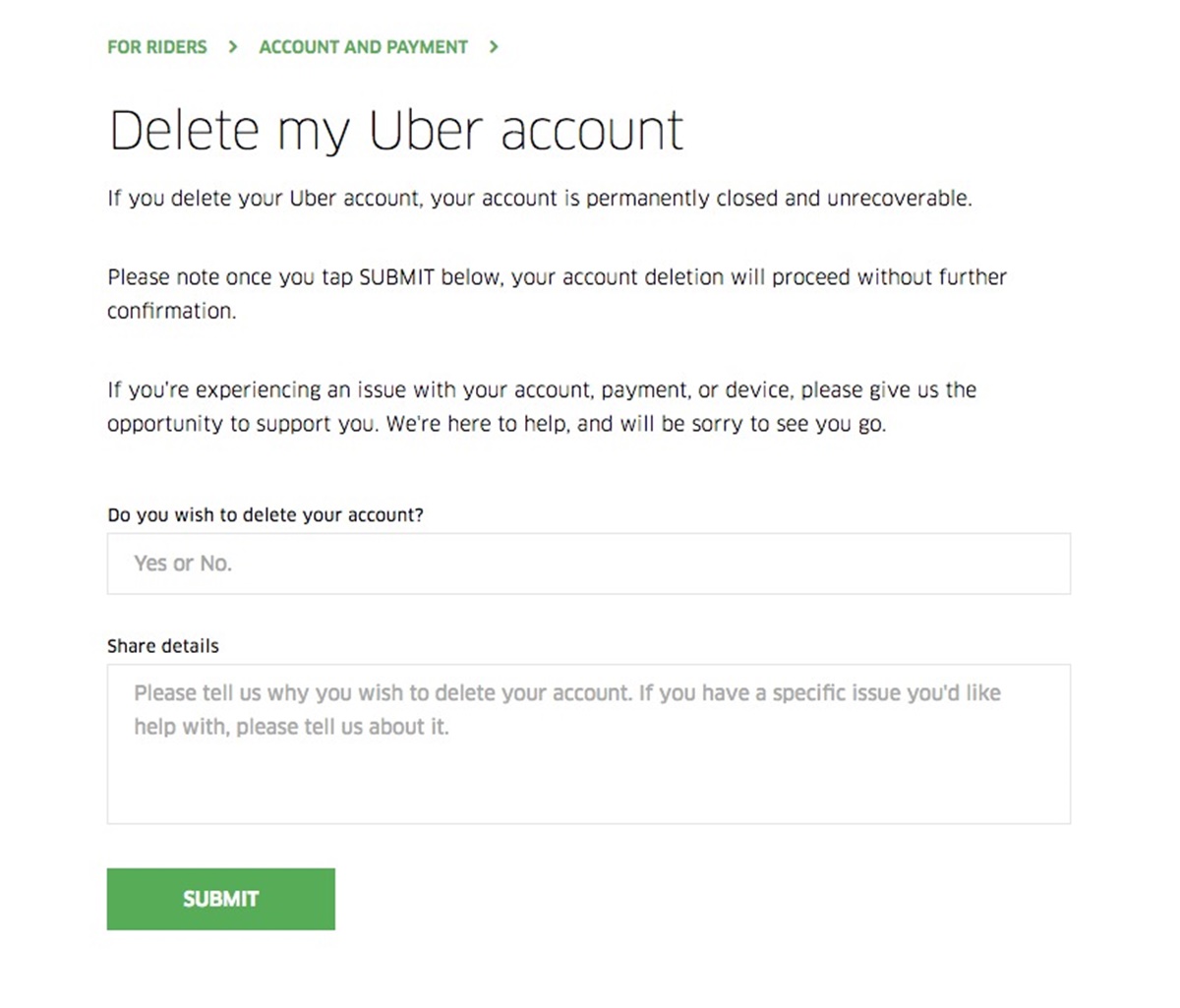
When you decide to completely sever ties with the platform, a permanent account deletion is required. This process removes your profile across all connected services, including rideshare and food delivery integrations, though certain financial records may be retained temporarily to comply with regional tax and legal regulations.
Pre-Deletion Checklist: Clearing Balances and Access: Ensure that all outstanding trip payments are fully settled, as accounts with negative balances cannot be deleted. Additionally, spend any remaining Uber Cash or promotional credits, as these will be permanently forfeited upon account closure with no cash-out option available.
To initiate the permanent deletion sequence, follow these technical steps:
- Navigate to your profile settings by tapping "Account" and selecting "Settings" (or your profile name).
- Scroll to the bottom of the privacy and security section and select "Privacy" or "Delete Account."
- You will be prompted to log in using your password or a multi-factor authentication code sent to your registered mobile number or email.
- Review the informational disclosure detailing what data will be lost and what minimal records will be retained for legal compliance.
- Tap "Continue" to confirm the deletion request. Your account will immediately enter a 30-day deactivation period. If you log back into the account at any point during these 30 days, the deletion request is automatically canceled, and you must restart the process.
Frequently Asked Questions About Canceling Uber Services
How can I avoid paying a cancellation fee on an Uber ride?
You can avoid cancellation fees by canceling the ride within the initial two-minute grace period after a driver accepts your request, or if the driver is running significantly behind schedule. If the driver is delayed beyond the estimated arrival time by more than five minutes, the app typically waives the cancellation penalty.
Can I get a refund if I accidentally canceled my ride?
Yes, if you cancel a ride and are charged an accidental fee, you can request a review through the trip history section of the app. Tap on the specific canceled trip, select "Help," and choose the option regarding cancellation fees to submit an automated or manual support inquiry.
Will canceling my Uber One subscription delete my ride history?
No, canceling your Uber One membership only halts recurring subscription billing and removes membership benefits at the end of the billing cycle. Your core user profile, rating, and historical trip data remain fully intact.
What happens to my unused Uber Cash when I delete my account?
All active balances of Uber Cash, promotional codes, and referral rewards are permanently forfeited the moment your account deletion request is processed. It is strongly recommended that you utilize these balances on rides or food orders before initiating the deletion protocol.
Why is my account deletion request being blocked?
Account deletion requests are routinely blocked by the system if there is an active trip in progress, an unpaid balance from a previous ride, or an unresolved dispute with customer support. You must clear all financial liabilities and close any open support tickets before the deletion sequence can proceed.
How do I cancel an Uber ride if the app is freezing or crashing?
If technical glitches prevent you from using the app interface, force-close the application entirely or restart your mobile device. If the issue persists, access your account via a web browser on a desktop or mobile device by logging into the official portal to terminate active rides or contact customer support.
Optimizing Your Account Management Strategy
Managing your presence on major ridesharing networks involves balancing convenience with data privacy. Whether you are scaling back your travel expenses by terminating a recurring membership or completely removing your digital footprint via account deletion, executing these steps correctly prevents unexpected financial charges and protects your personal information. Review your settings regularly to ensure your subscription preferences and payment methods align with your current transportation needs.
Image Gallery