How to Buy on E*TRADE: A Step-by-Step Guide for 2026
Buying stocks, ETFs, or mutual funds on E*TRADE involves opening a brokerage account, funding it via a linked bank account, and executing a trade through the platform’s "Trading Ticket." By selecting a ticker symbol and choosing betwee...
Buying stocks, ETFs, or mutual funds on E*TRADE involves opening a brokerage account, funding it via a linked bank account, and executing a trade through the platform’s "Trading Ticket." By selecting a ticker symbol and choosing between a market or limit order, investors can finalize a transaction in just a few minutes.
Contents
In 2026, ETRADE remains one of the most prominent retail brokerage platforms in the United States, operating as a core subsidiary of Morgan Stanley. Since its integration with Morgan Stanley’s broader financial ecosystem, the platform has balanced user-friendly interfaces for beginners with the high-octane tools of the Power ETRADE suite. Navigating this environment requires an understanding of account types, funding mechanisms, and the technicalities of order execution. This guide provides a comprehensive roadmap for executing your first trade and managing your portfolio effectively.
Prerequisites and Account Setup
Before you can execute a trade, you must establish a legal and funded relationship with the brokerage. E*TRADE is primarily available to U.S. residents, and the registration process is governed by "Know Your Customer" (KYC) regulations designed to prevent money laundering and fraud.
Choosing the Right Account Type
The first step is determining which account structure fits your financial goals. E*TRADE offers several distinct categories:
- Individual or Joint Brokerage Accounts: These are standard taxable accounts. They offer the most flexibility for withdrawing funds but do not provide the tax advantages of retirement accounts.
- Traditional or Roth IRAs: These are tax-advantaged retirement vehicles. Contributions to a Traditional IRA may be tax-deductible, while a Roth IRA allows for tax-free withdrawals in retirement.
- Core Portfolios: For those who prefer a "hands-off" approach, these are robo-advisor accounts that automatically manage and rebalance your investments based on your risk tolerance.
Documentation Requirements
To open an account in 2026, you will need your Social Security number or Individual Taxpayer Identification Number (ITIN), your employer’s name and address (for regulatory compliance), and a valid U.S. residential address. Once submitted, E*TRADE typically verifies your identity within minutes, though some applications may require manual review of uploaded identification documents, such as a driver's license or passport.
Funding Your E*TRADE Account
A brokerage account is essentially a "holding pen" for your cash until you decide to exchange that cash for securities. You cannot buy stocks until your account has a settled cash balance.
Linking a Bank Account
The most common method for funding is through an Automated Clearing House (ACH) transfer. You will link your external checking or savings account by providing your routing and account numbers. E*TRADE may use "instant verification" services like Plaid or require traditional micro-deposits to confirm ownership of the external account.
Understanding Settlement and Availability
As of the transition to T+1 settlement in May 2024, the industry standard for stock and bond transactions to "settle" is one business day after the trade. When you deposit money via ACH, E*TRADE often grants "instant buying power." This means they allow you to trade with the funds immediately, even though the cash hasn't technically arrived from your bank yet. However, you cannot withdraw those funds or sell the resulting securities and withdraw the proceeds until the initial deposit fully clears, which typically takes 2 to 3 business days.
| Funding Method | Speed of Availability | Best For |
|---|---|---|
| ACH Transfer | Instant (for trading) | Regular deposits and standard use |
| Wire Transfer | Same-day | Large amounts or urgent trades |
| Check Deposit | 1-5 Business Days | Physical currency converted to digital |
| Account Transfer (ACAT) | 5-7 Business Days | Moving an entire portfolio from another broker |
Step-by-Step: Executing a Trade on E*TRADE
Once your account is funded, you are ready to enter the market. Whether you are using the standard ETRADE web portal or the Power ETRADE mobile app, the underlying logic remains the same.
Step 1: Research and Ticker Selection
Use the search bar at the top of the E*TRADE dashboard to enter a company name or its ticker symbol (e.g., AAPL for Apple Inc. or VTI for the Vanguard Total Stock Market ETF). Clicking on the result will take you to a "Quote" page. Here, you should examine the Bid (the highest price a buyer is willing to pay) and the Ask (the lowest price a seller is willing to accept).
Step 2: Open the Trading Ticket
On the quote page, click the "Buy" button. This action generates a Trading Ticket, which is the formal interface for your order. In 2026, E*TRADE’s ticket is streamlined to minimize errors, but you must still pay close attention to the details you input.
Step 3: Define the Action and Quantity
Select "Buy" as the action. Then, enter the number of shares you wish to purchase. Unlike some "neobrokers," E*TRADE’s fractional share capabilities are primarily restricted to dividend reinvestment programs (DRIP) rather than direct initial purchases of fractional stock, so you will generally need to buy whole shares of individual equities.
Step 4: Choose Your Order Type
This is the most critical technical step. Your choice determines the price you pay and the priority of your trade.
- Market Order: Instructs E*TRADE to buy the stock immediately at the best available current price. This guarantees execution but does not guarantee the price, which can be risky in volatile markets.
- Limit Order: Specifies the maximum price you are willing to pay. The trade will only execute if the stock price hits your limit or lower. This provides price protection but carries the risk that the trade may never execute if the price moves away from you.
Step 5: Set the Duration
Decide how long you want the order to remain active. A "Good for Day" order expires at the end of the current trading session (4:00 PM ET). A "Good-til-Canceled" (GTC) order remains active for up to 60 days or until it is filled or manually canceled.
Step 6: Preview and Place Order
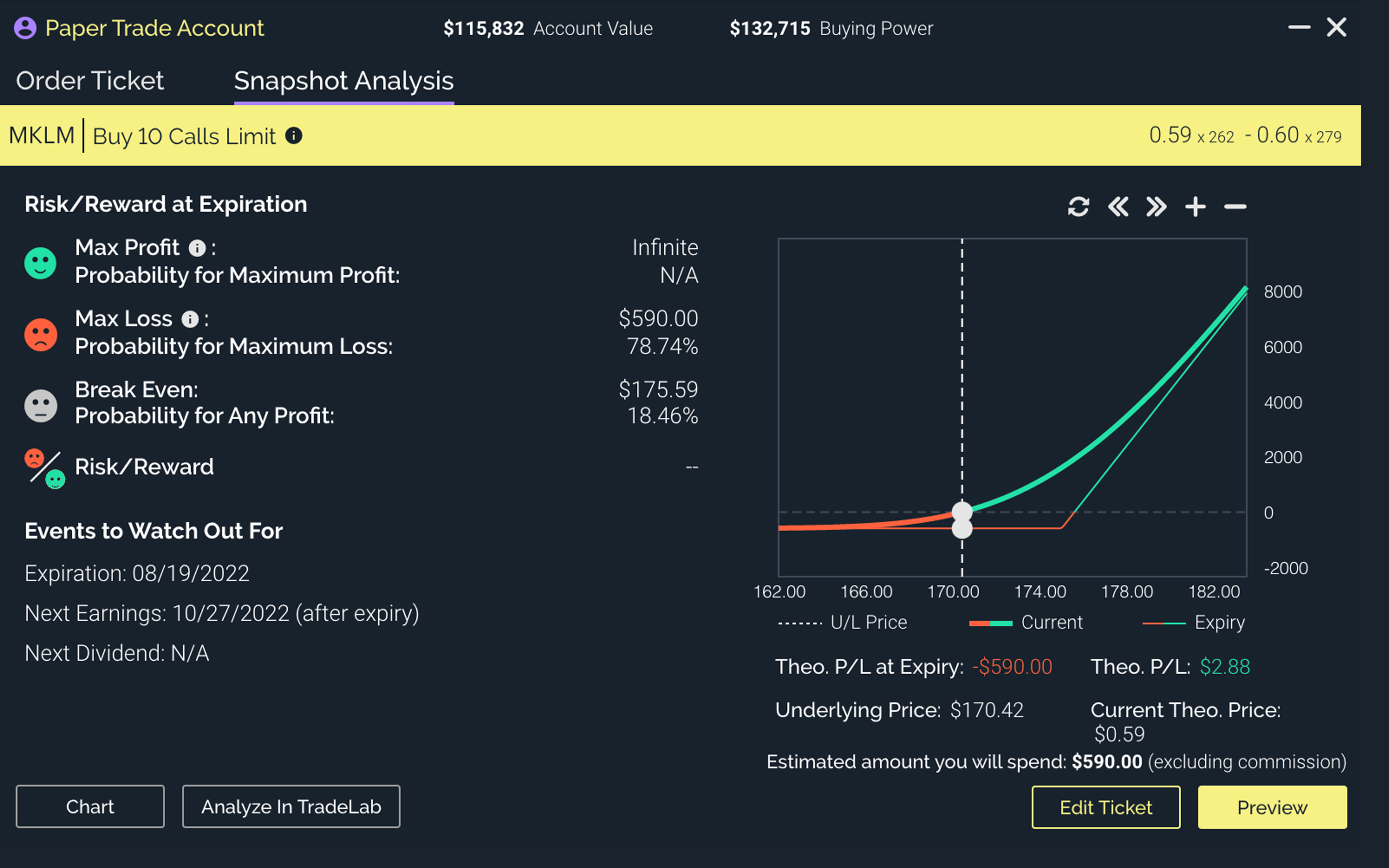
Click "Preview." E*TRADE will show you a summary including the estimated total cost, any applicable regulatory fees (commissions are generally $0 for online U.S. stock/ETF trades), and the impact on your buying power. If everything is correct, click "Place Order."
Understanding Order Types and Strategy
To trade effectively, an investor must understand that the "price" of a stock is not a single static number, but a fluid negotiation. Choosing the wrong order type is a common mistake for beginners.
Market vs. Limit Orders in Practice
A Market Order is appropriate when you want to "get in" at any cost, such as when buying a highly liquid blue-chip stock for a long-term hold. However, during the market open (9:30 AM ET) or during major news events, prices can swing wildly. A market order placed during these times might result in "slippage," where you pay significantly more than the last quoted price.
A Limit Order is the preferred tool for disciplined investors. By setting a limit price slightly above the current "Ask," you ensure you don't overpay during a momentary spike. In 2026, ETRADE’s Power ETRADE platform also allows for "Stop-Limit" and "Trailing Stop" orders, which are used primarily to protect gains or limit losses on positions you already own.
The Role of Extended Hours Trading
ETRADE allows for trading in the Pre-market (7:00 AM – 9:30 AM ET) and After-hours (4:00 PM – 8:00 PM ET) sessions. While this provides flexibility, liquidity is much lower during these times, and the "spread" between the bid and ask is wider. Limit orders are mandatory for extended hours trading on ETRADE to prevent execution at extreme prices.
Costs, Fees, and Commissions
As of 2026, E*TRADE maintains a competitive fee structure in line with the industry-wide shift toward "zero-commission" trading. However, "zero-commission" does not mean "zero cost."
- Stocks and ETFs: $0 commission for online trades.
- Options: Generally $0.65 per contract, which may be reduced to $0.50 for high-volume traders (over 30 trades per quarter).
- Mutual Funds: Many are "No-Load, No-Transaction-Fee," but some funds may carry a purchase fee of up to $19.99.
- Margin Rates: If you trade on margin (borrowed money), E*TRADE charges interest. These rates are typically tiered based on the size of the loan and are influenced by the prevailing Federal Funds Rate.
Investors should also be aware of the SEC Section 31 fee, a small regulatory fee charged on the sale of securities (not the purchase). While negligible for small trades, it is a factor in high-volume professional trading.
Troubleshooting Common Issues
Even with a user-friendly interface, several issues can prevent a trade from being executed.
Insufficient Funds or Unsettled Cash
The most common error is attempting to buy with funds that have not yet cleared. If you recently sold a stock, the proceeds might not be available for a new purchase until the T+1 settlement occurs. Furthermore, E*TRADE distinguishes between "Cash Purchasing Power" and "Margin Purchasing Power." Ensure you are selecting the correct "Account" in the dropdown menu if you hold multiple accounts.
Order Rejections
An order may be rejected if it violates "Pattern Day Trader" (PDT) rules. If your account has less than $25,000 in equity and you attempt to make more than three "day trades" (buying and selling the same security on the same day) within a rolling five-business-day period, your account may be restricted.
Technical Latency
During periods of extreme market volatility, all digital platforms can experience lag. If an order status remains "Open" or "Pending" longer than expected, do not repeatedly click "Place Order," as this may result in multiple unintended positions. Instead, check the "Orders" tab to verify the status and modify the price if the market has moved.
Summary of Next Actions
After successfully purchasing your first shares on E*TRADE, your focus should shift to portfolio maintenance. Monitor your "Portfolio" tab to track gains and losses in real-time. It is also advisable to set up Dividend Reinvestment (DRIP), which automatically uses any dividends paid by your stocks to buy more shares, compounding your growth over time.
Finally, ensure you have enabled two-factor authentication (2FA) through the E*TRADE app or a security token. Financial accounts are high-value targets, and in 2026, securing your login credentials is as important as the investment strategy itself.
FAQs
What is the minimum amount needed to start trading on E*TRADE? There is generally a $0 minimum to open a standard brokerage account. However, you must have enough settled cash to cover the full price of at least one share of the security you wish to buy, as E*TRADE typically does not support fractional share buying for initial stock entries.
Can I buy international stocks on E*TRADE? E*TRADE provides access to international markets primarily through American Depositary Receipts (ADRs) and ETFs that track foreign indices. Direct access to foreign stock exchanges (like the London Stock Exchange or Tokyo Stock Exchange) is limited and may require specific account permissions and higher transaction fees.
How do I cancel a trade that hasn't filled yet? Navigate to the "Orders" tab on the website or app. Locate the "Open" order and select "Cancel" or "Modify." If the order is a Market Order, it may execute too quickly to cancel. Limit orders are much easier to manage or cancel if the price has not yet reached your target.
Is E*TRADE safe to use for large investments? Yes, E*TRADE is a member of the Securities Investor Protection Corporation (SIPC), which protects customers up to $500,000 (including $250,000 for cash claims) in the event of the firm's failure. Furthermore, as a subsidiary of Morgan Stanley, it is backed by one of the world's largest systemic financial institutions.
Image Gallery