Ensign LMS Relias Training: The Complete 2026 Healthcare Compliance and Education Guide
Ensign LMS Relias training connects affiliated healthcare professionals across The Ensign Group's operational network directly to mandatory compliance modules, clinical continuing education units (CEUs), and regulatory certification pr...
Ensign LMS Relias training connects affiliated healthcare professionals across The Ensign Group's operational network directly to mandatory compliance modules, clinical continuing education units (CEUs), and regulatory certification programs.
Contents
Managing training across skilled nursing facilities (SNFs), assisted living communities, and post-acute rehabilitative environments requires a dependable, centralized infrastructure. The partnership between Ensign-affiliated facilities and Relias provides a tailored learning management system (LMS) designed to meet strict 2026 Centers for Medicare & Medicaid Services (CMS) mandates, state survey requirements, and OSHA safety standards. Whether completing new-hire onboarding as a Certified Nursing Assistant (CNA), updating annual HIPAA protocols as a Registered Nurse (RN), or tracking facility-wide compliance metrics as a Director of Staff Development (DSD), understanding this platform ensures uninterrupted patient care and full regulatory adherence.
The Role of Relias LMS Within Ensign-Affiliated Operations
The Ensign Group operates under a decentralized, service-oriented model where individual healthcare facilities function as independent subsidiaries supported by centralized resources. The Ensign Relias portal serves as the unified digital training ground for these autonomous operating locations across states such as California, Texas, Arizona, Utah, Idaho, Colorado, and Washington.
Healthcare delivery in post-acute care is heavily regulated. The Relias platform acts as both an educational hub and an auditable compliance engine. Through automated course tracking, time-stamped completions, and validated comprehension assessments, the portal protects both the individual practitioner's clinical license and the facility’s operating license during federal and state survey cycles.
Core Objectives of the Platform
- Regulatory Mandate Fulfillment: Automated delivery of CMS Conditions of Coverage, federal infection prevention requirements, and state-specific elder abuse prevention modules.
- Continuing Education (CE/CNE): Delivery of state board-approved contact hours for RNs, LPN/LVNs, physical therapists, occupational therapists, and speech-language pathologists.
- Clinical Skill Standardization: Uniform, evidence-based clinical protocols covering wound care staging, fall prevention, psychotropic medication management, and dementia care.
- Audit and Survey Readiness: Immediate reporting capabilities for Staff Development Coordinators to demonstrate 100% staff completion during unannounced annual state health inspections.
Step-by-Step Portal Access and Navigation in 2026
Accessing your Ensign Relias account correctly prevents authentication lockouts, duplicate account generation, and lost training hours. While administrative configurations can vary slightly between distinct operating entities, the access path follows a standardized single sign-on (SSO) and portal login process.
Access Workflow Overview 1. Locate Facility-Specific Portal URL 2. Authenticate Credentials (SSO or Local ID) 3. Review Personal Learning Dashboard 4. Launch and Complete Required Modules 5. Verify Certificate Generation and Transcript Sync
1. Locating the Correct Portal Entry Point
Do not attempt to sign in through generic, consumer-facing Relias login pages. Ensign-affiliated staff must access the platform via their designated organizational portal sub-domain (typically formatted around the operational company or facility identifier) or through the internal Ensign employee intranet landing page.
2. Credential Verification
- Username Structure: In most operating subsidiaries, your initial username defaults to your assigned corporate email address or a standardized employee ID number generated by payroll onboarding.
- Password Protocols: New hires receive an automated invitation link containing a secure, time-sensitive setup token. Password updates enforce multi-factor authentication (MFA) parameters aligned with healthcare data security protocols.
- Single Sign-On (SSO): If your facility uses integrated enterprise access via Microsoft Azure AD or Okta, select the SSO/Enterprise Login option to log in directly using your work credentials.
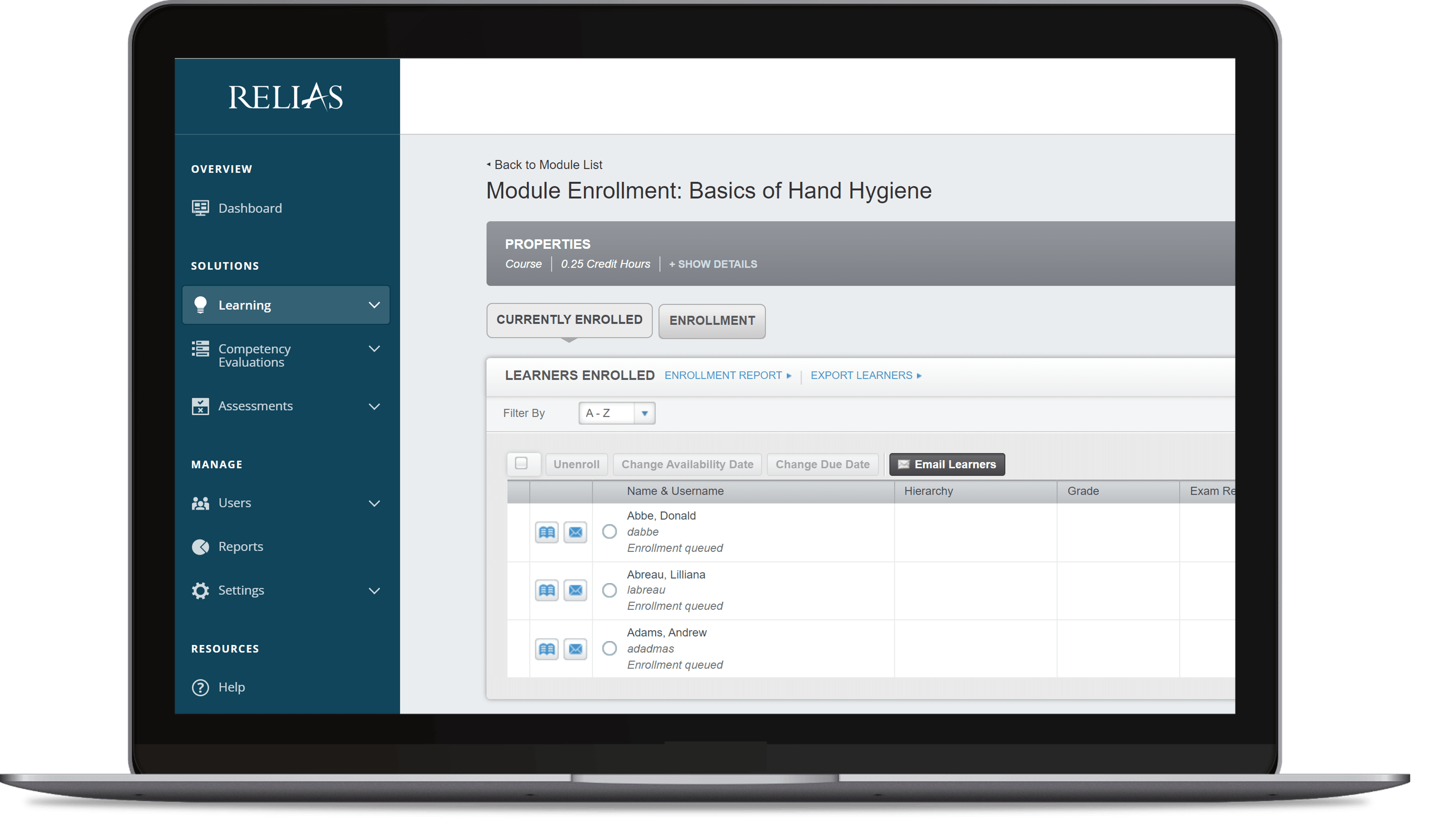
3. Navigating the Active Learner Dashboard
Once authenticated, the dashboard displays three distinct structural areas:
- Current Assignments: Mandatory courses arranged by due date. Overdue courses appear flagged in high-visibility alert colors.
- Elective Learning Library: A searchable catalog of accredited courses, webinars, and micro-learnings available for personal clinical advancement and board-approved CEU hours.
- Transcripts and Certificates: The permanent historical ledger of all passed examinations, download links for certificates, and renewal countdowns for expiring credentials (such as BLS or Bloodborne Pathogens).
2026 Core Curriculum: Mandatory Modules and Timelines
Training coursework on the Ensign Relias platform falls into distinct operational tiers: immediate onboarding mandates, recurring annual safety updates, and targeted clinical competency tracks.
| Training Category | Typical Target Audience | Required Completion Window | Core Regulatory Driver |
|---|---|---|---|
| New-Hire Orientation | All newly hired staff members | Within 14 to 30 days of start date | Federal OSHA, CMS §483.95, Life Safety Code |
| Infection Prevention & Control | Licensed nurses, CNAs, housekeeping | Prior to direct patient contact / Annual | CMS Enhanced Infection Control / CDC Core Practices |
| HIPAA & Data Privacy | All clinical, administrative, and billing staff | Within 30 days of hire / Annual | HITECH Act, Federal HIPAA Privacy & Security Rules |
| Abuse, Neglect, and Exploitation | Direct care staff, social services, leadership | Prior to direct care / Annual | CMS Federal Long-Term Care Regulations |
| Dementia Care Protocols | Memory care and SNF direct caregivers | First 60 days / Semi-annual refreshers | State-specific mandates (e.g., California Title 22, Texas DADS) |
| Safe Patient Handling & Ergonomics | Nursing staff, restorative aides, therapy | Day 1 physical onboarding / Annual | OSHA General Duty Clause, Facility Safety Policies |
| Emergency Preparedness & Life Safety | All facility personnel | Within 30 days / Annual | CMS Emergency Preparedness Rule (Core EP Requirements) |
Optimizing Course Completion: Best Practices for Direct Care Staff
Completing digital coursework while managing demanding patient loads requires deliberate planning. Technical errors during module runtimes can lead to lost progress, requiring you to repeat entire sections.
Best Practices for Seamless Execution
- Utilize Approved Browser Environments: Relias modules run on HTML5 interactive framework packages. Access the portal using current iterations of Google Chrome or Microsoft Edge. Disable aggressive third-party pop-up blockers, as course assessment pop-ups and exam screens trigger inside secondary browser frames.
- Never Force Multi-Window Playback: The platform monitors active user focus. Running multiple modules concurrently in background tabs desynchronizes the internal tracking timer, corrupts the session state, and marks courses as incomplete even if the final video finished playing.
- Confirm Course Completion Status: After completing an evaluation survey or passing a post-test with the required passing score (typically 80% or higher), wait for the platform to refresh back to the primary transcript. Ensure the status changes from "In Progress" to "Completed" before terminating your session.
Important Operational Note on Training HoursUnder the Fair Labor Standards Act (FLSA), non-exempt employees (such as hourly CNAs, LVNs, and support staff) must be compensated for all mandatory training hours. Never complete required modules off-the-clock from home personal devices without explicit, written approval and automated time tracking from your facility's Director of Staff Development or Administrator.
Troubleshooting Common Portal Issues
Healthcare schedules operate around the clock, meaning technical issues often arise outside of standard IT support hours. Below are proven remedies for the most frequent technical disruptions encountered on the Ensign Relias platform.
Issue 1: Course Freezes Mid-Module or Video Fails to Advance
- Root Cause: Corrupted local cache files or intermittent local network interruptions during large media buffer loads.
- Resolution: Close the course window. Clear your browser’s cache and cookie history for the preceding 24 hours. Reopen the browser, access the module, and select "Resume from where you left off" when prompted.
Issue 2: Locked Out Due to Failed Password Attempts
- Root Cause: Multiple incorrect password inputs triggered by stored, out-of-date credentials in browser auto-fill managers.
- Resolution: Use the automated "Forgot Password" link on the specific facility login page. If an SSO configuration is used, clear your system-level Windows credential manager or submit an internal IT support ticket to reset the active directory directory link.
Issue 3: Completed Course Remains Marked as "In Progress"
- Root Cause: Skipping the final evaluation survey or closing the browser window before the completion packet transmits back to the central SCORM database.
- Resolution: Re-enter the module. Manually scrub the timeline to the final summary slide. Confirm that all check-ins, knowledge checks, and end-of-course feedback surveys have submitted. Exit using the explicit "Exit Course" button inside the module interface rather than closing the browser tab.
Administrative and DSD Oversight Capabilities
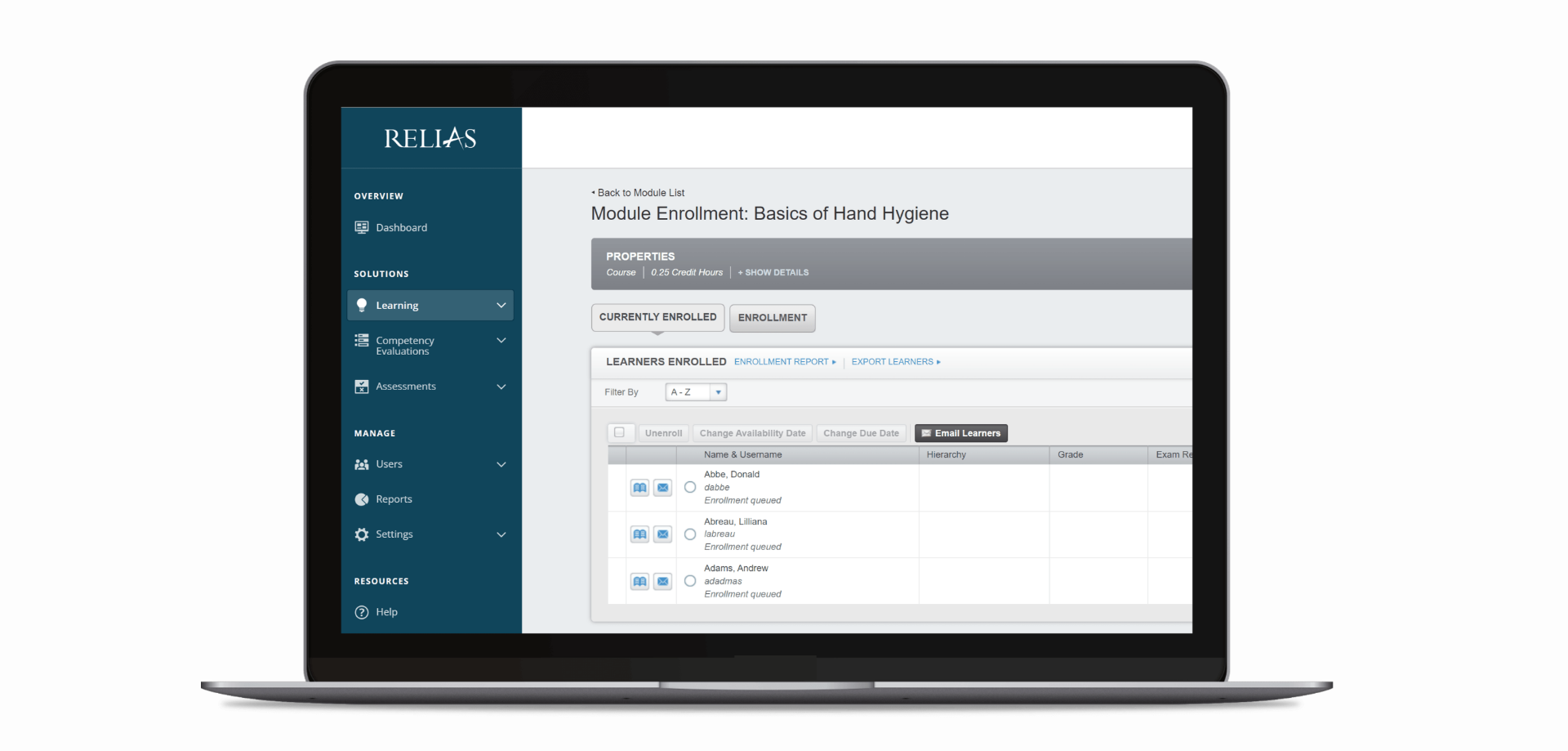
For Directors of Staff Development (DSDs), Directors of Nursing (DONs), and Facility Administrators, the Relias LMS provides deep administrative transparency. Maintaining continuous regulatory compliance across dozens of rotating shifts requires proactive tracking rather than reactive remediation.
Administrative Compliance Cycle Step 1: Automated Roster Ingestion (HRIS integration syncs new hires and terminations) Step 2: Role-Based Assignment (Curricula applied automatically based on job code) Step 3: Mid-Month Threshold Monitoring (Automated tracking of upcoming expiries) Step 4: Audit Documentation (Exporting time-stamped logs for State Surveys)
Advanced Administrative Features
- Custom Hierarchy Management: Facility leaders can segment staff assignments by department—distinguishing therapy teams, licensed nurses, dining staff, and environmental services—to prevent assigning irrelevant clinical requirements to non-clinical personnel.
- State Survey Compliance Reporting: In the event of an unannounced survey inspection by regulatory bodies (such as CDPH in California or HHSC in Texas), administrators can generate dynamic, facility-wide compliance transcripts in seconds, demonstrating full adherence to required clinical competencies.
- Competency Assessment Checklists (CAC): The platform bridges digital theory with bedside reality. Clinical educators can log real-time, in-person observations (such as sterile dressing changes or Hoyer lift transfers) into the digital system via mobile devices, pairing observational sign-offs with completed theoretical coursework.
Frequently Asked Questions
How do I access my Ensign Relias training account from home?
You can access your account through any standard internet browser on a computer or mobile device using your facility's dedicated Relias portal web address. Non-exempt hourly employees must obtain authorization from facility management before completing any training off-site to ensure accurate compensation for hours worked.
What passing score is required on Relias compliance post-tests?
Most standard compliance and clinical education modules require a minimum passing score of 80% to earn credit and generate a certificate. If you do not pass on your initial attempt, the platform provides immediate feedback on missed concepts and allows retakes, though some clinical assessment programs limit consecutive attempts.
Why does my license renewal course not display CEU credit?
CEU accreditation requires entering and validating your active state clinical license number inside your user profile settings prior to finishing the module. Once your license information is attached to your user account, accredited courses automatically append state-specific continuing education contact hours to your printable transcript.
What should I do if my facility does not appear in the portal dropdown menu?
Contact your local facility Staff Development Coordinator or human resources manager to confirm the exact organization code or direct sub-domain URL. Ensign operates numerous distinct affiliated entities; navigating directly through your facility’s unique link ensures your account pairs correctly with local compliance records.
How are newly hired employees provisioned within the LMS?
New team members are typically entered into the system during local human resources onboarding via direct integration with the enterprise payroll management system. Welcome emails containing login instructions are automatically dispatched to the employee's work or personal onboarding email within 24 to 48 hours of hire date processing.
Elevating Clinical Standards Through Continuous Learning
Healthcare education directly impacts patient outcomes at the bedside. The Ensign Relias LMS platform is more than a regulatory requirement—it is a functional resource designed to build clinical mastery, elevate resident safety, and ensure operational excellence across all affiliated communities. By proactively managing your assignments, confirming module completion accuracy, and leveraging available CE courses, you protect your professional standing and contribute to the highest standard of compassionate, compliant post-acute care. Log into your facility portal today, review your current assignment queue, and keep your educational transcript audit-ready.
Image Gallery