Essential Computer Skills for Administrative Assistants
Administrative assistants require a blend of core office software expertise, cloud collaboration mastery, and digital communication skills. Core technical requirements include proficiency in word processing, spreadsheet data management...
Administrative assistants require a blend of core office software expertise, cloud collaboration mastery, and digital communication skills. Core technical requirements include proficiency in word processing, spreadsheet data management, automated scheduling, cloud file organization, project management platforms, and basic digital security protocols to ensure seamless office operations across modern work environments.
Contents
Foundational Productivity Software
Modern administrative roles demand mastery of standard productivity suites. While organizations frequently alternate between ecosystem platforms—primarily Microsoft 365 and Google Workspace—the core principles of document processing, spreadsheet manipulation, and presentation building remain universal requirements.
Word Processing and Document Formatting
Word processing software serves as the primary engine for organizational documentation. Administrative assistants must move beyond basic typing to master advanced formatting, document architecture, and collaboration tools within programs like Microsoft Word and Google Docs.
- Document Standardization: Creating and modifying reusable templates, applying consistent typography via global styles, and setting standard corporate margins and headers.
- Mail Merge and Automation: Executing mail merges to generate customized bulk correspondence, form letters, mailing labels, and digital certificates from spreadsheet databases.
- Collaboration Features: Managing multi-editor workflows using Track Changes, resolving complex comment threads, and locking document sections to protect sensitive text.
- Long-Form Document Structuring: Generating automatic Tables of Contents, cross-references, footnotes, and index structures for formal executive reports and corporate handbooks.
Spreadsheet Management and Data Processing
Spreadsheets represent one of the most critical skill areas for administrative professionals. Employers rely on administrative staff to organize operational data, track department budgets, compile metrics, and generate clean reports using Microsoft Excel or Google Sheets.
Basic data entry is insufficient for modern administrative support. Proficiency requires navigating functions that clean, parse, and analyze operational datasets:
- Lookup Functions: Utilizing
XLOOKUP,VLOOKUP, andINDEX/MATCHto cross-reference data across disparate worksheets and workbooks. - Logical and Conditional Functions: Applying
IF,SUMIF,COUNTIF, and nested logical statements to automate data summaries and flag inventory or budget variances. - Pivot Tables and Data Summarization: Building dynamic Pivot Tables to aggregate thousands of operational records into digestible executive summaries, complete with custom calculated fields.
- Data Validation and Sanitation: Setting conditional formatting rules, restricting cell inputs using data validation lists, and applying deduplication techniques to maintain database integrity.
Presentation Design and Visual Communication
Administrative assistants frequently assemble visual materials for executive meetings, client pitches, board reviews, and internal training sessions. Tools such as Microsoft PowerPoint, Google Slides, and visual design utilities like Canva are standard fixtures in the administrative toolkit.
Assistants must align slide decks with brand guidelines while maintaining visual clarity. Key competencies include manipulating Master Slides to update layouts globally, embedding dynamic Excel charts that update automatically when source files change, formatting high-resolution graphic assets, and exporting presentations into multi-page PDF briefing packets or self-running slide shows.
Communication, Calendar, and Executive Scheduling Tools
Managing executive time and departmental communication channels requires specialized computer literacy. Administrative staff act as gatekeepers for communication flow, requiring deep technical understanding of enterprise email and scheduling platforms.
Advanced Email and Calendar Architecture
Email programs like Microsoft Outlook and Gmail function as operational control centers. Administrative assistants must systematically control heavy email volume and complex calendar structures.
- Incoming Requests
- Automated Filtering Rules
- Priority Categorization
- Calendar Allocation
- Delegated Access: Managing delegate access permissions to monitor, draft, and send emails or calendar invites on behalf of executives without compromising security.
- Inbox Organization Systems: Constructing complex rule-based filtering automation, color-coded tagging matrices, and archive structures to maintain inbox zero standards across high-volume accounts.
- Multi-Time-Zone Scheduling: Coordinating complex multi-party meetings across international time zones using calendar assistant overlays, resource booking routines (conference rooms, AV equipment), and automated buffer times.
- Distribution Management: Building and maintaining categorized distribution lists, global address books, and administrative contact groups.
Real-Time Team Collaboration and Teleconferencing
The widespread adoption of remote and hybrid operational models makes real-time collaboration platforms essential. Administrative staff must manage and troubleshoot business communications software including Microsoft Teams, Slack, Zoom, and Cisco Webex.
Key operational skills include:
- Platform Administration: Provisioning team channels, setting user permission levels, managing broad audience settings, and configuring breakout rooms for large corporate meetings.
- Meeting Hosting: Technical setup of web conferences, managing digital waiting rooms, handling screen-sharing privileges, and operating live Q&A or polling widgets.
- Recording and Transcription: Capturing meeting audio/video, executing cloud recording permissions, and managing automated AI transcriptions for distribution to stakeholders.
Cloud Storage, Database, and File Management Systems
Physical filing cabinets have almost completely yielded to centralized, secure digital repositories. Administrative assistants are responsible for preserving corporate memory through disciplined digital asset management.
Cloud Repositories and File Governance
Navigating systems such as Microsoft SharePoint, OneDrive, Google Drive, and Dropbox requires an understanding of digital file architecture. Administrative assistants design intuitively structured directory trees to ensure document discoverability across teams.
Beyond basic file upload functions, assistants must understand granular file access permissions—distinguishing between View, Comment, Edit, and Owner privileges—to safeguard confidential company data. Additionally, mastering version history tools is critical for tracking changes over time and restoring earlier iterations of corporate documents when necessary.
Database Navigation and CRM Systems
Administrative positions regularly interact with specialized business software to update client records, track vendor contracts, or retrieve enterprise data. Systems include Customer Relationship Management (CRM) tools like Salesforce and HubSpot, alongside relational database platforms like Airtable or Microsoft Access.
| Platform Type | Common Tools | Primary Administrative Task |
|---|---|---|
| CRM Systems | Salesforce, HubSpot, Zoho | Updating contact records, logging communication notes, generating pipeline activity reports. |
| Relational Databases | Microsoft Access, Airtable | Running predefined queries, entering inventory transactions, exporting custom reporting views. |
| Enterprise Resource Planning | SAP, Oracle NetSuite | Processing vendor invoices, tracking purchase requisitions, verifying expense submissions. |
Administrative staff do not typically build complex database architectures from scratch, but they must fluently navigate existing system interfaces, generate accurate report exports, and practice error-free data entry.
Technical Proficiency Levels by Administrative Role
Computer skill requirements scale alongside job responsibilities. The following matrix illustrates how technical expectations evolve from entry-level administrative positions to senior executive support.
| Computer Skill Category | Entry-Level Administrative Assistant | Senior / Executive Administrative Assistant |
|---|---|---|
| Word Processing | Document drafting, standard formatting, spellcheck, simple PDF generation. | Custom template creation, mail merge, complex document styling, global section management. |
| Spreadsheets | Basic data entry, simple math formulas (SUM, AVERAGE), cell color formatting. |
XLOOKUP, Pivot Tables, conditional logic statements, dynamic dashboard construction. |
| Calendar & Email | Basic invite dispatch, simple folder sorting, single-calendar maintenance. | Complex delegate management, multi-executive calendar mapping, automated inbox routing rules. |
| Cloud File Systems | Navigating assigned directories, basic file uploading/downloading. | Folder hierarchy design, tenant permission governance, multi-user version recovery. |
| Task & Automation | Updating status fields in existing task boards (e.g., Trello). | Designing automated workflows (e.g., Zapier, Power Automate), managing workspace access. |
Digital Task Management and Workflow Automation
Modern administrative efficiency relies heavily on digital task tracking platforms and no-code automation platforms. Modern assistants leverage technology to track administrative projects and automate repetitive procedures.
Project Tracking Software
Assistants use platforms such as Asana, Trello, Monday.com, and Microsoft Planner to maintain team visibility. They set up project boards, establish milestone dependency chains, assign action items to staff, and track progress deadlines. Using these tools reduces reliance on manual status-update emails and keeps interdepartmental projects on schedule.
No-Code Workflow Automation
Basic knowledge of workflow automation tools yields significant time savings. Administrative professionals increasingly utilize tools like Zapier or Microsoft Power Automate to link disparate applications.
Common administrative automation setups include:
- Automatically converting email attachments from specific senders directly into structured cloud storage folders.
- Triggering a custom Slack or Teams notification whenever a client completes a web intake form.
- Syncing new event responses from Google Forms into a centralized Excel spreadsheet tracking grid.
Cybersecurity Hygiene and Data Privacy Safeguards
Administrative assistants handle sensitive business correspondence, employee records, financial reports, and executive credentials. Consequently, cybersecurity hygiene represents an indispensable component of an assistant's technical skill set.
Administrative professionals must follow best security practices, including:
- Password Management: Utilizing enterprise password vaults (such as 1Password or Bitwarden) to generate, store, and securely share complex credentials without resorting to clear-text files or physical notes.
- Phishing Awareness: Identifying social engineering attempts, suspicious email header data, spoofed domains, and malicious links or attachments.
- Data Loss Prevention (DLP): Adhering to organizational rules regarding the transmission of Personally Identifiable Information (PII) or protected business information, including redacting sensitive text before public distribution.
- Regulatory Compliance Standards: Understanding baseline handling protocols for regulated data under standards such as HIPAA (healthcare information), GDPR (user privacy), or PCI-DSS (payment information) depending on the industry.
How to Acquire and Verify Administrative Computer Skills
Developing technical competence requires a structured approach combining formal education, self-guided study, and practical application.
- Self-Paced Instruction
- Guided Practical Projects
- Formal Certification
- Portfolio Validation
Industry-Recognized Professional Certifications
Obtaining independent skill verification through recognized certification programs validates technical claims on resume applications:
- Microsoft Office Specialist (MOS): Offers targeted expert-level certifications in Word, Excel, PowerPoint, and Access.
- Google Workspace Certified Associate: Validates the ability to leverage core Google productivity and collaboration tools in an enterprise environment.
- Certified Administrative Professional (CAP): Offered by the International Association of Administrative Professionals (IAAP), this broad certification covers software applications, project management, and business operations.
Practical Skill Building Methods
To build functional confidence without prior enterprise access, job seekers can leverage free software tiers and open learning paths. Microsoft Learn and the Google Workspace Learning Center offer step-by-step technical documentation and interactive tutorials.
Creating personal practice projects—such as organizing a mock conference, designing a multi-sheet tracking budget, or building an automated email task list—allows candidates to simulate real-world administrative challenges and build a portfolio of verifiable work samples.
Frequently Asked Questions
What typing speed is required for an administrative assistant?
Most administrative roles require a minimum typing speed of 50 to 60 words per minute (WPM) with high accuracy (95% or higher). Executive administrative assistants or specialized roles, such as legal or medical transcriptionists, frequently require speeds of 70 to 80+ WPM.
Is Microsoft Office or Google Workspace more important for an administrative assistant?
Microsoft Office (specifically Microsoft 365) remains the dominant software suite in large corporate, financial, legal, and enterprise environments. However, Google Workspace is widely used in tech startups, creative agencies, education, and small-to-medium businesses. Mastering Microsoft 365 provides the most versatile foundation, but assistants should ideally be comfortable navigating both ecosystems.
Do administrative assistants need to know how to code?
No, coding knowledge is generally not required for administrative assistant roles. However, possessing basic familiarity with "no-code" logic—such as writing spreadsheet formulas or building simple automation triggers in Zapier or Microsoft Power Automate—is highly valued and distinguishes top candidates.
What is the most important computer skill for an executive assistant?
Advanced calendar and time-management software mastery (typically within Microsoft Outlook or Google Calendar) paired with strong spreadsheet skills (Excel) are the most critical technical competencies for executive assistants. Executive support requires seamless coordination across high-stakes schedules and clear data reporting for decision-makers.
How can I list computer skills effectively on an administrative resume?
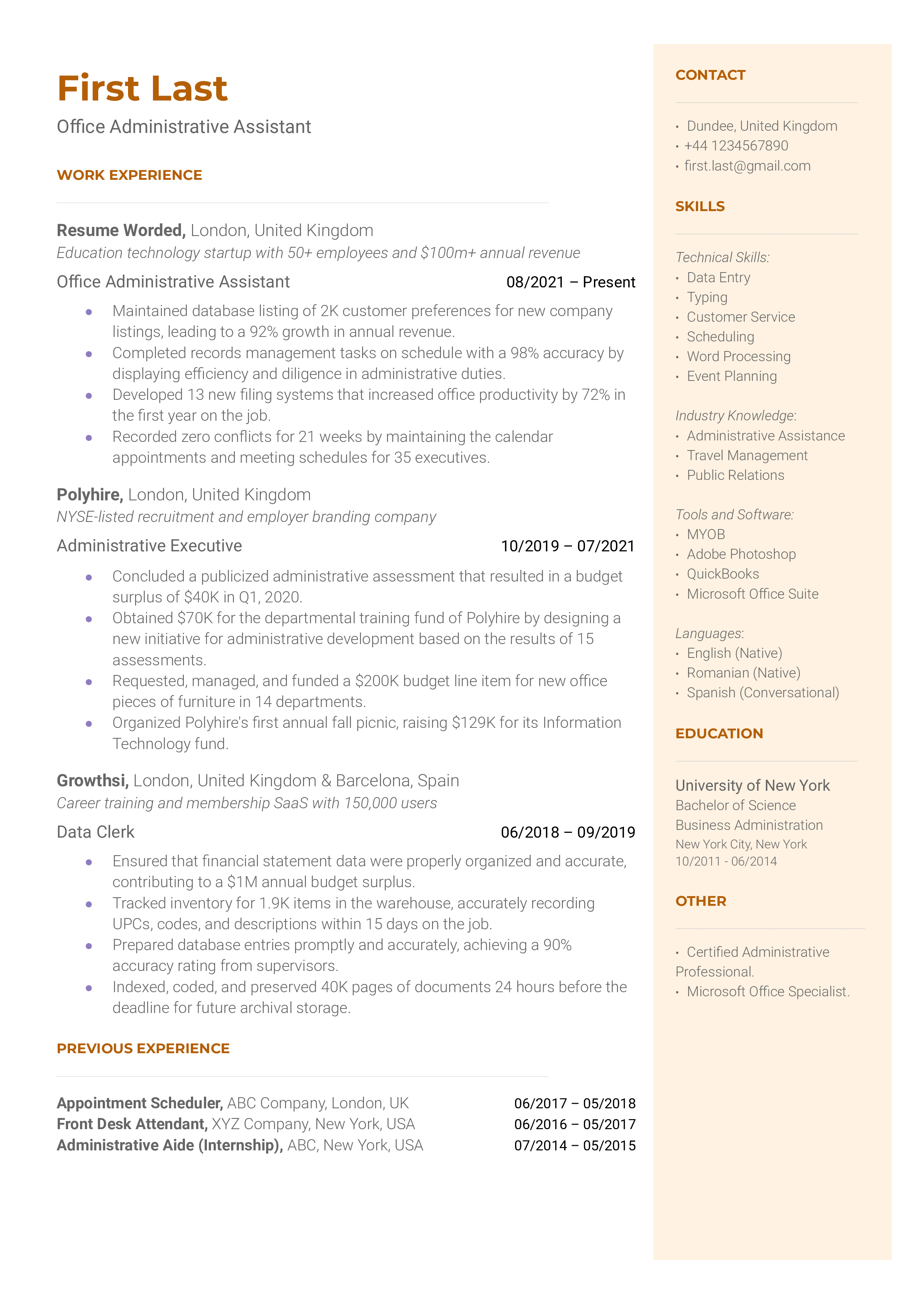
Rather than creating a bulleted list of software names, combine software proficiencies with measurable outcomes within your work experience section. For example: "Managed executive calendars using Microsoft Outlook to coordinate complex international meetings across three time zones" or "Built automated Excel Pivot Tables to track $50,000 monthly departmental operational budgets."
Strategic Next Steps for Career Advancement
To maximize job prospects or prepare for an administrative career promotion, audit your current technical capabilities against industry requirements:
- Conduct a Skill Audit: Review job descriptions for target administrative positions and identify specific software requirements you haven't mastered.
- Focus on Excel Proficiency: Prioritize intermediate to advanced Excel features (
XLOOKUP, Pivot Tables, conditional formatting), as strong spreadsheet capabilities offer the highest ROI for administrative job seekers. - Build Real Work Samples: Create functional templates, spreadsheets, and visual slide decks to demonstrate your technical versatility during interviews.
- Earn a Platform Certification: Select either Microsoft 365 or Google Workspace and earn an entry-level credential to formally validate your technical competency to hiring managers.
Image Gallery