How Remote Start Works on a Honda Ridgeline: Operation, Requirements, and Troubleshooting
The Honda Ridgeline remote engine start system uses radio frequency signals from the key fob or cellular telematics via the HondaLink app to start the engine, lock the doors, and pre-condition the cabin temperature automatically. The s...
The Honda Ridgeline remote engine start system uses radio frequency signals from the key fob or cellular telematics via the HondaLink app to start the engine, lock the doors, and pre-condition the cabin temperature automatically. The system communicates through the vehicle's Body Control Module to activate climate controls while maintaining immobilizer security until the driver enters with the key.
Contents
Technical Architecture of the Ridgeline Remote Start System
The remote engine start system on the Honda Ridgeline is an integrated electronic sub-system managed primarily by the vehicle’s Body Control Module (BCM) and Power Distribution Module. Rather than acting as an external bypass module—as seen in legacy aftermarket setups—the factory Honda system utilizes the existing Controller Area Network (CAN bus) architecture to verify security protocols, check engine sensors, and authorize ignition without bypassing the immobilizer system.
When you send a remote start command, two primary transmission mediums are used based on the trim level and hardware configuration:
Radio Frequency (RF) Telemetry: Standard key fobs communicate over an encrypted Ultra High Frequency (UHF) radio spectrum (typically 313.8 MHz or 433.92 MHz depending on model year and market region). The range for standard RF key fob operation spans between 100 and 400 feet under optimal line-of-sight conditions.
Cellular Telematics (HondaLink): On equipped trims (such as the RTL-E, Black Edition, or TrailSport with active subscription packages), commands travel over cellular networks via an onboard Telematics Control Unit (TCU). This enables unlimited-range starting, provided both the smartphone app and the vehicle have active cellular coverage.
Key Fob / HondaLink App
Receiver / TCU
Body Control Module (BCM)
- Security Check (Immobilizer, Door Locks)
- Engine Diagnostics (Hood Switch, Oil, Battery Voltage)
- HVAC / Climate (Auto 72°F Target, Defrost / Seats)
Before the BCM sends a signal to the engine control unit (ECU) to crank the 3.5-liter V6 engine, it executes a rapid pre-flight diagnostic safety check. If all safety parameters pass, the system engages the starter relay, turns on the fuel pump, and regulates the interior environment.
How to Remote Start a Honda Ridgeline Using the Key Fob
Using the factory key fob requires a specific button sequence within a precise time window. If the sequence is interrupted or executed too slowly, the vehicle ignores the signal to prevent accidental engine activation inside enclosed spaces.
- Press LOCK
- Hazard lights flash 1x
- Hold ENGINE START for 3–5s
- Hazard lights flash 2x, engine starts
The Standard Remote Start Sequence
- Press the Lock Button: Press the Lock button on the smart entry key fob. The hazard warning lights will flash once to confirm that all doors, the hood, and the In-Bed Trunk are fully latched and locked.
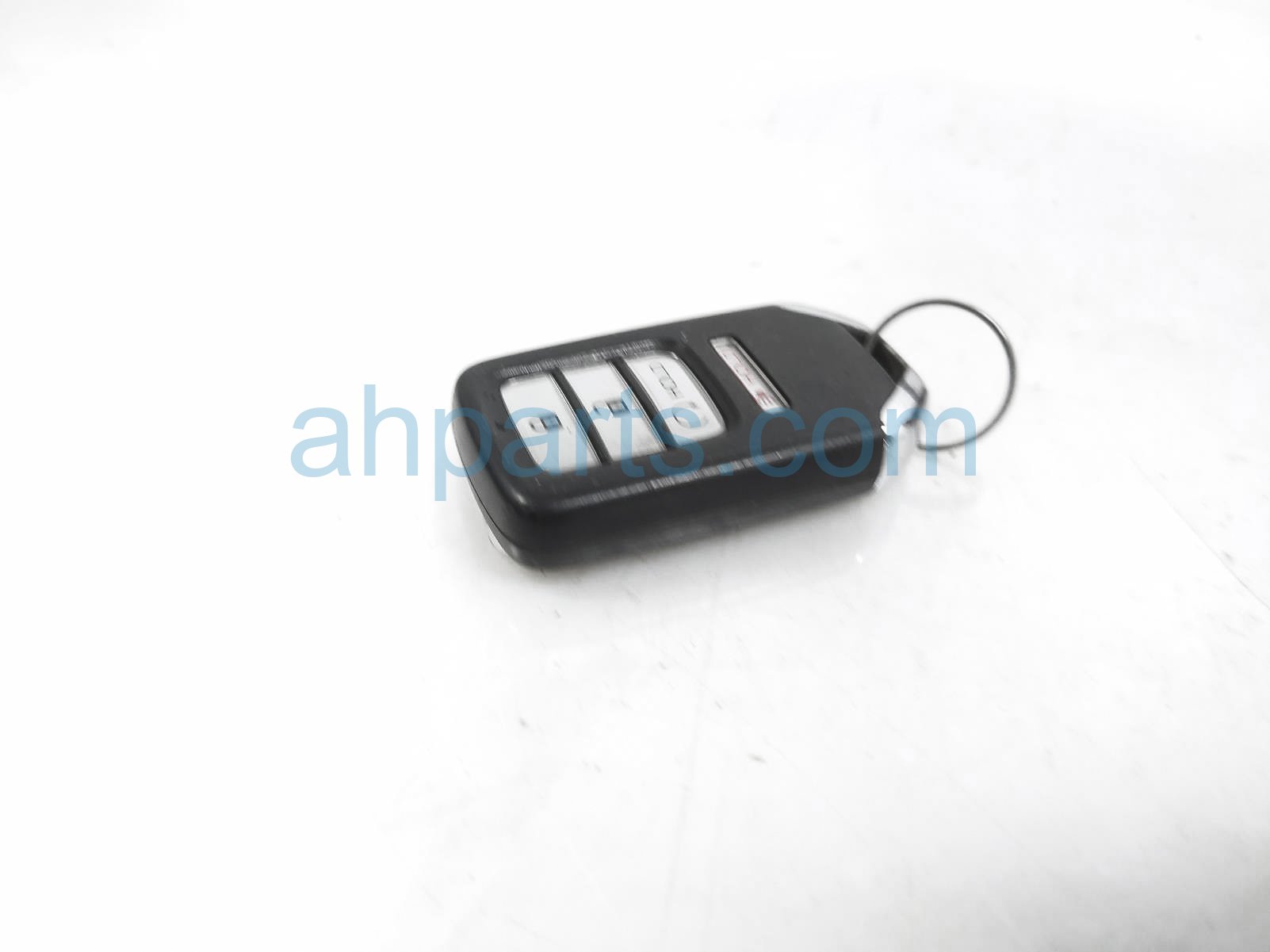
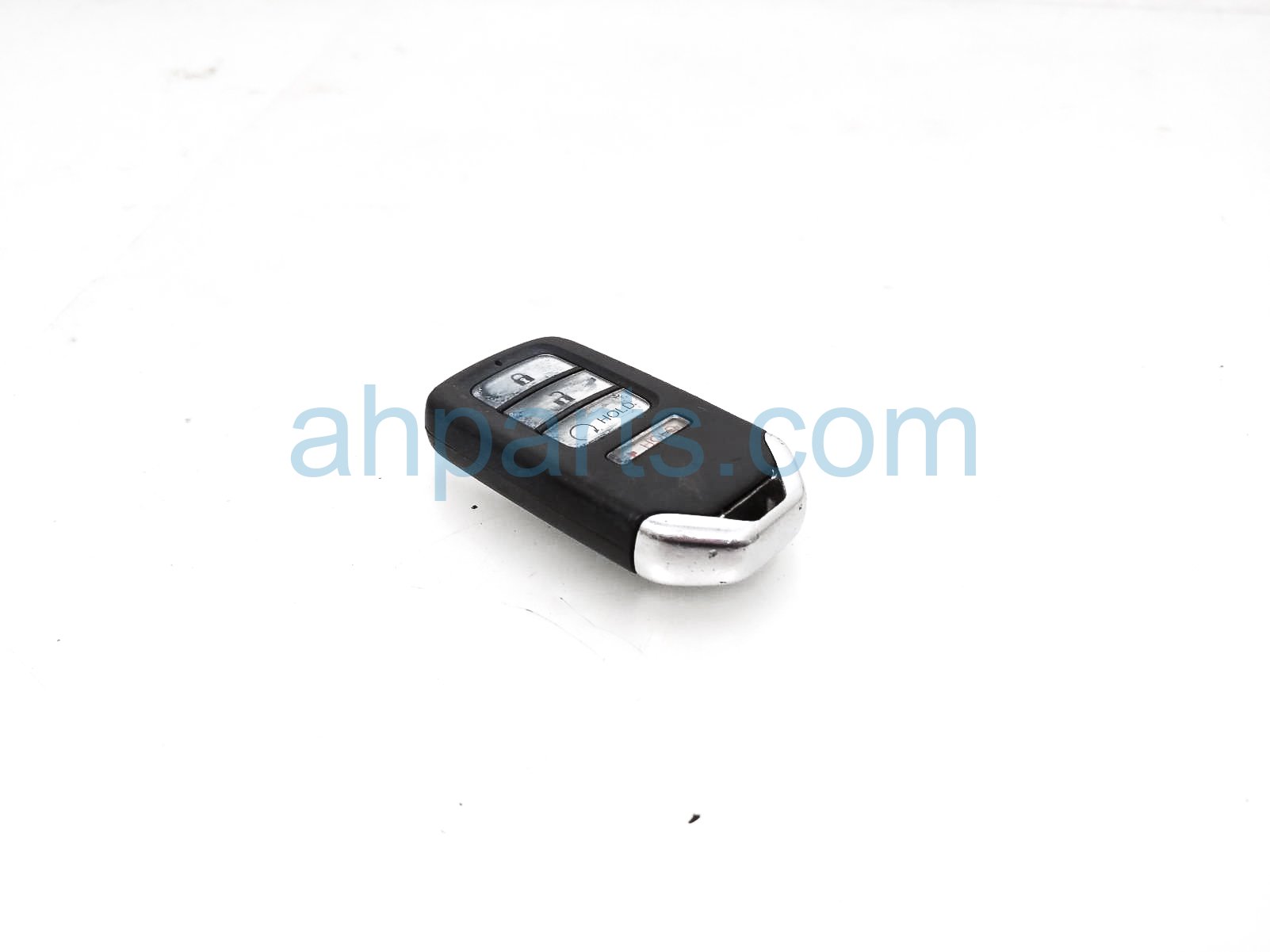
- Press and Hold the Engine Start Button: Within 5 seconds of pressing the Lock button, press and hold the Hold / Engine Start button (designated by a circular curved arrow icon).
- Confirm Engine Ignition: Hold the button for approximately 3 to 5 seconds. The hazard warning lights will flash twice to signal that the engine has received the command and turned over.
- Visual Run Indicator: Once running, the exterior parking lights or daytime running lights (DRLs) remain illuminated for the duration of the remote start cycle.
Extending the 10-Minute Runtime Engine Timer
The factory remote start cycle defaults to a 10-minute run time to conserve fuel and prevent excessive idling. If you need additional time to pre-condition the cabin, you can extend the cycle by another 10 minutes:
- While the engine is actively running during its first 10-minute window, repeat the initial button sequence: press Lock, then immediately press and hold the Engine Start button for 3 to 5 seconds.
- The hazard lights will flash twice again, resetting the timer. This adds a second 10-minute cycle starting from the moment of the extension signal, allowing a maximum continuous run time of 20 minutes.
If the 20-minute total limit is reached, the engine automatically shuts off, and the vehicle requires a manual key-in-cabin start using the dashboard ENGINE START/STOP button before remote start can be activated again.
Manually Canceling Remote Start
To shut off the engine remotely at any point during the cycle, press and hold the Engine Start button on the key fob until the exterior parking lights turn off.
Automatic Climate Control and Cabin Pre-Conditioning Logic
One of the main functional benefits of the Honda Ridgeline remote engine start system is its intelligent automatic cabin pre-conditioning. Unlike manual setups where climate settings remain where they were left when the engine was turned off, the Ridgeline activates internal algorithms based on external ambient temperature sensors.
Temperature Targeting and HVAC Automation
Regardless of where the dual-zone or tri-zone climate dials were set when you parked, remote start sets the automatic climate system to a target baseline temperature of 72°F (22°C).
- Cold Weather Protocol (Below 41°F / 5°C): When the exterior sensors report cold ambient temperatures, the system automatically engages the front windshield defroster, rear window defogger, heated side mirrors, and depending on factory optioning, the heated steering wheel and heated front seats. The airflow is directed primarily to the floor and windshield to melt ice and clear frost.
- Warm Weather Protocol (Above 80°F / 27°C): In high ambient heat, the system activates the air conditioning in full automatic recirculation mode. On equipped trims, ventilated (cooled) front seats engage to cool down the leather seating surfaces before entry.
Operational Restrictions During Pre-Conditioning
To conserve power and ensure vehicle security during this period:
- The primary infotainment touchscreen display remains powered off.
- The audio unit remains muted.
- Interior ambient cabin lighting stays turned off or dimmed to low standby.
- The automatic headlights remain inactive; only parking lights or DRLs display exterior activity.
HondaLink Mobile App Remote Start Features
For owners who prefer controlling their vehicle via smartphone or need extended range beyond RF key fob limits, Honda provides app-based remote start capabilities through the HondaLink Official Portal.
Hardware and Subscription Requirements
Smartphone remote start requires an active telematics unit inside the truck and an active subscription to the HondaLink Remote package. The app interfaces with modern iOS and Android mobile platforms.
Step-by-Step Mobile Start Process
- Open the HondaLink application and log in using your authenticated credentials.
- Select your registered Honda Ridgeline from the vehicle dashboard.
- Tap the Remote Engine Start icon on the main control screen.
- Enter your security PIN or authenticate using biometric features (Face ID / Fingerprint).
- The application transmits an encrypted cellular request to Honda’s cloud servers, which route the command through cellular towers to the vehicle’s TCU.
- The app receives a confirmation handshake once the BCM verifies engine ignition, displaying a countdown timer of the remaining run time on your screen.
Mobile remote start supports scheduling options, enabling users to program recurring departure times (such as weekday mornings) so the vehicle automatically pre-conditions without manual intervention.
Safety Safeguards and Abort Conditions
To protect against theft, unintended vehicle movement, and mechanical failure, Honda incorporates strict safety protocols into the Ridgeline engine management software.
- Is Hood Fully Latched?
- No: CANCEL / ABORT
- Are Doors / Trunk Locked?
- No: CANCEL / ABORT
- Is Gear Selector in Park (P)?
- No: CANCEL / ABORT
- Check Engine Light (DTC) Active?
- Yes: CANCEL / ABORT
- Low Fuel Warning Light On?
- Yes: CANCEL / ABORT
- No: ENGINE IGNITION ALLOWED
Anti-Theft Lockdowns
While running under remote start, the vehicle remains fully locked and immobilized.
- Steering column controls are locked out electronically.
- Transmission gear shift controls remain locked in Park (P).
- Depressing the brake pedal without a valid smart entry key fob inside the cabin immediately turns off the engine to prevent unauthorized driving.
Automated Safety Abort Conditions
The Ridgeline BCM will refuse to initiate remote start—or will instantly kill an active remote start cycle—if any of the following conditions occur:
- Open Hood: A dedicated microswitch integrated into the front hood latch monitors hood position. If the hood is unlatched or the switch breaks, remote start is disabled to prevent injury to mechanics working under the hood.
- Low Fuel Level: If the low fuel warning indicator is illuminated on the instrument cluster, the remote start feature is blocked to prevent running the tank completely empty.
- Diagnostic Trouble Codes (DTCs): If the Engine Control Module has logged an active Check Engine Light (CEL), remote start is suspended to protect emissions equipment and internal components from potential failure.
- Smart Key inside Cabin: If an authenticated key fob is left inside the interior compartment, the system blocks remote start to prevent locking keys inside while the engine runs.
- Low Battery Voltage: If the main 12V AGM starter battery drops below approximately 11.8 to 12.0 volts, the system disables remote start to reserve remaining power for a manual start attempt.
OEM vs. Aftermarket Remote Start Systems
While higher Ridgeline trims come standard with factory remote start, lower trims or older models may lack this feature. Owners often choose between adding official Honda OEM hardware packages, installing plug-and-play T-harness kits, or opting for full aftermarket installations.
| Feature / System Characteristic | Factory OEM Key Fob System | HondaLink App System | Plug-and-Play Aftermarket (e.g., Start-X) | Advanced Aftermarket (e.g., Compustar / Viper) |
|---|---|---|---|---|
| Operational Range | ~100 to 400 Feet | Unlimited (Cellular network) | ~100 to 300 Feet (Uses 3x Lock on OEM fob) | Up to 3,000+ Feet / Cellular optional |
| Recurring Fees | None | Annual Subscription | None | None (RF) / Monthly (DroneMobile telematics) |
| Smart Climate Integration | Yes (Auto 72°F target, defrosters, seat heating) | Yes (Auto 72°F target, remote adjustments) | Minimal (Defaults to last known HVAC settings) | Minimal (Defaults to last known HVAC settings) |
| Vehicle Warranty Impact | Fully Covered (Factory terms apply) | Fully Covered (Factory terms apply) | Protected under Magnuson-Moss Act if installed correctly | Potential risk if wiring harness is spliced |
| Installation Complexity | Pre-installed / Dealer coding | Software setup / Dealer registration | DIY Plug-and-Play (T-harness connection) | Professional installation required |
| Key Fob Required | Factory 5-button Smart Fob | Smartphone | Factory 3-button Fob | Dedicated aftermarket remote control |
The regulations governing vehicle warranty protections relative to aftermarket electronic modifications are established under the federal Magnuson-Moss Warranty Act. Under this law, automakers cannot void a whole vehicle warranty simply because an aftermarket system is installed, unless they can prove the aftermarket hardware directly caused a specific mechanical or electrical failure.
Troubleshooting Honda Ridgeline Remote Start Failures
If your Ridgeline remote start system stops functioning or fails to complete a cycle, the issue can usually be traced to a few common causes.
- Symptom: Remote Start Fails
- Hazard lights flash 1-3 times (Command received & rejected)
- Check: Hood Switch Latch
- Check: Check Engine Light (DTC)
- Check: Low Fuel Light
- Check: 12V Battery Voltage (<11.8V)
- No light flash at all (Command not received)
- Check: Key Fob Battery (CR2032)
- Check: RF Range / Signal Obstruction
- Check: Key Fob Signal Sync
- Hazard lights flash 1-3 times (Command received & rejected)
1. Hazard Lights Flash, But Engine Does Not Crank
If the parking lights flash when you press the key fob sequence, but the starter does not engage, the vehicle is receiving the RF signal but rejecting the start request based on an internal condition:
- Inspect the Hood Pin Switch: A failing or corroded hood latch switch is one of the most common causes of system failure. Inspect the latch assembly for dirt, corrosion, or bent mechanical contacts.
- Scan for Stored Diagnostic Trouble Codes: Even if the Check Engine Light is not permanently lit on the dash, a pending fault code in the ECU will suppress remote start commands. Use an OBD-II scanner to read stored codes.
- Verify Fuel Level: Ensure the fuel gauge shows well above the reserve threshold (minimum 1/4 tank recommended).
2. Key Fob Fails to Signal Vehicle
If the parking lights do not flash at all when initiating the lock-and-hold sequence:
- Replace Key Fob Battery: The standard CR2032 coin cell battery in the smart key fob may have insufficient voltage to transmit UHF signals across long distances. Replace the battery and re-test.
- Check Key Fob Frequency Interference: Heavy structural steel, low-emissivity glass windows, and dense radio frequency environments can shorten transmission range. Test the key fob closer to the driver's side door window.
3. Engine Starts, Then Immediately Shuts Off
If the engine turns over, runs for 2 to 5 seconds, and then shuts down:
- Check the 12V Vehicle Battery: Test the resting voltage and cold cranking amps (CCA) of the primary 12V automotive battery. Modern Honda vehicles with high electronic demands can drop system voltage during engine cranking, prompting the security module to abort remote start to prevent complete battery drain.
Drive-Away Handshake Procedure: Transitioning to Manual Drive
When you approach your running Honda Ridgeline after a remote start, the truck does not automatically switch into a ready-to-drive state. To prevent theft, you must complete the authorization handshake:
Enter the Vehicle: Approach the locked vehicle carrying your authenticated smart entry key fob. Unlock the vehicle using either the Smart Entry capacitive sensor on the door handle or the key fob unlock button.
Press the Brake Pedal: Sit in the driver's seat and firmly depress the foot brake pedal.
Press the START Button: Push the red-illuminated ENGINE START/STOP button on the dashboard once.
Remote Start Active
Unlock & Enter with Fob
Press Brake Pedal + Push START
Full Drive Mode Enabled
Once this sequence is complete, the gauge cluster illuminates fully, the climate control returns to your customized user profile, the infotainment system boots up, and the gear selector unlocks from Park, allowing you to shift into Drive.
Practical Recommendations for Ridgeline Owners
- Replace Fob Batteries Annually: To prevent sudden loss of range, replace the CR2032 key fob battery once a year.
- Maintain the 12V AGM Starter Battery: If your Ridgeline is over three years old, have the 12V battery tested at every oil change. Low battery voltage is the leading cause of intermittent remote start failures.
- Clear Winter Ice from Hood Latch: During winter weather, snow and ice can pack into the front grille and prevent the hood latch microswitch from seating properly, blocking remote start functionality.
- Use OEM Fobs for Factory Systems: If replacing a lost key fob, ensure you purchase the correct 5-button key fob engineered for remote start models. Programming a standard 4-button key fob (missing the curved arrow button) will disable remote start functionality even if the truck's software supports it.
Frequently Asked Questions
Why does my Honda Ridgeline key fob flash red when I try remote start?
A red LED flash on your smart entry key fob usually indicates that the key fob battery is low or that the signal transmission was not acknowledged by the vehicle. If the vehicle fails to return an acknowledgment radio signal within the required time window, the key fob light flashes red to indicate a command timeout.
Can I leave the climate control set to maximum heat or maximum AC manually?
No manual pre-setting is necessary. The Honda Ridgeline automatically overrides manual HVAC settings during remote start cycles. The Body Control Module targets an automated interior temperature of 72°F (22°C) and decides whether to engage heat, defrost, or air conditioning based on exterior temperature sensors.
Does remote start consume a significant amount of fuel?
An idling 3.5-liter V6 engine consumes approximately 0.2 to 0.4 gallons of gasoline per hour at normal idle speeds. A standard 10-minute remote start cycle uses roughly 0.03 to 0.06 gallons of fuel. Excessive daily use will moderately lower overall fuel economy figures.
Will the engine stay running if I unlock the doors to load gear?
Yes. Unlocking the doors via the key fob or smart entry handle does not shut down the engine. The engine continues running for the duration of the 10-minute timer. However, if someone steps inside the cabin and touches the brake pedal without a registered smart key present, the engine instantly shuts down.
Why won't my remote start work after getting an oil change or service?
If remote start stops working after vehicle service, a technician may have left the hood unlatched, or a Diagnostic Trouble Code (DTC) may have been triggered during maintenance. Ensure the hood is fully latched by pushing down firmly on the front edge, and check that no maintenance warning lights remain illuminated on the dashboard cluster.
Image Gallery