Best Email App for iPhone for Small Business in 2026
Choosing the right communication hub on iOS can make or break your daily operations as a lean enterprise operator. Selecting the best email app for iPhone for small business in 2026 requires looking beyond basic inbox management and ev...
Choosing the right communication hub on iOS can make or break your daily operations as a lean enterprise operator. Selecting the best email app for iPhone for small business in 2026 requires looking beyond basic inbox management and evaluating security protocols, team collaboration tools, calendar integrations, and speed on Apple silicon.
Contents
Defining the Modern Small Business Mobile Inbox
Mobile-first entrepreneurship demands an interface that bridges the gap between desktop-grade power and mobile convenience. Modern corporate communication is no longer confined to simple text threads; it incorporates project management widgets, unified client files, and automated follow-up scheduling directly inside the composition window.
When evaluating iOS mail clients for commercial use, business owners must balance several core technical benchmarks:
- Push Notification Reliability: Real-time alerts without battery drain, utilizing optimized background fetch protocols.
- Security and Compliance: End-to-end encryption support, OAuth 2.0 authentication, and compliance frameworks suitable for sensitive client data.
- Protocol Support: Seamless implementation of IMAP, POP3, Microsoft Exchange, Google Workspace, and proprietary APIs.
- Cross-Platform Synchronization: Instant updates across iPhone, iPad, Apple Watch, and macOS workstations.
Top Contenders for iOS Business Communication in 2026
The iOS ecosystem features specialized third-party clients designed to replace the native Apple Mail app with advanced productivity suites. The following comparison highlights how the leading platforms stack up against enterprise requirements.
| Email App | Primary Strength | Security & Encryption | Pricing Model | Best Suited For |
|---|---|---|---|---|
| Spark Mail | Team collaboration and shared drafts | OAuth 2.0, SOC 2 compliant | Freemium ($4.99/mo per user for teams) | Growing teams needing collaborative workflows |
| Microsoft Outlook | Deep calendar integration and Office 365 sync | Enterprise-grade Microsoft security | Free (Enterprise tiers via M365) | Businesses deeply embedded in the Microsoft ecosystem |
| Superhuman | Blazing speed and keyboard shortcut focus | End-to-end encryption options, SOC 2 | $30/mo per user | High-volume founders and executives |
| Apple Mail | Native deep OS integration and zero data harvesting | Advanced Data Protection for iCloud | Free (Built into iOS) | Solo operators prioritizing absolute privacy |
Spark Mail: Built for Collaborative Teams
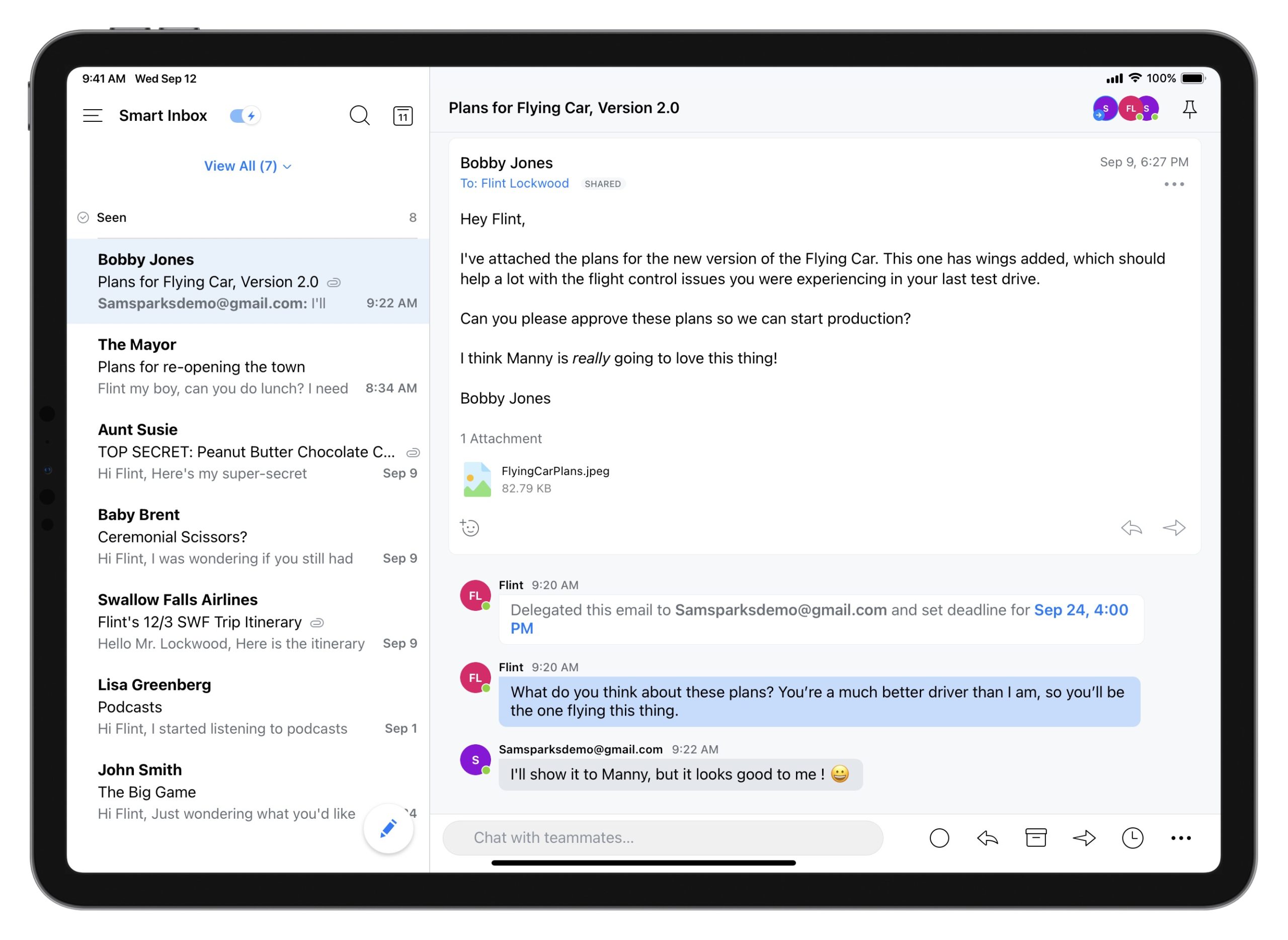
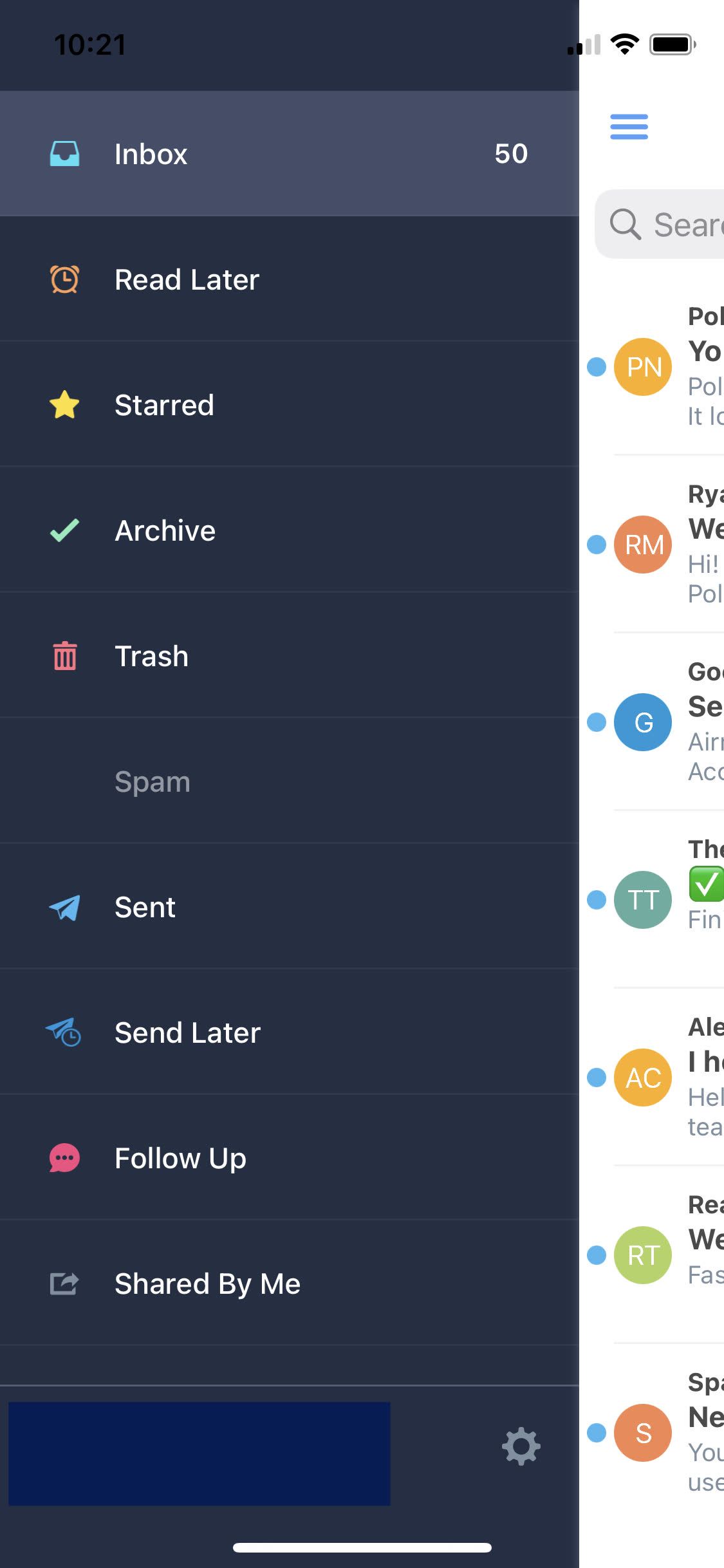
Spark Mail remains a favorite for small businesses where team members need visibility into shared correspondence. The app allows colleagues to discuss emails internally using comment threads before sending a reply to a client.
Operational Advantage: Shared inboxes and delegating specific email threads to team members reduces duplicate responses and ensures accountability across client accounts.
However, teams must consider the subscription cost for advanced features, and privacy-conscious users should review how team-shared data is processed through Spark's cloud infrastructure.
Microsoft Outlook for iOS: The Corporate Standard
For enterprises leveraging Microsoft 365, Outlook for iPhone provides unmatched synergy between email, contacts, OneDrive, and the native calendar app. The focused inbox feature automatically separates critical client inquiries from automated newsletters and promotional spam.
The mobile client handles Exchange accounts flawlessly, making it ideal for industries that rely heavily on scheduling meetings, booking calendar slots, and managing complex attachments on the go.
Superhuman: Speed Optimization for High-Volume Founders
Superhuman approaches email management with an obsession for velocity. Designed for founders, sales directors, and consultants who process hundreds of messages daily, the app offers zero-latency performance, split inboxes, and integrated AI writing assistants.
While the monthly cost is significantly higher than standard email apps, the time saved per day easily justifies the expense for revenue-generating executives.
Step-by-Step Implementation Guide for Migrating Your Business Email
Transitioning your small business email infrastructure to a new iOS client requires a structured approach to avoid missing client inquiries or breaking security configurations.
- Audit Existing Accounts: Compile a master list of all business email domains, IMAP/POP3 server settings, and OAuth credentials currently in use.
- Backup Critical Archives: Ensure that local archives and critical client correspondence are safely backed up via your primary mail server (e.g., Google Workspace or Microsoft Exchange) before initiating mobile setup.
- Download and Authenticate: Install your chosen app from the App Store and log in using OAuth 2.0 authentication protocols rather than basic password entry whenever possible.
- Configure Push Notifications: Navigate to iOS Settings, locate your mail app, and enable critical alerts, time-sensitive notifications, and badge counts tailored to your workflow.
- Set Up Smart Signatures and Templates: Create professional HTML signatures featuring your company logo, legal disclaimer, and direct booking links to maintain brand consistency on every mobile reply.
Pros and Cons of Using Third-Party Apps vs. Native Apple Mail
Third-Party Clients
- Pros: Advanced snooze features, built-in task management, shared team workspaces, and superior AI triage tools.
- Cons: Monthly subscription fees for team features, potential privacy concerns regarding third-party cloud servers storing email tokens.
Native Apple Mail
- Pros: Zero cost, deep Siri and Shortcuts integration, privacy-first architecture utilizing Apple's Hide My Email and mail privacy protection.
- Cons: Limited team collaboration features, slower rollout of advanced power-user shortcuts, basic threading compared to dedicated clients.
Frequently Asked Questions
Which email app offers the best security for small business data on iPhone?
Apple Mail paired with iCloud+ Advanced Data Protection offers the highest level of end-to-end encryption for stored data, while enterprise clients like Outlook and Spark provide robust compliance certificates (SOC 2, GDPR) for team environments. Choosing the right option depends on whether your priority is local device privacy or cloud-synced team security.
Can I manage multiple business domains within a single iOS app?
Yes, all major business email apps on iPhone support multiple accounts, allowing you to unify Gmail, Microsoft 365, and custom IMAP domains into a single unified inbox. This prevents the need to switch between multiple apps throughout the workday.
Does using a third-party email app drain the iPhone battery faster?
Modern iOS email clients utilize Apple's background push notification services to minimize battery drain, but apps with heavy background syncing or continuous AI processing may consume slightly more power than native Apple Mail.
Are free email apps safe for handling sensitive client financial data?
While free apps like Outlook and Spark maintain strict enterprise security standards, they often monetize through premium team tiers or utilize metadata for service improvement. For high-security legal or financial practices, paid enterprise tiers or end-to-end encrypted clients are strongly recommended.
How do I migrate my current email settings to a new iPhone app?
Most modern apps automatically detect your email provider (Google, Microsoft, Yahoo) and configure IMAP or Exchange settings securely through OAuth token authentication without requiring manual server port entries.
Optimizing Your Mobile Workflow
Maximizing productivity on your iPhone requires continuous refinement of your notification rules, aggressive utilization of archive and snooze protocols, and leveraging templates for repetitive client onboarding questions. Select the application that aligns with your team structure, secure your login credentials with multi-factor authentication, and transform your mobile inbox into a streamlined engine for business growth.
Image Gallery