Why the Knowledge Base Matters for Teams
A knowledge base acts as a centralized repository for information, serving as the "single source of truth" for an organization. It matters for teams because it eliminates information silos, reduces the time spent searching for answers,...
A knowledge base acts as a centralized repository for information, serving as the "single source of truth" for an organization. It matters for teams because it eliminates information silos, reduces the time spent searching for answers, and ensures consistency in operations. By documenting processes, policies, and technical insights, teams can maintain high productivity and preserve institutional memory even during personnel transitions.
Contents
In the fast-paced corporate environment of 2026, the ability to access accurate information instantly is no longer a luxury—it is a competitive necessity. As teams become more distributed and the volume of digital data grows, the "knowledge gap" between what an organization knows and what an individual employee can find has widened. This gap leads to "knowledge waste," a phenomenon where expertise is lost, duplicated, or trapped within individual silos. A robust internal knowledge base (KB) is the primary structural solution to this problem.
The Problem of Information Fragmentation
Before understanding the value of a knowledge base, it is essential to recognize the cost of its absence. In many organizations, critical information is scattered across various platforms: email threads, private Slack messages, local hard drives, and the unrecorded "tribal knowledge" of senior employees. This fragmentation creates several operational bottlenecks.
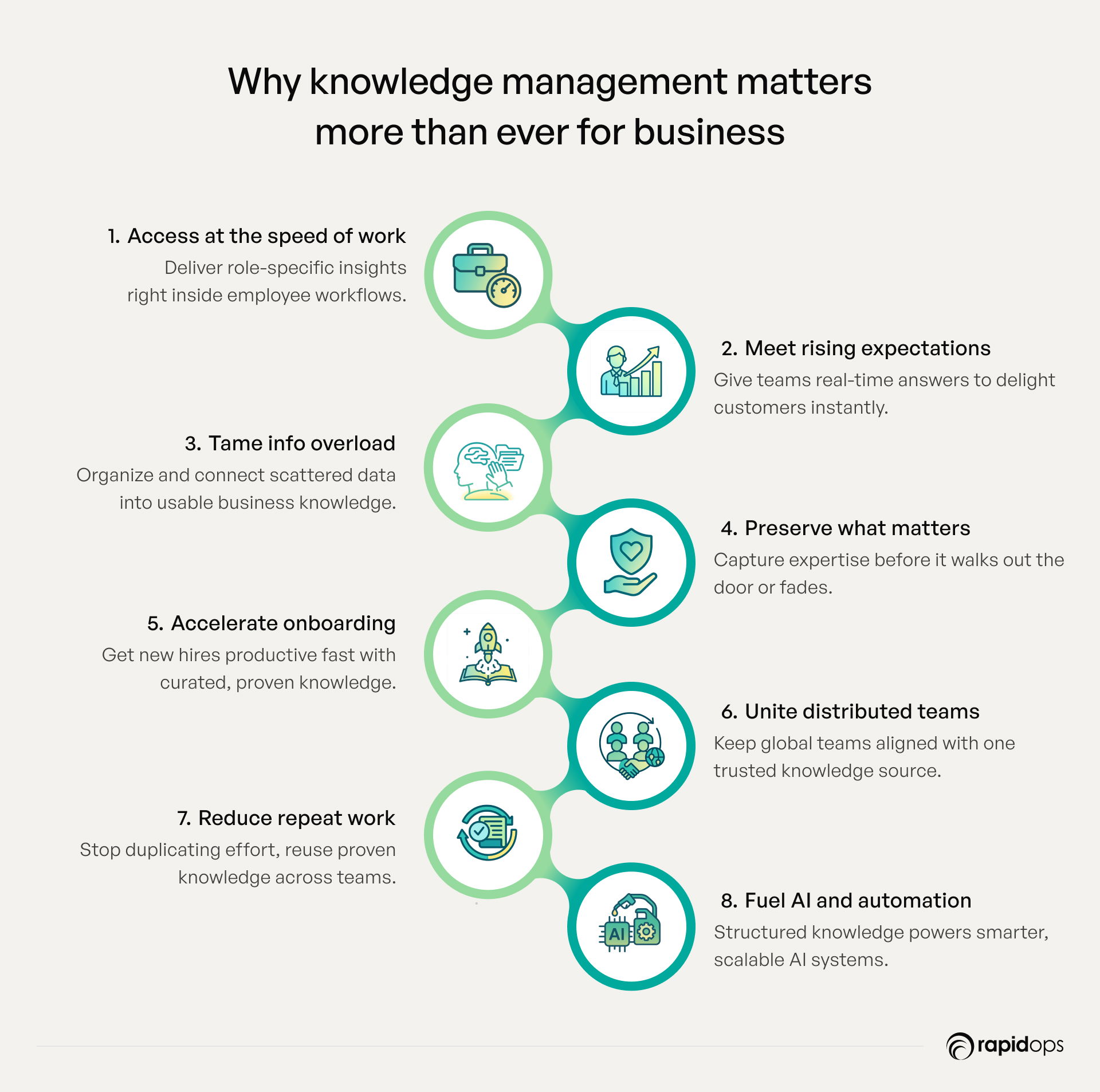
First, fragmentation forces a high volume of repetitive inquiries. When a process isn't documented, a team member must interrupt a colleague to find an answer. This doesn't just cost the time of the person asking; it creates a "context switching" penalty for the person answering. According to research on workplace productivity, it can take up to 23 minutes for a worker to regain deep focus after an interruption. If a senior lead is interrupted five times a day with "where is the latest template?" or "what is our policy on X?", the cumulative loss in high-value output is staggering.
Second, fragmentation leads to inconsistent execution. Without a central guide, three different employees might perform the same task in three different ways, leading to variable quality and potential compliance risks. This is particularly dangerous in technical fields or regulated industries where specific protocols must be followed to ensure safety and legality.
Accelerating Onboarding and Time-to-Productivity
One of the most measurable reasons why a knowledge base matters for teams is its impact on the onboarding process. Historically, bringing a new hire up to speed involved weeks of shadowing, manual training sessions, and a steep learning curve characterized by trial and error.
By 2026, the standard for excellence in employee experience is a "self-service" onboarding model. A well-structured knowledge base allows a new team member to find answers to foundational questions independently. Instead of waiting for a manager to become available, the new hire can consult the KB to understand:
- Technical Setup: How to configure their development environment or access internal software.
- Team Dynamics: Who is responsible for specific domains and what the communication protocols are.
- Workflow Standards: How to submit a pull request, request a budget approval, or document a client meeting.
This autonomy reduces the "time-to-productivity" metric significantly. When new hires feel empowered to find their own answers, their confidence increases, and the burden on the rest of the team decreases.
Preserving Institutional Memory Against Turnover
The "Great Reshuffle" and the shift toward more fluid career paths have made employee turnover a constant reality. When a key employee leaves a company, they often take years of unwritten expertise with them—unless that knowledge has been captured in a knowledge base.
A knowledge base serves as an insurance policy against "brain drain." By making documentation a part of the team culture, organizations ensure that the logic behind past decisions, the intricacies of legacy systems, and the nuances of client relationships are preserved. This continuity is vital for long-term projects. If a project lead departs mid-cycle, a comprehensive knowledge base allows the successor to step in with a clear understanding of the project's history, current status, and future roadmap, preventing the project from stalling or repeating past mistakes.
Enhancing Asynchronous Work and Global Collaboration
In 2026, the "9-to-5 in a single office" model has largely been replaced by hybrid and fully remote global teams. When team members work across different time zones, the ability to wait for a live answer disappears. If a developer in London needs a specific API key documentation from a colleague in San Francisco who is currently asleep, work grinds to a halt.
The knowledge base facilitates asynchronous collaboration. It ensures that the "information flow" never stops, regardless of who is online. For global teams, the KB becomes the virtual office—a place where the collective intelligence of the team is always available. This reduces the need for excessive meetings, as many updates and process explanations can be handled through documented "ReadMes" and project wikis.
Comparing Knowledge Management Approaches
Not all knowledge storage methods are equal. Teams often confuse a "file dump" (like a disorganized Google Drive) with a functional knowledge base. The following table highlights the differences between various approaches to team information management.
| Feature | Slack/Teams Messages | Cloud Storage (Folders) | Modern Knowledge Base (KB) |
|---|---|---|---|
| Searchability | Poor; difficult to find specific older threads. | Moderate; depends on naming conventions. | High; uses tagging, indexing, and AI-driven search. |
| Persistence | Low; gets buried in the feed quickly. | High; files stay where they are put. | High; content is curated and updated. |
| Structure | Chronological and chaotic. | Hierarchical but often rigid. | Dynamic; uses links, categories, and cross-references. |
| Verification | Unverified; may be outdated or opinionated. | Mixed; requires manual checking of file dates. | High; often includes "last updated" and "owner" tags. |
| Intent | Immediate communication. | Asset storage (images, PDFs). | Learning, guidance, and process execution. |
Technical Depth: The Role of AI in 2026 Knowledge Bases
The primary evolution in knowledge bases between 2020 and 2026 is the integration of generative AI and Large Language Models (LLMs). A modern knowledge base is no longer just a static set of documents; it is an active participant in the team's workflow.
Natural Language Querying
Teams no longer need to remember exact keywords to find a document. With semantic search, a team member can ask, "How do we handle a Tier 3 security breach for the European servers?" The KB doesn't just return a list of documents containing those words; it synthesizes the relevant information from multiple articles to provide a direct, summarized answer with links to the source documentation for verification.
Automated Documentation
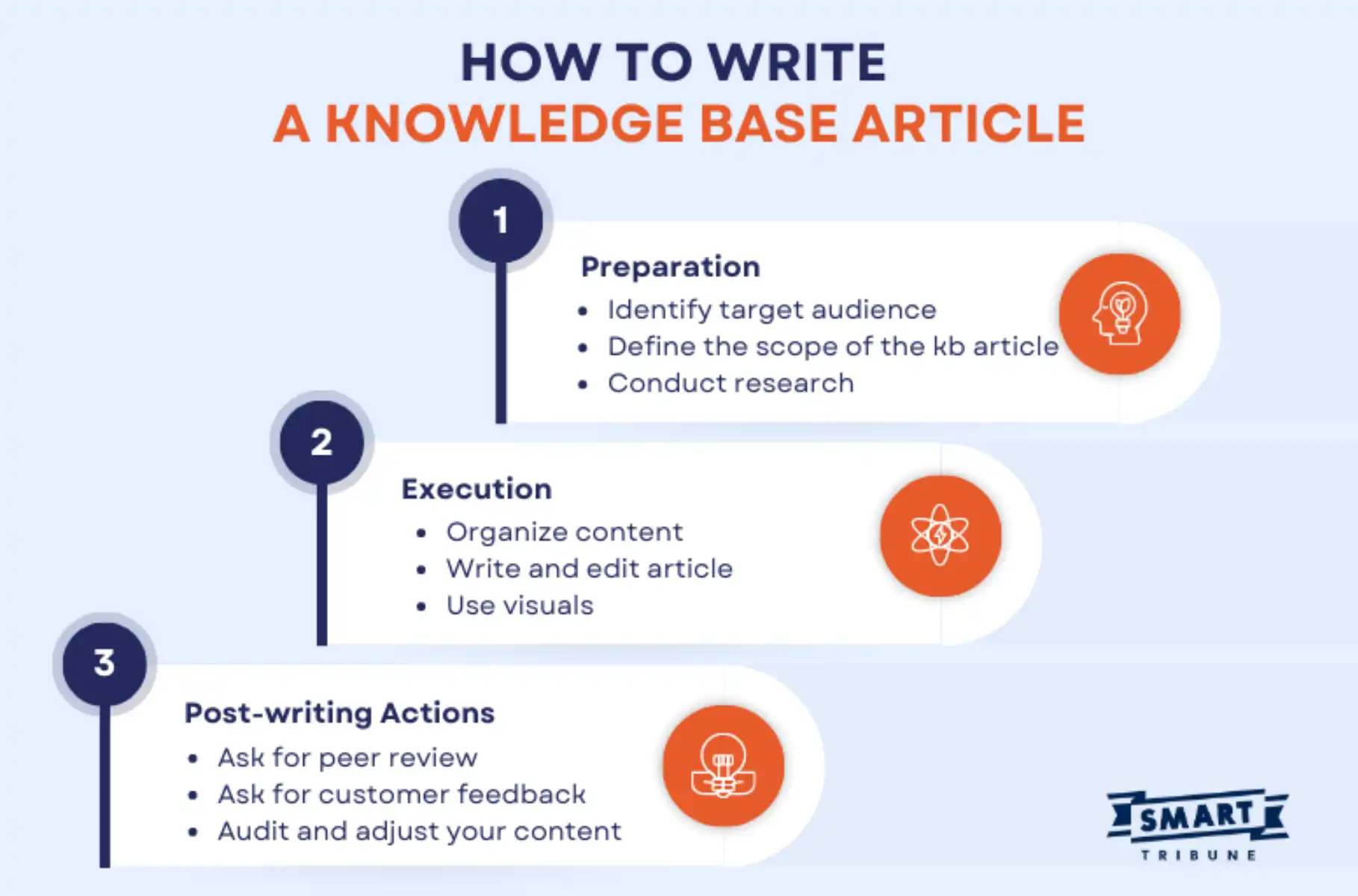
One of the biggest hurdles to maintaining a KB is the time required to write articles. Modern tools now offer "auto-documentation" features. For example, if a team resolves a complex bug in a Jira ticket or a GitHub issue, the KB can draft a "Lessons Learned" article based on that interaction, which a human then reviews and publishes. This reduces the friction of documentation and keeps the knowledge base current.
Overcoming Common Obstacles
Despite the clear benefits, many teams struggle to maintain an effective knowledge base. The most common failure point is treating the KB as a "project" with a start and end date, rather than a living "process."
- Content Decay: Information changes. If a KB contains outdated software versions or old HR policies, teams will lose trust in it and stop using it. To prevent this, teams should assign "owners" to specific categories who are responsible for quarterly audits.
- Friction in Contribution: If it is difficult to add information, people won't do it. The best KBs are integrated into the tools teams already use. For instance, a "Convert to KB article" button within a chat app or email client can drastically increase the volume of captured knowledge.
- Lack of Leadership Buy-in: If managers do not model the behavior—by saying "Is that in the KB?" or "Please document that in the wiki"—the team will view the KB as an optional chore rather than a core part of their job.
Frequently Asked Questions
1. How does a knowledge base differ from a project management tool?
A project management tool (like Trello, Asana, or Jira) focuses on "what we are doing right now" and "who is doing it." It tracks tasks, deadlines, and progress. In contrast, a knowledge base focuses on "how we do things" and "why we do them." While a project management tool captures the action, the knowledge base captures the knowledge behind the action.
2. Is a knowledge base only useful for technical teams?
No. While developers and IT teams were early adopters, the benefits apply to every department. HR uses it for policies and benefits; Sales uses it for competitive intelligence and pitch decks; Customer Support uses it for troubleshooting guides; and Marketing uses it for brand guidelines and campaign post-mortems.
3. How do we ensure the information in our KB stays accurate?
The most effective method is a "Review and Verify" workflow. Most modern KB software allows you to set expiration dates on articles. When the date arrives, the system notifies the article owner to confirm the info is still correct or update it. Additionally, allowing users to "flag" or "comment" on outdated articles creates a crowdsourced quality control mechanism.
4. What is the "single source of truth" concept?
The single source of truth (SSOT) is the practice of structuring information models and associated data schema such that every data element is mastered (or edited) in only one place. For a team, it means that if there are two versions of a process, the one in the knowledge base is the only one that counts as the official version. This eliminates confusion and disputes.
5. How much time should a team spend on documentation?
The general recommendation is the "10% rule." If a team spends 10% of their time documenting what they've learned and how they've solved problems, they usually see a 30-50% increase in long-term efficiency by avoiding repetitive work. Documentation is a short-term investment for a long-term productivity dividend.
Practical Next Action
To begin leveraging a knowledge base for your team, do not attempt to document everything at once. Start with a "Top 10" list of the questions that are most frequently asked in your team's chat channels or meetings. Create clear, concise articles for these ten items in a centralized tool. Once the team experiences the relief of being able to say "the answer is in the KB," the culture of documentation will begin to grow organically.
Image Gallery