Navigating the BJ's Wholesale Club UKG Access Code System in 2026
For team members across BJ's Wholesale Club locations, accessing work schedules, pay stubs, benefits, and tax documents requires utilizing the enterprise workforce management platform powered by UKG (Ultimate Kronos Group). Understandi...
For team members across BJ's Wholesale Club locations, accessing work schedules, pay stubs, benefits, and tax documents requires utilizing the enterprise workforce management platform powered by UKG (Ultimate Kronos Group). Understanding how the BJ's UKG access code system functions in 2026 is critical for seamless employee self-service. Whether you are logging in from a desktop terminal in the manager's office or checking your mobile device via the UKG Pro or UKG Dimensions applications, knowing the precise tenant URL, company short name, and troubleshooting methods eliminates administrative friction.
Contents
This comprehensive guide breaks down everything team members, supervisors, and human resources personnel need to know about utilizing the UKG ecosystem at BJ's Wholesale Club, providing actionable steps for secure login, credential recovery, and optimal mobile optimization.
Understanding the BJ's UKG Infrastructure and Portal Architecture
BJ's Wholesale Club manages its massive workforce—spanning hundreds of warehouse clubs, distribution centers, and home office environments—through cloud-based human capital management (HCM) solutions. The infrastructure relies heavily on UKG software to process timekeeping, shift scheduling, payroll distribution, and human resources administration.
When attempting to log into the ecosystem, employees frequently encounter references to an "access code," "company ID," or "tenant domain." Unlike consumer applications, enterprise SaaS platforms like UKG require a specific routing identifier to direct your login request to the correct corporate database. For BJ's team members, this means you are not merely logging into a generic portal; your connection must route through the secure, encrypted enterprise gateway designated specifically for BJ's Wholesale Club employees.
Key Components of the Enterprise Workforce Management Platform
- Company Short Name / Tenant ID: The specific identifier used within mobile applications to connect your device directly to the BJ's corporate database.
- Single Sign-On (SSO): The authentication protocol that binds your corporate credentials to secure access portals, minimizing the need to remember multiple passwords.
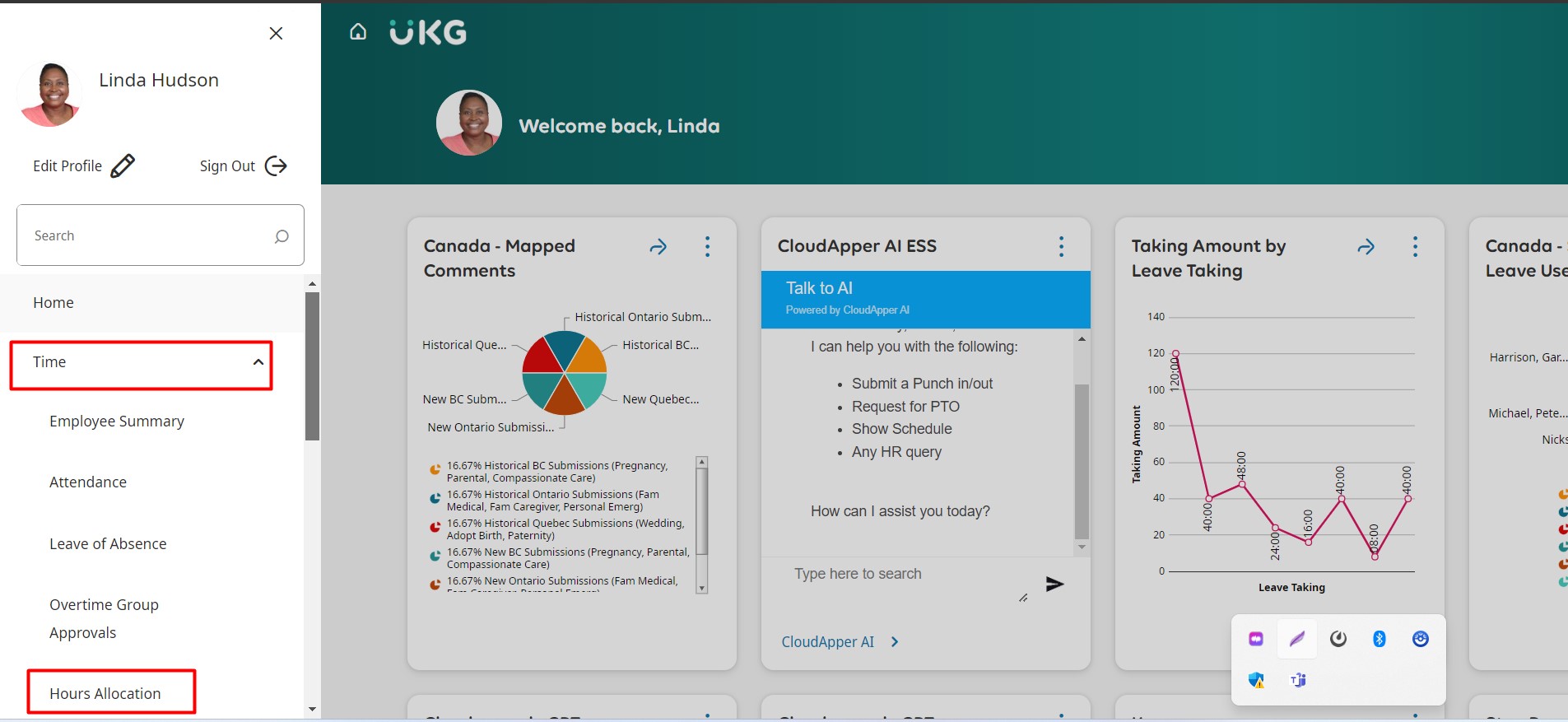
- Time and Attendance Modules: The digital interface used to punch in and out, review electronic timecards, and request paid time off (PTO).
- Document Center: The secure repository housing historical W-2 forms, current pay statements, and employment verification documents.
Step-by-Step Guide to Logging In with Your UKG Access Code
Accessing your employee portal requires following a standardized workflow designed to protect sensitive personal and financial data. Whether you are using a shared in-store terminal or downloading the application on your personal smartphone, following the correct sequence prevents account lockouts and security alerts.
Logging In via Mobile Applications (UKG Pro / UKG Dimensions)
- Download the Official App: Navigate to the Apple App Store or Google Play Store and download the official UKG Pro or UKG Dimensions application, ensuring you avoid third-party clones or outdated Kronos iterations.
- Launch and Prompt for Tenant: Open the application and select the option to log in using a company-provided tenant URL, short name, or access code.
- Input the BJ's Identifier: Enter the official BJ's Wholesale Club company identifier or scan the configuration QR code provided by your club manager or human resources representative.
- Authenticate via Enterprise Credentials: Input your assigned Associate ID and your secure network password. If multi-factor authentication (MFA) is enabled, complete the verification prompt via SMS or authenticator app.
- Dashboard Navigation: Once verified, you will land on your personalized employee dashboard where you can view shift schedules, upcoming club events, and pay history.
Logging In via Web Browser
- Navigate to the official BJ's employee portal web address provided during your onboarding orientation.
- Verify that the browser displays a secure connection indicator (HTTPS and a padlock icon) to protect against phishing attempts.
- Enter your corporate credentials into the designated login fields.
- Complete any required multi-factor authentication challenges.
Troubleshooting Common Login Errors and Access Code Issues
Even with standardized procedures, technical hurdles can prevent a smooth login experience. Recognizing error codes and symptom patterns allows you to resolve issues independently or escalate them correctly to internal support desks.
Frequent Access Errors and Remediation Steps
| Error Symptom | Probable Cause | Corrective Action |
|---|---|---|
| "Invalid Tenant ID or Access Code" | Incorrect company short name entered into the mobile app settings. | Clear the app cache, verify the exact alphanumeric tenant code with management, and re-enter. |
| "Account Locked Due to Multiple Failed Attempts" | Entering an incorrect password consecutively. | Wait thirty minutes for automatic reset or contact the internal IT support desk to unlock. |
| "Page Cannot Be Displayed / Gateway Timeout" | Network congestion or corporate firewall restriction on personal Wi-Fi. | Switch from the in-store guest Wi-Fi to cellular data or use a designated wired terminal in the administrative office. |
| "Credentials Expired" | Failure to update network password within the mandatory corporate rotation window. | Use the self-service password reset utility on a work computer to establish a new compliant password. |
Security Advisory: Never share your associate ID, password, or access code with coworkers, managers, or external parties. BJ's Information Security teams will never ask for your password via phone, text message, or personal email.
Comparing Access Methods: Mobile App vs. In-Store Terminals
Team members often weigh the convenience of mobile access against the reliability of dedicated in-store hardware. Understanding the operational differences helps determine the best approach for managing your work schedule and pay details.
- Mobile App Advantages: Real-time push notifications for shift swaps, immediate visibility into pay stubs days before payday, and 24/7 accessibility away from the physical workspace.
- Mobile App Limitations: Requires a compatible smartphone, reliable cellular data or Wi-Fi, and manual troubleshooting during major app updates.
- In-Store Terminal Advantages: Direct network integration, zero reliance on personal hardware, and immediate proximity to managerial assistance for timecard adjustments.
- In-Store Terminal Limitations: Restricted access hours tied to store operations, shared physical hardware requiring rigorous hygiene, and potential wait times during shift changes.
Frequently Asked Questions
What is the exact UKG access code or company ID for BJ's Wholesale Club?
The exact tenant code varies based on whether you are accessing UKG Pro or UKG Dimensions modules, and these strings are subject to security updates. Team members should consult their onboarding documentation, employee handbook, or store manager to obtain the active, verified organization string for 2026.
How do I reset my password if I am locked out of the BJ's UKG portal?
You can utilize the self-service password reset link available on the portal login screen if you have registered a recovery email or phone number. Alternatively, contact your club's Human Resources Manager or the internal IT Help Desk to initiate a secure manual password reset.
Can I view my W-2 tax forms through the BJ's UKG mobile application?
Yes, the Document Center module within the authenticated portal allows current and former team members to securely access, view, and download historical tax documents, including W-2 forms for previous tax years.
Why is my mobile app failing to connect even with the correct access code?
This typically occurs due to an outdated application version or temporary server maintenance by the vendor. Ensure your app is updated to the latest 2026 release via your device's app store, or try accessing the portal via a standard web browser.
Who should I contact if my timecard is missing punches in the UKG system?
Timecard discrepancies, missed punches, and payroll adjustments must be reported directly to your department supervisor or club manager for administrative correction prior to payroll lock periods.
Securing Your Workforce Profile
Maintaining seamless access to your employee profile through the BJ's UKG ecosystem ensures you stay informed regarding scheduling updates, compensation changes, and company communications. By utilizing official application channels, adhering to strict cybersecurity protocols, and promptly reporting technical anomalies to internal support desks, you ensure uninterrupted access to your professional records throughout 2026 and beyond.
Image Gallery