Understanding the Cubic Junior Alarm System: A Comprehensive Guide
The Cubic Junior alarm system is a wireless, self-monitored home security solution designed primarily for apartments, small homes, and retail spaces. It operates through a centralized hub that connects to various peripheral sensors—suc...
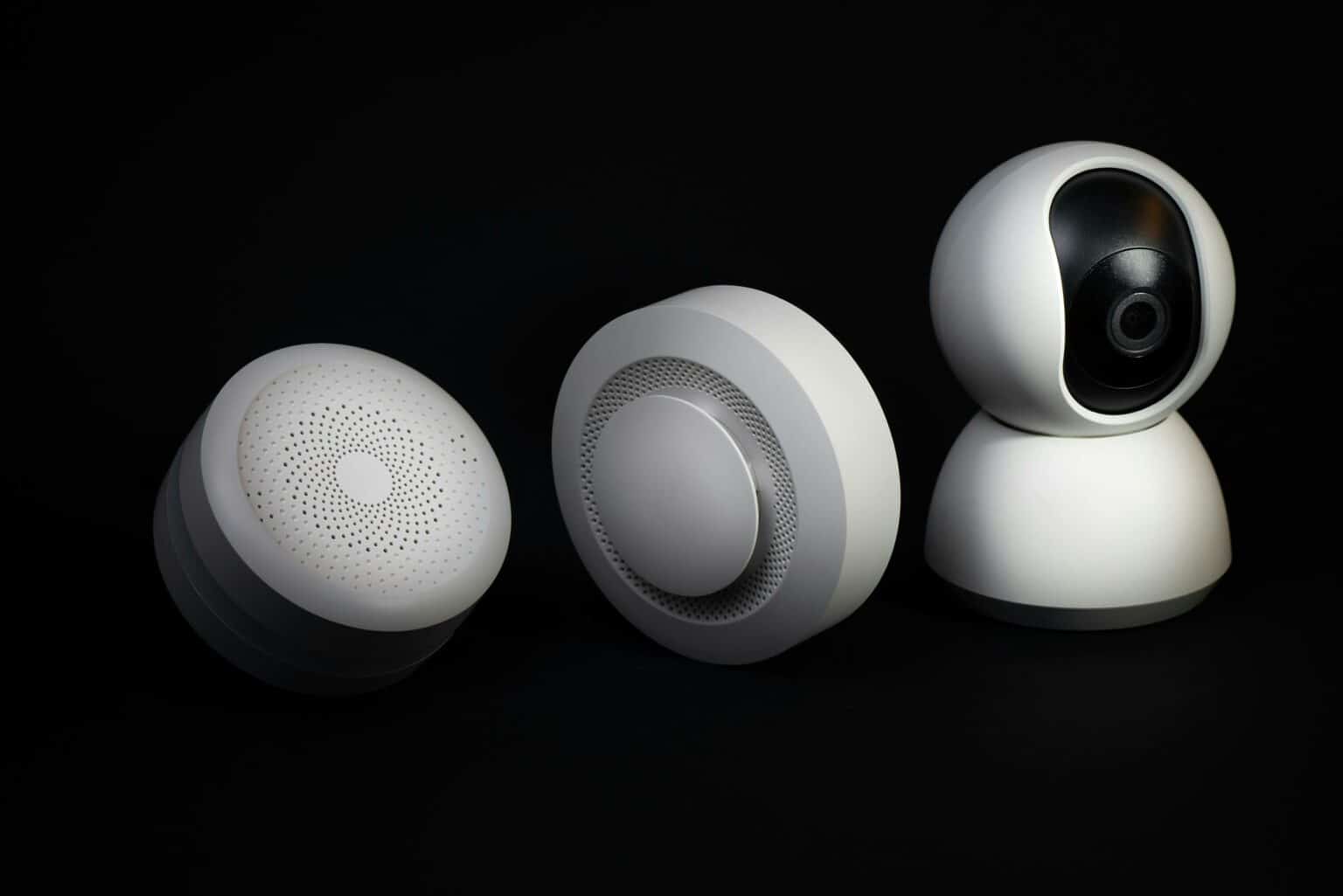
The Cubic Junior alarm system is a wireless, self-monitored home security solution designed primarily for apartments, small homes, and retail spaces. It operates through a centralized hub that connects to various peripheral sensors—such as motion detectors and door contacts—using radio frequencies, providing real-time alerts to users via a dedicated smartphone application or SMS.
Contents
Overview of the Cubic Junior Architecture
The Cubic Junior alarm system is categorized as a "plug-and-play" security solution. Unlike traditional hardwired systems that require professional installation and extensive cabling, the Cubic Junior relies on wireless communication protocols. This design philosophy targets the DIY (Do-It-Yourself) market, offering a balance between robust security features and ease of use.
By 2026, the ecosystem for the Cubic Junior has matured, focusing on stability and integration with mobile platforms. The system typically operates on a dual-path communication logic. It uses a local Wi-Fi connection for primary data transmission and app notifications, while many versions include a GSM (cellular) backup slot. This ensures that if the home internet is cut or fails, the system can still send emergency SMS alerts or place phone calls to designated numbers.
The hardware is designed to be unobtrusive. The main hub is usually a compact unit that acts as the siren and the gateway for all sensors. Because it uses the 433 MHz frequency band for peripheral communication, it offers a reliable range that can penetrate standard residential walls, making it suitable for multi-room configurations.
Core Components and Technical Specifications
To fully understand the Cubic Junior, one must break down the individual components that make up the starter kit and the optional expansions. Each piece of hardware serves a specific role in the "detection-to-notification" pipeline.
The Central Hub (The Brain)
The hub is the most critical component. It houses the logic board, the wireless transceiver, and the internal siren. In the event of a breach, the hub processes the signal from the sensors and triggers the alarm. It also manages the "Handshake" with the cloud server to push notifications to your phone.
PIR Motion Sensors
Passive Infrared (PIR) sensors included with the Cubic Junior are designed to detect heat signatures in motion. These sensors utilize a Fresnel lens to divide the detection area into zones. When a heat source moves across these zones, the sensor triggers. Modern Cubic Junior PIRs are often calibrated to be "pet-friendly" up to a certain weight (usually 15-25kg), preventing false alarms from small dogs or cats.
Magnetic Door and Window Contacts
These sensors consist of two parts: a reed switch and a magnet. When the door or window is closed, the magnetic field holds the circuit closed. If the door opens, the circuit is broken, and the sensor immediately transmits an "Open" signal to the hub. These are essential for perimeter defense.
Remote Keyfobs and RFID Tags
While the system is primarily controlled via a smartphone, physical remote controls allow users to arm or disarm the system without a phone. This is particularly useful for children or temporary guests who may not have the app installed.
| Component | Connectivity | Battery Type | Typical Range (Open Area) |
|---|---|---|---|
| Central Hub | Wi-Fi / GSM | Power Adapter w/ Internal Backup | N/A (Gateway) |
| PIR Motion Sensor | 433.92 MHz | 2x AA or CR123A | 80 Meters |
| Door/Window Sensor | 433.92 MHz | CR2032 or 23A 12V | 50 Meters |
| Remote Keyfob | 433.92 MHz | CR2025 | 30 Meters |
| External Siren | Wireless (433 MHz) | Power Adapter / Solar | 100 Meters |
Installation and Initial Configuration
The installation of the Cubic Junior system follows a logical progression from the hub outward to the sensors. Because the system is wireless, the physical installation involves more adhesive or screw-mounting than electrical work.
Step 1: Hub Activation
The hub must be placed in a central location within the home to ensure it can reach all sensors effectively. It requires a constant power source. Once powered, the user must download the official app and pair the hub to the local Wi-Fi network. This usually involves scanning a QR code on the back of the device to register the unique ID to the user's account.
Step 2: Sensor Pairing
Most Cubic Junior kits come with pre-paired sensors. However, if adding new components, the user enters "Pairing Mode" via the app and triggers the sensor (e.g., separating the magnet from the door contact). The hub acknowledges the new device with a beep, and the user can then name the zone (e.g., "Front Door" or "Living Room").
Step 3: Physical Placement
Placement is the most common area where users make mistakes. PIR sensors should not face windows or heat sources like radiators, as rapid temperature changes can cause false triggers. Door sensors must be aligned correctly; if the gap between the magnet and the sensor exceeds 10mm, the system may report the door as "open" even when it is closed.
Operational Modes: How the System Functions
The Cubic Junior typically offers three distinct operational states, which allow the user to customize protection based on their presence in the home.
- Away Mode (Full Arm): Every sensor in the system is active. This is used when no one is home. Any movement or door opening will trigger an immediate alarm.
- Home Mode (Stay/Partial Arm): This mode allows the user to stay inside while keeping the perimeter protected. Typically, the door and window sensors are active, but the internal PIR motion sensors are bypassed so you can move around the house without triggering the alarm.
- Disarmed Mode: The system ignores most sensor triggers, though "24-hour" zones (like smoke detectors or SOS buttons) remain active for safety.
In 2026, many users integrate these modes with smart home automation. For instance, setting the system to "Away" might automatically lock smart deadbolts or turn off smart lights, provided the Cubic hub is linked through compatible third-party bridges.
Maintenance and Troubleshooting Common Issues
Maintaining a Cubic Junior system is relatively low-effort but requires periodic checks to ensure the wireless links remain strong and the batteries are functional.
Battery Management
Wireless sensors are battery-powered. While the batteries typically last 12 to 24 months, cold environments can drain them faster. The Cubic Junior app provides low-battery notifications. It is a best practice to replace all batteries simultaneously once a year to prevent rolling failures.
Signal Interference
Since the system operates on the 433 MHz frequency, it can occasionally face interference from other household electronics like older cordless phones or baby monitors. If a sensor shows as "Offline" in the app, it usually indicates either a dead battery or a new physical obstruction (like a large metal cabinet) blocking the signal path to the hub.
Avoiding False Alarms
False alarms in the Cubic Junior system are almost always caused by PIR placement. Ensure that there are no moving curtains or hanging decorations near the sensors. Additionally, if you have pets, ensure the PIRs are mounted at the height recommended by the manufacturer (usually 2 to 2.2 meters) to allow the "pet-immune" logic to function correctly.
Comparison: Cubic Junior vs. Professional Systems
When evaluating the Cubic Junior, it is important to understand its position in the market. It is not a direct competitor to high-end, monitored commercial systems like ADT or Verisure, but rather a flexible alternative for the residential user.
- Cost Structure: Professional systems often require a low upfront cost but high monthly subscription fees. The Cubic Junior is a "buy-once" product. There are typically no mandatory monthly fees unless the user chooses to pay for a third-party SIM card for GSM backup.
- Response Time: With a professional system, a central monitoring station calls the police. With the Cubic Junior, the user is the monitor. You receive the alert and must decide whether to call the authorities or check your indoor cameras (if installed).
- Installation: Professional systems often require drilling and permanent changes. The Cubic Junior uses double-sided 3M tape for sensors, making it ideal for renters who need to take the system with them when they move.
Frequently Asked Questions
Can I add more sensors to the Cubic Junior after the initial setup?
Yes, the system is highly expandable. Most versions of the Cubic Junior hub can support up to 50 or 100 individual wireless sensors. This includes not just motion and door sensors, but also specialized peripherals like water leak detectors, smoke alarms, and vibration sensors for glass windows.
Does the Cubic Junior work if the power goes out?
The central hub includes a built-in rechargeable backup battery. In the event of a power failure, the hub can typically stay operational for 6 to 10 hours. If you have a GSM SIM card installed, the system will send you a notification or SMS the moment the main power is lost, allowing you to investigate.
Is there a monthly subscription fee for the Cubic Junior?
Generally, no. The primary appeal of the Cubic Junior system is that it is a self-monitored solution. App notifications and Wi-Fi connectivity are usually free. The only ongoing costs would be for the replacement of batteries or the cost of a cellular plan if you choose to use a SIM card for backup communication.
What happens if my Wi-Fi is down?
If the Wi-Fi is disconnected, the system will still function locally. If an intruder enters, the loud internal siren will still trigger to scare them away. However, you will not receive a notification on your smartphone unless you have a GSM SIM card installed in the hub as a secondary communication path.
Can multiple family members control the alarm?
Yes. The Cubic Junior app allows for multi-user management. You can invite family members or roommates to the "Home" via their email addresses. Each user can then arm or disarm the system from their own smartphone and receive notifications of any alerts.
Final Recommendation
The Cubic Junior alarm system is an excellent choice for users who prioritize autonomy and want to avoid long-term contracts. To get the most out of the system, ensure that you perform a "walk test" after installation—triggering every sensor to verify that the hub receives the signal. For maximum reliability, it is highly recommended to install a prepaid SIM card to serve as a backup to your Wi-Fi, ensuring the system remains "online" even during internet outages or power cuts.
Image Gallery