Understanding Spam Junk Email: A Comprehensive Guide to Digital Hygiene
Spam and junk email are unsolicited, bulk-sent electronic messages typically used for commercial advertising, phishing, or spreading malware. While "junk" often refers to unwanted marketing, "spam" encompasses a broader range of potent...
Spam and junk email are unsolicited, bulk-sent electronic messages typically used for commercial advertising, phishing, or spreading malware. While "junk" often refers to unwanted marketing, "spam" encompasses a broader range of potentially malicious communications. Managing these messages requires combining automated provider filters with vigilant personal habits and technical authentication protocols.
Contents
The Evolution of Spam in 2026
By 2026, the landscape of unsolicited email has shifted significantly from the simple "get rich quick" schemes of the past. The integration of large language models (LLMs) and sophisticated automation has allowed spammers to generate messages that are grammatically perfect and highly personalized. This evolution means that traditional "red flags," such as poor spelling or generic greetings, are no longer reliable indicators of a fraudulent message.
Current spam filtering technologies now rely heavily on behavioral analysis and machine learning to identify patterns in sending frequency and IP reputation. However, as filters become more advanced, spammers have pivoted toward "graymail"—messages that technically meet legal requirements for consent but provide no value to the recipient, often cluttering inboxes and reducing productivity. Understanding the nuances between these categories is the first step in regaining control over your digital communication.
Differentiating Between Junk, Spam, and Phishing
To effectively manage an inbox, it is vital to distinguish between different types of unwanted mail. Although the terms are often used interchangeably, they represent different levels of risk and require different response strategies.
Junk Mail (Graymail)
Junk mail usually refers to legitimate marketing communications that you may have inadvertently signed up for. This includes newsletters from retailers where you once made a purchase or updates from services you no longer use. While annoying, junk mail is generally not malicious. It typically contains a functional "unsubscribe" link and originates from reputable mail servers.
Spam (Unsolicited Commercial Email)
Spam is the digital equivalent of "circulars" dropped on a doorstep. It is sent in mass quantities to millions of people simultaneously. The goal is often volume-based; if even 0.01% of recipients click a link or purchase a product, the campaign is considered successful. Unlike junk mail, spam frequently ignores "Do Not Track" requests and may use deceptive tactics to bypass filters.
Phishing and Malicious Email
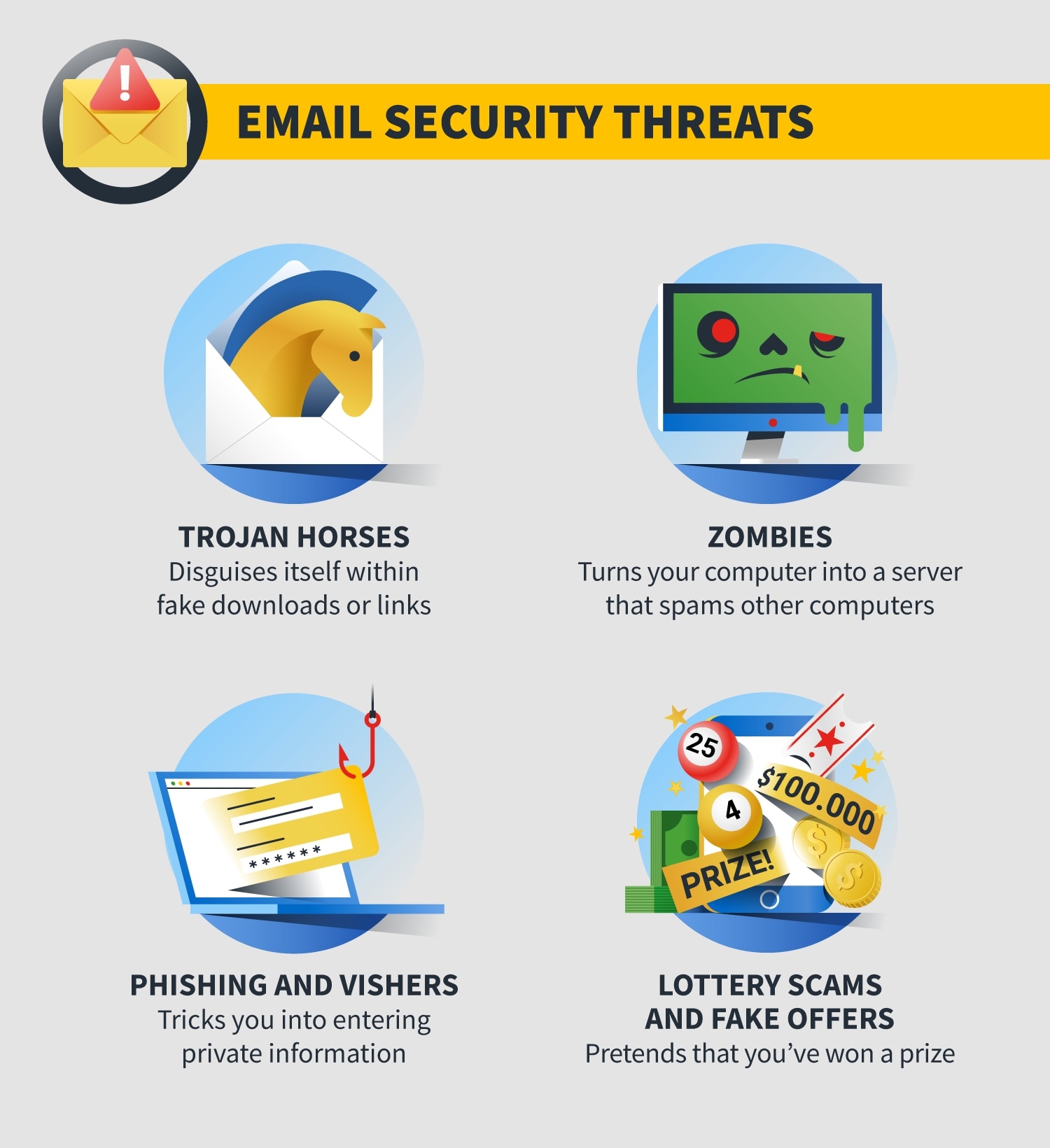
Phishing is a high-risk subset of spam designed to steal sensitive information, such as login credentials, credit card numbers, or social security details. These emails often impersonate trusted entities like banks, government agencies, or internal IT departments. In 2026, spear-phishing—highly targeted attacks based on a recipient’s specific professional or personal background—has become a primary vector for corporate data breaches.
How Your Email Address Ends Up on Spam Lists
Understanding the "why" behind spam helps in preventing future occurrences. Spammers utilize several methods to harvest email addresses, many of which are automated.
- Data Breaches: When a service you use is compromised, your email address is often sold on dark web marketplaces. These lists are then purchased by spam operators who use them for years.
- Web Scraping: Automated bots crawl the public internet, including social media profiles, company directories, and forum signatures, to identify the "@" symbol and extract addresses.
- Dictionary Attacks: These are brute-force attempts where software generates millions of combinations of names and numbers at popular domains (e.g., john123@gmail.com) and sends test emails to see which ones do not bounce.
- Affiliate Sharing: When you agree to "Terms of Service" on many websites, you may be consenting to have your data shared with "third-party partners." This is a common source of legitimate but unwanted junk mail.
Technical Defenses: SPF, DKIM, and DMARC
In the current digital environment, major email providers like Google, Microsoft, and Yahoo have implemented strict requirements for bulk senders. These requirements revolve around three core authentication protocols that help verify a sender's identity and prevent spoofing.
- SPF (Sender Policy Framework): This is a DNS record that lists the specific mail servers authorized to send email on behalf of a domain. If an email arrives from a server not on this list, it is more likely to be marked as spam.
- DKIM (DomainKeys Identified Mail): This adds a digital signature to every outgoing email. The receiving server uses the sender's public key to verify that the email was actually sent by the domain owner and has not been tampered with during transit.
- DMARC (Domain-based Message Authentication, Reporting, and Conformance): This protocol uses SPF and DKIM to provide instructions to the receiving mail server on what to do if an email fails authentication. It can tell the server to "quarantine" the mail (send it to junk) or "reject" it entirely.
As a recipient, you don't configure these for your own inbox, but understanding them allows you to see why certain emails are flagged. Most modern email clients allow you to "view original" or "show header" to see if an incoming message passed these checks.
Comparison of Unwanted Email Types
| Feature | Junk Mail (Graymail) | Classic Spam | Phishing / Malicious |
|---|---|---|---|
| Source | Known entities/retailers | Unknown bulk senders | Impersonators (Banks, etc.) |
| Intent | Sales and engagement | Mass marketing | Theft or malware delivery |
| Risk Level | Low | Moderate | Critical |
| Unsubscribe Link | Reliable and safe | Often fake/malicious | Used for tracking/validation |
| Legal Status | Usually compliant (CAN-SPAM) | Non-compliant | Illegal (Fraud) |
| Primary Action | Unsubscribe | Mark as Spam | Block and Delete |
Practical Steps to Reduce Spam and Junk Email
While it is nearly impossible to eliminate spam entirely, you can drastically reduce its impact on your daily life by following these best practices.
1. Use Email Aliases
Instead of giving out your primary email address to every website, use an alias or a "masked" email service. Providers like iCloud+ and various privacy-focused tools allow you to generate a unique address for every site. If one of those sites sells your data, you can simply delete that specific alias without affecting your main account.
2. The "Unsubscribe" Trap
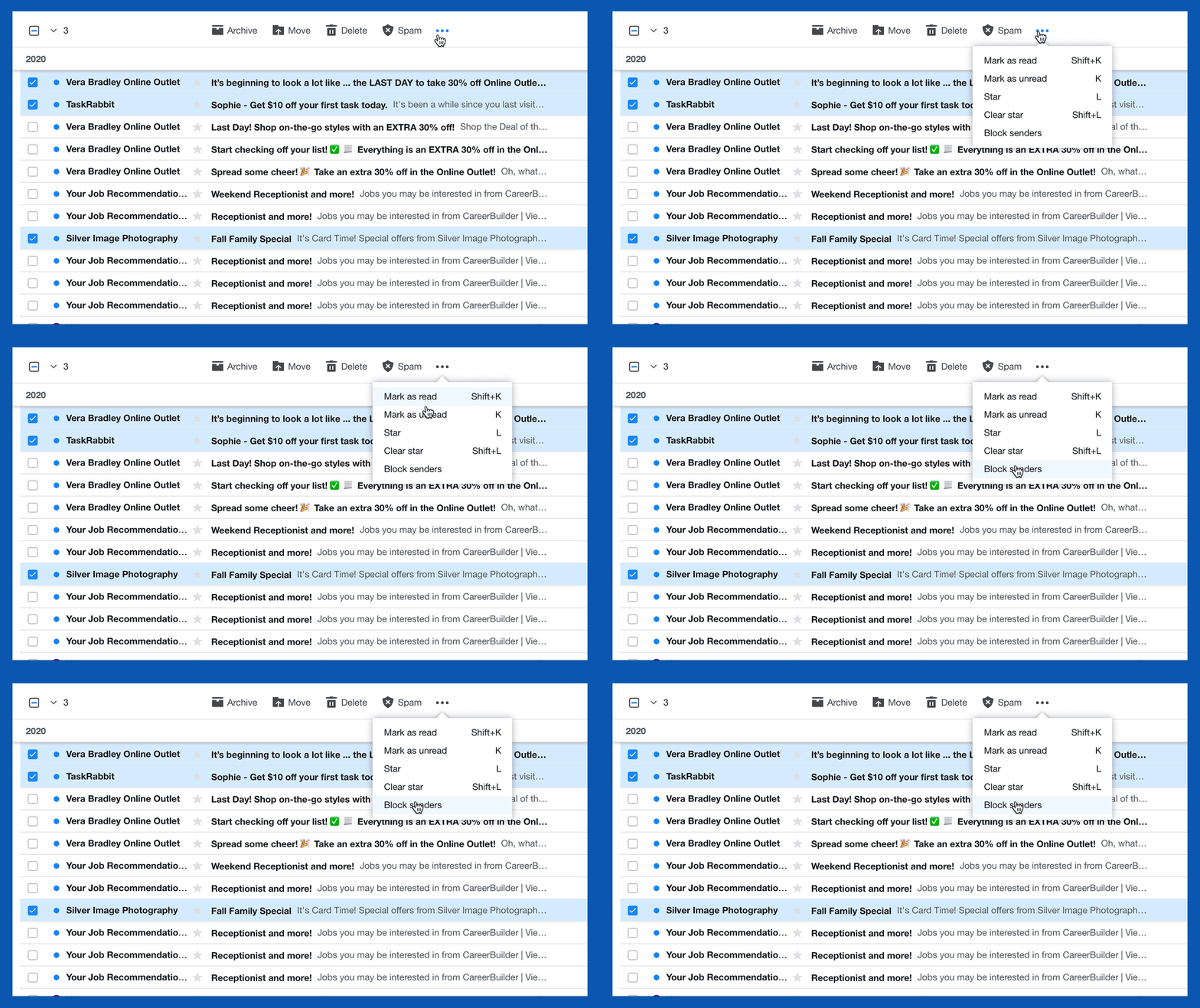
Be cautious with the unsubscribe button. For reputable companies (like national retailers), the unsubscribe link is the correct tool. However, for blatant spam or suspicious mail, clicking "unsubscribe" often confirms to the spammer that your email address is active and monitored by a human. This can lead to an increase in spam. In these cases, it is better to use the "Mark as Spam" or "Report Phishing" function in your email client.
3. Avoid Public Exposure
Never post your email address in plain text on forums, websites, or social media. If you must share it, use an obfuscated format like "name [at] domain [dot] com" to confuse simple scraping bots.
4. Enable Multi-Factor Authentication (MFA)
Because spam is often a precursor to account hijacking, protecting your email account with MFA is non-negotiable. Even if a spammer or phisher manages to steal your password through a deceptive link, they will be unable to access your account without the second factor (such as a hardware key or an authenticator app).
Frequently Asked Questions
Why does spam keep coming even after I block the sender?
Spammers rarely use the same email address twice. They use "spoofing" to make the email appear to come from different addresses or use thousands of rotating domains. Blocking a single address is like trying to stop a flood with a single brick; instead, you should rely on your email provider's "Report Spam" feature, which trains their global filters to recognize the underlying patterns of the campaign.
Is it dangerous to just open a spam email?
Simply opening an email is generally low-risk in 2026, as most modern email clients disable the automatic loading of images and scripts. However, many spam emails contain "tracking pixels"—invisible images that notify the sender when the email is opened. Once they know you are active, you will likely receive more spam. The real danger lies in clicking links or downloading attachments.
Why did an important email go to my junk folder?
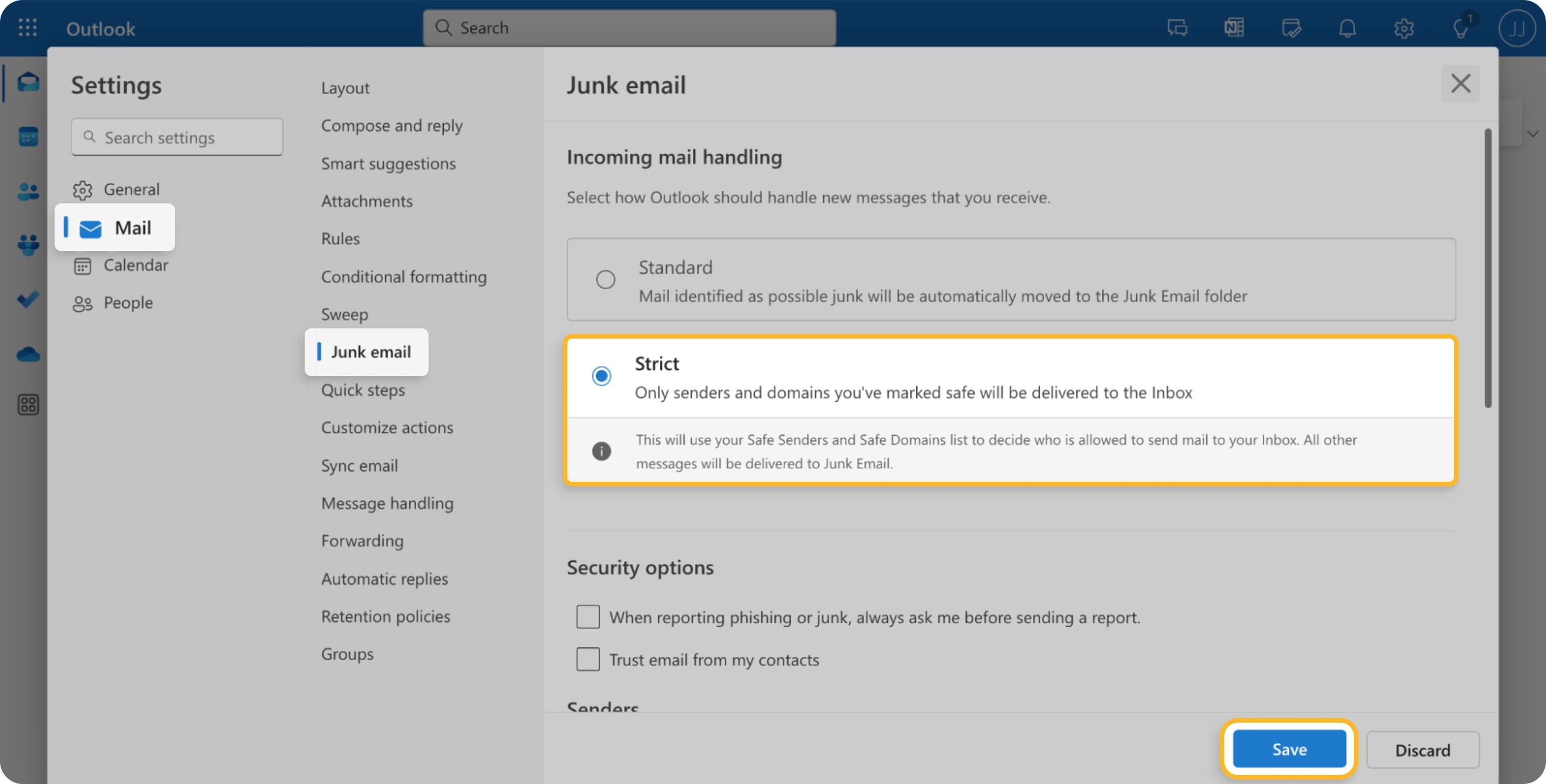
This is known as a "false positive." It happens when a legitimate sender fails technical authentication (like SPF or DKIM) or uses "spammy" language (e.g., all caps, excessive exclamation points, or certain financial keywords). To fix this, add the sender to your "Safe Senders" list or "Contacts," which tells the filter to trust that specific source.
Can I sue spammers for sending me junk mail?
In the United States, the CAN-SPAM Act sets rules for commercial email. While individuals generally cannot sue for small-scale spam, the Federal Trade Commission (FTC) and State Attorneys General can take action against large-scale violators. You can report spam directly to the FTC at reportfraud.ftc.gov.
How do I know if an email is a "spear-phishing" attempt?
Spear-phishing is highly personalized. If an email asks for urgent action (like a wire transfer or password reset) and seems to come from someone you know, but the "tone" is slightly off or the sender's address doesn't match their usual one exactly (e.g., @micros0ft.com instead of @microsoft.com), it is likely an attack. Always verify these requests through a different communication channel, like a phone call or a new, separate email thread.
Recommended Action Path
To protect your inbox in 2026, begin by auditing your current subscriptions. Use a reputable "unsubscription" service or manually opt-out of legitimate marketing mail to clear the "graymail" clutter. For suspicious messages, never interact with the content; instead, use your email provider's reporting tools to improve the filter's accuracy. Finally, ensure that your primary email account is secured with a hardware-based security key to mitigate the risks associated with the phishing attempts that inevitably slip through the cracks. For more information on identifying online threats, consult the Cybersecurity & Infrastructure Security Agency (CISA).
Image Gallery