Automated Case Management Systems in 2026: The Definitive Technical Architecture and Implementation Guide
(Note: In the context of enterprise software and operational workflows, "automated case management system" primarily refers to digital platforms that streamline complex, non-linear workflows across legal, healthcare, social services, a...
(Note: In the context of enterprise software and operational workflows, "automated case management system" primarily refers to digital platforms that streamline complex, non-linear workflows across legal, healthcare, social services, and corporate compliance sectors. This guide focuses on enterprise-grade automated case management solutions deployed in 2026.)
Contents
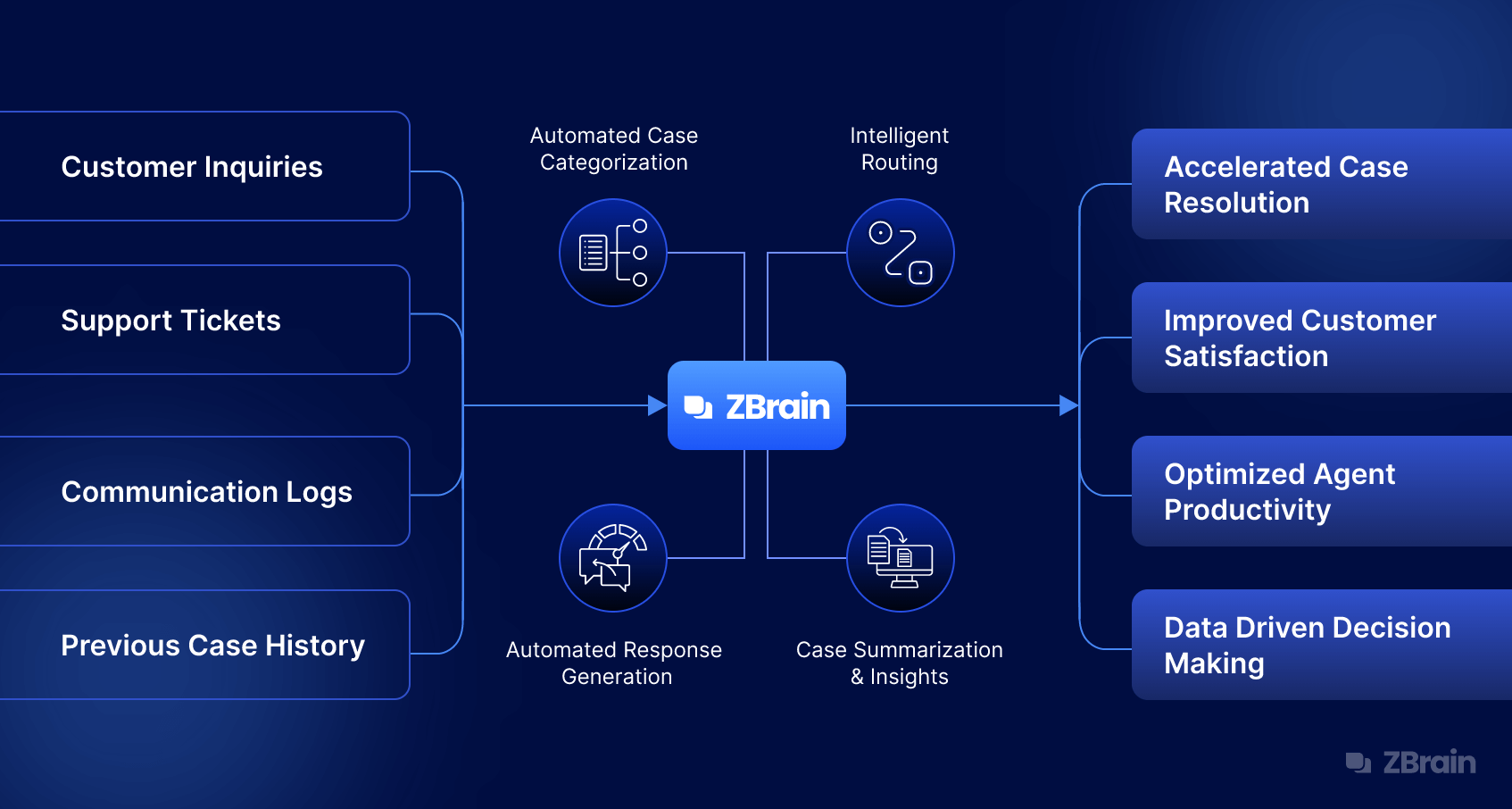
Modern enterprise operations require robust infrastructure to handle dynamic, multi-step workflows. An automated case management system (CMS) has evolved far beyond basic ticketing or document storage. By 2026, these platforms integrate artificial intelligence, robotic process automation (RPA), and advanced predictive analytics to route tasks, enforce regulatory compliance, and accelerate resolution lifecycles. Organizations across legal, healthcare, insurance, and public administration rely on these systems to eliminate manual bottlenecks, reduce human error, and maintain strict audit trails. Implementing a modern CMS demands a deep understanding of core technical components, data security standards, and system architecture to ensure long-term operational resilience.
Core Technical Architecture of Modern Case Management Platforms
Deploying a next-generation automated case management system requires a modular architecture capable of handling unstructured data, real-time event streaming, and secure inter-system communication. Unlike linear workflow engines, a true case management platform accommodates unpredictable human interventions and shifting variables within a single case file.
[Ingestion Layer] -> [Processing Engine] -> [AI / Decision Engine] -> [Secure Data Storage]
To achieve high availability and scalability, enterprise architects rely on containerized deployments orchestrated via Kubernetes. The technical stack typically separates the ingestion layer, processing engine, decision core, and persistence layer.
- Ingestion Layer: Handles multi-channel intake including REST APIs, secure SFTP servers, automated email parsers, and web forms. Data normalization pipelines convert disparate formats into standardized JSON payloads before routing.
- Workflow and Decision Engine: Powered by Business Process Model and Notation (BPMN) standards combined with machine learning models that predict case trajectories, flag high-risk files, and automate routine routing.
- Integration Framework: Utilizes enterprise service buses (ESB) and microservices to connect seamlessly with legacy databases, Customer Relationship Management (CRM) tools, and Document Management Systems (DMS).
- Security and Compliance Core: Implements role-based access control (RBAC), attribute-based access control (ABAC), and end-to-end encryption for data in transit and at rest, aligning with frameworks like HIPAA, GDPR, and SOC 2 Type II.
Comparative Evaluation of Legacy Versus Automated Case Management
Transitioning from traditional, manual, or legacy database systems to an automated, AI-driven case management ecosystem transforms throughput velocity and resource allocation. The structural differences dictate operational efficiency across large enterprises.
| Feature / Metric | Legacy / Manual Case Management | Automated Enterprise CMS (2026 Standard) |
|---|---|---|
| Data Intake | Manual data entry; paper-based or disjointed email routing. | Omnichannel automated ingestion, OCR scanning, and API sync. |
| Routing Logic | Static queue assignments based on manual manager review. | Dynamic, AI-driven routing based on agent workload and skill sets. |
| Compliance Tracking | Manual audit checklists; high risk of missed SLA deadlines. | Automated audit logs, real-time SLA countdowns, and instant alerts. |
| Scalability | Linearly constrained by human headcount and physical storage. | Horizontally scalable via cloud-native microservices architecture. |
| Analytics | Lagging indicators; retrospective monthly spreadsheet reports. | Real-time predictive analytics, bottleneck detection, and dashboarding. |
Step-by-Step Implementation Roadmap for Enterprise Deployment
Deploying an automated case management system demands a disciplined engineering lifecycle. Rushing integration without proper data mapping or stakeholder alignment frequently leads to adoption failure and process friction.
- Process Discovery and Workflow Mapping: Conduct stakeholder interviews and analyze historical case data to map out standard operating procedures (SOPs), exception paths, and compliance bottlenecks.
- Data Taxonomy and Schema Design: Establish a unified data model that standardizes case attributes, custom fields, document tags, and metadata hierarchies across departments.
- Vendor Selection and Security Audit: Evaluate platform vendors against technical requirements, ensuring compliance with data residency laws, API flexibility, and sandbox testing capabilities.
- Integration and Pipeline Configuration: Configure connectors for enterprise identity providers (IdP) supporting single sign-on (SSO), multi-factor authentication (MFA), and directory synchronization.
- Pilot Testing and User Acceptance Testing (UAT): Launch the platform within a restricted department or controlled sandbox environment to test automated routing rules, notification triggers, and edge-case exceptions.
- Staff Training and Change Management: Conduct role-specific training sessions for end-users, case supervisors, and system administrators, emphasizing new automation triggers and exception resolution.
- Full Deployment and Continuous Monitoring: Execute the production cutover, establish real-time performance dashboards, and schedule bi-weekly optimization sprints based on system logs and user feedback.
Balancing Advantages and Operational Challenges
While automated case management systems deliver transformative efficiency, engineering and operations teams must proactively manage inherent architectural and organizational challenges.
Strategic Deployment Notice Pros: Automated platforms dramatically reduce administrative overhead, eliminate redundant data entry, ensure strict adherence to regulatory SLAs through automated notifications, and provide granular visibility into organizational bottlenecks via real-time analytics dashboards. Cons: Initial implementation requires significant capital expenditure and internal engineering bandwidth. Complex workflow customization can lead to over-engineering, while poor user adoption can sabotage even the most sophisticated AI-driven routing configurations.
Frequently Asked Questions
What is the primary difference between a traditional ticketing system and an automated case management system?
Traditional ticketing systems are designed for linear, short-term support tasks with straightforward resolution paths. An automated case management system handles complex, non-linear workflows that involve multiple stakeholders, dynamic document generation, fluctuating timelines, and evolving evidence over an extended lifecycle.
How do modern automated case management platforms handle data privacy and regulatory compliance?
Modern systems enforce strict security paradigms through granular role-based access control, immutable audit trails, automated data retention policies, and encryption protocols that comply with standards such as HIPAA, GDPR, and ISO 27001.
Can an automated case management system integrate with legacy software?
Yes, enterprise-grade platforms utilize robust RESTful APIs, webhooks, and middleware connectors to bridge modern cloud infrastructure with legacy on-premises databases and older enterprise resource planning (ERP) systems.
What role does artificial intelligence play in 2026 case management systems?
Artificial intelligence drives predictive analytics for case outcome forecasting, automates document classification via optical character recognition (OCR) and natural language processing (NLP), and optimizes workload distribution by matching incoming cases with the most qualified available personnel.
How long does a typical enterprise implementation take?
Depending on organizational size, data complexity, and integration requirements, a comprehensive enterprise rollout typically spans between four to nine months from initial discovery to full production deployment.
Conclusion and Strategic Next Steps
Implementing an automated case management system is a definitive operational milestone for organizations managing high volumes of complex workflows. By prioritizing clean data taxonomies, secure cloud-native architecture, and comprehensive user training, enterprises can drastically reduce processing times while hardening regulatory compliance. Begin your transition by conducting a comprehensive audit of your current manual bottlenecks and defining clear key performance indicators (KPIs) to measure efficiency gains across your operational ecosystem.
Image Gallery