How to Use Kaspersky Security Cloud: Understanding Licensing and Trial Activation
Securing your digital environment in 2026 requires understanding how licensing models function for products like Kaspersky Security Cloud. While long-term "365 days free" activations are not standard official offerings, users can acces...
Securing your digital environment in 2026 requires understanding how licensing models function for products like Kaspersky Security Cloud. While long-term "365 days free" activations are not standard official offerings, users can access security services through specific trial versions, bundled device purchases, or legitimate promotional periods. This guide clarifies how to manage your protection, verify legitimate activation, and maintain your device security.
Contents
The Reality of Kaspersky Licensing Models
In the current software market, major cybersecurity vendors like Kaspersky have moved toward subscription-based models. A "365 days free" activation is rarely a standalone, publicly available download. Instead, what users often encounter are trial periods, limited-time offers, or licenses bundled with the purchase of new hardware, such as a laptop or a router.
It is important to distinguish between legitimate trial software and unauthorized "cracked" activation tools. Official trials provide full access to features for a limited window, usually 30 days, after which a subscription is required. Attempting to force a 365-day activation through unofficial generators, patches, or keygens poses significant security risks. These "activators" often contain malware, keyloggers, or backdoors that compromise the very system you are trying to protect.
Prerequisites for Proper Installation
Before attempting to activate any security suite, you must ensure your system meets the operational requirements. Using outdated software or conflicting applications can prevent successful activation and degrade system performance.
- System Compatibility: Ensure your Operating System (Windows, macOS, Android, or iOS) is fully updated. Modern security suites rely on the latest OS security patches to function correctly.
- Removal of Conflicting Software: Kaspersky products are designed to be the primary security layer. If you have another antivirus suite installed, it may flag the installation or cause system instability. Uninstall any legacy security software completely before proceeding.
- Internet Connectivity: A stable connection is required to communicate with Kaspersky servers for license verification. Offline activation is generally not available for standard consumer products.
- My Kaspersky Account: Regardless of the license length, managing your protection requires a My Kaspersky account. This portal allows you to track your subscription, manage devices, and receive security alerts.
Navigating Official Activation Channels
To activate your protection legitimately, follow the structured path provided by the manufacturer. Avoid third-party websites claiming to offer "lifetime" or "365-day free" keys, as these are typically fraudulent.
Steps for Legitimate Activation
- Step 1: Download from Official Sources: Only download installers directly from the official Kaspersky website or authorized retail partners.
- Step 2: Account Registration: Create an account at the My Kaspersky portal. This ensures that any legitimate license or trial period is linked to your identity and recoverable if you switch devices.
- Step 3: Initializing the Trial: Upon installation, the software will prompt you to "Activate the application." Select the "Start trial" option if available. This typically grants a 30-day period of full-featured protection.
- Step 4: Applying Purchased Licenses: If you have acquired a 365-day license—often through a retail box or an authorized partner bundle—enter the activation code provided on your card or receipt into the application interface.
- Step 5: Verification: Once activated, navigate to the "License" or "Subscription" section within the app settings. Confirm the expiration date to ensure your subscription is active for the expected duration.
Comparative Overview of Protection Access
The following table summarizes how different access methods for security software impact your user experience and security posture.
| Access Method | Reliability | Security Risk | Cost | Feature Access |
|---|---|---|---|---|
| Official Subscription | High | None | Paid | Full |
| Official 30-Day Trial | High | None | Free | Full |
| Hardware Bundle | High | None | Included | Full |
| Third-Party "Free" Keys | Low | High | None | Uncertain/None |
| Keygen/Cracker Tools | Very Low | Critical | Free | Dangerous |
Identifying and Avoiding Scams
"Free 365 days" offers are a common lure used by malicious actors. When searching for security software, you may encounter websites that ask you to download an "activation script" or "patch."
- Signs of Fraud: If a site asks you to disable your firewall or antivirus to run an activation tool, it is almost certainly a malicious site.
- Data Harvesting: Some websites promise free activation in exchange for filling out surveys or entering personal contact information. These are typically phishing attempts designed to steal your identity or subscribe you to unwanted services.
- Product Version Mismatch: Scammers often advertise "Security Cloud 365 days" even when the vendor has updated the product name or transitioned to a different licensing model. Always verify the current product naming convention on the official website.
Troubleshooting Activation Errors
If you have a legitimate license and are experiencing issues, follow these diagnostic steps:
- Date and Time Check: Ensure your system’s date and time are synchronized with the internet. If your system clock is incorrect, the security software may fail to verify the license validity period, resulting in an error.
- Network Restrictions: If you are behind a corporate firewall or using a strict VPN, you may be unable to reach the activation servers. Try disabling your VPN temporarily to see if the activation succeeds.
- Maximum Device Limit: Most licenses cover a specific number of devices. If you have reached your device limit, you must disconnect one of your older devices via the My Kaspersky portal before adding the new one.
- Clear Cache: If the application reports a connection error, clearing the application cache or reinstalling the latest version of the client can often resolve communication issues with the server.
Expert Guidance on Long-Term Security
Managing your cybersecurity shouldn't revolve around chasing free activation codes. The goal of using a security suite is to ensure your private data, financial information, and digital identity remain protected.
If your budget is limited, focus on legitimate alternatives. Many security vendors offer a free version of their software that provides essential real-time protection. While it may lack the advanced features of a paid subscription (like advanced VPN, password management, or identity theft monitoring), it is far safer than using unauthorized software that exposes your system to vulnerabilities.
Frequently Asked Questions
Can I get a 365-day free trial for Kaspersky?
Generally, no. Official trials are usually limited to 30 days. Any site promising 365 days of free, full-version access is likely attempting to distribute malware or collect user data. Always check official promotions through the Kaspersky website for rare, time-limited, or partner-specific offers.
What happens when my 30-day trial expires?
Once the trial period ends, the software will prompt you to purchase a subscription to continue receiving updates and protection. You will retain access to the application, but it will cease to download virus definition updates, leaving your system vulnerable to newer threats.
Is it safe to use activation codes from social media?
No. Sharing activation codes is a violation of the software's end-user license agreement. Codes found on social media are often either already used, expired, or part of a scam to redirect you to malicious websites.
How do I check if my current license is genuine?
You can verify your license by logging into the My Kaspersky account dashboard. All legitimate licenses associated with your email address will be listed there. If a license does not appear in your account, it is likely invalid or unauthorized.
Does Kaspersky offer free versions of their security software?
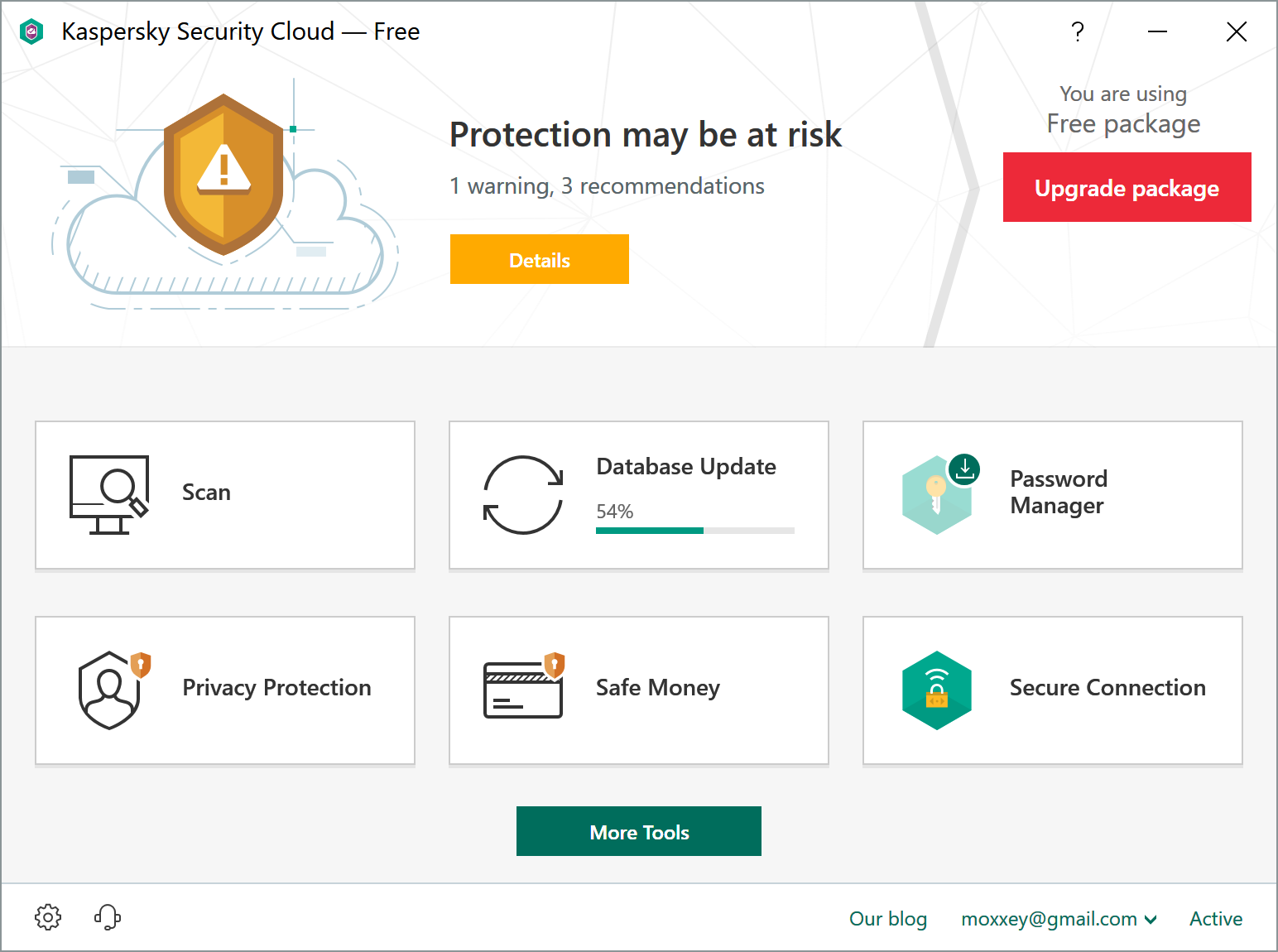
Yes. Kaspersky provides a free version of their antivirus software which covers fundamental threats like malware and spyware. It is a legitimate way to protect your computer without a paid subscription, though it does not include the advanced features found in the paid Security Cloud or Premium tiers.
For users seeking long-term security, the best practice remains the purchase of a standard subscription. This guarantees that you receive consistent, verified updates directly from the developer, ensuring that your system remains protected against the evolving landscape of 2026 digital threats. Prioritize the integrity of your system by avoiding unofficial "lifetime" or "long-term" bypasses.
Image Gallery