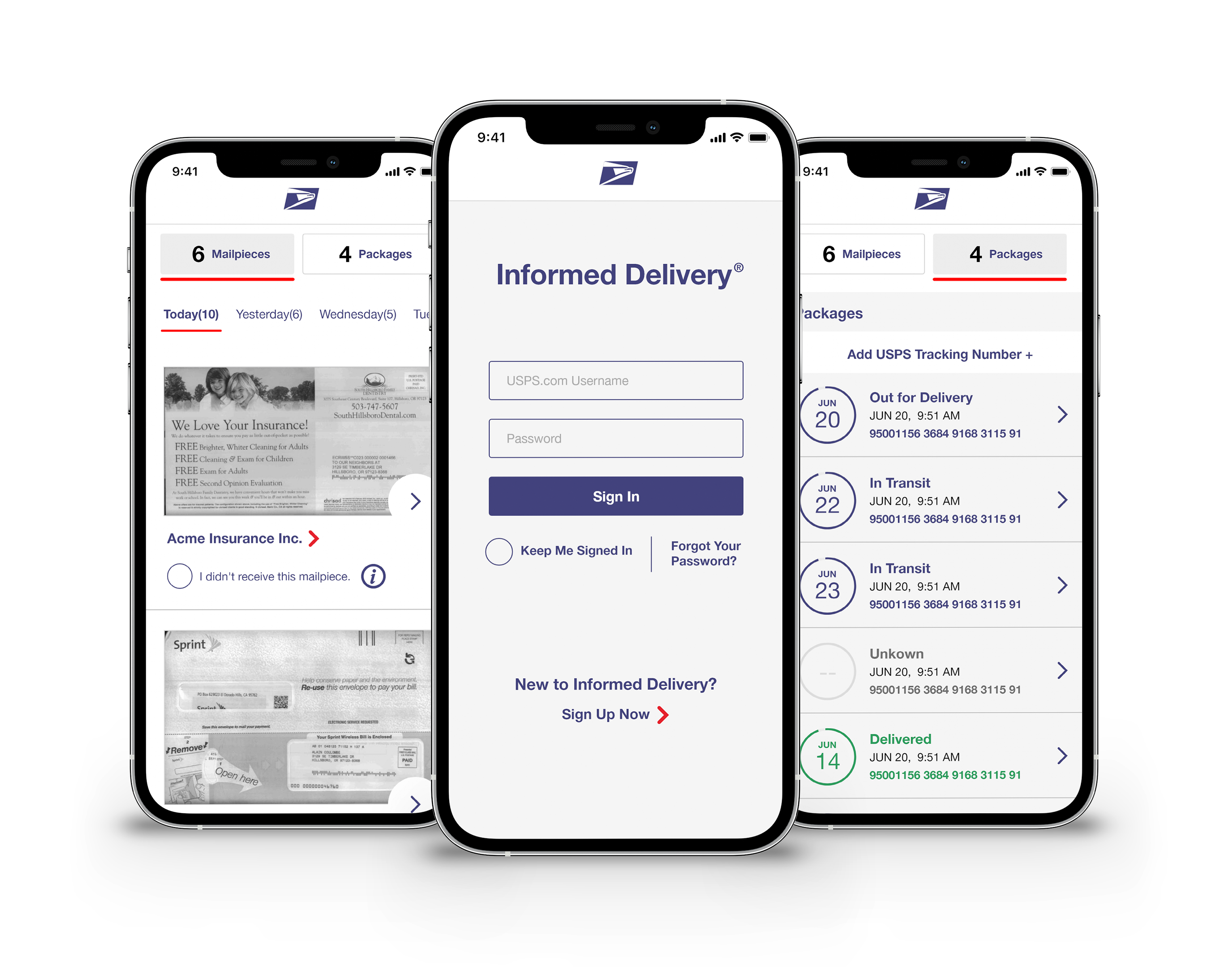
Mastering Informed Delivery Sign In: The Official 2026 Guide to USPS Mail Management
Informed Delivery by the United States Postal Service remains the most effective digital infrastructure for domestic mail oversight. As of 2026, the platform has integrated advanced cryptographic security and real-time package tracking...
Informed Delivery by the United States Postal Service remains the most effective digital infrastructure for domestic mail oversight. As of 2026, the platform has integrated advanced cryptographic security and real-time package tracking telemetry to ensure that users maintain complete visibility over their physical correspondence. This article serves as the definitive technical guide for accessing your account, resolving common authentication barriers, and leveraging the full suite of 2026 digital mail features.
Contents
Establishing Secure Access to the Informed Delivery Dashboard
The Informed Delivery sign-in process is governed by the USPS Identity Verification system, which mandates high-entropy security protocols. To successfully authenticate your identity and access your dashboard, you must navigate exclusively to the official United States Postal Service web portal. Users should remain vigilant against third-party aggregators that mirror the USPS interface to capture login credentials.
To initiate the sign-in procedure:
- Navigate to the official USPS website and locate the primary navigation menu.
- Select the Sign In or Sign Up link.
- Enter your verified username and password combination.
- Complete the multi-factor authentication (MFA) challenge, which, as of the 2026 security update, requires either a time-based one-time password (TOTP) from an authenticator app or a secure push notification to a registered mobile device.
- Once verified, the dashboard will load your daily digest, which includes greyscale images of your letter-sized mail arriving that day, as well as status updates for all active tracking numbers linked to your residential address.
Troubleshooting Authentication and Account Lockout Protocols
Users often encounter difficulties during the sign-in phase due to outdated browser caches, expired security credentials, or triggered account locks resulting from repeated failed login attempts. In 2026, the USPS implemented more granular error reporting to help users identify the specific source of their access issues without compromising account security.
Common technical failure points and their resolutions:
- Incorrect Credentials: If the system returns an authentication error, verify that CAPS LOCK is disabled and that you are not utilizing an expired password. Utilize the Forgot Username or Forgot Password links immediately to reset your credentials.
- Identity Verification Loop: If the system requires secondary identity verification (Knowledge-Based Authentication), ensure you have access to your personal financial or property records. The 2026 system cross-references these with public records to confirm residency at the registered address.
- Browser Compatibility: The portal is optimized for the latest stable releases of Chrome, Safari, Edge, and Firefox. If the page fails to render the sign-in form, clear your browser cookies and site data, then disable any ad-blocking extensions that may interfere with the JavaScript execution of the sign-in widget.
Technical Comparison of Mail Management Features in 2026
The Informed Delivery ecosystem has evolved significantly since its inception. The table below outlines the primary functionalities available to registered users versus the limitations of guest tracking services.
| Feature Type | Informed Delivery Registered User | Guest Tracking (Non-Registered) |
|---|---|---|
| Letter-sized Mail Previews | Included (Daily Digest) | Not Available |
| Package Tracking History | Unlimited (Up to 120 days) | Single Item Search Only |
| Delivery Instructions | Full Management (Hidden/Secure) | Limited/None |
| Account Security | MFA Protected / Encrypted | No Account Protection |
| Digital Signature | Available for Selected Items | Not Available |
Managing Digital Mail Deliverables and Notifications
Once you have successfully completed the sign-in process, the dashboard provides a centralized view of all incoming items. The 2026 interface allows users to categorize incoming packages and set custom delivery preferences, such as requesting the carrier to leave a package in a specific location or redirecting a delivery to a local Post Office or authorized access point.
Key operational tips for maximizing the utility of your dashboard:
Notification Preferences Users can configure real-time push notifications for specific tracking events, such as Out for Delivery or Delivered status updates. These are managed within the Profile Settings section of the account, where you can link multiple email addresses or mobile numbers to ensure redundancy in delivery alerts.
Managing Multiple Residences In 2026, the USPS allows for the association of a primary residence and a secondary address under a single login. You must perform the identity verification process for each address individually to maintain the integrity of the data stream for both locations.
Security Standards and Data Privacy Regulations
The integrity of the Informed Delivery system relies on the strict adherence to Federal Information Processing Standards (FIPS). The system does not store your mail content, only the scanned images of the exterior of your letter-sized mail. As of 2026, all data transmissions between your browser and the USPS servers are encrypted using TLS 1.3 protocol, ensuring that interception is statistically improbable.
Do not share your login credentials with third-party parcel management software unless they are officially partnered with the USPS API. Using unauthorized third-party services to manage your mail can result in your USPS account being flagged for suspicious activity or permanent suspension.
Frequently Asked Questions regarding Informed Delivery
What should I do if I cannot receive the verification code during sign-in?
Verify that your mobile carrier is not blocking short-code SMS messages and check that your registered device has a stable cellular or Wi-Fi signal. If the problem persists, wait fifteen minutes before requesting a new code to avoid triggering a temporary rate-limit lockout on your account.
Is Informed Delivery available for business addresses in 2026?
Standard Informed Delivery is designed primarily for residential addresses. Business users should utilize the specialized Enterprise Payment System or the Informed Delivery for Business portal, which offers bulk data ingestion and detailed reporting analytics tailored for corporate mailrooms.
Can I see images of my magazines or catalogs?
The system is currently optimized for letter-sized mail processed through automated sorting equipment. While many catalogs are processed through these machines and will appear in your digest, some larger packages or non-standard flat envelopes may not generate an image preview.
Why does my dashboard display an address that is not mine?
This is a high-security alert indicator. If you see an unfamiliar address associated with your login, access your Profile settings to remove the incorrect address immediately and initiate a security review by contacting the USPS technical support desk.
Are there fees for using the Informed Delivery service?
The service remains free for all residential users. Beware of any third-party websites claiming to offer "Premium" Informed Delivery services for a monthly fee; these are fraudulent entities and should be avoided to protect your personal information.
Optimizing Your Experience
To maintain seamless access throughout 2026, ensure your account profile contains a secondary recovery email and an up-to-date mobile number. Periodically auditing your linked addresses and clearing legacy devices from your authorized sessions list will enhance the security posture of your digital mail management. By adhering to these practices, you ensure that your communication flow remains uninterrupted and secure. For immediate assistance with account access, visit the official USPS support portal and use the virtual assistant to route your request to the technical identity verification team.
Image Gallery