How Salesforce Data Analytics Drives Sales: Strategies for 2026 and Beyond
Salesforce data analytics drives sales by converting vast amounts of customer interactions into actionable predictive insights, allowing sales teams to prioritize high-value leads, optimize deal cycles, and personalize outreach at scal...
Salesforce data analytics drives sales by converting vast amounts of customer interactions into actionable predictive insights, allowing sales teams to prioritize high-value leads, optimize deal cycles, and personalize outreach at scale. By leveraging integrated tools like CRM Analytics and Tableau, organizations move from reactive reporting to proactive, data-driven revenue generation.
Contents
In 2026, the role of data within the CRM (Customer Relationship Management) ecosystem has transitioned from a historical record to a real-time engine for growth. The sheer volume of data generated by digital interactions, IoT devices, and AI-driven touchpoints requires more than just standard spreadsheets. To remain competitive, modern sales organizations utilize Salesforce’s sophisticated analytics suite to decode buyer behavior and streamline the path to conversion.
The Foundation: How Data Cloud and Analytics Unify Sales Intelligence
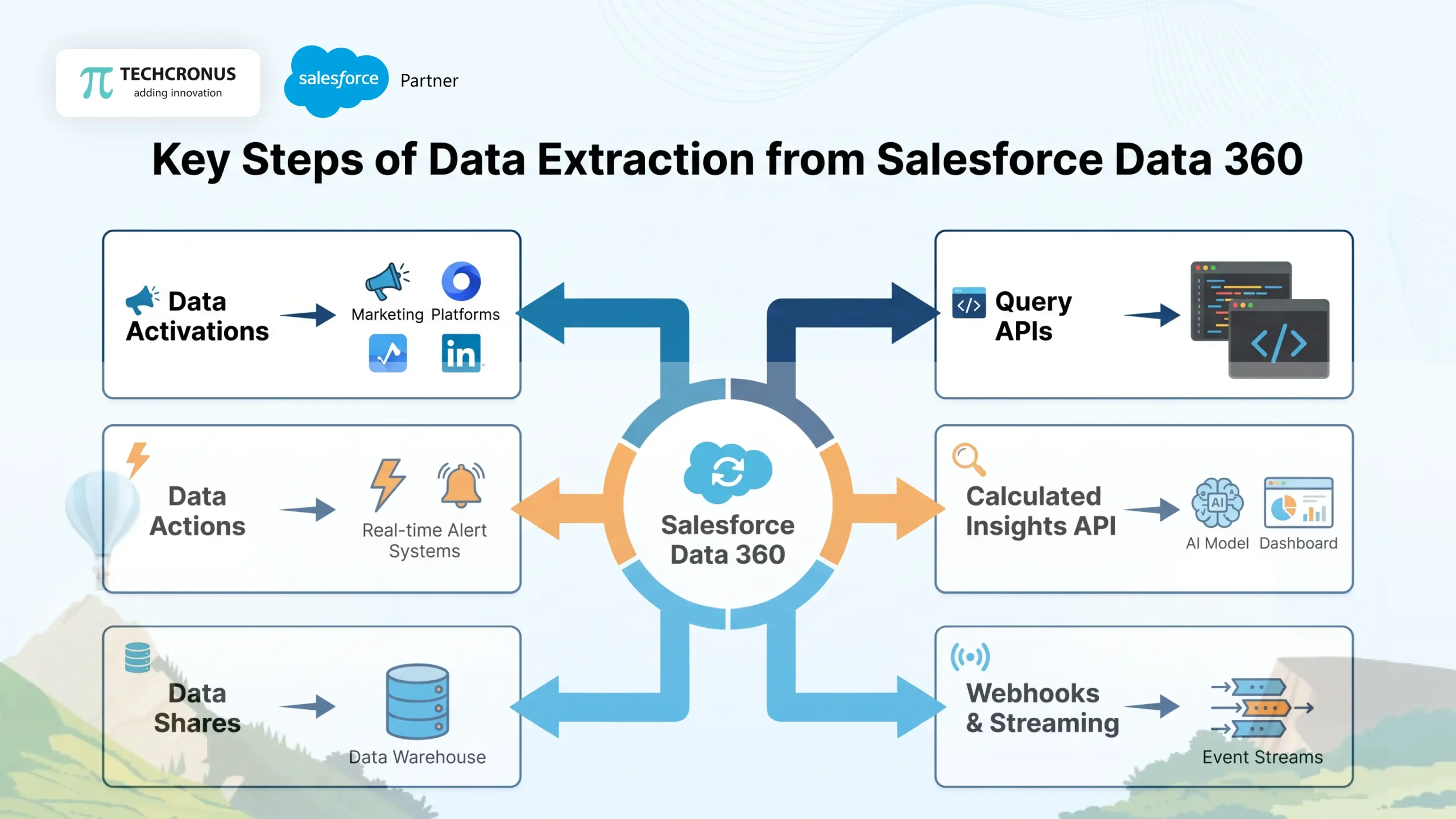
Before a sales representative can close a deal, the data driving that opportunity must be clean, unified, and accessible. In the current 2026 landscape, Salesforce Data Cloud serves as the backbone for analytics. It ingests data from disparate sources—marketing emails, website clicks, historical purchase records, and even external market trends—to create a "Single Source of Truth."
When data is siloed, sales teams suffer from "blind spots." For example, a rep might call a prospect unaware that they just opened a support ticket or downloaded a whitepaper. Salesforce data analytics eliminates these gaps by synthesizing this information into a comprehensive dashboard. This unified view allows managers to see not just what happened yesterday, but what is likely to happen tomorrow. The integration of Einstein AI further enhances this by identifying patterns that a human analyst might miss, such as a specific sequence of website visits that historically precedes a large enterprise purchase.
Predictive Lead Scoring: Prioritizing High-Value Opportunities
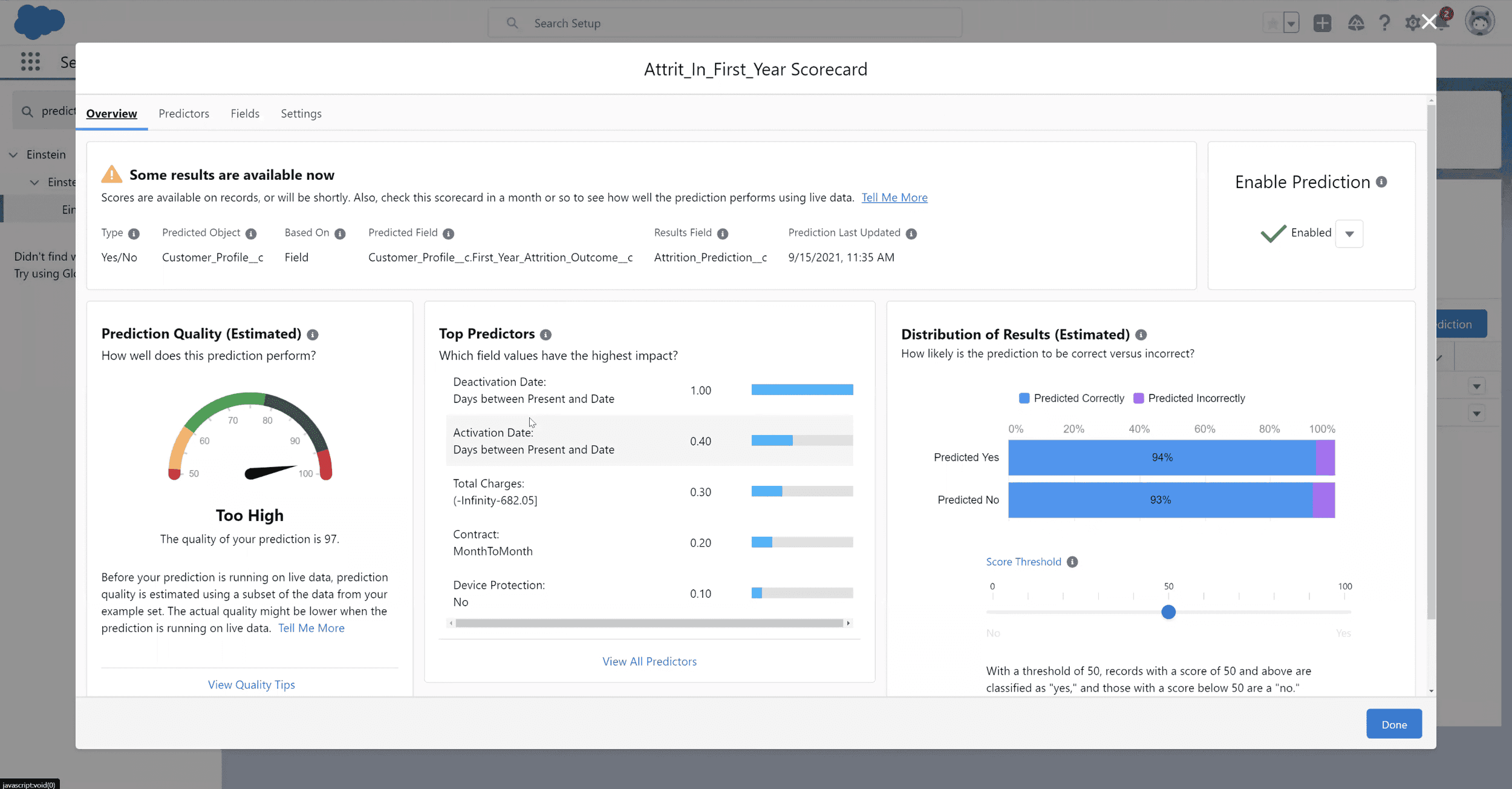
One of the most direct ways Salesforce data analytics drives sales is through Predictive Lead Scoring. In years past, lead scoring was often a manual, rule-based process (e.g., assigning points if a lead had a specific job title). In 2026, Salesforce’s AI-driven models analyze thousands of variables to assign a score based on actual conversion probability.
By focusing on the leads with the highest scores, sales reps maximize their "time on tool." Analytics tools evaluate historical data to determine which characteristics define a "winning" lead for a specific product line. If the data shows that leads from the healthcare sector who engage with video content convert 40% faster, the system automatically elevates those prospects in the queue. This targeted approach prevents reps from wasting hours on "cold" leads that are unlikely to close, directly increasing the overall conversion rate and shortening the sales cycle.
Accuracy in Sales Forecasting and Pipeline Management
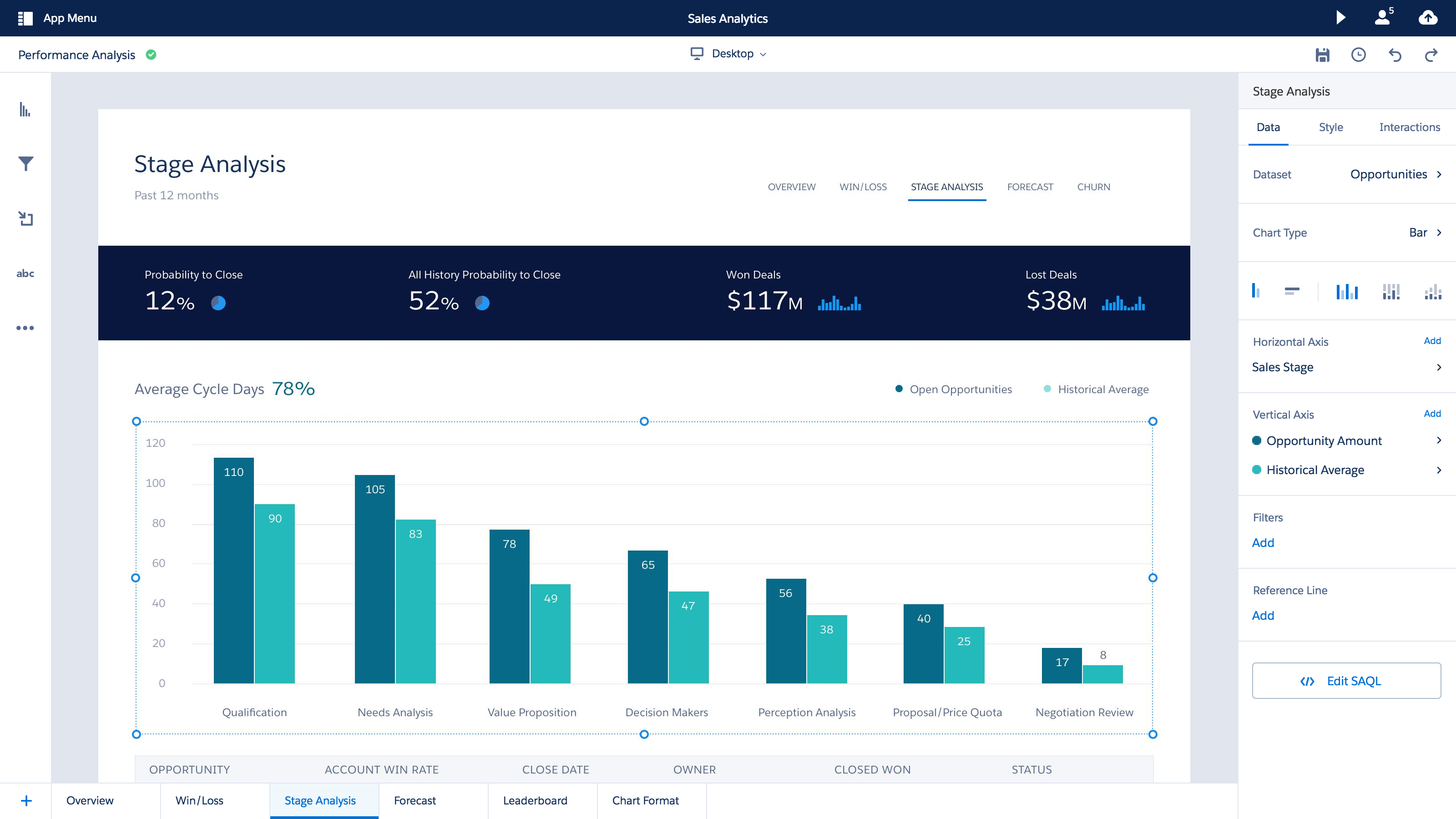
Accurate forecasting is the "holy grail" of sales management. Overestimating leads to missed targets and disappointed stakeholders, while underestimating results in missed resource allocation opportunities. Salesforce data analytics provides a granular view of the sales pipeline, using historical "win rates" and "deal velocity" to predict revenue with high precision.
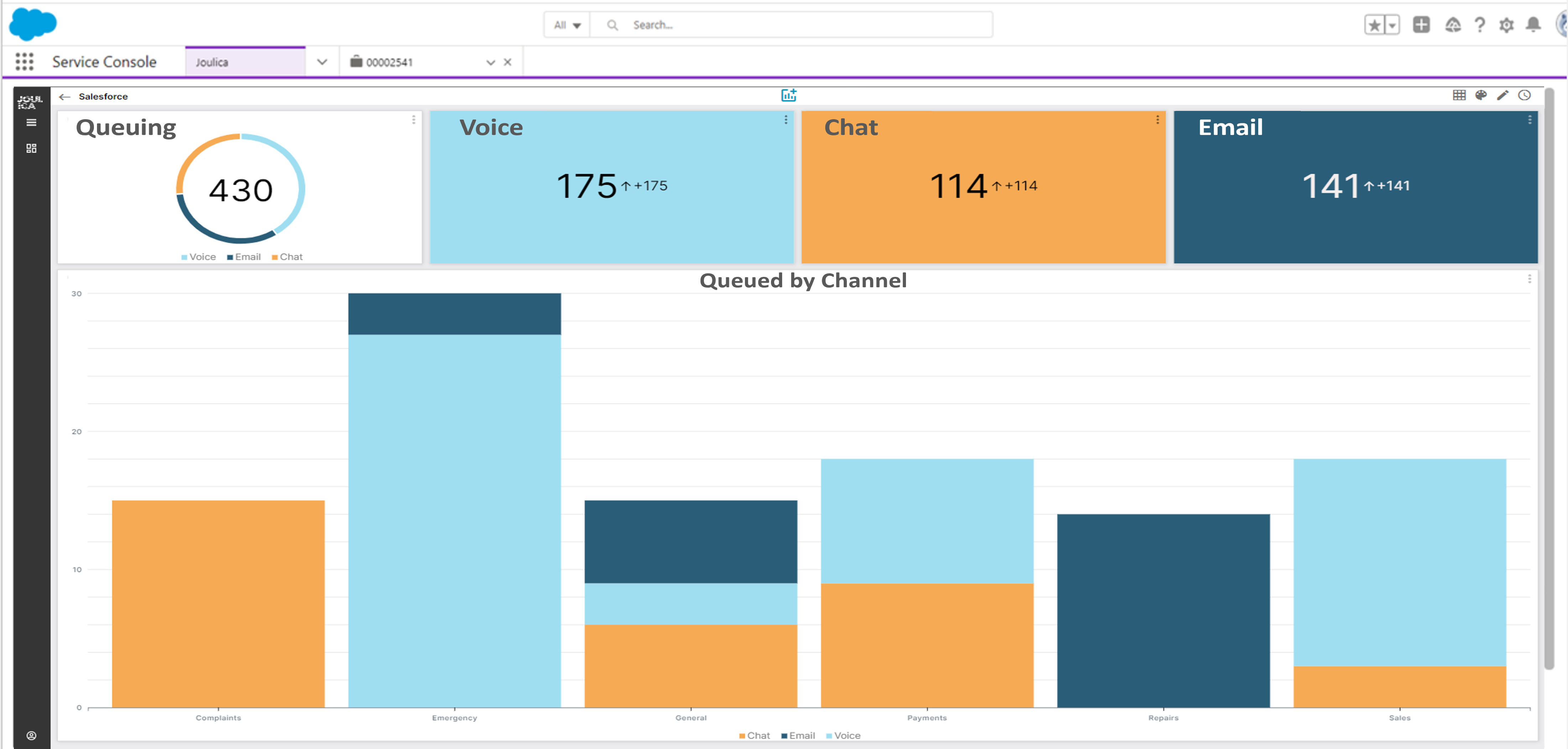
Advanced analytics allows managers to perform Trend Analysis and Flow Reports. These tools visualize how deals move through various stages—discovery, negotiation, and closing. If a significant number of deals are stalling at the "Proposal Sent" stage, analytics identifies this bottleneck. Managers can then intervene with coaching or revised pricing strategies. Furthermore, "What-If" analysis tools in Tableau allow leadership to simulate different scenarios, such as the impact of a 10% price increase or the entry of a new competitor, ensuring the sales strategy remains resilient.
Hyper-Personalization Through Behavioral Insights
In 2026, generic sales pitches are largely ineffective. Buyers expect a level of personalization that demonstrates a deep understanding of their specific business challenges. Salesforce data analytics empowers reps to deliver this through behavioral insights.
By analyzing how a prospect interacts with various digital touchpoints, the analytics engine can suggest the "Next Best Action." For instance, if the data reveals a prospect has been researching "security protocols for cloud storage," the CRM can prompt the sales rep to send a relevant case study or schedule a technical deep-dive. This isn't just about knowing the customer's name; it's about knowing their current intent. This data-driven relevance builds trust and positions the salesperson as a consultant rather than just a vendor, which is critical for closing high-stakes B2B deals.
Comparing Salesforce Analytics Tools for Sales Impact
Choosing the right tool within the Salesforce ecosystem depends on the complexity of the data and the specific needs of the sales team.
| Feature | Salesforce Reports & Dashboards | CRM Analytics (formerly Einstein) | Tableau |
|---|---|---|---|
| Primary Purpose | Basic operational tracking. | Predictive insights & AI actions. | Deep-dive exploration & external data. |
| Data Source | Native Salesforce data only. | Salesforce + external connectors. | Multi-source, massive datasets. |
| User Persona | Individual sales reps. | Sales managers & operations. | Data scientists & executive leadership. |
| Best For | Daily task management. | Forecasting & lead scoring. | Long-term strategy & market analysis. |
| Ease of Use | High (Drag-and-drop). | Moderate (Requires some setup). | High (Highly visual & interactive). |
Reducing Churn Through Proactive Account Management
Salesforce data analytics isn't just for acquiring new customers; it is equally vital for retaining existing ones. By monitoring "account health" metrics, analytics can flag customers who are at risk of churning long before they cancel their subscription.
Metrics such as declining login frequency, a spike in support tickets, or a decrease in feature usage serve as early warning signs. In 2026, Salesforce's automated alerts can notify an Account Executive to reach out with a personalized "check-in" or a loyalty offer. Conversely, analytics can also identify "white space" within an account—areas where the customer could benefit from additional products or services. This data-driven approach to cross-selling and up-selling ensures that the sales team is maximizing the lifetime value (LTV) of every client.
Overcoming Common Implementation Challenges
While the benefits of Salesforce data analytics are clear, many organizations struggle with implementation. The most common hurdle is data quality. If the input data is inconsistent or incomplete, the resulting analytics will be flawed—a concept known as "garbage in, garbage out."
To drive sales effectively, organizations must prioritize data hygiene. This involves:
- Automated Data Entry: Reducing manual input errors by using tools that automatically sync email and calendar data.
- Standardized Workflows: Ensuring every sales rep uses the same stages and definitions within the CRM.
- Continuous Training: In 2026, the technology evolves rapidly. Regular training sessions are necessary to ensure the sales team knows how to interpret and act on the insights provided by the analytics dashboards.
The Role of AI and Einstein Copilot in 2026
By 2026, Einstein Copilot (Salesforce’s generative AI assistant) has become an integral part of the analytics experience. Instead of manually building a report, a sales manager can simply ask, "Which region is most likely to miss its quota this month, and why?" The AI analyzes the data in real-time and provides a natural-language summary, complete with the underlying data visualizations.
This conversational analytics removes the barrier between data and action. It allows sales professionals who may not be "data-savvy" to leverage complex statistical models to drive their daily activities. This democratization of data ensures that every member of the sales force, from the entry-level SDR to the Chief Revenue Officer, is operating with the same high-level intelligence.
Frequently Asked Questions
How does Salesforce data analytics improve sales team productivity?
It automates the identification of high-priority leads and administrative reporting. By providing reps with a clear list of who to call and what to say based on data, it reduces the "planning" phase of sales and increases the "active selling" time.
Can small businesses benefit from Salesforce analytics, or is it only for enterprises?
Salesforce offers scalable solutions. Small businesses can start with standard Reports and Dashboards to gain visibility. As they grow, they can add CRM Analytics modules. The key is starting with a clean data structure regardless of company size.
What is the difference between CRM Analytics and Tableau?
CRM Analytics is "purpose-built" for Salesforce users, living directly inside the CRM workflow to provide immediate AI-driven recommendations. Tableau is a broader business intelligence platform used for complex data visualization and blending Salesforce data with massive external datasets from across the entire enterprise.
How long does it take to see a return on investment (ROI) from these tools?
Most organizations see initial gains in lead conversion within the first 3-6 months. However, the full ROI of predictive forecasting and churn reduction typically takes 6-12 months as the AI models require historical data to reach peak accuracy.
Is my data secure when using Salesforce AI and analytics?
Yes. Salesforce utilizes the "Einstein Trust Layer," which ensures that your proprietary customer data is never used to train global AI models. In 2026, data privacy and compliance (like GDPR and CCPA) are baked into the core architecture of Salesforce analytics.
Practical Recommendations for Next Steps
To begin driving sales with Salesforce data analytics, start by auditing your current data health. Ensure that your sales stages are clearly defined and that your team is consistently logging interactions. Once the foundation is solid, implement Einstein Lead Scoring to give your reps immediate direction. For leadership, focus on building a Pipeline Trend Report in CRM Analytics to move away from "gut-feeling" forecasts and toward a strategy backed by empirical evidence. By 2026, data is no longer a luxury; it is the primary differentiator between market leaders and those left behind.
Image Gallery