What Does 2TB Mean? Data Storage Capacity Explained
In digital storage, 2TB stands for 2 Terabytes, a unit of digital data capacity equal to 2,000 Gigabytes (GB) or 2 trillion bytes. A 2TB storage capacity provides substantial space commonly found in external hard drives, solid-state dr...
In digital storage, 2TB stands for 2 Terabytes, a unit of digital data capacity equal to 2,000 Gigabytes (GB) or 2 trillion bytes. A 2TB storage capacity provides substantial space commonly found in external hard drives, solid-state drives (SSDs), gaming consoles, and cloud storage plans, capable of holding roughly 500,000 photos, 400 hours of HD video, or up to 40 modern AAA video games.
Contents
Understanding the Basics: Bytes, Gigabytes, and Terabytes
To understand what 2TB means, it helps to break down how digital storage is measured. Computer data is measured in bytes, which represent individual units of data—such as a single letter in a text document. Because modern digital files require millions or billions of bytes, manufacturers and software developers use standardized metric prefixes to describe larger amounts of data.
Digital storage measurements scale upward in increments of 1,000 under the International System of Units (SI):
- 1 Byte (B): A single character of text.
- 1 Kilobyte (KB): 1,000 Bytes (roughly a short plain text document).
- 1 Megabyte (MB): 1,000 KB or 1,000,000 Bytes (roughly one high-quality MP3 audio file or web image).
- 1 Gigabyte (GB): 1,000 MB or 1,000,000,000 Bytes (roughly 200 high-resolution photos or one standard-definition movie).
- 1 Terabyte (TB): 1,000 GB or 1,000,000,000,000 Bytes (one trillion bytes).
- 2 Terabytes (2TB): 2,000 GB or 2,000,000,000,000 Bytes (two trillion bytes).
When you buy a 2TB drive or subscribe to a 2TB cloud storage tier, you are acquiring space for two trillion individual bytes of data.
The Binary vs. Decimal Discrepancy: Why 2TB Shows as ~1.81TB
A common source of confusion for consumers occurs when plugging a brand-new 2TB drive into a Microsoft Windows PC, only to see the reported capacity as approximately 1.86 TB or 1,862 GB rather than 2,000 GB. This is not a defect or missing space, but rather a difference in how hardware manufacturers and operating systems calculate storage units.
Decimal Measurement (SI Standard)
Storage drive manufacturers, memory card producers, and cloud providers measure capacity using the decimal system (base-10), defined by the National Institute of Standards and Technology (NIST). In base-10:
- $1 \text{ KB} = 1,000 \text{ bytes}$
- $1 \text{ GB} = 1,000,000,000 \text{ bytes}$
- $2 \text{ TB} = 2 \times 10^{12} \text{ bytes} = 2,000,000,000,000 \text{ bytes}$
Binary Measurement (IEC Standard)
Operating systems like Windows measure storage using the binary system (base-2), because computer processors operate natively on binary logic. In binary calculations standardized by the International Electrotechnical Commission (IEC), units increase by factors of 1,024 ($2^{10}$):
- $1 \text{ Kibibyte (KiB)} = 1,024 \text{ bytes}$
- $1 \text{ Gibibyte (GiB)} = 1,024 \text{ MiB} = 1,073,741,824 \text{ bytes}$
- $1 \text{ Tebibyte (TiB)} = 1,024 \text{ GiB} = 1,099,511,627,776 \text{ bytes}$
When Windows reads a drive containing 2,000,000,000,000 bytes, it divides that number by $1,024^3$ ($1,073,741,824$) to report the size in binary gigabytes:
$$\frac{2,000,000,000,000 \text{ bytes}}{1,073,741,824 \text{ bytes/GB}} \approx 1,862.64 \text{ GB}$$
If converted further into binary terabytes (Tebibytes or TiB), $2,000,000,000,000 / 1,099,511,627,776 \approx 1.819 \text{ TiB}$. Windows labels these binary units as "GB" and "TB," creating the illusion of missing drive space.
By contrast, Apple's macOS (starting with Mac OS X Snow Leopard) uses decimal calculations for drive capacities, so a 2TB drive attached to a Mac displays as a full 2.0 TB.
Real-World Examples: What Can You Store in 2TB?
While understanding trillions of bytes provides technical context, visualizing what 2TB holds in terms of actual everyday files makes it easier to evaluate your personal hardware or cloud storage needs.
| File Type | Estimated Quantity Stored on 2TB |
|---|---|
| Smartphone Photos (12-24 MP) | ~500,000 JPEG images (4 MB average) |
| Camera RAW Photos (24-45 MP) | ~40,000 to 80,000 RAW files (25-50 MB average) |
| Standard Music (320 kbps MP3) | ~500,000 audio tracks (4 MB per song) |
| High-Res Audio (24-bit FLAC) | ~40,000 tracks (50 MB per song) |
| Full HD Video (1080p) | ~400 hours of video (5 GB per hour) |
| 4K UHD Video (60 Mbps) | ~70 to 100 hours of video (20-30 GB per hour) |
| Modern AAA PC/Console Games | ~15 to 40 games (50-150 GB per game installation) |
| Standard Office Documents | ~1,000,000 PDFs / Spreadsheets (2 MB average) |
Digital Photography
If you shoot JPEG photos with a standard smartphone or digital camera, individual files usually measure between 3MB and 6MB. A 2TB drive can easily store 400,000 to 500,000 JPEG photos. For professional photographers capturing uncompressed RAW images (which range from 25MB to 80MB each), 2TB offers space for 25,000 to 80,000 RAW frames.
Video Content and Filmmaking
Video storage varies dramatically based on resolution, frame rate, and compression codec:
- 1080p Full HD Video: Standard compressed HD footage recorded at modest bitrates uses around 3GB to 5GB per hour. 2TB holds roughly 400 hours of HD video.
- 4K UHD Video: Recorded at higher bitrates (such as 60 Mbps to 100 Mbps from a drone, action camera, or mirrorless camera), 4K video consumes between 25GB and 45GB per hour. A 2TB drive accommodates roughly 45 to 80 hours of raw 4K footage.
Gaming
Modern video game installation sizes have grown significantly due to high-resolution textures, uncompressed audio, and complex visual assets.
- Budget or indie titles may only require 5GB to 15GB each.
- Blockbuster AAA games (such as recent entries in major action or role-playing franchises) routinely require 80GB to 150GB of installation space.
On average, a 2TB storage drive dedicated purely to gaming can hold approximately 15 to 25 modern AAA games simultaneously, reducing the need to repeatedly uninstall and redownload titles.
2TB Across Different Form Factors and Services
The practical value and user experience of 2TB depend heavily on where and how that storage is deployed.
| Storage Type | Primary Use Case | Key Advantage | Key Consideration |
|---|---|---|---|
| External SSD | Portable backup, edit scratch disk | Extremely fast, durable, portable | Higher cost per gigabyte |
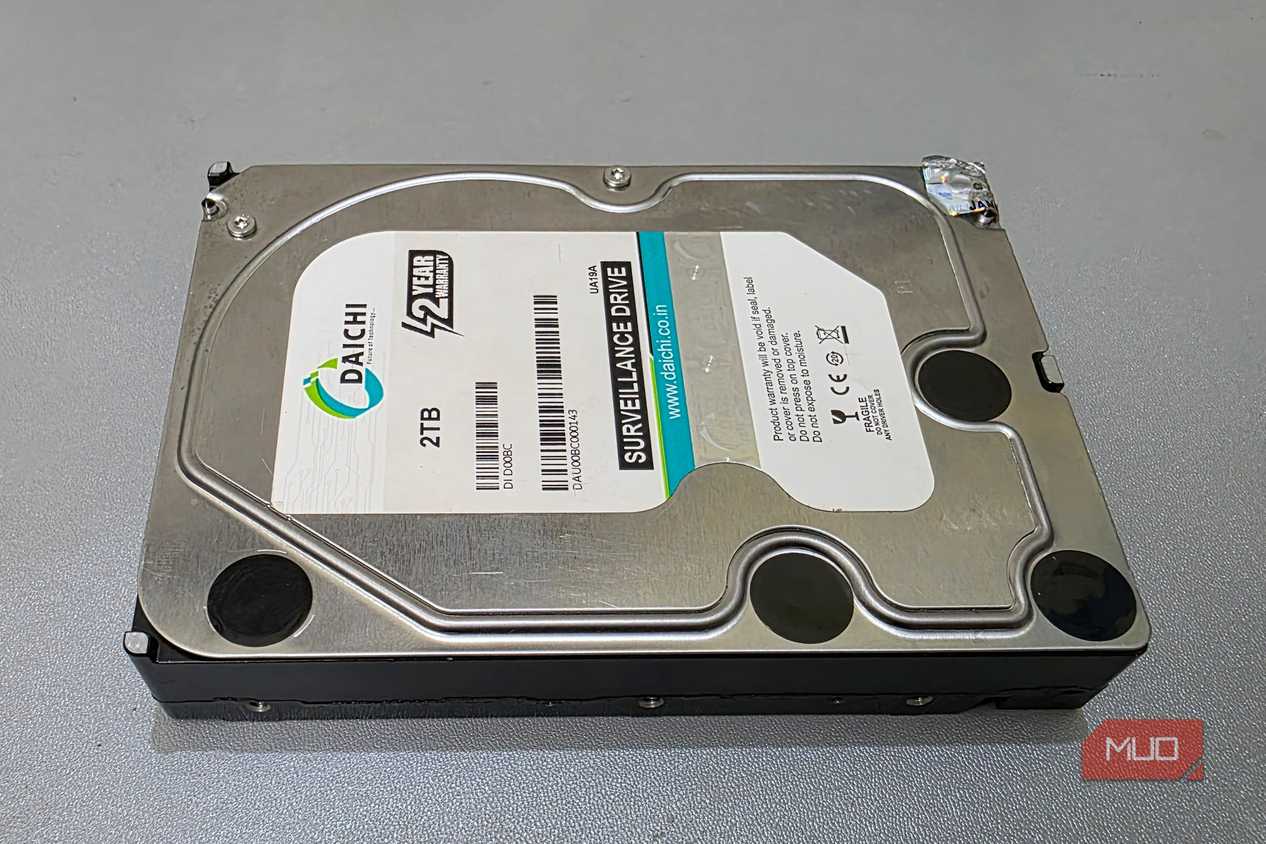
| External HDD | Archival backup, mass desktop storage | Low cost per GB, reliable desktop | Slower transfer speeds, fragile |
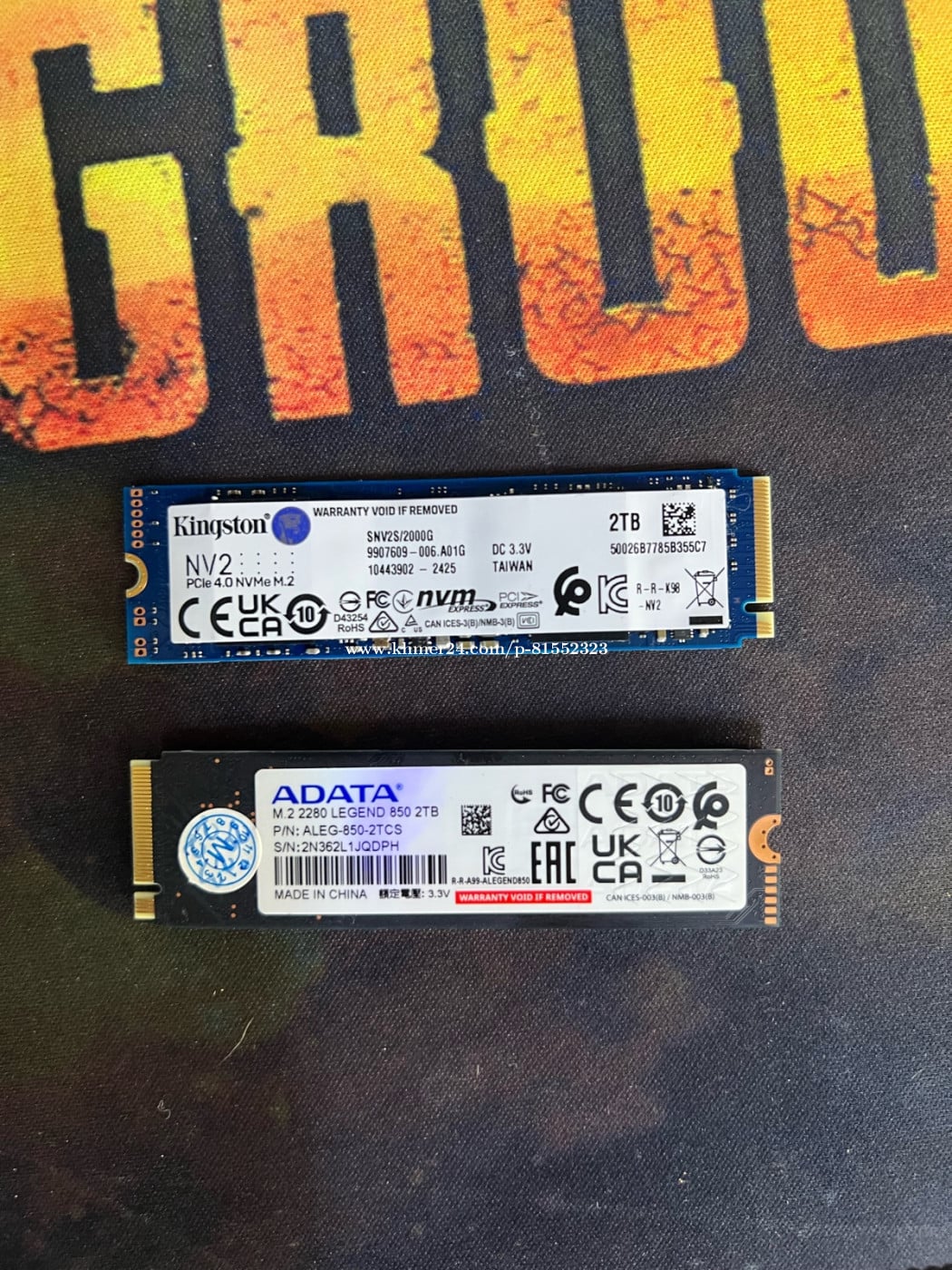
| Internal M.2 SSD | System drive, gaming, video editing | Ultra-fast NVMe performance | Requires internal installation |
| Cloud Storage | Multi-device access, family sharing | Offsite redundancy, remote access | Requires recurring subscription |
1. External SSDs and Hard Drives
External 2TB drives are portable devices connected via USB cables.
- External Hard Disk Drives (HDDs): Use mechanical spinning platters. They offer low cost per gigabyte, making 2TB external HDDs an economical choice for long-term file backups and time-machine system images where maximum read/write speed is not required.
- External Solid-State Drives (SSDs): Use flash memory with no moving parts. A 2TB external SSD delivers data transfer speeds up to 10 to 20 times faster than an HDD, allowing video editors to stream 4K footage directly off the external drive without dropping frames.
2. Internal NVMe SSDs (PC & Gaming Consoles)
Internal 2TB M.2 NVMe SSDs plug directly into the motherboard of a desktop computer, laptop, or gaming console.
- PlayStation 5 Expansion: Installing a 2TB NVMe M.2 SSD into a PS5 expansion slot effectively triples the console's usable storage space, allowing players to store dozens of high-end games directly on high-speed flash storage.
- PC Workstations: A 2TB internal drive provides ample headroom for the operating system, large creative software suites (Adobe Creative Cloud, DaVinci Resolve, CAD applications), and active project files.
3. Cloud Storage Subscriptions
Major cloud service providers—such as Google One, Apple iCloud+, Microsoft 365, and Dropbox—frequently offer 2TB as a core subscription tier.
- Family Sharing: A 2TB cloud allocation is often shareable among 5 to 6 family members, providing central cloud backup for multiple smartphones, tablets, and laptops.
- Automated Offsite Backup: Cloud services continuously mirror photos, video clips, and document folders in the background, serving as a key safeguard against hardware loss, device theft, or local disk failure.
Do You Really Need 2TB of Storage?
Selecting the right storage size comes down to matching your usage habits against realistic capacity requirements.
| User Profile | Typical File Profile | Is 2TB Recommended? |
|---|---|---|
| Casual User | Web browsing, documents, streaming | No (512GB - 1TB standard) |
| Everyday Family | Multi-device phone backups, photos | Yes (Ideal 2TB Cloud) |
| PC / Console Gamer | Large game library, 100GB+ titles | Yes (Optimal 2TB SSD) |
| Content Creator | 4K video footage, RAW photos | Minimum (2TB+ recommended) |
When 512GB or 1TB is Sufficient
- Basic Office & Web Tasks: If your computing consists primarily of web browsing, working with cloud-based documents (Google Docs, Office Web), streaming movies, and taking casual photos, a 512GB or 1TB drive is generally more than enough.
- Single-Game Players: If you only play one or two online multiplayer games at a time and regularly clear out old files, investing in a 2TB internal drive may add unnecessary hardware costs.
When 2TB is the Sweet Spot
- Gamers: AAA game sizes routinely exceed 100GB per title. A 1TB drive fills up rapidly once the operating system and a handful of modern titles are installed. A 2TB drive provides comfortable headroom without requiring constant library management.
- Families Sharing Cloud Storage: If you manage automated cloud backups for multiple smartphones across family members, a 2TB subscription provides enough combined storage to cover photos, device images, and cloud syncs for several years.
- Mid-Level Creative Professionals: Photographers, podcasters, graphic designers, and YouTube creators who work with high-resolution image files and multitrack audio projects will quickly exhaust 512GB or 1TB drives. A 2TB drive serves as an efficient working drive for current projects.
When You Need More Than 2TB
- Professional Video Editors: Shooting multi-camera raw 4K, 6K, or 8K video consumes terabytes of data within days. Professional editors typically utilize 4TB to 8TB local working drives alongside networked attached storage (NAS) arrays scaling beyond 20TB.
- Data Archivists: Preserving uncompressed media libraries, running complex virtual machines, or hosting home media servers usually requires multi-drive NAS configurations well exceeding 2TB.
Frequently Asked Questions
Is 2TB equal to 2,000GB or 2,048GB?
Under the standard metric decimal system used by storage manufacturers and standardizing bodies like the SI and NIST, 1TB equals 1,000GB, making 2TB equal to 2,000GB. However, using binary (IEC) notation where 1 Tebibyte equals 1,024 Gibibytes, operating systems using base-2 calculations compute 2 trillion bytes as approximately 1,862 binary gigabytes (GiB).
How long does it take to fill up 2TB of storage?
For average users storing documents, photos, and web downloads, filling a 2TB drive can take 5 to 10 years or more. However, a dedicated gamer downloading large titles or a videographer shooting raw 4K media can fill a 2TB drive in a few weeks or months.
Is 2TB cloud storage safe for long-term backups?
Yes, reputable cloud storage providers use encrypted data centers with redundant hardware replication, protecting your files against physical drive corruption or local disasters like fires or device theft. For optimal safety, follow the 3-2-1 backup strategy: maintain 3 copies of your data across 2 different media types, with 1 copy stored offsite (such as in a 2TB cloud service).
Why does my empty 2TB hard drive show used space out of the box?
When a brand-new drive is formatted, a small portion of storage is allocated to the file system format itself (such as NTFS, APFS, or exFAT), along with file allocation tables, partition maps, and hidden system indexes required by the operating system to organize and retrieve files.
Next Actions: Choosing the Right 2TB Storage Solution
If you determine that a 2TB storage capacity fits your current or upcoming needs, follow these steps to select the right device or plan:
- Identify the Primary Format Required: Determine whether you need portable offline expansion (External SSD/HDD), maximum internal computer performance (NVMe M.2 SSD), or multi-device automatic sync (Cloud Storage).
- Verify Hardware Compatibility: If purchasing an internal 2TB NVMe SSD for a PC, laptop, or PS5 console, check your device specifications to ensure supported form factors (such as M.2 2280) and interface standards (PCIe Gen 4 vs. PCIe Gen 5).
- Compare Drive Technologies: Choose an SSD if speed, durability, and gaming performance are required. Opt for a traditional mechanical HDD only if maximum storage capacity per dollar is your sole priority for cold archive storage.
- Confirm Formatting: Format new 2TB external drives with the exFAT file system if you plan to plug the drive back and forth between Windows PCs and Macs without partition limits.
Image Gallery