How to Place an Advertisement on Google: A Comprehensive Guide for 2026
To place an advertisement on Google, you must create a Google Ads account, define your marketing objective, and configure a campaign by selecting your target audience and budget. Google uses an auction-based system where your bid and a...
To place an advertisement on Google, you must create a Google Ads account, define your marketing objective, and configure a campaign by selecting your target audience and budget. Google uses an auction-based system where your bid and ad quality determine visibility across Search, YouTube, and the Display Network.
Contents
Understanding the Google Ads Ecosystem in 2026
Placing an advertisement on Google involves navigating the world’s most sophisticated digital marketing platform: Google Ads. As of 2026, the platform has evolved into an AI-first environment, prioritizing automated bidding and creative optimization. However, the fundamental mechanism remains a real-time auction where businesses compete for "real estate" on search engine results pages (SERPs) and partner websites.
The ecosystem is divided into several distinct networks. The Search Network is the most common, placing text ads at the top of search results when users look for specific queries. The Display Network utilizes visual banners across millions of websites and apps. YouTube remains the primary hub for video advertising, while Performance Max campaigns serve as an all-in-one solution that uses Google’s machine learning to distribute ads across all available channels, including Gmail and Maps.
Before you spend a single dollar, you must understand that Google does not simply sell ads to the highest bidder. The platform uses a Rank Score, which is a combination of your maximum bid and your Quality Score. A high-quality ad with a lower bid can often outperform a low-quality ad with a massive budget.
Prerequisites for Launching Your First Campaign
Successfully placing an advertisement on Google requires more than just an account. You must establish a digital infrastructure to ensure your traffic converts into revenue.
1. The Google Ads Account and Verification
You need a Google account (ideally a Google Workspace email) to sign up at ads.google.com. In 2026, Google requires comprehensive Advertiser Verification. This involves submitting business registration documents and personal identification to prevent fraudulent activity. Failure to complete this within the specified window will lead to account suspension.
2. Conversion Tracking Setup
Never run a campaign without knowing if it works. You must install the Google Tag (formerly the global site tag) on your website. This snippet of code tracks actions such as form submissions, purchases, or phone calls. By 2026, Enhanced Conversions have become the standard, allowing for more accurate tracking in a privacy-centric world by using hashed, first-party data to match customers to their Google accounts.
3. A High-Quality Landing Page
The page where a user lands after clicking your ad is a critical component of your Quality Score. Google’s crawlers evaluate your landing page for relevance, mobile-friendliness, and loading speed. If your ad promises "Red Leather Shoes" but the landing page shows a generic "Shoes" homepage, your costs will rise, and your rankings will fall.
Step-by-Step Guide to Placing Your Advertisement
The process of setting up a campaign is a linear path that requires strategic decision-making at every junction.
Step 1: Choosing Your Campaign Objective
When you start a new campaign, Google will ask for your goal. Common objectives include:
- Sales: Driving online, in-app, or in-store purchases.
- Leads: Encouraging potential customers to express interest.
- Website Traffic: Getting the right people to visit your site.
- Brand Awareness and Reach: Showing your ad to a wide audience.
Selecting an objective helps the Google Ads AI suggest the best settings and bidding strategies for your specific needs.
Step 2: Selecting Campaign Type
For most beginners, a Search Campaign is the best place to start because it targets users with high "intent." If someone searches for "emergency plumber near me," they are ready to buy. Performance Max (PMax) is the alternative for those who want Google’s AI to handle placement across all channels, though it offers less granular control than traditional Search or Display campaigns.
Step 3: Setting the Budget and Bidding Strategy
You will set a Daily Budget, which is the average amount you are willing to spend each day. Google may spend up to double your daily budget on days with high traffic, but it will never exceed your monthly charging limit.
Bidding strategies in 2026 are largely automated:
- Maximize Conversions: Focuses on getting the most volume for your budget.
- Target CPA (Cost Per Acquisition): You tell Google how much you are willing to pay for a single lead or sale.
- Target ROAS (Return on Ad Spend): You tell Google you want a specific percentage of revenue back for every dollar spent (e.g., a 500% ROAS).
Step 4: Targeting and Keywords
This is where you define who sees your advertisement. You can target by Location (from a whole country down to a specific radius around a shop), Language, and Audience Segments (interests and behaviors).
For Search ads, Keywords are the heart of the campaign. You choose words or phrases that trigger your ads. By 2026, Broad Match combined with Smart Bidding has become the recommended approach, as Google’s AI can now understand the context and intent behind a search query better than exact keyword matching. However, using Negative Keywords remains essential to prevent your ad from showing up for irrelevant searches (e.g., if you sell "new cars," you might add "used" as a negative keyword).
Step 5: Crafting Ad Creatives
The standard for text ads is the Responsive Search Ad (RSA). You provide up to 15 headlines and 4 descriptions. Google’s system then tests different combinations to see which one performs best for different users.
Best practices for creatives include:
- Including your primary keywords in the headlines.
- Highlighting unique selling points (e.g., "Free Shipping," "24/7 Support").
- Using a clear Call to Action (CTA) like "Shop Now" or "Get a Quote."
- Adding Assets (formerly extensions) such as site links, call buttons, and images to make your ad physically larger and more clickable.
Comparing Google Ad Campaign Types
| Campaign Type | Best For | Placement | Key Advantage |
|---|---|---|---|
| Search | Direct Sales & Leads | Google Search Results | High intent; targets active seekers. |
| Display | Brand Awareness | 3M+ Websites & Apps | Low cost per thousand impressions (CPM). |
| Performance Max | Multi-channel Growth | All Google Channels | Maximum reach via AI optimization. |
| Video (YouTube) | Engagement & Storytelling | YouTube Videos & Shorts | High visual impact and emotional connection. |
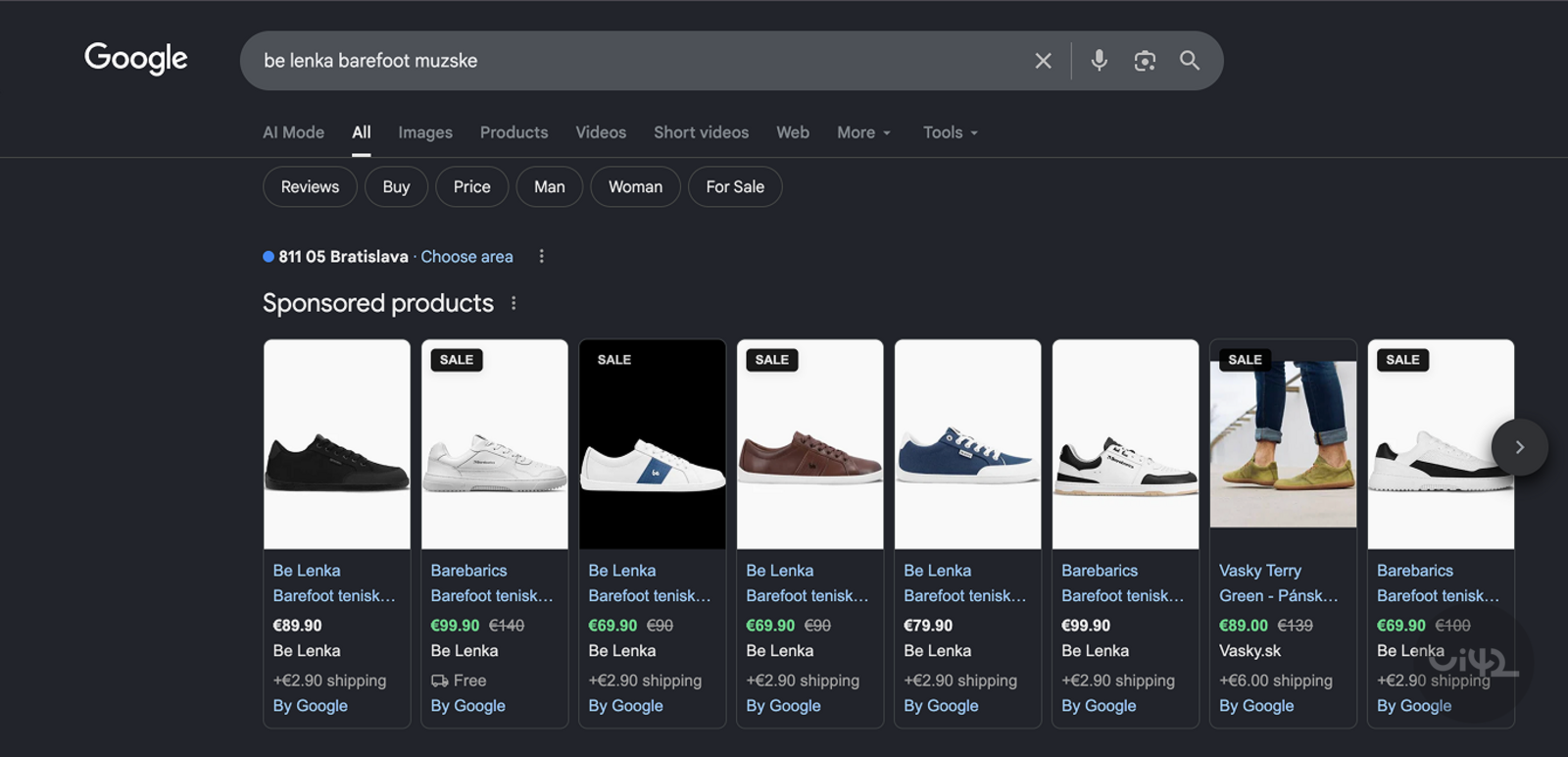
| Shopping | E-commerce Retail | Google Shopping Tab/Search | Shows product image and price immediately. |
Managing Costs and Return on Investment (ROI)
The cost of placing an advertisement on Google is not fixed. It is influenced by your industry, competition, and ad quality. In highly competitive sectors like legal services or insurance, a single click can cost over $50. In niche retail markets, it might be less than $1.
To protect your budget, you must monitor your Search Terms Report. This shows exactly what users typed into Google before clicking your ad. If you see irrelevant terms, add them to your negative keyword list immediately.
Another critical metric is Quality Score (rated 1-10). It is based on:
- Expected Click-Through Rate (CTR): How likely people are to click.
- Ad Relevance: How well your ad matches the user's search.
- Landing Page Experience: How useful your page is to the visitor.
Improving your Quality Score is the most effective way to lower your Cost Per Click (CPC) while maintaining high ad positions.
Common Pitfalls and Troubleshooting
Many advertisers fail because they treat Google Ads as a "set and forget" system. Common mistakes include:
- Sending Traffic to the Homepage: Directing users to a generic homepage instead of a specific product page lowers conversion rates.
- Ignoring Mobile Users: Ensure your site is lightning-fast and easy to navigate on a smartphone.
- Over-reliance on Broad Match: Without a robust list of negative keywords, Broad Match can drain your budget on "window shoppers" who have no intention of buying.
- Lack of Ad Testing: You should always have at least one active experiment running to test different headlines or landing pages.
If your ads are not showing, check your Policy Manager. Google has strict rules regarding copyrighted content, healthcare, and financial services. Even a small phrasing error can lead to a "Disapproved" status.
Frequently Asked Questions
How much does it cost to start advertising on Google?
There is no minimum spend requirement. You can start with as little as $5 or $10 a day. However, to gather enough data for the AI to optimize your campaign, most experts recommend a starting budget that allows for at least 10–20 clicks per day based on your industry's average CPC.
How long does it take for my ads to show up?
Once you hit "Publish," your ad goes through a review process that usually takes between 1 and 24 hours. Once approved, the ad is eligible to enter auctions immediately. However, "Smart" campaigns often undergo a Learning Phase of 7 to 14 days where performance may fluctuate as the system gathers data.
Can I place an advertisement on Google without a website?
Technically, you can use a "Smart Campaign" that links to your Google Business Profile, but this is only recommended for local service businesses. For most professional advertisers, a dedicated landing page is essential for tracking results and achieving a high Quality Score.
What is the difference between Google Ads and SEO?
Search Engine Optimization (SEO) focuses on earning "organic" rankings through content and site authority, which takes months or years. Google Ads is "paid" search, providing instant visibility at the top of the page. Most successful businesses use both strategies simultaneously.
How do I stop my ads from showing to the wrong people?
Use a combination of Negative Keywords and Audience Exclusions. For example, if you only sell to new customers, you can upload your existing customer list to Google Ads and tell the system to exclude those individuals from seeing your acquisition ads.
Recommendation for Next Actions
To place your first advertisement on Google effectively, begin by clearly defining your Cost Per Lead or Target ROAS. Start with a Search Campaign using a limited set of high-intent keywords and at least three variations of Responsive Search Ads. Ensure your Google Tag is verified and firing correctly before increasing your budget. Monitor your results daily for the first two weeks, but avoid making major structural changes during the initial 7-day learning phase to allow Google’s AI to stabilize.
For official documentation and the latest platform updates, refer to the Google Ads Help Center.
Image Gallery