Complete Guide to JCPenney Credit Card Online Payment in 2026
Managing your retail credit lines effectively requires a clear understanding of payment portals, security protocols, and account management tools. The JCPenney credit card online payment ecosystem—serviced by Synchrony Bank—enables car...
Managing your retail credit lines effectively requires a clear understanding of payment portals, security protocols, and account management tools. The JCPenney credit card online payment ecosystem—serviced by Synchrony Bank—enables cardholders to settle balances, review transaction histories, and configure automated billing seamlessly. Navigating this digital infrastructure securely ensures your personal and financial data remains protected while helping you avoid late fees and interest charges.
Contents
Understanding the JCPenney Credit Card Ecosystem
The JCPenney credit card program operates under a primary banking partnership with Synchrony Bank. This relationship dictates how statements are generated, how interest rates are applied, and how digital portals process transactions. Knowing the underlying architecture of your account helps prevent confusion regarding payment processing times and statement dates.
Cardholders generally have access to two distinct tiers depending on account approval: the standard JCPenney Credit Card (usable exclusively within JCPenney stores and online) and the JCPenney Mastercard (usable anywhere Mastercard is accepted). Regardless of which tier you hold, the online payment portal remains centralized through Synchrony Bank’s secure infrastructure.
Account holders must familiarize themselves with standard billing cycles, minimum payment calculations, and promotional financing terms. Promotional financing, such as deferred interest offers on major appliance or furniture purchases, requires strict adherence to payoff schedules to avoid retroactive interest charges dating back to the original purchase date.
Step-by-Step Guide to Executing an Online Payment
Executing a digital payment for your JCPenney account is straightforward when following established security and navigation protocols. Utilizing the official portal ensures that funds credit correctly and immediately to your outstanding balance.
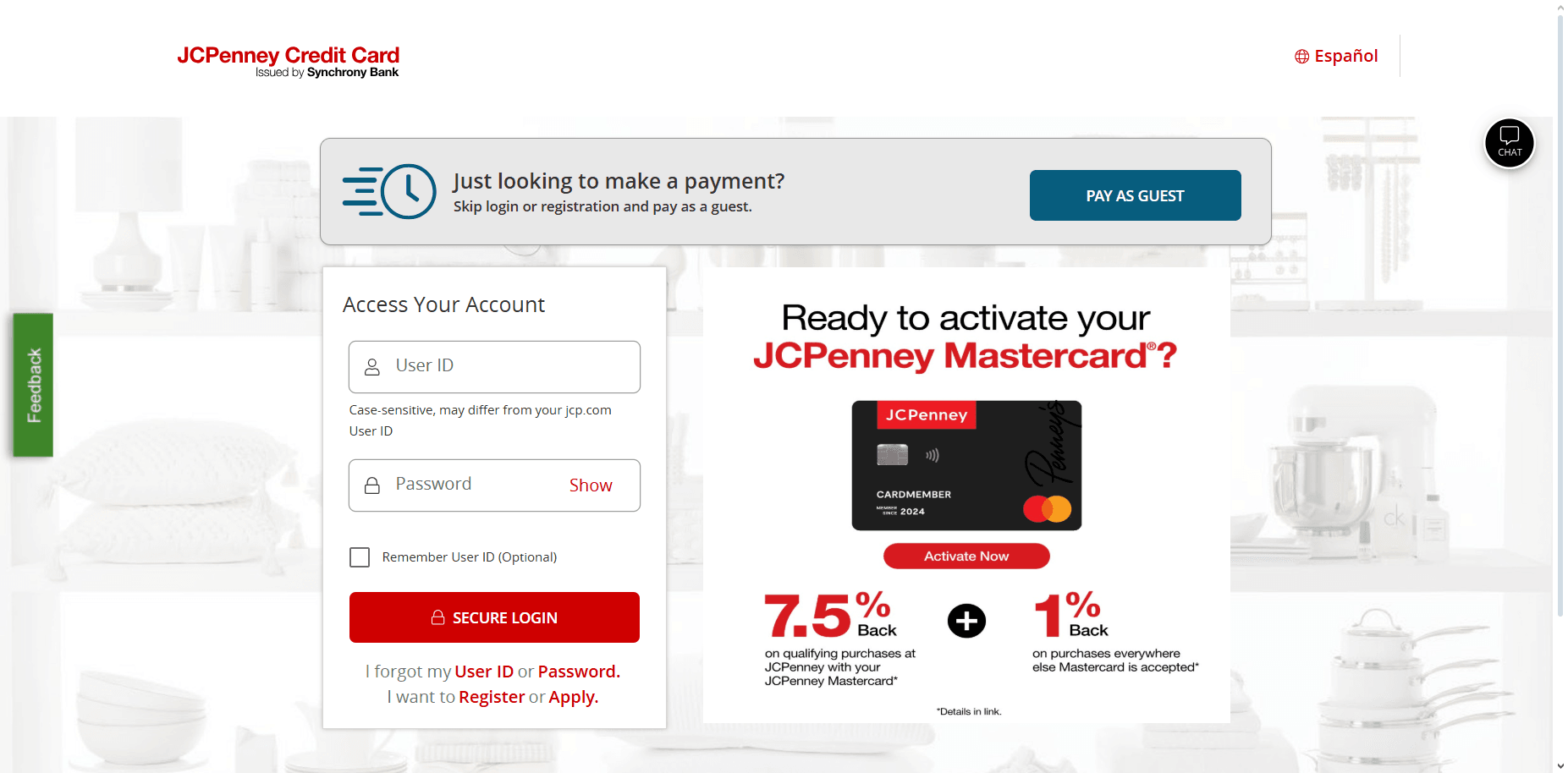
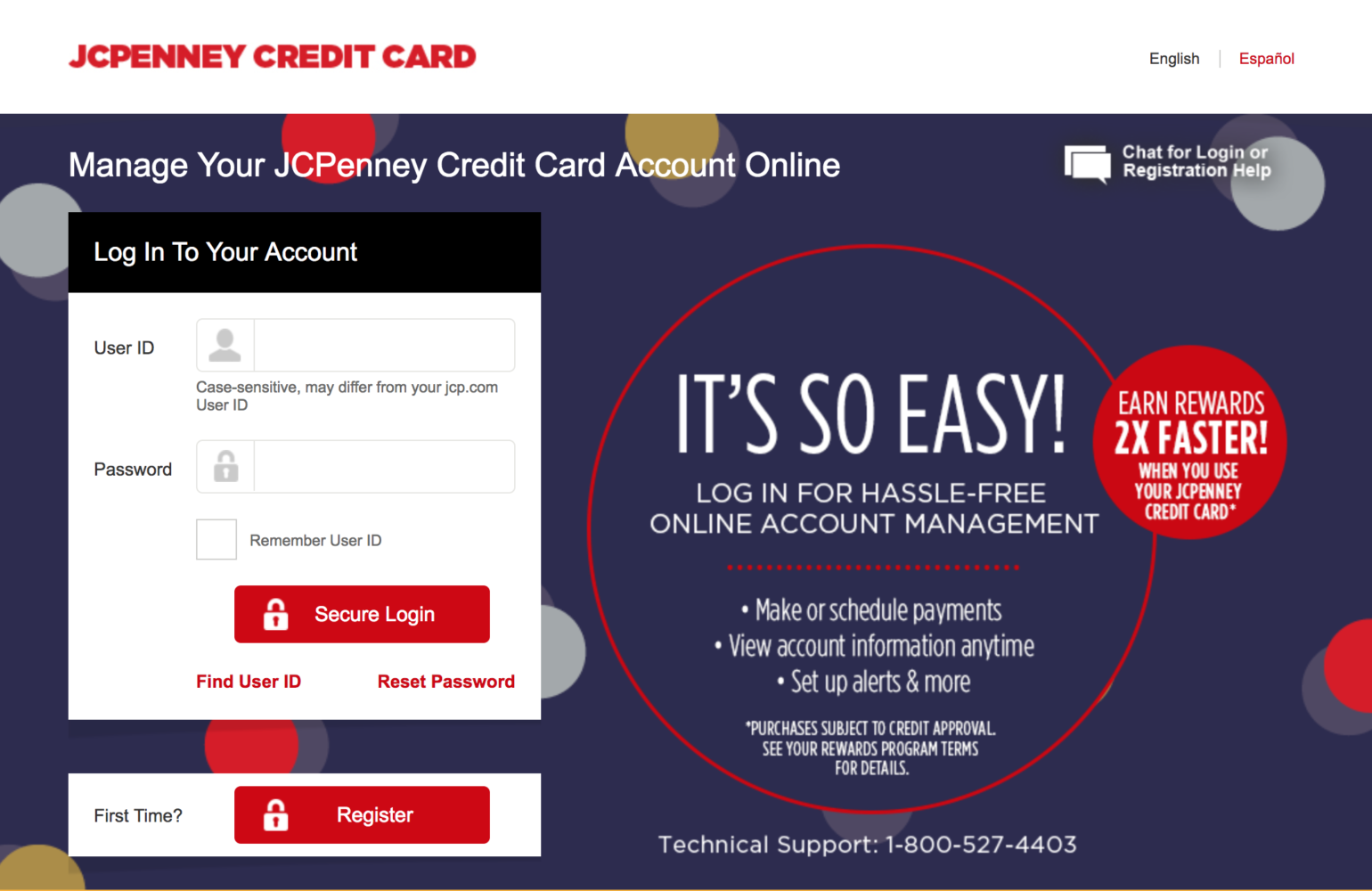
- Navigate to the official JCPenney credit card management portal hosted securely by Synchrony Bank. Avoid clicking links from unsolicited emails or text messages to prevent phishing attempts.
- Log into your account using your unique username and password. If you are using a trusted personal device, you can check the box to remember your username.
- Once the account dashboard loads, locate the current statement balance, minimum payment due, and payment due date displayed prominently near the top of the screen.
- Click or tap on the "Make a Payment" button. Select your preferred linked checking or savings account from your saved payment methods, or input a new routing and account number.
- Enter the exact payment amount you wish to submit. You can choose to pay the minimum payment, the full statement balance, or a custom amount.
- Review all transaction details carefully on the confirmation screen, ensuring the routing number, account number, and payment amount are accurate before clicking submit.
- Save or screenshot the digital confirmation number provided upon successful completion of the transaction for your personal financial records.
Synchrony Bank Online Portal vs. Mobile App Management
Cardholders can manage their accounts through multiple digital channels. Choosing the right platform depends on whether you prefer deep desktop analytics or quick mobile convenience.
| Feature / Capability | Synchrony Desktop Web Portal | JCPenney Mobile App / Synchrony Mobile |
|---|---|---|
| Primary Interface | Browser-based (Chrome, Safari, Edge) | iOS and Android native applications |
| Payment Processing | Full suite of instant and scheduled payments | Quick Pay features and biometric login |
| Security Measures | Two-factor authentication via SMS/Email | FaceID, fingerprint recognition, and pin codes |
| Document Access | Full PDF statement downloads and tax forms | Recent statements and mobile-friendly summaries |
| Alert Management | Granular email and text alert customization | Push notifications for payment due dates |
Pros and Cons of Digital Account Management
Managing your JCPenney credit card online offers significant efficiency, but it also demands vigilance regarding cybersecurity and automatic billing parameters. Evaluating these advantages and disadvantages helps optimize your financial strategy.
Advantages of Online Management
- Immediate Processing: Online payments submitted before the daily cutoff time typically post to your account on the same business day.
- Paperless Convenience: Access up to 24 months of past billing statements without cluttering your physical mailbox.
- Fraud Prevention: Real-time transaction alerts notify you instantly of any unauthorized charges made to your card.
- Customized Alerts: Set automated reminders for payment due dates to eliminate accidental late fees.
Disadvantages and Risks
- Technical Outages: Scheduled system maintenance or unexpected server downtime can temporarily block access to your payment portal near due dates.
- Autopay Miscalculations: Relying entirely on autopay without monitoring monthly statements can lead to unexpected overdrafts if your linked bank account lacks sufficient funds.
- Phishing Vulnerabilities: The popularity of retail credit portals makes them prime targets for fraudulent copycat websites attempting to steal login credentials.
Troubleshooting Common Online Payment Errors
Even robust banking platforms occasionally encounter user-facing hurdles. Resolving these issues quickly prevents missed payment deadlines and negative credit bureau reporting.
If your payment is rejected, first verify that your linked bank account has sufficient funds and that your routing and account numbers were entered without typos. Financial institutions occasionally flag recurring online retail payments if account profile names do not match identically.
Browser cache and cookie issues can also interfere with portal login screens. If the page fails to load or freezes during payment submission, clear your browser data, switch to an alternate browser, or use the official mobile application. Always ensure your operating system and web browsers are fully updated to maintain compatibility with modern SSL encryption standards.
Security Reminder: Synchrony Bank will never ask for your full Social Security Number, complete account password, or one-time verification codes over an unsolicited phone call, text message, or email. Always verify that URLs begin with the secure HTTPS protocol before entering credentials.
Frequently Asked Questions
Can I make a JCPenney credit card payment without logging into an online account?
Yes, cardholders can utilize the "Pay as Guest" or quick pay feature on the official Synchrony Bank portal by entering their card number, the last four digits of their Social Security Number, and their billing ZIP code. This method allows you to execute a single one-time payment without establishing a permanent online username.
What time do online payments post to my JCPenney credit card account?
Online payments submitted on a business day before 11:59 PM Eastern Time typically credit to your account on the same calendar day, though it may take up to 48 hours for the available credit line to fully reflect the adjustment. Payments made on weekends or national holidays generally post on the next business day.
How do I set up automatic monthly payments to avoid late fees?
Log into your account dashboard, navigate to the payments or autopay settings menu, and select your linked bank account. Choose whether you want autopay to deduct the minimum payment, statement balance, or a fixed amount every month on the payment due date.
What should I do if my online payment fails due to a system error?
Immediately document the error with a screenshot containing any error codes displayed on your screen. Contact Synchrony Bank customer service via the phone number listed on the back of your credit card to make a payment over the phone and request a fee waiver if system downtime caused a delay.
Are there any fees associated with making an online payment?
Standard online payments initiated through the official web portal or mobile app are processed completely free of charge. However, expediting a payment through a live customer service representative over the phone may incur a convenience fee.
How can I update my linked bank account information for future payments?
Navigate to the profile or payment methods section within your online dashboard, remove the outdated bank account details, and input your new routing and account numbers. You may need to verify small test deposits or re-authenticate your banking credentials depending on bank security protocols.
Finalizing Your Account Strategy
Maintaining a healthy credit standing requires consistent tracking of your statement balances, diligent use of secure online portals, and timely execution of monthly payments. By leveraging the official Synchrony Bank infrastructure for your JCPenney credit card online payments, you protect your personal data while enjoying streamlined financial management. Prioritize setting up payment reminders or autopay to safeguard your credit score against accidental oversights throughout 2026 and beyond.
Image Gallery