Comprehensive Guide to Capitalizing the First Letter of Every Word
To capitalize the first letter of every word, use the PROPER function in Excel or Google Sheets, the Change Case menu in Microsoft Word, or the text-transform: capitalize property in CSS. These methods automatically convert "example te...
To capitalize the first letter of every word, use the PROPER function in Excel or Google Sheets, the Change Case menu in Microsoft Word, or the text-transform: capitalize property in CSS. These methods automatically convert "example text" into "Example Text" by identifying word boundaries and applying uppercase formatting to the initial characters.
Contents
Capitalizing the first letter of every word is a formatting style often referred to as Title Case or Proper Case. While it may seem like a simple aesthetic choice, it is a fundamental requirement for professional data entry, academic titling, and user interface design. In 2026, despite advancements in generative AI and automated proofreading, the manual application of these formatting rules remains a vital skill for anyone working with spreadsheets, documents, or web code.
Capitalizing Words in Microsoft Excel and Google Sheets
Spreadsheet applications are the most common environment where bulk text transformation is required. Whether you are cleaning up a list of customer names or formatting a product catalog, the PROPER function is the industry standard.
Using the PROPER Function
The PROPER function is designed specifically to capitalize the first letter in a text string and any other letters in text that follow any character other than a letter. All other letters are converted to lowercase.
- Syntax:
=PROPER(text) - Application: If your data is in cell A1, click on an empty cell (e.g., B1) and type
=PROPER(A1). - Expansion: Once the formula is applied, you can drag the fill handle down to apply the formatting to an entire column of thousands of entries instantly.
Handling Mixed Case Data
A significant advantage of the PROPER function in 2026 is its ability to "clean" text. If a cell contains "mAcBoOk pRo," the function will output "Macbook Pro." It does not just capitalize the first letter; it also forces the remaining letters into lowercase, ensuring consistency across your entire dataset.
Limitations of Spreadsheet Formulas
One limitation to keep in mind is the treatment of surnames and abbreviations. For example, the PROPER function will convert "IBM" to "Ibm" and "O'Reilly" to "O'reilly." In these specific cases, a manual override or a more complex nested SUBSTITUTE formula may be required to maintain technical accuracy.
Formatting in Microsoft Word and Google Docs
Word processing software provides more visual, menu-driven options for changing text case without the need for formulas.
Microsoft Word "Change Case" Feature
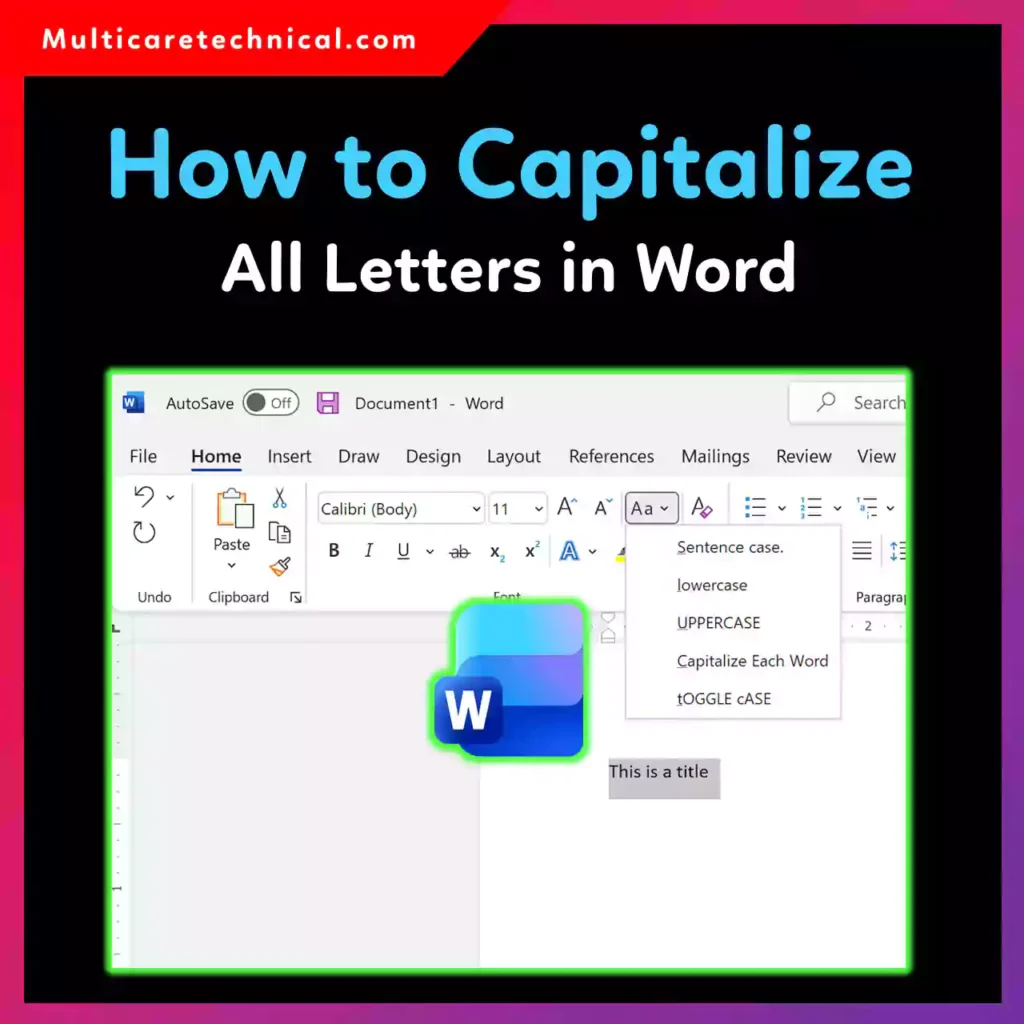
Microsoft Word includes a dedicated button for case transformation located in the Home tab under the Font group. It is represented by an "Aa" icon.
- Sentence case: Capitalizes only the first letter of the first word in a sentence.
- Capitalize Each Word: This is the specific setting for title casing. It applies a capital letter to the start of every single word in the selected block of text.
- Keyboard Shortcut: Highlighting text and pressing Shift + F3 cycles through lowercase, uppercase, and title case. This is often the fastest way for editors to correct headers.
Google Docs and Third-Party Add-ons
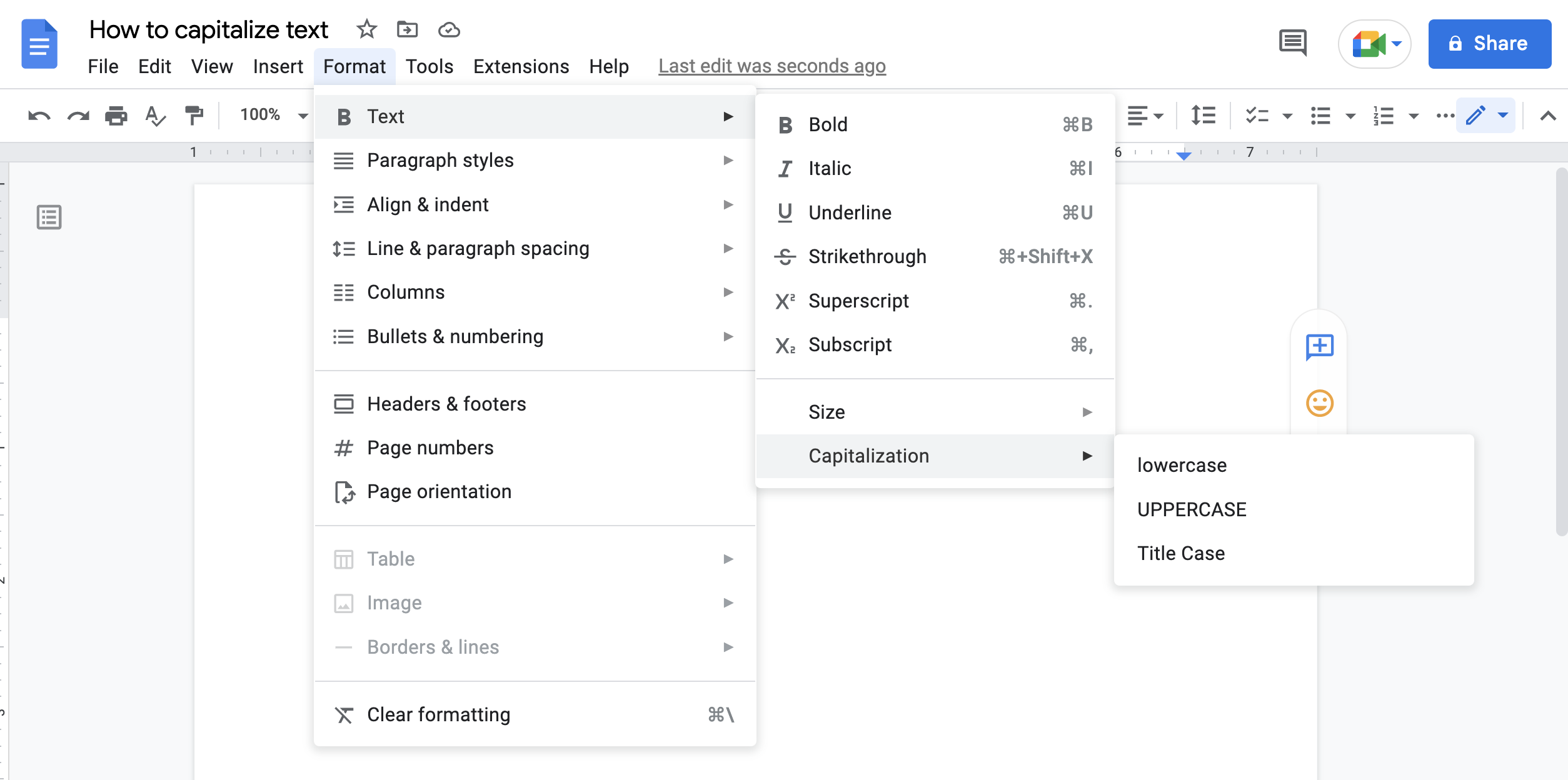
In Google Docs, users can find this under Format > Text > Capitalization > Title Case. While Google Docs has historically been more limited in its native formatting tools compared to Word, the 2026 iteration of the software provides robust support for these transformations across both web and mobile interfaces.
Programming and Web Development Methods
For developers, capitalizing the first letter of every word is a common task in data sanitization and front-end presentation. Different languages handle this with varying degrees of complexity.
CSS: The Presentation Layer
If the goal is simply to change how text looks on a website without altering the underlying data in the database, CSS is the most efficient tool.
.title-text { text-transform: capitalize; }
This property instructs the browser to render the first character of every word in uppercase. However, be aware that text-transform: capitalize will not lowercase the rest of the word if it is already in uppercase (e.g., "HTML" remains "HTML").
JavaScript: Dynamic Transformation
To actually change the string data in a web application, JavaScript requires a split-and-map approach.
function capitalizeWords(str) { return str.toLowerCase().split(' ').map(word => { return word.charAt(0).toUpperCase() + word.slice(1); }).join(' '); }
This script converts the entire string to lowercase first, splits it into an array of words, capitalizes the first letter of each, and joins them back together. This is the preferred method for modern web frameworks like React or Vue in 2026.
Python: The title() Method
Python offers a built-in string method that is exceptionally easy to use:
text = "hello world" print(text.title()) # Output: Hello World
While .title() is convenient, Python developers often prefer string.capwords(text) from the string module because it handles multiple spaces more gracefully and doesn't capitalize letters that follow apostrophes in the same way (e.g., "they're" becomes "They're" instead of "They'Re").
Comparing Methods Across Platforms
The following table compares the most common methods for capitalizing the first letter of every word, highlighting their primary use cases and specific behaviors.
| Platform | Method/Tool | Best For | Preserves Rest of Word? |
|---|---|---|---|
| Excel / Sheets | =PROPER() |
Bulk data cleaning | No (converts rest to lowercase) |
| MS Word | Change Case Menu | Document headers | No (converts rest to lowercase) |
| CSS | text-transform: capitalize |
Web UI display | Yes (only affects the first letter) |
| Python | .title() |
Data processing | No (converts rest to lowercase) |
| JavaScript | Custom function | Web applications | Controlled by logic |
| SQL | INITCAP() |
Database queries | No (converts rest to lowercase) |
Academic and Professional Style Considerations
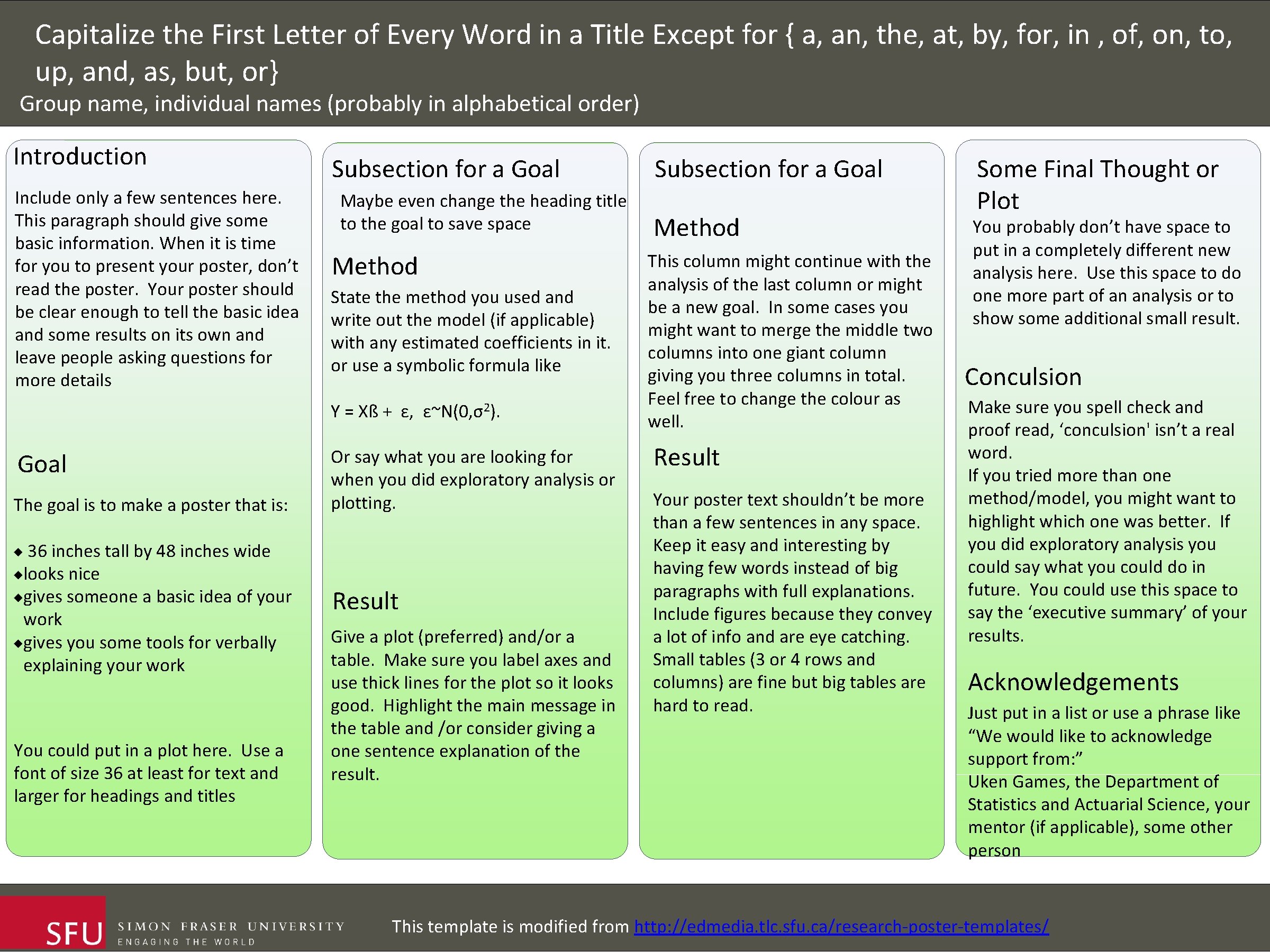
Simply capitalizing every word is not always the correct approach in formal writing. Depending on the style guide you are following (APA, MLA, or Chicago), "Capitalizing Each Word" has specific exceptions.
- Articles: Words like "a," "an," and "the" are usually not capitalized unless they are the first word of the title.
- Prepositions: Short prepositions like "of," "in," "to," and "for" remain lowercase in standard Title Case.
- Conjunctions: "And," "but," and "for" are typically kept in lowercase.
In professional 2026 environments, automated tools often provide a "Smart Title Case" option that acknowledges these grammatical nuances, whereas the standard "Capitalize Each Word" function in software like Excel is "dumb"—it will capitalize every single word regardless of its grammatical function.
Common Mistakes and Troubleshooting
When automating the capitalization of text, several common errors can occur. Understanding these helps in maintaining data integrity.
- Handling Acronyms: As mentioned,
PROPERfunctions will turn "NASA" into "Nasa." If your text contains many acronyms, you may need to use a "Find and Replace" operation after applying the capitalization to restore the correct casing for specific entities. - Apostrophes and Hyphens: Many automated scripts fail at hyphens. For example, "fine-tuned" might become "Fine-tuned" instead of "Fine-Tuned." In JavaScript and Python, you may need to adjust your RegEx (Regular Expression) to account for these non-space word separators.
- Leading Spaces: If a cell or string has a leading space (e.g., " word"), some functions might not recognize the first letter correctly. Always use a
TRIMfunction in conjunction with your capitalization logic to remove unnecessary whitespace.
Frequently Asked Questions
What is the difference between Title Case and Proper Case?
In the context of software functions like Excel's PROPER(), they are essentially the same. However, in linguistics and publishing, "Title Case" often excludes the capitalization of small words (articles and prepositions), while "Proper Case" or "Capitalize Each Word" applies uppercase to every starting letter without exception.
Can I capitalize the first letter of every word in SQL?
Yes, most SQL dialects (like PostgreSQL and Oracle) include an INITCAP() function. For example, SELECT INITCAP('first last') would return 'First Last'. In SQL Server (T-SQL), there is no built-in INITCAP function, so you must use a combination of UPPER, LOWER, LEFT, and SUBSTRING or create a custom user-defined function.
Does capitalizing every word affect SEO?
In 2026, search engine algorithms are highly sophisticated. While the casing of your meta titles does not directly impact ranking as a technical factor, "Capitalizing Every Word" in titles often results in higher Click-Through Rates (CTR). Users perceive title-cased headlines as more authoritative and easier to read, which indirectly signals quality to search engines.
How do I handle words with internal capital letters like "iPhone" or "eBay"?
Standard functions like PROPER() or .title() will often "break" these words by converting them to "Iphone" or "Ebay." If your dataset contains many brand names with internal capitalization (CamelCase), it is best to use a lookup table or a manual correction phase after the initial transformation to preserve brand identity.
Is there a keyboard shortcut for Google Sheets to capitalize words?
Unlike Microsoft Word's Shift + F3, Google Sheets does not have a native keyboard shortcut to change case. You must use the PROPER formula or install a Google Workspace Add-on designed for text manipulation.
Final Recommendation
For most users, the PROPER function in spreadsheets remains the most efficient way to handle large volumes of text. If you are working on a single document, the Shift + F3 shortcut in Microsoft Word provides the fastest results. For developers, always prefer CSS capitalization for visual-only changes, but use Python or JavaScript logic when the underlying data needs to be permanently transformed. When accuracy is paramount—such as in a book title or a formal report—manually review the text after automation to ensure that articles and prepositions follow your specific style guide's requirements.
Image Gallery