Comprehensive Guide to Fallout New Vegas Console Commands and Cheats
Fallout: New Vegas console commands allow players to manipulate game mechanics, bypass technical bugs, and customize their wasteland experience on PC. By pressing the tilde (~) key, you access a developer interface where you can input...
Fallout: New Vegas console commands allow players to manipulate game mechanics, bypass technical bugs, and customize their wasteland experience on PC. By pressing the tilde (~) key, you access a developer interface where you can input specific strings to add items, modify character stats, or fix broken quest stages.
Contents
Even in 2026, sixteen years after its initial release, Fallout: New Vegas remains a cornerstone of the RPG genre. Whether you are revisiting the Mojave Wasteland for the tenth time or exploring it for the first time through modern backwards compatibility and PC storefronts, the developer console is an essential tool. While often referred to as "cheats," these commands are technically debugging tools used by Obsidian Entertainment during development. Today, they serve as a bridge for players to overcome the game’s occasional engine-related instabilities or to simply enjoy a sandbox-style playthrough.
How to Access and Use the Console in Fallout: New Vegas
Accessing the console in Fallout: New Vegas is straightforward, but there are specific requirements and consequences that every player should understand before diving in.
The Activation Key
On most standard QWERTY keyboards, the console is toggled by pressing the tilde (~) key, located directly below the Escape (Esc) key and to the left of the "1" key. On some regional keyboards, such as those in the UK, the key may be the grave accent (`) or the apostrophe (').
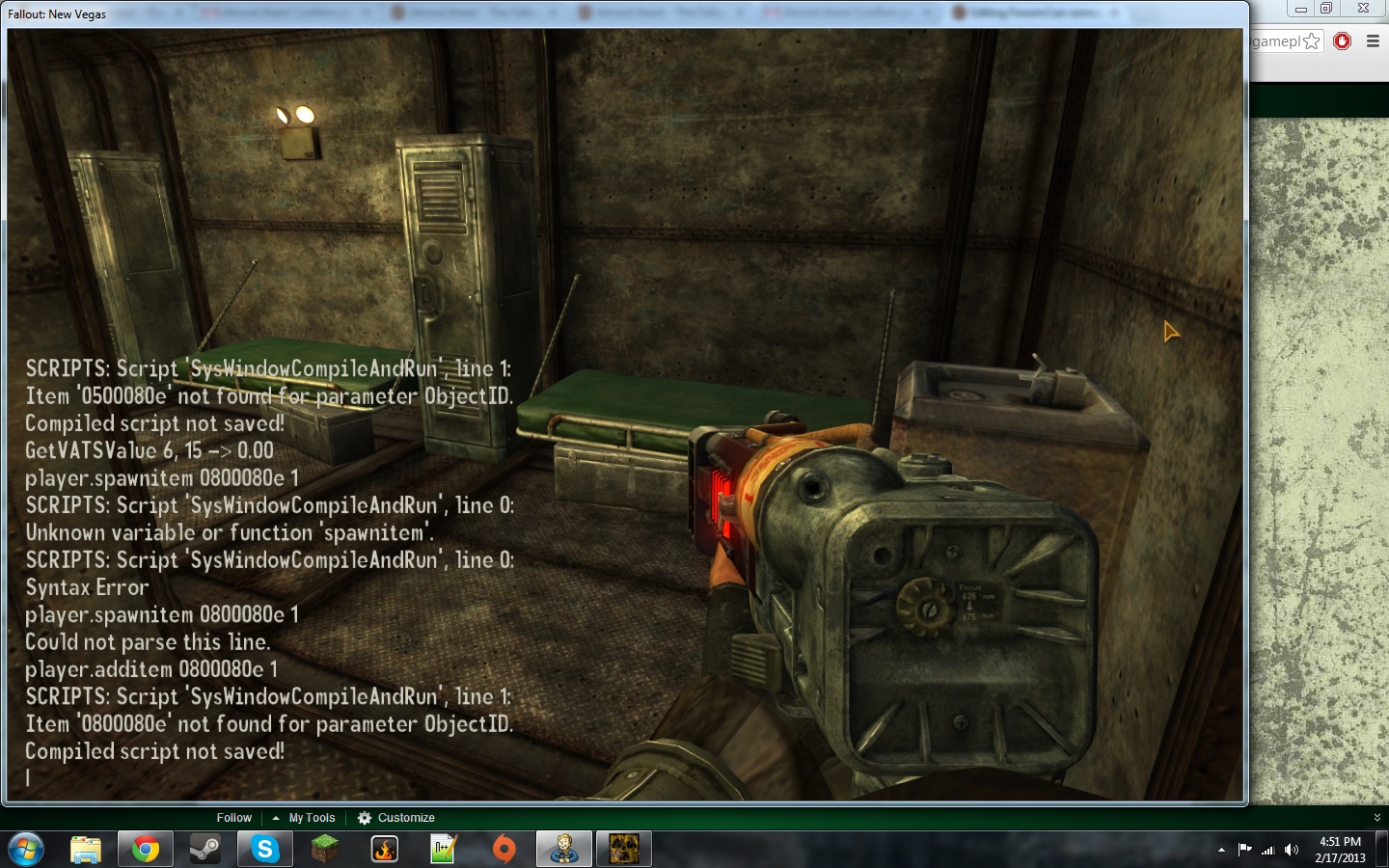
Once pressed, the game world will pause, and a dark semi-transparent overlay will appear with a cursor in the bottom-left corner. You can then type your command and press Enter to execute it. Press the tilde key again to close the console and resume gameplay.
Steam Achievements and Session Locking
A critical detail for many players in 2026 is the impact of console commands on Steam or GOG achievements. Using any "cheat" command (commands that provide a gameplay advantage) will disable achievements for that specific play session.
To circumvent this, you can save your game after using a command, exit to the desktop, and then relaunch the game. Achievements will be re-enabled for the new session, while the changes you made via the console (such as added items or changed stats) will remain saved.
Prerequisites and Limitations
- Platform: Console commands are strictly limited to the PC version of Fallout: New Vegas. They cannot be accessed on Xbox or PlayStation consoles, including through cloud gaming services.
- Syntax: Commands are not case-sensitive, but the spelling must be exact. Most commands require a "Base ID" or "Ref ID," which are 8-digit hexadecimal codes unique to every item, NPC, and quest in the game.
- Stability: Overusing commands, particularly those that spawn hundreds of NPCs or modify complex quest scripts, can lead to immediate crashes or long-term save file corruption.
Essential Player Modification Commands
Character progression in New Vegas is governed by SPECIAL stats, Skills, and Perks. If you find yourself frustrated by a build choice made twenty hours ago, these commands allow you to pivot without restarting the game.
Modifying Stats and Skills
The two primary commands for character modification are player.setav and player.modav.
player.setav [Attribute] [Value]: This sets an attribute to an exact number. For example,player.setav Science 100will make your Science skill exactly 100.player.modav [Attribute] [Value]: This adds a modifier to your current score.player.modav CarryWeight 500will add 500 points to your existing carrying capacity.
Common attributes include:
- Strength, Perception, Endurance, Charisma, Intelligence, Agility, Luck (The SPECIAL system).
- Barter, EnergyWeapons, Explosives, Guns, Lockpick, Medicine, MeleeWeapons, Repair, Science, Sneak, Speech, Survival, Unarmed (The Skills).
Adding Perks and Traits
To add a specific Perk, use player.addperk [PerkID]. This is particularly useful for obtaining high-level perks like Jury Rigging or Explorer earlier in the game. Conversely, if you want to remove a perk, use player.removeperk [PerkID]. Note that removing a perk that grants a permanent stat bonus may not always revert the stat automatically.
Inventory Management and Item Spawning
The most common use for the console is the acquisition of items, whether it is ammunition, rare armor, or the ubiquitous Bottlecaps.
The Item Command Syntax
The command to add an item to your inventory is:
player.additem [ItemID] [Amount]
For example, to add 1,000 Bottlecaps, you would type: player.additem 0000000f 1000.
Essential Item IDs Table
The following table provides the Base IDs for some of the most frequently requested items in the Mojave.
| Item Name | Base ID | Category |
|---|---|---|
| Bottlecaps | 0000000f | Currency |
| Stimpak | 00015169 | Consumable |
| Rad-X | 00015168 | Consumable |
| Doctor's Bag | 00004321 | Consumable |
| Anti-Materiel Rifle | 0008f21c | Weapon |
| Riot Shotgun | 0008ed44 | Weapon |
| NCR Ranger Combat Armor | 00129239 | Armor |
| T-51b Power Armor | 000a6f77 | Armor |
| .50 MG Ammo | 0008f21e | Ammunition |
| Weapon Repair Kit | 0400ba8b | Tool (DLC) |
Note: For DLC items, the first two digits of the ID (e.g., "04") depend on the load order of your expansions.
World and NPC Interaction Commands
These commands allow you to manipulate the environment and the characters inhabiting it. They are powerful tools for both creative play and troubleshooting NPCs who have disappeared or become hostile.
General Gameplay Toggles
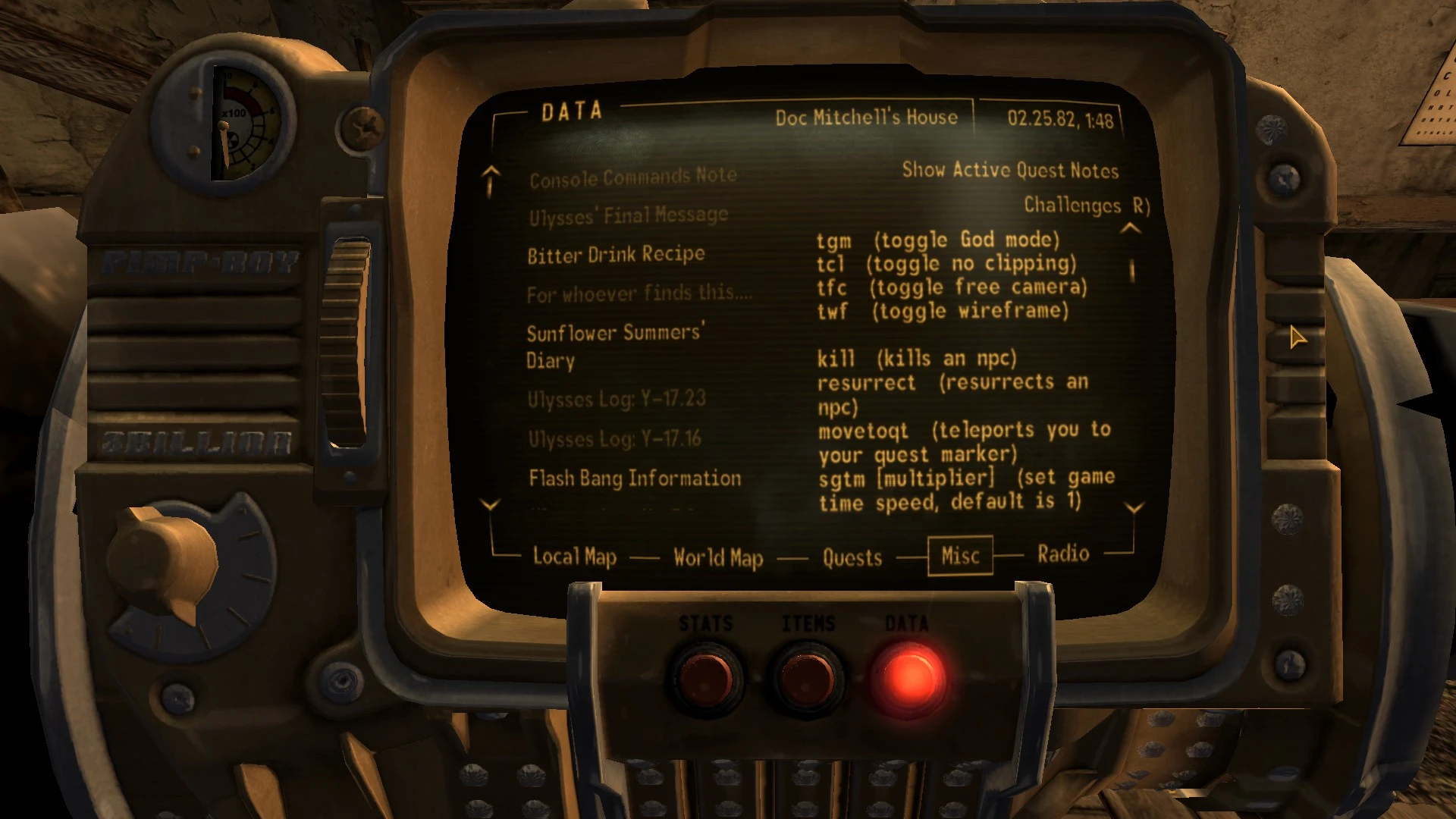
tcl(Toggle Collision): Commonly known as "noclip." This allows you to fly through walls and floors. It is the primary solution if your character becomes stuck in the environment geometry.tgm(Toggle God Mode): Grants infinite health, infinite ammunition, and infinite carry weight.tmm 1(Toggle Map Markers): Reveals all locations on the Pip-Boy map.tfcv(Toggle Free Camera): Detaches the camera from the player character, allowing for cinematic screenshots.
NPC Manipulation
To use these commands, you usually need to open the console and click on the NPC with your mouse to target them. Their Ref ID will appear at the top of the screen.
kill: Instantly kills the targeted NPC.resurrect: Brings a dead NPC back to life. This is vital if a quest-giver is killed by world hazards like Deathclaws or Legion raiding parties.resetai: Resets the NPC's AI routines. Useful if an NPC stops talking to you or gets stuck in a walking loop.tcai: Toggles combat AI. All NPCs in the world will stop attacking, allowing you to walk through hostile territory peacefully.
Solving Quest Glitches with Console Commands
Fallout: New Vegas is a complex RPG with thousands of interconnected scripts. Occasionally, a quest may fail to progress because an objective didn't trigger correctly.
Identifying Quest Stages
To fix a quest, you first need the Quest ID. You can find these on authoritative databases like the Fallout Wiki.
sqv [QuestID]: This shows the current variables and "stages" of a quest.getstage [QuestID]: Tells you exactly what stage you are currently on (represented by a number like 10, 20, or 100).
Advancing the Story
If a quest is stuck, use setstage [QuestID] [StageNumber]. For example, if the quest "They Went That-a-Way" fails to update after you reach Novac, you can manually set it to the next stage to trigger the dialogue with Manny Vargas.
Caution: Skipping quest stages can lead to "orphan" scripts that may cause issues later in the game. Only use this as a last resort when a quest is demonstrably broken.
Technical Troubleshooting and Best Practices
Using commands is inherently risky. To ensure your 2026 playthrough remains stable, follow these guidelines:
- Hard Save Before Commencing: Never rely on an autosave or quicksave before using the console. Create a manual "Hard Save" so you have a clean state to return to if the game crashes.
- Avoid
killall: This command kills every loaded NPC in the vicinity. While satisfying, it often kills essential quest NPCs and protected merchants, effectively ruining your save file's progression. - Check Mod Compatibility: If you are using modern overhaul mods like Viva New Vegas, some console commands might behave differently or be disabled by stability plugins. Always check your mod documentation.
- The "Clear" Command: If the console screen becomes cluttered with text, type
clsto clear the output window, making it easier to read the results of your next command.
Frequently Asked Questions
Can I use console commands to change my character's appearance?
Yes. Open the console and type showracemenu. This will open the initial character creation screen, allowing you to change your race, face, and hair. However, be careful: changing your race mid-game can occasionally reset your skill points or racial bonuses. It is recommended to use this command while your character is not wearing any headgear.
What is the command for infinite money?
The most direct way is player.additem 0000000f [amount]. Replacing "[amount]" with a number like 100000 will grant you 100,000 Bottlecaps instantly. If you prefer to earn it "legitimately" but with a boost, you can use player.setav Luck 10 to make winning at the Strip's casinos significantly easier.
How do I fix a companion who has gone missing?
If a companion like Boone or ED-E disappears, you can teleport them to your location. First, find their Ref ID (e.g., Boone is 00096bce). Type prid 00096bce to select them remotely, then type moveto player. This will instantly warp the companion to your side.
Is there a command to fly?
While there isn't a "fly" command per se, tcl (Toggle Collision) serves this purpose. When collision is off, your character moves in whichever direction the camera is facing, including up into the air or down through the terrain.
Why doesn't the tilde key work on my laptop?
On some laptops, particularly those with integrated "Easy Display Manager" or certain infrared receiver drivers, the tilde key is intercepted by the hardware. You may need to disable "Microsoft eHome Infrared Transceiver" in your Device Manager or check your laptop's function (Fn) key settings to ensure the tilde key is sending the correct input to the game.
Final Recommendations for Mojave Explorers
The use of console commands should be viewed as a way to enhance your enjoyment of Fallout: New Vegas rather than a way to skip the experience. For the most immersive 2026 playthrough, try to limit commands to "Quality of Life" fixes—such as using tcl when stuck or resurrect on a bugged NPC. If you are looking to experiment with high-level gear or complex builds, consider creating a separate "test" save file to ensure your primary story progression remains untainted by unintended script errors.
Image Gallery