Mastering the Push Notification Life Cycle in 2026: Architecting High-Retention Mobile Engagement Systems
Understanding the push notification life cycle is critical for mobile engineers, growth marketers, and product managers striving to maximize user retention without triggering uninstalls. In 2026, user fatigue is at an all-time high, ma...
Understanding the push notification life cycle is critical for mobile engineers, growth marketers, and product managers striving to maximize user retention without triggering uninstalls. In 2026, user fatigue is at an all-time high, making precision timing, algorithmic personalization, and strict payload optimization non-negotiable standards for sustainable app growth.
Contents
Anatomy of a Push Notification: From Server Trigger to Device Render
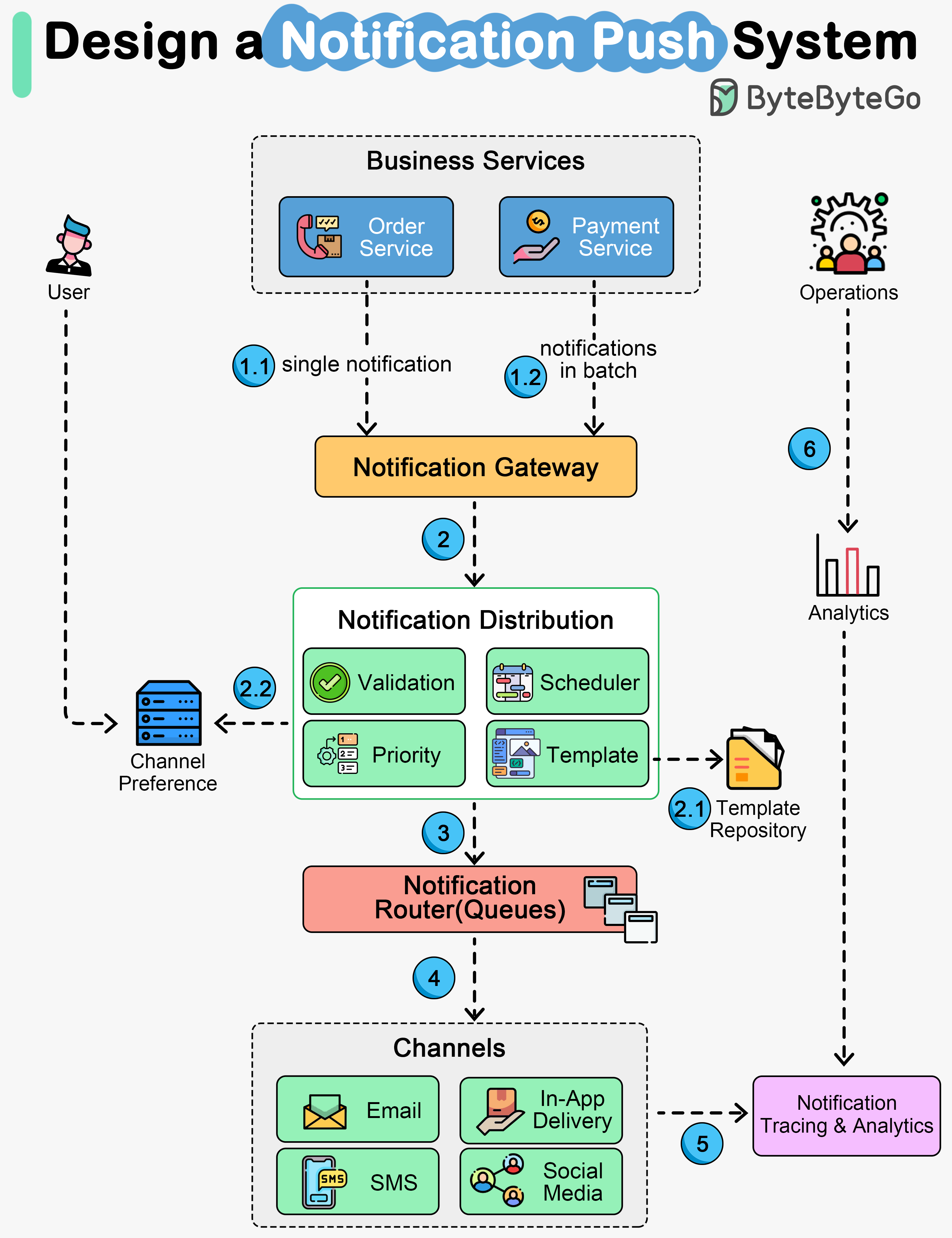
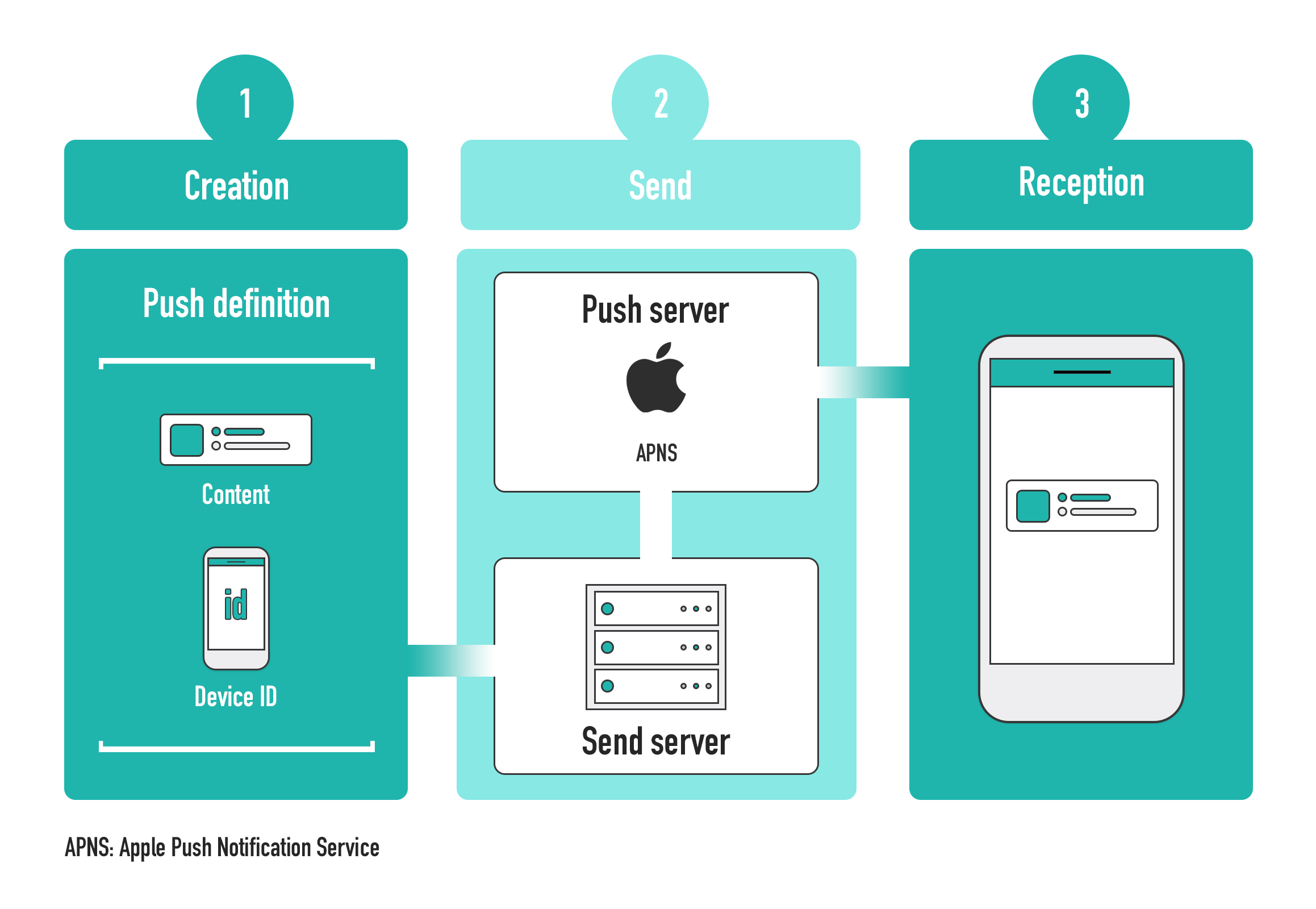
The life cycle of a push notification begins long before a message appears on a user's lock screen. It is a multi-step orchestration involving backend application servers, cloud messaging gateways, operating system dispatchers, and client-side rendering engines.
When an event triggers a notification—such as a price drop, a social mention, or a transactional status update—the backend server constructs a JSON payload. This payload contains critical metadata, including title, body, badge counts, sound assignments, and custom data keys.
- Event Initiation: An internal trigger or scheduled CRM campaign initiates a dispatch request within the application's database or microservice architecture.
- Gateway Submission: The server securely transmits the payload via HTTP/2 protocols to platform-specific routing hubs, primarily Apple Push Notification service (APNs) for iOS and Firebase Cloud Messaging (FCM) for Android and web environments.
- Queueing and Delivery: Cloud gateways manage connection states, queueing messages if a device is offline and delivering them instantly once network connectivity is re-established.
- OS Interception: The mobile operating system receives the raw packet, decrypts security tokens, and passes the payload to the local notification center.
- Client Rendering: The device evaluates priority flags and display rules, rendering the visual banner, playing audio cues, and updating application badge counters.
The Technical Infrastructure Supporting Real-Time Delivery
Behind every seamless notification delivery lies a complex web of infrastructure, API protocols, and token management pipelines. Maintaining high delivery rates requires strict adherence to modern gateway specifications and proactive handling of stale device tokens.
- Token Synchronization: Device tokens change when users reinstall an app, clear system caches, or update operating systems. Background synchronization routines must update database records instantly to prevent silent delivery drops.
- Payload Weight Limits: APNs and FCM enforce strict payload limits (typically 4KB). Developers must compress tracking parameters and pass only essential identifiers, resolving full data states asynchronously after a user taps the notification.
- Quiet Hours and Delivery Throttling: Intelligent infrastructure systems respect user time zones and local quiet hours, automatically queueing non-urgent marketing dispatches for daytime delivery windows.
- Cross-Platform Delivery Comparison: Different operating systems handle background processing and UI rendering uniquely, demanding distinct optimization strategies for iOS and Android environments.
| Platform | Routing Gateway | Payload Size Limit | Default Priority Handling | Token Expiration Mechanism |
|---|---|---|---|---|
| iOS (Apple) | APNs (Apple Push Notification service) | 4 KB | Configurable (5 for background, 10 for user-facing) | APNs Feedback Service / Automatic Generation |
| Android (Google) | FCM (Firebase Cloud Messaging) | 4 KB | High or Normal priority queues | Instance ID API / FCM Registration Token Refresh |
| Web Browsers | Web Push API (VAPID protocol) | 4 KB | Requires encrypted payloads via service workers | Subscription expiration events / HTTP 410 Gone |
Strategic Phases of User Engagement Through Notifications
A successful push notification strategy evolves in tandem with the user's relationship with the application. Treating every user with the same broadcast cadence guarantees rapid churn.
Onboarding Phase -> Value Demonstration Phase -> Retention & Re-Engagement Phase -> Win-Back Phase
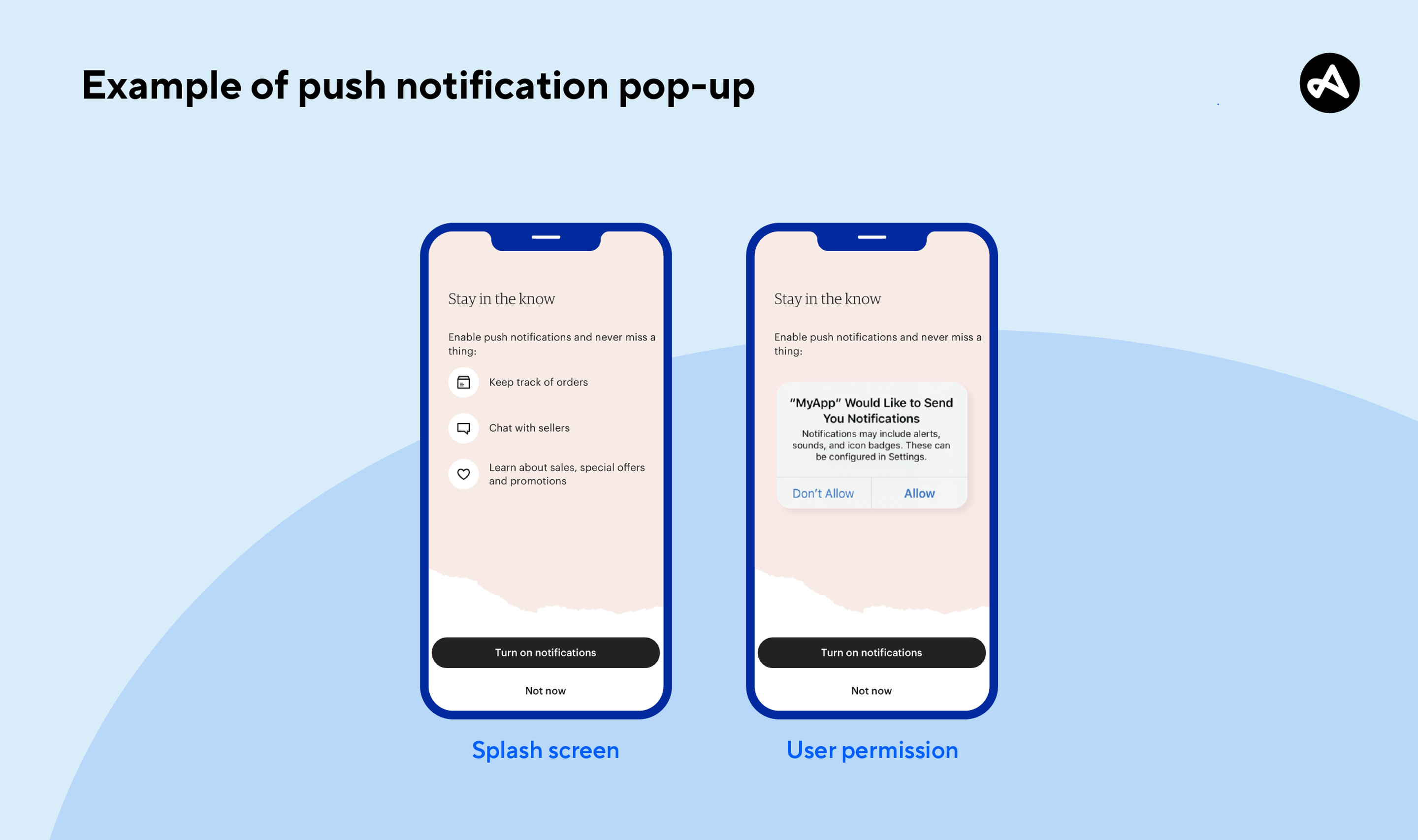
During onboarding, permissions should be requested contextually after explaining the core value proposition rather than bombarding the user on first launch. Opt-in rates drop significantly when system permission dialogs appear prematurely. Once opted in, the value demonstration phase relies on triggered behavioral alerts—such as completing a profile or finishing an onboarding tutorial—rather than generic promotional blasts.
As the user transitions into long-term usage, machine learning models analyze historical interaction patterns to predict the optimal send time for each individual. Finally, the win-back phase deploys sophisticated cadence capping to reach dormant users without triggering permanent uninstalls or spam reports.
Pros and Cons of Automated Push Notification Workflows
Implementing automated push notification systems offers profound structural advantages, but it also introduces operational risks that require vigilant monitoring.
- Pros:
- Instant Reach: Bypasses inbox noise to deliver time-sensitive messages directly to a user's primary device interface.
- Behavioral Triggers: Enables hyper-relevant messaging based on real-time in-app actions, significantly increasing conversion rates.
- Direct Retention Loop: Re-engages dormant users and brings them back into the active session funnel without requiring paid acquisition channels.
- Cons:
- Opt-In Friction: Low initial permission rates on iOS can permanently lock out a brand from utilizing the channel.
- Uninstallation Risk: Excessive frequency or irrelevant messaging causes immediate app deletion and brand fatigue.
- Maintenance Overhead: Constantly updating device tokens, handling OS updates, and managing payload schemas requires dedicated engineering resources.
Best Practices for Optimizing the Notification Life Cycle
To maximize engagement metrics while maintaining user trust, product teams must enforce rigorous operational standards across copywriting, segmentation, and technical delivery.
- Enforce Granular Opt-in Flows: Use soft-ask pre-permission screens to explain the exact benefits of enabling notifications before triggering the native OS prompt.
- Implement Dynamic Segmentation: Segment audiences dynamically based on recent purchase behavior, geographic location, and app feature utilization.
- Leverage Rich Media: Utilize images, animated GIFs, interactive action buttons, and inline replies to transform passive alerts into immersive interactive experiences.
- Monitor Analytics Continuously: Track delivery rates, open rates, conversion attribution, and uninstalls daily to catch failing token pipelines or content fatigue early.
Frequently Asked Questions
What causes a push notification to fail delivery?
Push notifications typically fail due to expired device tokens, network connectivity issues, or exceeding platform-specific payload size limits. Backend logging systems should automatically flag and purge invalid tokens when gateway error responses are received.
How can apps improve their iOS push notification opt-in rates?
Apps can dramatically improve opt-in rates by delaying the native system prompt until the user reaches a moment of high contextual value. Presenting a custom pre-permission screen explaining the exact benefits of enabling alerts consistently lifts acceptance metrics.
What is the ideal frequency for marketing push notifications?
There is no universal threshold, but best practices suggest limiting promotional dispatches to no more than two to three per week per user segment. Transactional and behavioral alerts should be sent immediately when triggered by user activity.
How do rich push notifications impact engagement?
Rich push notifications incorporate media attachments, deep links, and interactive buttons directly into the banner. Studies consistently show that rich media drives significantly higher engagement and conversion rates compared to plain text notifications.
What are silent push notifications and how are they used?
Silent push notifications wake up an application in the background without alerting the user visually or audibly. They are primarily used to sync content, update database states, or fetch fresh data before the user opens the app.
How do you handle uninstalls within push analytics?
Analytics platforms track uninstalls by monitoring feedback services provided by APNs and FCM when downstream delivery attempts return permanent failure codes. This data is aggregated into churn metrics to measure campaign health.
Optimizing Your Mobile Engagement Architecture Today
Mastering the push notification life cycle requires an ongoing commitment to technical excellence, data hygiene, and respect for user attention. By auditing your token management pipelines, refining payload structures, and implementing intelligent behavioral segmentation, you can transform push notifications from an intrusive marketing channel into a valued utility that drives sustainable, long-term mobile retention.
Image Gallery