What Is Helm in Kubernetes: The Standard for Package Management
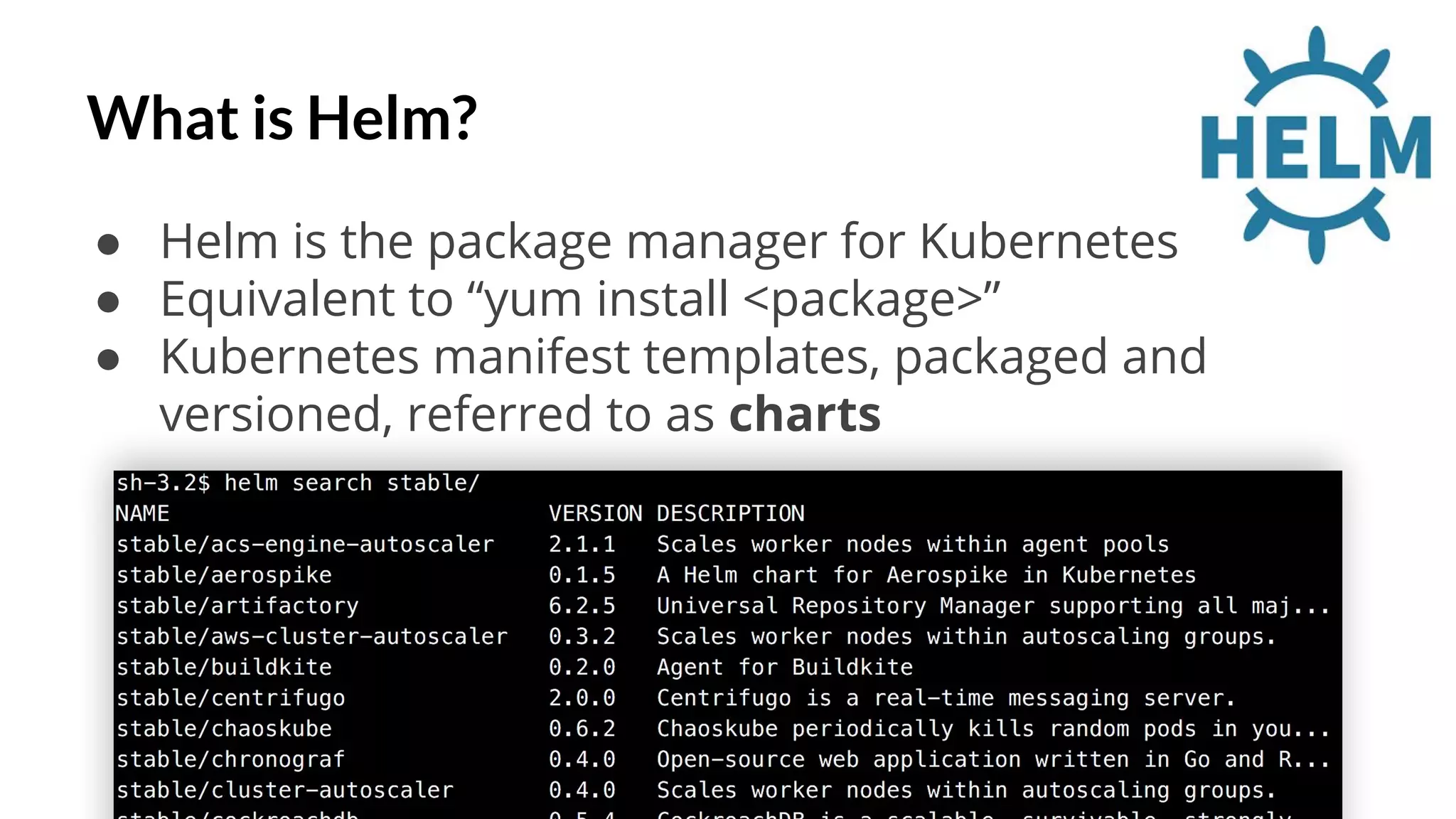
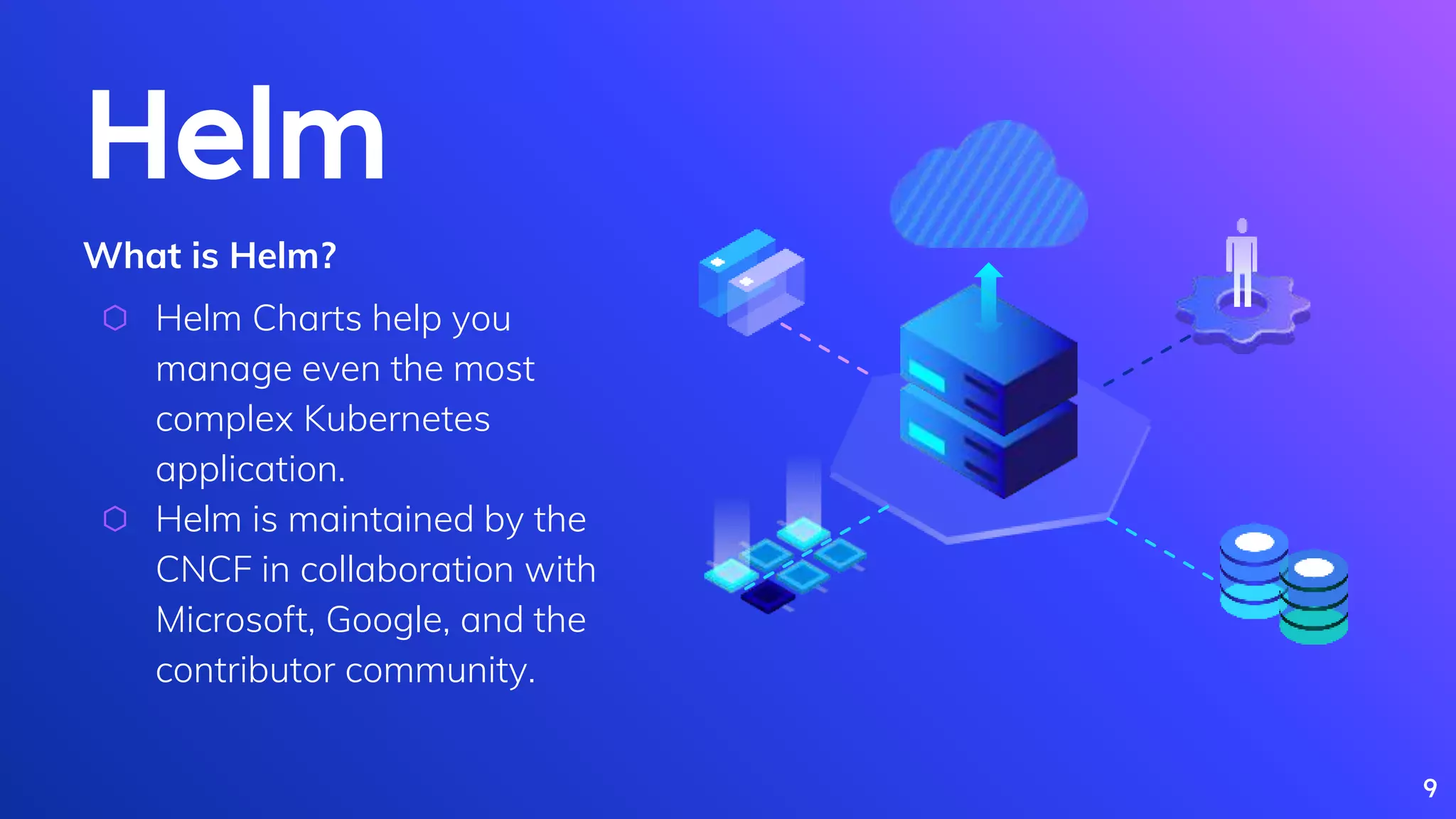
Helm is the open-source package manager for Kubernetes, functioning as the "apt" or "homebrew" of the container orchestration world. It allows developers and operators to define, install, and upgrade even the most complex Kubernetes ap...
Helm is the open-source package manager for Kubernetes, functioning as the "apt" or "homebrew" of the container orchestration world. It allows developers and operators to define, install, and upgrade even the most complex Kubernetes applications by bundling related resource manifests into a single, versioned unit known as a "chart."
Contents
The Core Problem Helm Solves
Kubernetes is powerful, but it is notoriously verbose. Deploying an application often requires dozens of individual YAML files—defining Deployments, Services, ConfigMaps, Secrets, Ingress rules, and Persistent Volume Claims. Managing these files manually across different environments (development, staging, and production) leads to "configuration drift," where files are accidentally modified, duplicated, or forgotten.
Helm abstracts this complexity. By using templates, it enables you to write a single definition that can be customized for different environments. Instead of managing static files, you manage a Helm chart, which serves as a reusable, shareable blueprint for your infrastructure.
The Anatomy of a Helm Chart
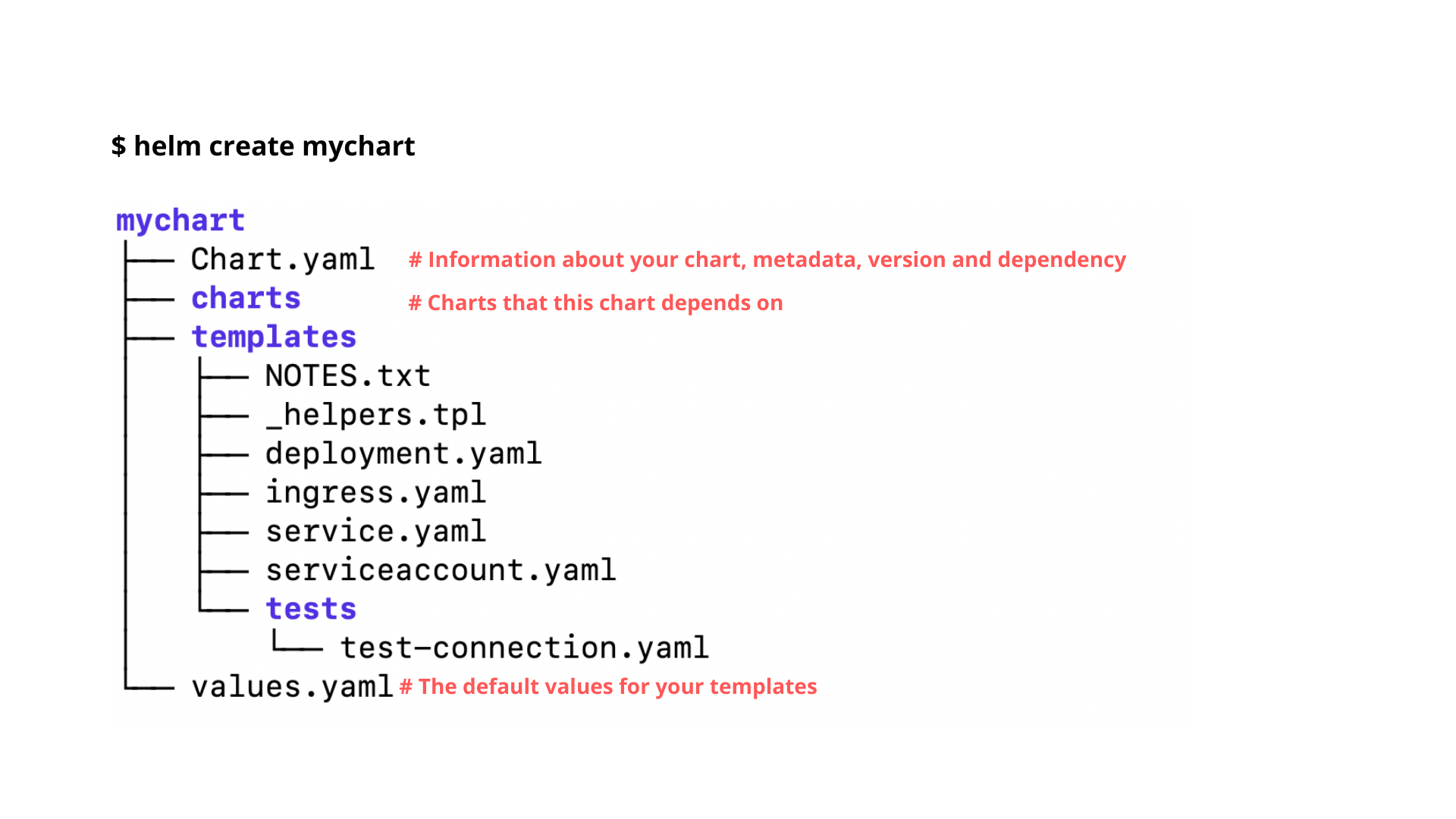
To understand Helm, you must understand the structure of a chart. A chart is a directory containing a specific set of files that Kubernetes uses to build and deploy your application.
- Chart.yaml: The metadata file. It contains the chart’s name, version, description, and dependency information.
- values.yaml: The heart of the customization. This file contains the default configuration values for your application. When you install a chart, you can override these values without touching the underlying templates.
- templates/ directory: This contains the actual Kubernetes manifest files, but written in the Go template language. Instead of hardcoding values like image tags or replica counts, you use placeholders like
{{ .Values.replicaCount }}. - charts/ directory: A place to store sub-charts, allowing you to build complex applications out of smaller, modular components.
Helm Architecture: Client and Cluster
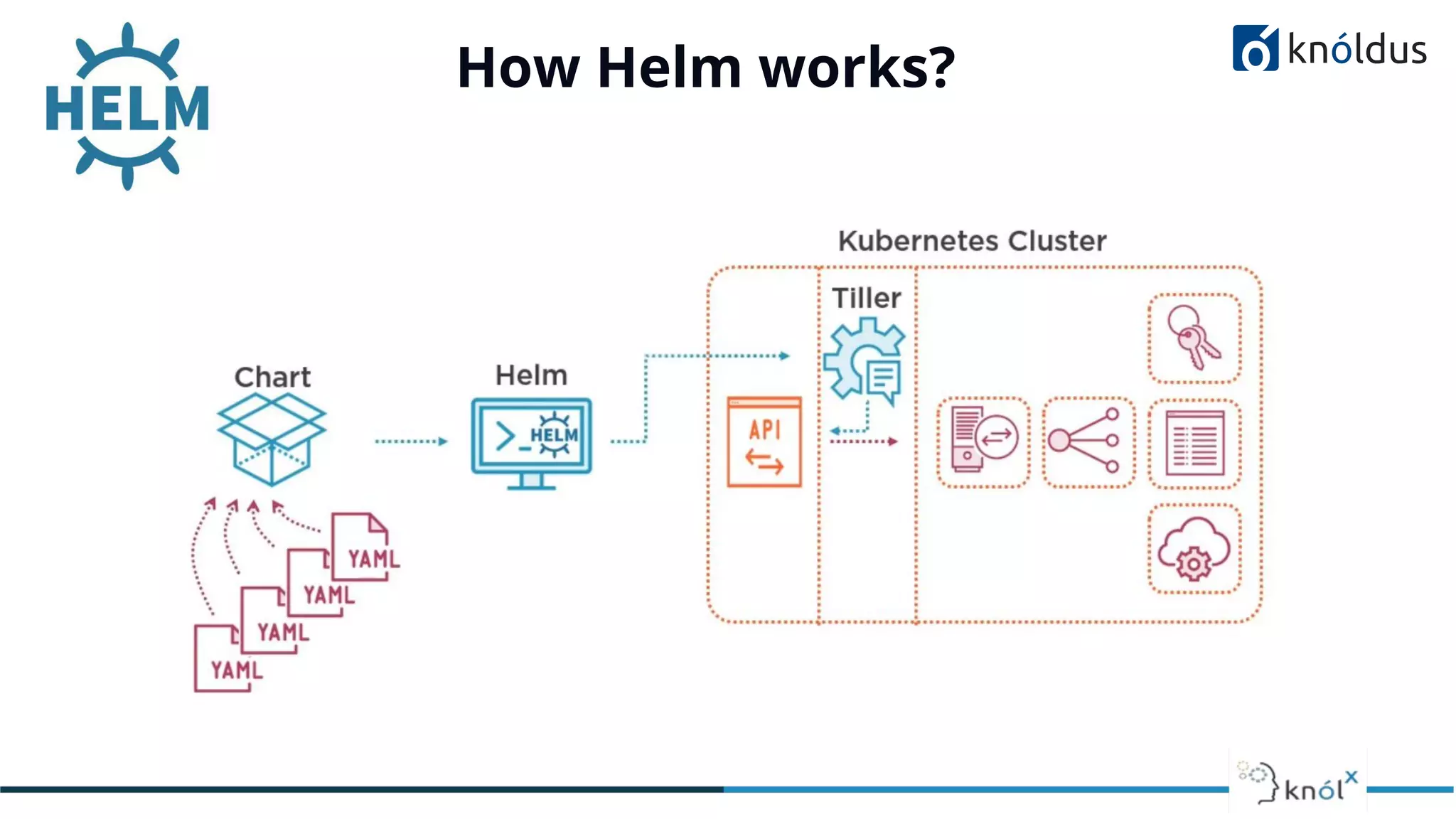
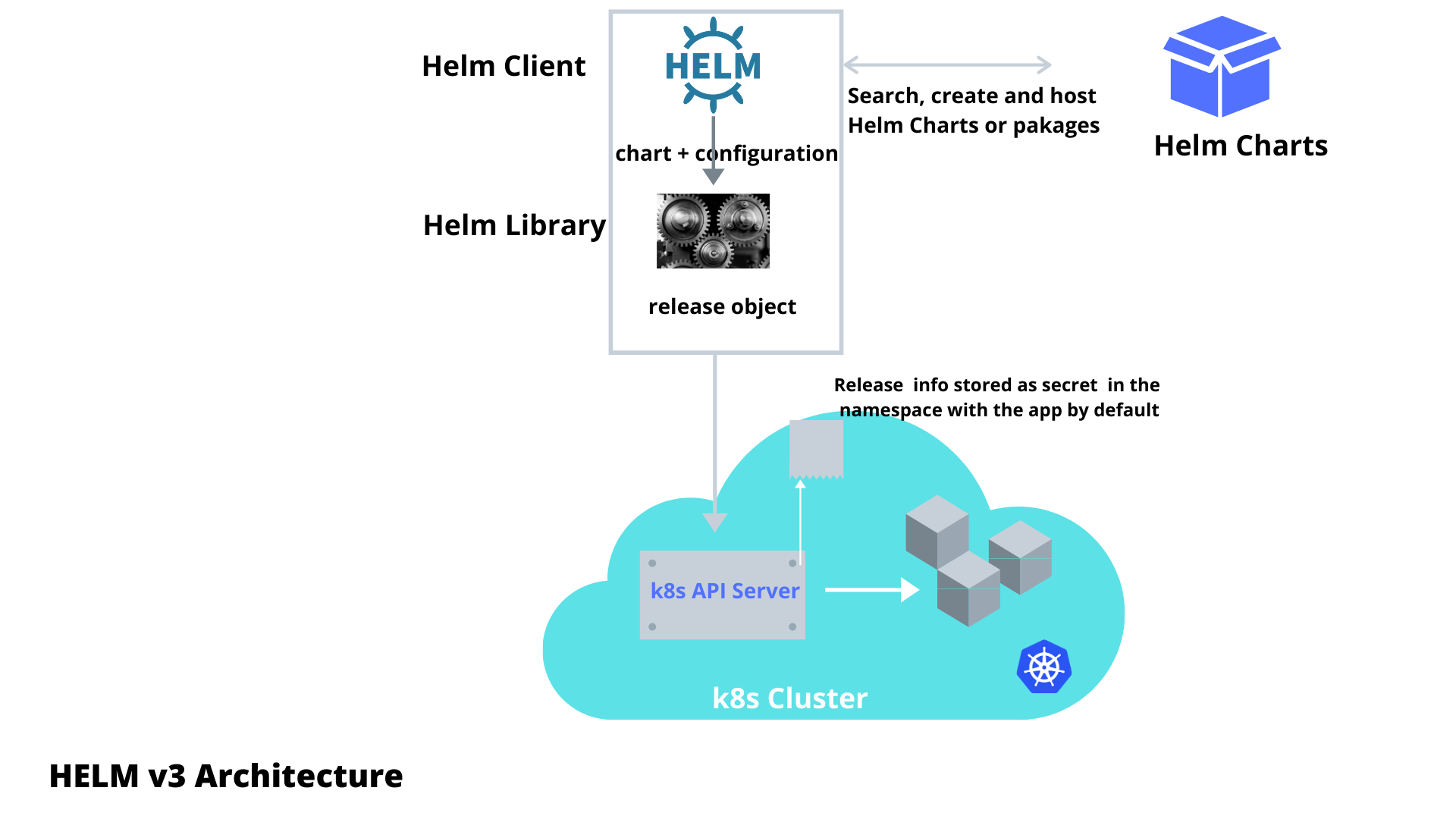
Helm operates as a client-side tool that interacts with the Kubernetes API server. Since Helm version 3, released in 2019, the architecture has been simplified to remove the "Tiller" server-side component that existed in earlier versions.
- The Helm Client: This is the CLI (Command Line Interface) tool you run on your local machine or within your CI/CD pipeline. It fetches charts, renders the templates using your local or provided
values.yamlfiles, and sends the resulting manifest stream to the Kubernetes API. - The Kubernetes API: Because Helm translates templates into standard Kubernetes objects, the cluster itself does not need any special software installed to "understand" Helm. It simply receives the standard objects (like Pods and Services) that it would have received if you had applied them manually via
kubectl.
Key Features and Benefits
Helm brings several production-grade advantages to the Kubernetes ecosystem:
- Templating: You can define logic inside your manifests. For example, you can write conditional blocks that only create an Ingress resource if a specific flag is set to
truein your values file. - Versioning and Rollbacks: Helm keeps track of the history of every release. If a new deployment causes your application to fail, you can run a single command to roll back to a previous, known-good revision.
- Dependency Management: Charts can depend on other charts. If your web application requires a specific database, you can define that database as a dependency, and Helm will ensure it is installed and configured correctly.
- Public Repositories: Just as developers use npm or PyPI, the Kubernetes community maintains a massive repository of pre-built charts (such as those for NGINX, Redis, or PostgreSQL), which allows for rapid deployment of standard infrastructure.
Comparison of Configuration Management Approaches
When managing Kubernetes, developers often choose between native YAML, Helm, or other alternatives like Kustomize.
| Feature | Raw YAML Files | Helm | Kustomize |
|---|---|---|---|
| Complexity | Low | Medium to High | Low to Medium |
| Templating Logic | None | High (Go templates) | Low (Patch-based) |
| Versioning | Manual | Built-in | Manual/Git-based |
| Ease of Sharing | Difficult | Excellent (Repos) | Moderate |
| Learning Curve | Minimal | Moderate | Shallow |
Raw YAML is sufficient for small, static projects. However, as complexity grows, the lack of logic and reusability becomes a burden. Helm excels in large, collaborative environments where sharing templates across teams is necessary. Kustomize, which is now built into kubectl, focuses on "overlays" or patches, providing a different, often complementary, approach to customization.
Common Misconceptions
A frequent point of confusion is whether Helm is required to run Kubernetes. It is not. You can run a fully functional Kubernetes cluster without ever touching Helm. However, for any production-grade deployment, Helm is the industry standard for managing the lifecycle of applications.
Another misconception is that Helm performs the deployment itself. In reality, Helm performs the orchestration of the manifests; the Kubernetes controller loop is what actually triggers the creation of containers. Helm simply prepares the instruction set that Kubernetes follows.
Best Practices for Helm Users
To get the most out of Helm in 2026, adhere to these operational guidelines:
- Keep Secrets Out of Charts: Never commit sensitive data like API keys or database passwords into your
values.yamlfiles in version control. Use Kubernetes Secrets or external secret management tools like HashiCorp Vault. - Version Your Charts: Always bump the version number in
Chart.yamlwhen making changes. This ensures that your deployment history remains clear and that your team knows exactly which version of the application is running. - Use
helm lint: Before deploying, always run the linter. It checks your chart for structural errors, missing dependencies, and incorrect syntax, preventing runtime failures. - Dry Run for Verification: Use
helm install --dry-run --debugto see exactly what manifest files will be generated before you apply them to your cluster.
Troubleshooting Frequent Issues
When working with Helm, you may encounter issues regarding template rendering or release state.
- Release Names: Helm requires a "release name" for every installation. If you encounter errors about "release already exists," verify the name you are using in the target namespace.
- Template Syntax Errors: If the Go template engine fails, look closely at your indentation. YAML is whitespace-sensitive, and a missing space or incorrect tab can break the generation of the entire file.
- Connection Timeouts: Ensure your
kubeconfigis properly configured and that you have the necessary RBAC permissions (Roles and RoleBindings) within the target namespace to create the resources defined in your chart.
Frequently Asked Questions (FAQ)
Is Helm secure for production use?
Yes. Helm is widely used in production across major cloud providers. Security is primarily managed by the RBAC settings in your Kubernetes cluster, ensuring that only authorized users or CI/CD service accounts can execute helm commands.
Can I use Helm with Kustomize?
Yes. Many advanced users use Helm to package their application and Kustomize to apply environment-specific patches to the generated output. Helm supports this directly through a specific field in the values.yaml configuration.
Does Helm store application data? No. Helm manages the lifecycle of the Kubernetes resources (Pods, Services, etc.). It does not store the actual data inside your application, such as your database content. That data is stored in Persistent Volumes managed by the cluster.
How do I update an existing release?
You use the helm upgrade command. If you have modified your values or the templates, Helm will perform a "three-way merge" between your old manifest, your new manifest, and the current state of the cluster to determine what needs to be changed.
What is a Helm Repository?
A Helm repository is a web server that hosts an index.yaml file and the associated chart packages. It is the distribution point that allows you to run helm repo add and then install software globally.
Next Steps for Implementation
To start using Helm, first ensure you have the CLI installed on your machine. You can verify your installation by running helm version. Next, browse the official Artifact Hub to find a chart for an application you are familiar with, such as NGINX or WordPress. Attempt to install it into a local cluster, such as Minikube or Kind, using helm install my-release . By experimenting with overriding the values.yaml file, you will quickly understand the power of templating and move beyond basic manual deployments.
Image Gallery