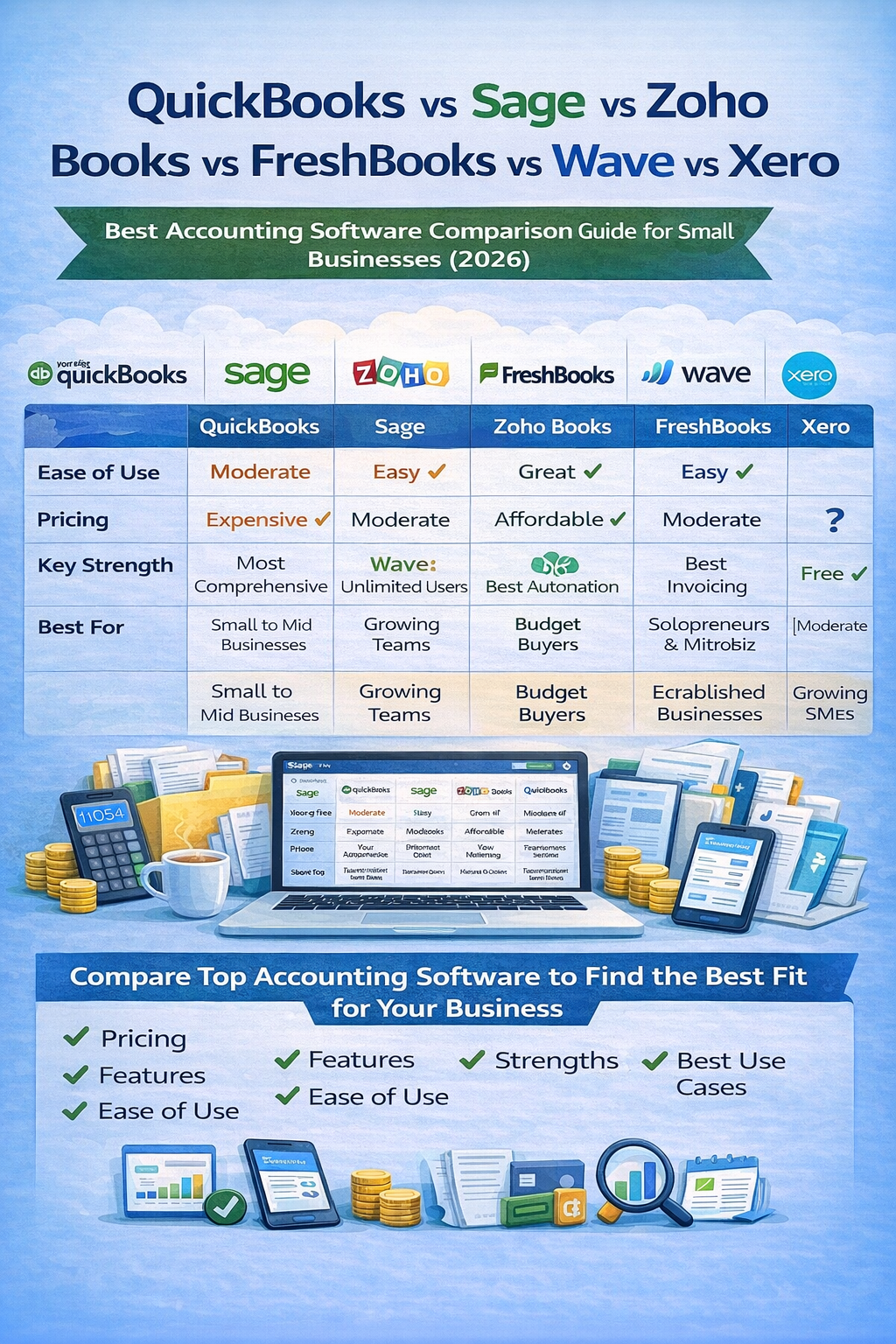
QuickBooks vs. FreshBooks: Choosing the Right Accounting Software in 2026
Choosing between QuickBooks and FreshBooks in 2026 depends primarily on your business structure. QuickBooks is the industry standard for scalability, complex inventory, and robust double-entry accounting, making it ideal for growing te...
Choosing between QuickBooks and FreshBooks in 2026 depends primarily on your business structure. QuickBooks is the industry standard for scalability, complex inventory, and robust double-entry accounting, making it ideal for growing teams. FreshBooks prioritizes user experience and client-focused billing, making it the superior choice for freelancers and service-based agencies focused on project profitability.
Contents
Selecting the right accounting platform is one of the most consequential decisions a business owner can make. The software you choose dictates not only how you track your income and expenses but also how you interact with tax authorities, manage your cash flow, and collaborate with financial professionals. As we navigate the 2026 fiscal landscape, the gap between "simple invoicing" and "enterprise-grade accounting" has narrowed, yet the core philosophies of QuickBooks and FreshBooks remain distinct.
Core Philosophies and Target Audiences
To understand which platform fits your needs, you must first understand who they were built for. QuickBooks, developed by Intuit, was designed to be a comprehensive digital version of traditional accounting ledgers. It is built on a rigid double-entry framework that accountants love because it ensures every transaction has a corresponding entry, minimizing errors in the balance sheet.
In contrast, FreshBooks began its life as an invoicing tool for designers and writers. While it has evolved into a full-fledged accounting suite, its "North Star" remains the user experience of the non-accountant. It focuses on the "quote-to-payment" lifecycle. If your day involves tracking billable hours, managing project milestones, and sending sleek proposals, FreshBooks is built for your workflow. If your day involves managing warehouse stock, running a complex payroll for fifty employees, and reconciling high-volume retail transactions, QuickBooks is the more appropriate tool.
Feature Comparison: Inventory, Invoicing, and Automation
By 2026, both platforms have integrated sophisticated artificial intelligence (AI) to automate bank reconciliation and expense categorization. However, the depth of these features varies significantly when applied to different business models.
Inventory Management
QuickBooks remains the undisputed leader in inventory. Its "Plus" and "Advanced" tiers allow for real-time tracking of cost of goods sold (COGS), stock level alerts, and multi-channel synchronization. If you sell physical products across Shopify, Amazon, and a brick-and-mortar store, QuickBooks acts as the central nervous system for your stock.
FreshBooks offers basic inventory tracking, but it is not designed for complex retail operations. It allows you to track items you sell, but it lacks the sophisticated valuation methods (like FIFO) and the granular assembly tracking required by manufacturers or large-scale distributors.
Invoicing and Client Management
FreshBooks excels in client-facing communications. Its invoicing interface is highly customizable, allowing for a level of branding and professional polish that QuickBooks often struggles to match. FreshBooks also includes built-in "Proposals" and "Estimates" that function more like a mini-CRM (Customer Relationship Management) system. You can see when a client has viewed an invoice, which reduces the "did you get my email?" friction.
QuickBooks invoicing is functional and reliable, but it can feel more transactional. While it supports recurring invoices and automated reminders, the layout options are more rigid. For a service provider whose brand is tied to their aesthetic—such as a marketing agency or an interior designer—FreshBooks usually provides a better client experience.
Technical Depth: The Accountant’s Perspective
The "Accountant Factor" is a major differentiator. QuickBooks Online is the most widely used accounting software in the United States. Almost every CPA and bookkeeper is proficient in it. It allows for "Accountant Access," where your financial professional can log in, make adjusting journal entries, and pull reports without you having to export files.
FreshBooks has made significant strides in this area by adopting a formal double-entry accounting structure. However, many traditional accountants still find its reporting slightly less granular than QuickBooks. QuickBooks offers over 100 different report types in its higher tiers, allowing for deep dives into departmental budgets, class tracking, and location-based reporting. FreshBooks focuses on the essentials: Profit and Loss, Balance Sheet, Expense Reports, and Sales Tax Summaries.
Pricing Structures and 2026 Value Assessment
Pricing in 2026 reflects the shift toward subscription-based SaaS models with tiered "add-ons." Both platforms frequently offer introductory discounts, but the long-term "sticker price" is what matters for your budget.
| Feature/Metric | QuickBooks Online (2026 Estimates) | FreshBooks (2026 Estimates) |
|---|---|---|
| Starting Price | ~$35/month (Simple Start) | ~$19/month (Lite) |
| Max User Count | Up to 25 (Advanced Plan) | Unlimited (on Select/Custom) |
| Billable Clients | Unlimited on all plans | Limited on Lite (5) and Plus (50) |
| Inventory | Advanced (Tracking & COGS) | Basic (Item tracking only) |
| Time Tracking | Included in Essentials and up | Included in all plans |
| Project Management | Basic tracking in Plus | Robust built-in tools |
| Best For | Retail, E-commerce, Scaling Teams | Freelancers, Agencies, Consultants |
FreshBooks’ pricing is often more attractive for solo practitioners because the "Lite" plan is affordable. However, be aware that FreshBooks tiers are based on the number of active billable clients. If you have a high volume of one-time customers, you may be forced into the more expensive "Premium" or "Select" plans sooner than expected. QuickBooks allows for unlimited clients on all plans but tiers its pricing based on features and user seats.
Integration Ecosystem
In 2026, no accounting software exists in a vacuum. QuickBooks benefits from the "Intuit Ecosystem," which includes seamless integrations with TurboTax and Mailchimp. Furthermore, the QuickBooks App Store features thousands of third-party integrations for everything from specialized construction management to complex medical billing.
FreshBooks has a smaller, but highly curated, integration list. It connects well with popular tools like GSuite, Slack, and Trello. While it may not have the sheer volume of apps that QuickBooks offers, it covers 90% of what a service-based business needs. The advantage here is simplicity; you won't get lost in a sea of redundant plugins.
Common Pitfalls and Troubleshooting
When migrating to or choosing between these platforms, users often encounter specific hurdles:
- Data Migration: Moving from FreshBooks to QuickBooks (or vice versa) is rarely a "one-click" process. While both offer import tools for CSV files, your historical "Chart of Accounts" may not align perfectly, often requiring manual reconciliation of opening balances.
- Bank Feed Breaks: Both services rely on third-party aggregators (like Plaid) to pull bank data. In 2026, while stability has improved, security updates at major banks can still cause "sync breaks." QuickBooks typically has more direct API connections with regional banks, whereas FreshBooks may occasionally lag in reconnecting obscure credit union accounts.
- Payroll Complexity: QuickBooks has a built-in payroll service (QuickBooks Payroll) that handles tax filings and direct deposits automatically. FreshBooks relies heavily on integrations with third-party providers like Gusto. While the Gusto/FreshBooks integration is excellent, it does mean managing two separate subscriptions.
Frequently Asked Questions
Which software is better for a freelancer just starting out?
FreshBooks is generally better for new freelancers. The interface is less intimidating, and the focus on invoicing and time-tracking aligns perfectly with the needs of someone selling their time. It prevents the "analysis paralysis" that often comes with the complex setup of QuickBooks.
Can QuickBooks handle project management as well as FreshBooks?
Not natively. QuickBooks "Projects" feature allows you to track income and expenses against a specific job to see profitability, but it lacks the collaborative tools found in FreshBooks. FreshBooks allows you to share files and communicate with clients directly within the project folder, making it a "light" project management tool.
Is QuickBooks more difficult to learn?
Yes. Because it is built on professional accounting standards, there is a steeper learning curve regarding the "Chart of Accounts" and "Journal Entries." However, this complexity is what allows it to scale with a business as it grows from $100k to $10M in revenue.
Can I switch from FreshBooks to QuickBooks later?
Yes, but it is best to do so at the end of a fiscal year. You will need to export your client lists, item lists, and outstanding balances. Most businesses find that they "outgrow" FreshBooks when they move from being service-only to holding significant inventory or requiring complex multi-entity reporting.
Does either platform offer a desktop version in 2026?
By 2026, Intuit has moved almost exclusively to QuickBooks Online for new subscribers, though a high-end "Enterprise" desktop version exists for massive corporations. FreshBooks has always been a cloud-native platform and does not offer a traditional "installable" desktop version, though both have excellent mobile apps for iOS and Android.
Final Recommendation: Making the Decision
To make your final choice, perform a "Workflow Audit." If your business success is measured by billable hours and client satisfaction scores, choose FreshBooks. It will save you time on administrative tasks and make your billing process look more professional to your clients.
If your business success is measured by inventory turnover, gross margins on physical products, or employee headcount, choose QuickBooks. It provides the rigorous financial controls and reporting depth that a growing, product-based company requires to remain compliant and profitable.
Regardless of your choice, ensure you consult with a qualified tax professional to verify that your chosen software's "Chart of Accounts" is configured correctly for your specific jurisdiction and industry regulations.
Image Gallery