How to Obtain a Free PS4 Account with PS Plus: Legitimate Methods and Safety Guide
Obtaining a PlayStation Plus (PS Plus) subscription for free on a PS4 account involves using official promotional trials, utilizing the "Console Sharing" feature with a friend or family member, or earning credit through reputable rewar...
Obtaining a PlayStation Plus (PS Plus) subscription for free on a PS4 account involves using official promotional trials, utilizing the "Console Sharing" feature with a friend or family member, or earning credit through reputable reward programs. While the PlayStation Network (PSN) account itself is always free to create, the Plus service usually requires a paid tier (Essential, Extra, or Premium) unless accessed through these specific legal workarounds.
Contents
As we move through 2026, the PlayStation 4 remains a cornerstone of the gaming community. Despite the dominance of newer hardware, millions of players still rely on the PS4 for online multiplayer, monthly free games, and cloud storage. However, the cost of subscriptions can add up. If you are looking for ways to access PS Plus features without an immediate upfront cost, it is essential to distinguish between legitimate methods and the various scams that permeate the internet.
Understanding the PlayStation Plus Tier System in 2026
Before attempting to acquire a subscription, you must understand what you are trying to obtain. As of 2026, Sony has maintained the three-tier structure for PlayStation Plus. Each tier offers different benefits, and "free" methods may only grant access to the basic level.
- PlayStation Plus Essential: This is the entry-level tier. It includes online multiplayer access, a few monthly downloadable games, cloud saves, and exclusive discounts. This is the version most commonly available through trials.
- PlayStation Plus Extra: This tier includes everything in Essential plus a massive catalog of hundreds of downloadable PS4 and PS5 games.
- PlayStation Plus Premium: The highest tier includes all previous benefits, plus cloud streaming, a "Classics Catalog" of older titles, and limited-time game trials for new releases.
When people search for a "free PS4 account with PS Plus," they are usually looking for a way to play online or access the monthly "free" games. Because PS Plus is tied to an account, you cannot simply "download" a free account; you must either configure your own account to receive the benefits or use a secondary account that already has them.
Method 1: Utilizing Official PlayStation Plus Free Trials
The most direct way to get PS Plus for free is through Sony’s own trial offers. While Sony has become more restrictive with these offers over the years, they are still periodically available to new accounts or during major promotional events.
Eligibility and Prerequisites
To qualify for a free trial, your account typically must have never had a PS Plus subscription before. Sony uses your account history and sometimes your hardware ID to determine eligibility. You will also need:
- A valid email address to create a new PSN account.
- A valid payment method (Credit Card or PayPal) to link to the account. Even though the trial is free, Sony requires this to enable "Auto-Renew," which you can cancel immediately after signing up.
How to Find and Activate the Trial
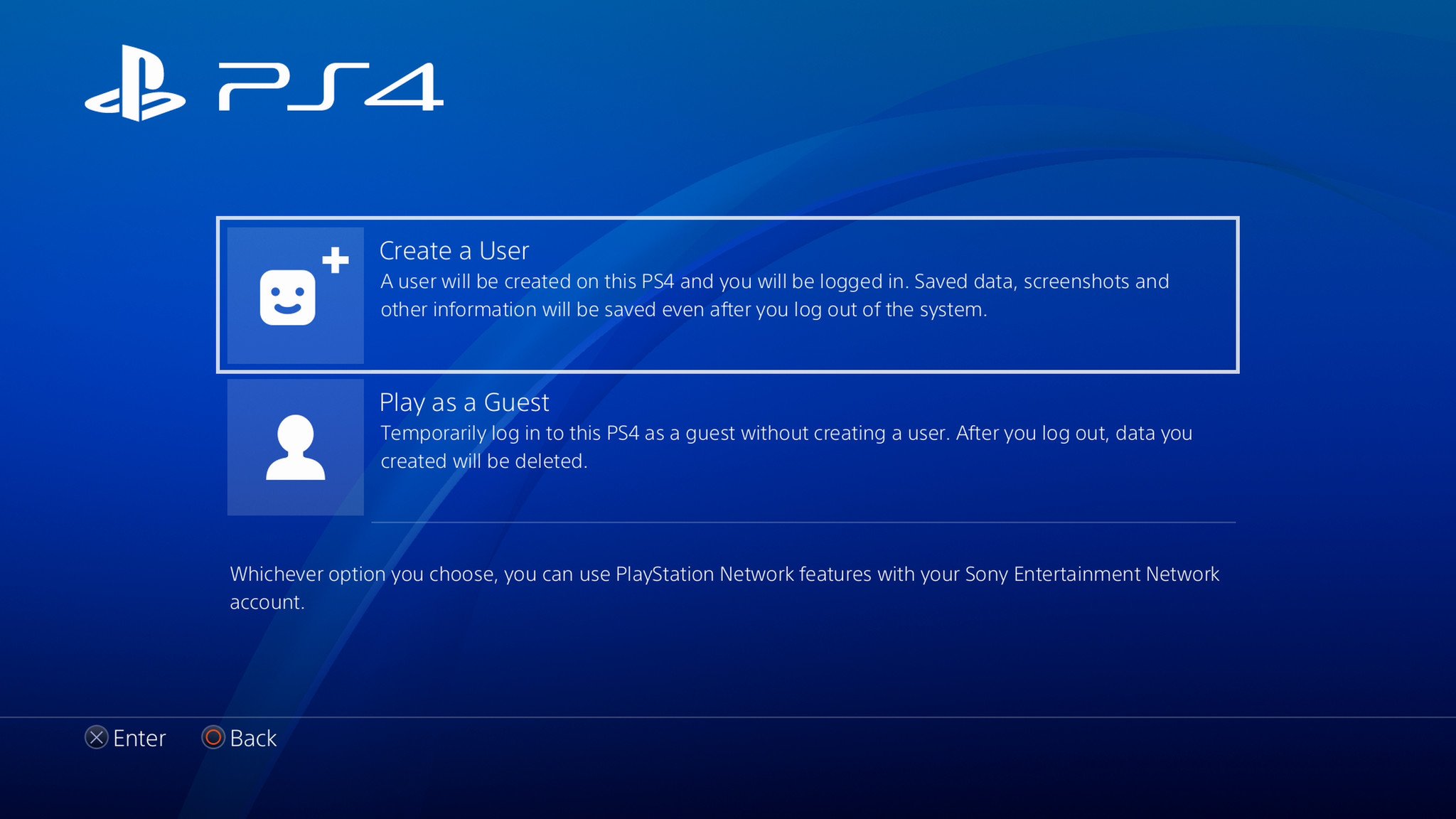
- Create a New Account: If your main account has already used a trial, you may need to create a new user profile on your PS4.
- Navigate to the PS Store: From the PS4 home screen, go to the PlayStation Store icon.
- Search for PS Plus: Locate the PS Plus tab on the left-hand sidebar.
- Check for "14-Day Trial": If available, it will be listed as a free option. In some regions, Sony has replaced 14-day trials with 7-day trials or removed them entirely, depending on current 2026 marketing cycles.
- Complete the "Purchase": Follow the on-screen prompts to "buy" the trial for $0.00.
Crucial Step: Once the trial is active, immediately go to Settings > Account Management > Account Information > PlayStation Subscriptions and turn off "Auto-Renew." This ensures you are not charged once the trial expires.
Method 2: The "Console Sharing" or Primary PS4 Workaround
The most effective "permanent" way to get PS Plus for free is if you have a friend or family member who already pays for the service. PlayStation allows a "Primary PS4" setting that shares benefits across all accounts on a single console.
How It Works
If Account A has a paid PS Plus subscription and designates your PS4 as its "Primary Console," then Account B (your account) can use the online multiplayer features and play the games downloaded by Account A without paying for a separate subscription.
Steps to Set Up Sharing
- Log in as the Subscriber: Have the person with the paid PS Plus subscription log into their account on your PS4 console.
- Activate as Primary: Go to Settings > Account Management > Activate as Your Primary PS4.
- Select "Activate": This tells the Sony servers that this specific hardware is the "home" for that Plus subscription.
- Switch to Your Account: Log out of their account and back into yours. You will now see that you can play online and access any PS Plus games they have installed on the hard drive.
This is a legitimate feature designed for households with multiple players. However, only share account details with someone you trust implicitly, as sharing passwords can lead to account theft.
Method 3: Earning PS Plus via Reward Programs
If you cannot find a trial and don't have someone to share with, you can "earn" PS Plus by accumulating points on reward platforms and trading them for PlayStation Store gift cards. This is not instant, but it is a legitimate way to get the service without spending your own money.
Sony Rewards and PlayStation Stars
Sony’s own loyalty programs are the best place to start.
- PlayStation Stars: This is a loyalty program accessible via the PlayStation App. By completing "campaigns" (such as playing specific games or earning certain trophies), you earn points. In 2026, these points can be redeemed directly for PSN wallet funds, which you can use to buy PS Plus.
- Sony Rewards Credit Card: For adult gamers, using the official Sony credit card for everyday purchases earns points that can be redeemed for PS Plus memberships.
Third-Party Reward Apps
Apps like Fetch Rewards, Mistplay, or Microsoft Rewards allow users to earn points by scanning receipts, playing mobile games, or using a specific search engine. Once you accumulate enough points, you can redeem them for a $10, $25, or $50 PlayStation Gift Card. You then apply this credit to your PSN wallet and purchase the PS Plus tier of your choice.
Comparison of Free PS Plus Access Methods
| Method | Reliability | Duration | Effort Level | Safety |
|---|---|---|---|---|
| Official Trial | High (if eligible) | 7–14 Days | Low | Maximum |
| Console Sharing | Very High | Permanent (as long as friend pays) | Moderate | High (with trusted friends) |
| PlayStation Stars | High | Permanent | High (requires gameplay) | Maximum |
| Reward Apps | Medium | Permanent | Very High | Medium |
| Online "Generators" | Zero | None | N/A | Dangerous/Scam |
Warning: Avoiding "Free Account" Scams and Generators
A common pitfall for gamers is falling for websites that claim to offer "Free PS Plus Account Generators" or "Unused PSN Codes." It is vital to understand that these do not work.
Why They Are Scams
- Phishing: These sites often ask for your current PSN login and password, which they then use to steal your account and sell your digital library.
- Malware: Many "generator" tools require you to download a file that contains viruses or keyloggers.
- Human Verification Traps: These sites force you to complete endless surveys or sign up for "free trials" of other products that eventually charge your credit card, while never actually providing the promised PSN code.
- Account Banning: Using accounts that were created fraudulently or bought from "grey market" sites can result in a permanent console ban from Sony. If your PS4 hardware is banned, you will never be able to go online with that console again, regardless of which account you use.
The Role of Free-to-Play Games on PS4
Many users seek a "free PS Plus account" simply because they want to play online with friends. However, it is a little-known fact that free-to-play games do not require PlayStation Plus for online multiplayer on the PS4.
If your primary goal is to play popular titles like Fortnite, Apex Legends, Call of Duty: Warzone, Rocket League, or Genshin Impact, you do not need to obtain a free PS Plus account. You can simply create a standard (free) PSN account, download these games from the store, and start playing online immediately. This is often the best solution for gamers on a budget who don't necessarily need the "free" monthly games provided by the subscription.
Frequently Asked Questions
Can I get a free PS4 account with PS Plus without a credit card?
Generally, no. Sony requires a valid payment method (Credit Card, Debit Card, or PayPal) to verify your identity and age when signing up for a trial. However, if you use the "Console Sharing" method mentioned above, you do not need a credit card on your own account, as you are piggybacking off the subscription of another user.
Do "PSN Code Generators" actually work in 2026?
No. PSN codes are encrypted and validated at the point of sale. There is no software or website that can bypass Sony's servers to generate a valid, working 12-digit code. Any site claiming to do so is a phishing or advertising scam designed to profit from your clicks or steal your personal data.
How often does Sony offer free PS Plus weekends?
Sony occasionally hosts "Free Online Multiplayer Weekends," typically coinciding with major game releases or holidays. During these events, the requirement for PS Plus to play online is lifted for all users. Keep an eye on the PlayStation Blog or the "What's New" section of your PS4 dashboard for announcements regarding these events in 2026.
If I create a new account for a trial, can I play those games on my main account?
Yes, as long as the account with the active trial has designated that PS4 as its "Primary Console." Once the trial account downloads the "Monthly Games," any other user on that same PS4 can play those games. However, once the trial expires, the games will be locked unless a subscription is renewed on some account on that console.
Is it legal to share a PS Plus account with a friend?
Sony's Terms of Service allow for "Console Sharing and Offline Play." This feature is intended for family members in the same household, but many friends use it to share costs. While it is not "illegal," sharing your login credentials with others technically violates Sony's security recommendations and could lead to your account being compromised if the friendship sours.
Final Recommendation for 2026
The safest and most effective way to obtain a free PS Plus experience on your PS4 is through a combination of PlayStation Stars rewards and the Primary Console sharing feature. If you have a trusted friend, sharing a subscription effectively cuts the cost by 50% for both parties. For those who truly cannot spend any money, focusing on the library of high-quality free-to-play titles is the best way to enjoy the console's online capabilities without the risks associated with "account generators" or fraudulent "free" account offers. Always prioritize the security of your PSN ID by enabling Two-Factor Authentication (2FA) and avoiding any third-party site that asks for your password.
Image Gallery