Verizon Port Request Status Explained: A Comprehensive Guide for 2026
To check your Verizon port request status, visit the official Verizon Switch Status portal online or use the My Verizon app. While most mobile-to-mobile transfers finish within minutes to 24 hours, landline-to-wireless ports can take u...
To check your Verizon port request status, visit the official Verizon Switch Status portal online or use the My Verizon app. While most mobile-to-mobile transfers finish within minutes to 24 hours, landline-to-wireless ports can take up to ten business days. Monitoring your status ensures you can quickly resolve any "Action Required" alerts regarding incorrect account details.
Contents
Understanding the Number Porting Process at Verizon
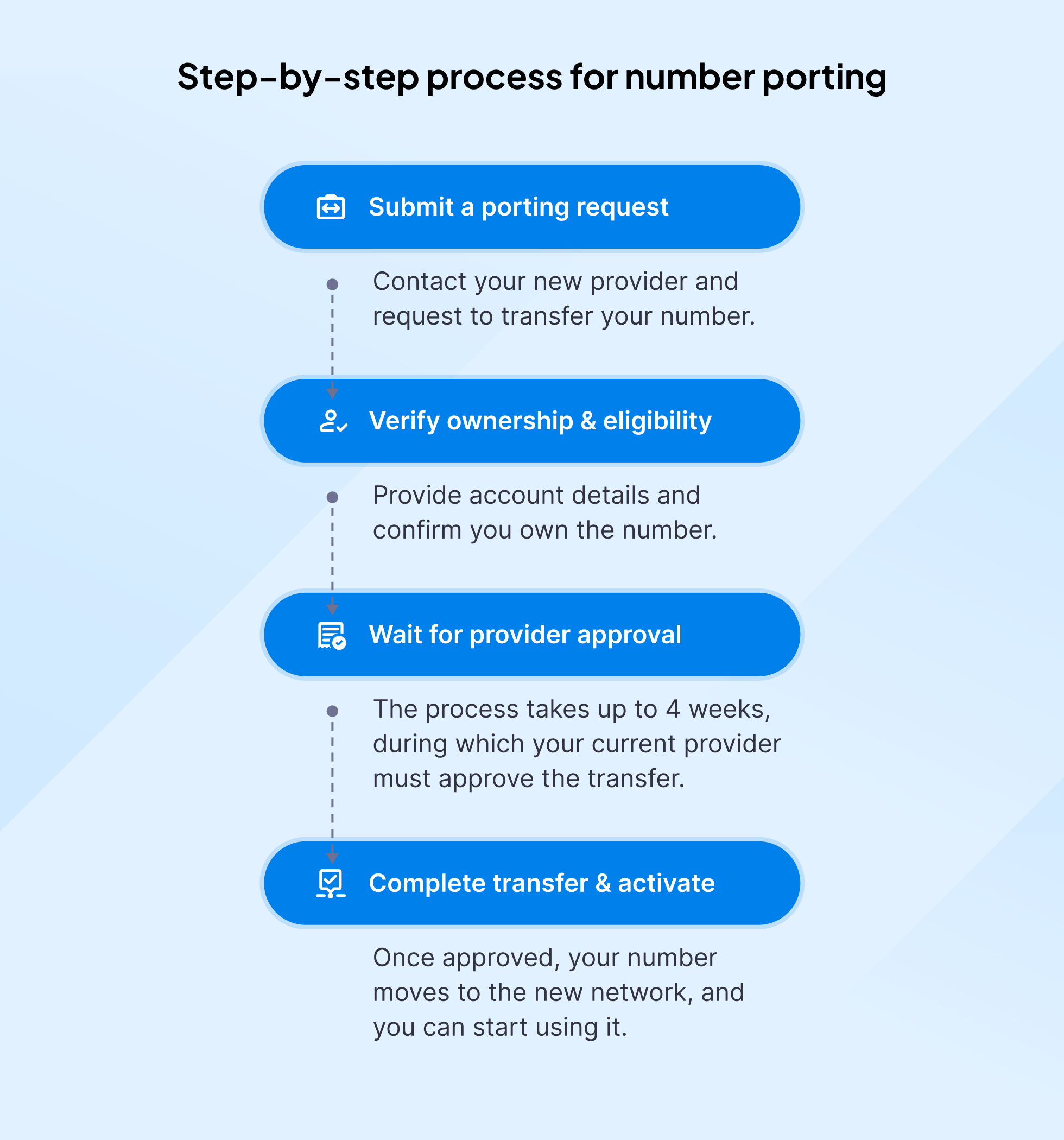
Number portability is a regulatory requirement established by the Federal Communications Commission (FCC) that allows consumers to keep their phone numbers when switching between service providers. When you initiate a "port-in" request to Verizon, you are essentially asking Verizon (the "winning" carrier) to contact your current provider (the "losing" carrier) and request the release of your phone number.
In 2026, the complexity of this process has increased due to enhanced security protocols designed to prevent "SIM swapping" and unauthorized number transfers. Consequently, understanding the specific status of your port request is vital. The process involves a digital "handshake" between the two carriers via the Number Portability Administration Center (NPAC). If any piece of information—such as the account number, transfer PIN, or ZIP code—does not match the losing carrier’s records exactly, the request will stall.
How to Check Your Verizon Port Request Status
Verizon provides several avenues for tracking the progress of your number transfer. It is recommended to check your status at least once every 12 hours during the first two days of the transition.
The Online Switch Status Portal
The most direct method is through the Verizon Port Status Tool. You will need to enter the phone number you are porting and the temporary Verizon order number or the account number provided during your sign-up. This portal provides real-time updates directly from Verizon’s porting department.
The My Verizon App
For existing customers or those who have already created a guest profile, the My Verizon app offers a "Track My Order" feature. This section includes a dedicated sub-menu for porting status. The app is often the fastest way to receive push notifications if a port request moves into an "Action Required" state.
Automated Phone Support
If you do not have internet access, you can call the Verizon Port Center directly at 888-844-7095. This automated system can verify the current stage of your transfer based on the phone number being moved. During high-volume periods, the automated system is generally more efficient than waiting for a live representative.
Explaining Common Verizon Port Statuses
When you check your status, you will encounter specific terminology. Each status reflects a different stage in the communication between Verizon and your previous carrier.
1. In Progress / Pending
This is the most common initial status. It indicates that Verizon has successfully submitted the request to your old carrier and is waiting for a response. For wireless-to-wireless transfers, this status usually lasts less than an hour. For landlines or VoIP services (like Google Voice or Ooma), this status may persist for several days as those systems operate on older, batch-processing intervals.
2. Action Required (Error)
This is a critical status that requires your immediate attention. It means the losing carrier has rejected the request. The rejection is rarely a "no" to the port itself, but rather a "no" to the credentials provided. Common reasons include:
- Incorrect Account Number: This is often different from your phone number or the number printed on your marketing materials.
- Invalid Transfer PIN: Most carriers now require a specific "Number Transfer PIN" or "Port-out PIN" that is different from your account password or security PIN.
- Zip Code Mismatch: The ZIP code must match the primary billing address on the old account, even if you have since moved.
3. Confirmed / Success
This status indicates that the losing carrier has verified your information and agreed to release the number on a specific date and time. At this stage, your Verizon service is ready to be fully activated. You may notice "mixed service" for a short window, where outgoing calls work on your Verizon phone, but incoming calls still ring on your old device.
4. Completed
The "Completed" status signifies that the NPAC has updated the global routing tables. All calls and texts should now be directed to your Verizon device. Once this status is achieved, your account with the previous carrier should automatically close, though it is always wise to verify this with them to avoid "zombie" billing cycles.
Technical Prerequisites for a Successful Port
To ensure your status moves from "Pending" to "Completed" without hitting an "Action Required" roadblock, you must satisfy several technical and administrative requirements before the request is even submitted.
The Number Transfer PIN (NTP)
As of 2026, standard account passwords are no longer sufficient for porting. Carriers like AT&T, T-Mobile, and Verizon itself use a dynamic or temporary Number Transfer PIN. You must generate this PIN via your old carrier’s app or website. These PINs are usually valid for only 7 to 14 days. If your port status shows an error, check if your NTP has expired.
Account Status and Port Protection
Your service with the losing carrier must remain active throughout the porting process. If you cancel your old service before the port is complete, you risk losing the phone number entirely, as it returns to the original carrier's pool of unassigned numbers. Additionally, ensure that "Port Protection" or "Account Takeover Protection" is disabled on your old account. These security features are designed to block all port requests unless manually toggled off by the account holder.
Device Compatibility and Unlocking
While not strictly part of the port request status, device status can affect your perception of the port. If your number has successfully ported (Status: Completed) but your phone shows "No Service," the issue is likely a locked device. Ensure your phone is "SIM Unlocked" by your previous carrier before attempting to use it on the Verizon network.
Porting Timelines and Expectation Management
The duration of a port request depends largely on the type of service you are moving. The FCC guidelines mandate that simple wireline-to-wireline ports be completed within one business day, but "intermodal" ports (landline to wireless) are more complex.
| Transfer Type | Typical Timeline | Max Expected Duration |
|---|---|---|
| Wireless to Wireless | 10 Minutes – 4 Hours | 24 Hours |
| Landline to Wireless | 3 – 5 Business Days | 10 Business Days |
| VoIP to Wireless | 2 – 4 Business Days | 7 Business Days |
| Business/Enterprise | 1 – 3 Business Days | 5 Business Days |
Troubleshooting Common Porting Issues
If your status has been stuck in "In Progress" for more than 24 hours for a wireless transfer, or if you encounter a persistent error, follow these troubleshooting steps.
Resolution for "MDN Not Found"
MDN stands for Mobile Directory Number. If you see an error stating the MDN is not found or is invalid, it typically means there is a typo in the phone number submitted to Verizon. Double-check that you didn't accidentally swap two digits or provide a temporary number instead of your permanent one.
Correcting PIN/Account Errors
If you receive an "Action Required" notification regarding your PIN, do not simply re-enter the same PIN. Log back into your previous carrier’s portal and generate a new Number Transfer PIN. Many users mistakenly use their 4-digit voicemail PIN or the last four digits of their SSN, which will almost always result in a rejection in the current 2026 security environment.
Dealing with "Delayed by Losing Carrier"
Sometimes, the status will indicate that the losing carrier has delayed the request. This often happens with corporate accounts or "family plans" where the primary account holder’s permission is required. If you are on a multi-line plan, ensure you are using the primary account holder’s information, not just your individual line details.
Frequently Asked Questions
Can I port my number to Verizon if I have an unpaid balance?
Yes, according to FCC rules, a carrier cannot refuse to port a number simply because a customer has an outstanding balance. However, porting your number does not waive your legal obligation to pay that balance. Your old carrier will likely send you a final bill for any remaining service or equipment installment plans.
Why can I send texts but not receive them after a port?
This is known as "intermittent" or "split" service. Text messaging (SMS/MMS) often takes longer to route correctly than voice calls because it relies on different gateways. If your status is "Completed" but you cannot receive texts, wait up to 24 hours. If the issue persists, you may need a "network reset" performed by Verizon technical support.
Will my old service cancel automatically?
Generally, yes. Once the port status reaches "Completed," the losing carrier receives a signal that the number is gone, which triggers an automatic cancellation of that specific line. However, if you have other lines or tablets on that old account, the account itself will remain open. It is a best practice to call your old provider a few days after the port to confirm the final status of your account.
What should I do if my port status is "Canceled"?
A "Canceled" status usually occurs if the request was not corrected within a specific timeframe (usually 30 days) or if the losing carrier identified the request as fraudulent. You will need to contact the Verizon Port Center to re-initiate the request with updated, verified information.
Does porting a number cost money in 2026?
Verizon does not typically charge a fee to port a number into their network; in fact, they often provide "Bring Your Own Device" (BYOD) credits or incentives. However, your previous carrier may charge a "port-out" fee or final administrative fees depending on the terms of your contract.
Final Recommendation for a Smooth Port
To ensure your Verizon port request status moves quickly to completion, gather your official account statement from your current carrier before you begin. Ensure you have the specific Number Transfer PIN rather than a standard account PIN, and confirm that your service remains active during the transition. If your status remains in "Action Required" for more than a few hours, do not wait; call the Verizon Port Center at 888-844-7095 to manually verify the data fields. This proactive approach is the most effective way to minimize downtime and ensure you don't lose access to your primary phone number.
Image Gallery